- 半導体事業HOME
- マクニカの製品・サービス
-
技術情報

-
イベント・セミナー
- 取扱メーカー
- サポート
- お問い合わせ
- 製品購入はこちら
- 半導体事業のメルマガ登録


 条件を指定して絞り込む
現在2240件がヒットしています。check
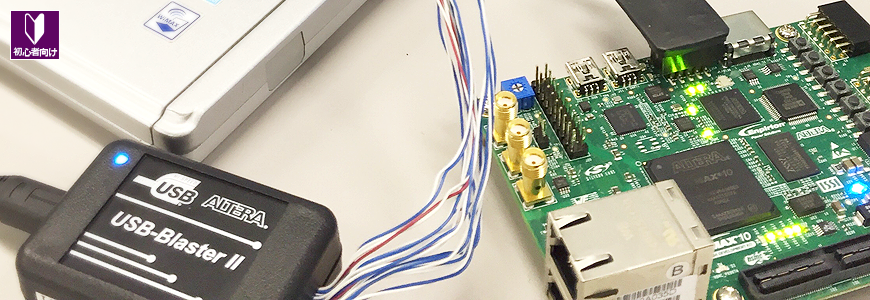

このページでは、Altera® FPGA の開発フローを説明し、各開発フェーズで皆さんに参照してほしい情報を紹介しています。
| そもそも、FPGA って何?と思っている方や FPGA を使ってみたいけど、何からやったら良いかわからない!という方は、こちらの記事が必見です! ▶ FPGA は魔法の箱や~! <ほんとのほんとの導入編> ▶ その1. FPGA 開発をはじめるための環境づくり ▶ その2. FPGA 開発をはじめるために準備するもの ▶ その3. FPGA 開発をはじめるために必要な知識 ▶ その4. FPGA 開発の流れ ▶ その5. 役立つコンテンツの紹介 |
| Altera® FPGA の開発を行うには、Quartus® Prime 開発ソフトウェアを使用します。Quartus® Prime の基本的な操作を簡単に理解したい方は、このチュートリアルで習得することができます。 ▶ Quartus Prime 簡易チュートリアル 大好評のハンズオン形式のセミナーをオンライン動画で大公開!いつでもどこでも自分のペースで受講できますよ。 ▶ 「Quartus® Prime 入門編トライアル 」を動画で大公開! ▶ 「Nios® II 入門編トライアル 」を動画で大公開! ▶ 「SoC スタートアップ・トライアル 」を動画で大公開! ▶ 「Altera® HLS 入門編 トライアル 」を動画で大公開! |
Altera® FPGA 開発フロー図
Altera® FPGA は 下図のような流れで開発を進めていきます。各開発フェーズへジャンプするには、該当する番号をクリックしてください。










(各開発フェーズへジャンプするには、該当する番号をクリックしてください。)
1. 準備
ダウンロード / インストール / ライセンスの設定
2. 機能仕様の検討
FPGA の選定 / コンフィグレーション / 電源&消費電力の見積もり / ボード・シミュレーション
3. 論理回路の設計
IP の情報 / Nios® II の情報 / SoC FPGA の情報 / OpenCL™ の情報
High Level Synthesis (HLS) の情報 / HDL による設計が初めての方
4. 論理シミュレーション
5. 制約の設定
6. コンパイル
7. タイミング検証
8. プログラミング
9. 実機検証
10. 量産
1. 準備
対応状況の確認
FPGA / CPLD をデザインして開発を進める前に、用意すべき開発環境について調べましょう。
| 開発する FPGA / CPLD のファンクションや採用するデバイスによって、使用する開発ソフトウェアが異なります。ちなみに、開発ソフトウェアのことを「ツール」と呼んだりします。ツールをインストールする PC の OS や搭載するメモリ容量なども、事前に確認しましょう。 <サポート対応表> ▶ Quartus® Prime - サポート Windows® OS 対応表 / Operating System Support (外部サイト:Altera) ▶ Quartus® Prime - サポート・デバイス 対応表 |
| PC に搭載するメモリ容量は、開発する FPGA / CPLD によって異なります。詳細は、リリース・ノートに書かれています。(リリース・ノート内を Memory Recommendations で検索すると、見つけやすいです。) <リリース・ノート> ▶ Quartus® Prime Pro Edition のリリース・ノート (外部サイト:Altera) ▶ Quartus® Prime Standard Edition のリリース・ノート (外部サイト:Altera) |
| Quartus® Prime には、ライセンスが必要な有償版とライセンスが必要ない無償版があります。サポートするデバイスや機能に違いがあります。 <エディション比較> ▶ Quartus® Prime のエディション比較 (外部サイト:Altera) |
ダウンロード

ツールのダウンロードについては、以下のページをご覧ください。
▶ Quartus® Prime 開発ソフトウェアおよび Questa* - Altera® FPGA Edition のダウンロード方法
インストール

インストールしたいツールのインストール・ファイル(インストーラー)をダウンロードしたら、次はインストールです。
各ツールのインストール方法については、こちらをご覧ください。(Nios® II エンベデッド・プロセッサーを使用する場合は Nios® II ソフトウェア・ビルド・ツール(Nios® II SBT)も必要ですが、Nios® II SBT は Quartus® Prime のインストールと同時に自動的に行われます。)
▶ Quartus® Prime 開発ソフトウェアおよび Questa* - Altera® FPGA Edition のインストール方法
▶ Altera® SoC FPGA エンベデッド・デベロップメント・スイート(SoC EDS)のインストール方法 ver.20.1
▶ ソフトウェア・デベロップメント・キット(SDK)for OpenCL™ のインストール方法
ライセンスの設定

ツールのインストールが完了したら、ライセンスファイルの取得および設定をおこないます。(無償で使用できる Quartus® Prime ライト・エディションは、ライセンスファイルを取得および設定せずに使用できます。)
ライセンスファイルの生成や更新作業などは、Altera® の Web サイトへサインインして、Altera FPGA Self-Service License Center と言う専用サイトでおこないます。
■ サインインについては、以下の情報をご覧ください。
▶ Altera® FPGA セルフサービス・ライセンスセンターに新規登録する方法
■ ライセンスファイルの取得については、以下の情報をご覧ください。
▶ Quartus® Prime、IP および Questa* - Altera® FPGA Edition の新規ライセンスを取得する方法
▶ 保守更新時の Quartus® Prime、IP および Questa* - Altera® FPGA Edition ライセンスを取得する方法
▶ Quartus® Prime、IP および Questa* - Altera® FPGA Edition ライセンスに紐づいた NIC ID (Host ID) を変更する方法
▶ NIC ID 割り当て済みの Quartus® Prime、IP および Questa* - Altera® FPGA Edition ライセンスのライセンスファイルを発行(再発行)する方法
▶ Questa* - Altera® FPGA Starter Edition ライセンス・ファイルの取得および設定方法
▶ Nios® V プロセッサー IP のライセンスファイルを取得する方法
■ ライセンスファイルの設定については、以下の情報をご覧ください。
Altera® FPGA のライセンスには FIXED ライセンス と FLOAT ライセンス の 2種類がありますが、それぞれ設定方法が異なります。
▶ Quartus® Prime のライセンス形態
▶ Quartus® Prime、IP および Questa* - Altera® FPGA Edition の FIXED ライセンス設定方法
▶ Quartus® Prime、IP および Questa* - Altera® FPGA Edition の FLOAT ライセンス設定方法
▶ Arm® Development Studio (DS) for Altera® SoC FPGA Edition のライセンス設定方法
2. 機能仕様の検討
FPGA / CPLD に実装する機能の仕様を検討し、ブロック図や仕様書を作成します。机上で検討したり、Quartus® Prime を使って簡単なデザイン (デジタル論理回路) を作成してみたりして、実装したい機能が実現可能かどうかを十分に検討していきます。
なお、信頼性の高い論理回路を構築するには、FPGA / CPLD を RTL 設計していく上でポイントとなるデザイン・テクニックの基本を学ぶことが重要です。論理回路の設計をする前に、FPGA / CPLD ユーザー必見の記事を紹介します。(タイミング制約しやすいので、特に、FPGA / CPLD には同期設計を推奨しています。タイミング制約については、5. 制約の設定 をご覧ください。)
[RTL 設計ビギナー必見] シリーズ記事
▶ [RTL 設計ビギナー必見] 同期設計と非同期設計の違い
▶ [RTL 設計ビギナー必見] 非同期信号を入力した際のシステムへ与える影響
▶ [RTL 設計ビギナー必見] ハザード信号のシステムへの影響
さて、FPGA の具体的な検討を進めるにあたって、事前に確認しておいてほしい資料や記事を紹介します。
FPGA の選定
▶ デバイス選定 : Product Specifications (外部サイト:Altera)
▶ デバイス情報 (外部サイト:Altera)
▶ ピン情報 : ピン接続ガイドライン / ピンアウト (外部サイト:Altera)
▶ 各種ドキュメント : (外部サイト:Altera)
▶ 開発キット情報 (外部サイト:Altera)
コンフィグレーション
▶ FPGA のコンフィグレーション
▶ Altera® FPGA の Remote System Upgrade
▶ アクティブ・シリアル・コンフィグレーション デザイン & デバッグ・ガイドライン/FPGA ガイドライン
電源&消費電力の見積もり
▶ FPGA の消費電力の種類と計算方法
▶ Power & Thermal デザイン & デバッグ・ガイドライン/FPGA ガイドライン
▶ Enpirion® 関連の記事や資料
ボード・シミュレーション
▶ 基板シミュレーション(HyperLynx)
SI(信号品質)
PI(電源品質)
Thermal(熱解析)
DRC(デザイン・ルール・チェック)
3. 論理回路の設計
Quartus® Prime は、Verilog HDL や SystemVerilog、VHDL などのハードウェア記述言語(HDL)による設計をサポートしていると共に、回路図による設計もサポートしています。また、Quartus® Prime は HDL と回路図が同一プロジェクト内で混在していても大丈夫です。
Quartus® Prime を使用して FPGA / CPLD の開発を始めるには、まずプロジェクトを作成する必要があります。プロジェクトを作成後に HDL や回路図でデザイン(デジタル論理回路)を作成していきますが、回路図で設計したい場合は、下記の資料を参照してください。
<Quartus® はじめてガイド>-初級ユーザ向けの資料
▶ Quartus® Prime - プロジェクトの作成方法
▶ Quartus® Prime - 回路図エディタの使い方
<Quartus® ステップアップ・ガイド>-中級ユーザ向けの資料
▶ Quartus® Prime - プロジェクトの管理
▶ Quartus® Prime - デバイス・マイグレーション
▶ Quartus® Prime - Qsys システム統合ツールの使い方
※ Qsys は Quartus Prime v17.1 から Platform Designer へ名称変更されました。
IP の情報
Altera® やサード・パーティーから、様々な Intellectual Property (IP) が FPGA 向けに提供されています。IP を使う方は参考にしてください。
▶ Altera® FPGA IP とは? (外部サイト:Altera)
<PLL>
▶ Altera® FPGA の PLL (← どの PLL 編を参照するかは、このページを確認してください)
IOPLL 編 / Altera PLL 編 / ALTPLL 編
<External Memory Interface>
▶ Altera® FPGA に DDR メモリ・コントローラーを実装!
EMIF デザイン & デバッグ・ガイドライン/FPGA ガイドライン
EMIF レイアウト・ガイドライン/FPGA ガイドライン
DDR4 / DDR3
<PCI Express>
▶ Altera® FPGA で PCI Express
PCI Express デザイン & デバッグ・ガイドライン/FPGA ガイドライン
Avalon-ST 編 / Avalon-MM 編
<JESD204>
▶ Altera® FPGA で JESD204B
<HDMI>
▶ Arria® 10 FPGA に HDMI 2.0 IP を使って簡単に4K動画を映してみよう
Nios® II / Nios® V の情報
Nios® II / Nios® V プロセッサーをデザインに実装する方は、こちらの資料や記事を参考にしてください。
▶ Altera® FPGA の Nios® II プロセッサー
▶ Altera® FPGA の Nios® V プロセッサー
▶ Nios® V プロセッサー とは? (外部サイト:Altera)
SoC FPGA の情報
Arm® コア内蔵の SoC FPGA を使用する方は、こちらの資料や記事を参考にしてください。
▶ Altera® FPGA の SoC FPGA
OpenCL™ の情報
インテル® FPGA SDK for OpenCL™ を使用する方は、こちらの資料や記事を参考にしてください。
▶ インテル® FPGA SDK for OpenCL™ とは? (外部サイト:インテル)
High Level Synthesis (HLS) の情報
Altera® HLS コンパイラーを使用する方は、こちらの資料や記事を参考にしてください。
▶ Altera® FPGA の HLS コンパイラー
▶ Altera® HLS コンパイラー とは? (外部サイト:Altera)
HDL による設計が初めての方
ハードウェア技術言語(HDL)の記述方法がわからない方は、テキストと演習問題で学習できるコンテンツを用意しています。これを習得すれば、最低限の記述ができるようになります。是非、ご覧ください。
▶ はじめてみよう!Verilog HDL <演習問題つき>
▶ はじめてみよう!VHDL <演習問題つき>
4. 論理シミュレーション
設計が終わったら、論理シミュレーションで論理的な検証をおこないます。シミュレーションは ModelSim® - Altera® FPGA Edition などの RTL シミュレータを使用しますが、Quartus® Prime でサポートしていた回路図を RTL シミュレーターではサポートしていません。Quartus® Prime の回路図から HDL に変換する方法は、「Quartus® Prime - 回路図エディターの使い方」を参照してください。
▶ Altera® FPGA のファンクション・シミュレーションは NativeLink で解決しよう (Standard Edition、Lite Edition 向け)
▶ Quartus® Prime Pro Edition で生成した IP を含むデザインを Questa* - Altera® FPGA Edition でファンクション・シミュレーションする方法 (Pro Edition 向け)
<Quartus® はじめてガイド>-初級ユーザ向けの資料
▶ ModelSim® - Altera® FPGA Edition - RTL シミュレーションの方法
ModelSim/Questa
ミッドレンジ以上の FPGA を開発する場合は、シミュレーション速度が速い Questa や ModelSim をお勧めします。
▶ RTL シミュレーター & デバッグ・ツール/Questa / ModelSim
5. 制約の設定
RTL シミュレーションが終わったら、ピン配置やデバイスの設定、各種の制約をおこなうことになります。コンパイルする前には、必ず必要な設定や制約をおこなってください。
<Quartus® はじめてガイド>-初級ユーザ向けの資料
▶ Quartus® Prime - デバイス・オプションの設定方法
▶ Quartus® Prime - ピン・アサインの方法
▶ Quartus® Prime - タイミング制約の方法
<Quartus® ステップアップ・ガイド>-中級ユーザ向けの資料
▶ Quartus® Prime - EDA ツールの設定方法
▶ Quartus® Prime - 制約の方法(Assignment Editor)
▶ Quartus® Prime - よく使用するピン・オプションの設定方法
6. コンパイル
各種設定や制約が完了したら、コンパイルをおこないます。フル・コンパイルでは論理合成や配置配線、タイミング解析、プログラミング・ファイルの作成をおこないます。コンパイルが終わったら、コンパイル・レポートを必ず確認してください。
<Quartus® はじめてガイド>-初級ユーザ向けの資料
▶ Quartus® Prime - コンパイル・レポート・ファイルの見方
<Quartus® ステップアップ・ガイド>-中級ユーザ向けの資料
7. タイミング検証
コンパイル・レポートと同時にタイミング解析の結果も確認します。コンパイル・レポート上のタイミング解析結果はサマリー情報だけですので、詳細な結果を確認するには TimeQuest タイミング・アナライザーを使用します。
<Quartus® はじめてガイド>-初級ユーザ向けの資料
▶ Quartus® Prime - タイミング解析の方法
<FPGA ガイドライン>
▶ タイミング&インプリメンテーション デザイン & デバッグ・ガイドライン/FPGA ガイドライン
8. プログラミング
ここまで来たら実機デバッグをすることになりますが、FPGA / CPLD やコンフィギュレーション・デバイスにデータを書き込む時には Quartus® Prime の Programmer を起動して、Altera® FPGA ダウンロード・ケーブル(USB-Blaster™ II や USB-Blaster™ など)を介してデバイスへ書き込みをおこないます。
<Quartus® はじめてガイド>-初級ユーザー向けの資料
▶ Quartus® Prime - デバイス・プログラミングの方法
<Quartus® ステップアップ・ガイド>-中級ユーザー向けの資料
▶ Quartus® Prime - プログラミング・ファイルの生成や変換(Convert Programming Files)
<もっと知りたい方>
▶ FPGA 経由で EPCQ デバイスへプログラミング(JIC プログラミング)
▶ USB-Blaster™ II のドライバーをインストールしてみよう
▶ USB-Blaster™ のドライバーをインストールしてみよう
▶ USB-Blaster™ II の TCK 周波数を変更してみよう
9. 実機検証
評価用基板の電源を再投入し、コンフィグレーション・デバイスから FPGA にデータが正常に転送されれば、FPGA の動作を確認するフェーズに入ります。
<Quartus® はじめてガイド>-初級ユーザー向けの資料
▶ Quartus® Prime - Signal Tap ロジック・アナライザーの使い方
<もっと知りたい方>
▶ FPGA オンチップ・デバッグ " Signal Tap" をやってみよう
※ SignalTap® II は Quartus Prime v17.1 から Signal Tap へ名称変更されました。
10. 量産
実機検証が完了すれば、量産へ移行することができます。
おすすめ情報
記事/資料
<FPGA ガイドライン>
FPGA ガイドライン 関連の記事や資料