Products/Services
product
- Why choose Splunk
- Installation record
- price
- Splunk Enterprise Security
- Splunk Phantom (SOAR)
- Splunk ITSI (Next Generation IT Operations)
- Splunk Observability Cloud
- Splunk UBA
- Macnica CSIRT App Basic
- App for Splunk for Financial Institutions
- Splunk Analytics for Hadoop
- About Apps
- Splunk Edge Hub
- What is Splunk
service
- Dashboard/SPL Creation Pack [Implementation/Building Support]
- Version upgrade service [implementation and construction support]
- Smart Security Monitoring App [Original App/Service]
- Splunk × LANSCOPE Original App [Original App/Service]
- Security Monitoring App for Box [Original App/Service]
- Cloud Security Monitoring App [Original App/Service]
Specifications/Technical Information
Specifications/Technical Information
Evaluation machine application/FAQ
Application for evaluation machine
- FAQ

Splunk
Splunk
- Now with SPL2, you can reuse your datasets!
- Dashboard Studio now allows you to display conditions for each panel!
Main additional functions
SPL2
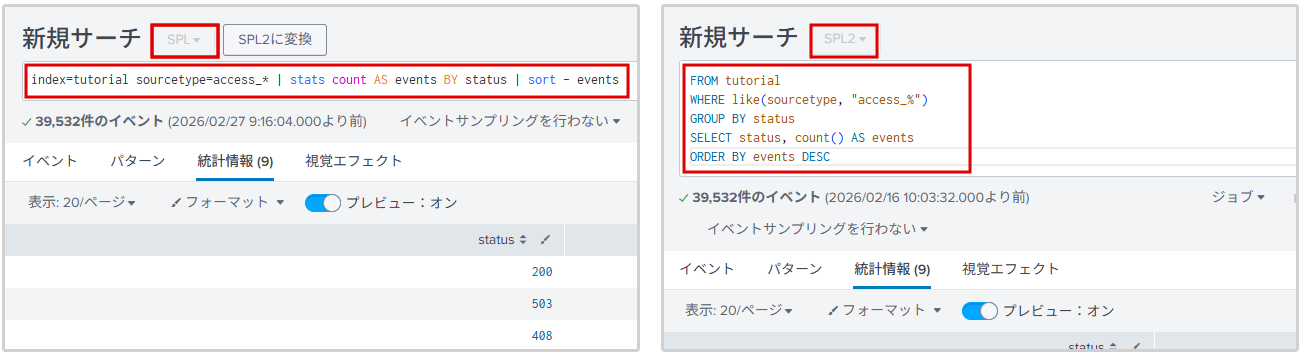
SPL2 is now available for Splunk Enterprise.
- SPL2 is an SQL-like language. In addition to the existing SPL, SPL2 can now be used for searches.
- By creating an SPL2 module, you can reuse search results in dashboards, etc.
- Previously, this was only available on Splunk Cloud's Edge Processor and Ingest Processor.
Both traditional SPL and SQL-like SPL2 can be used.
SPL2 module
- A file containing searches, custom functions, custom data types, etc. It can be shared with other users and reused in dashboards, etc.
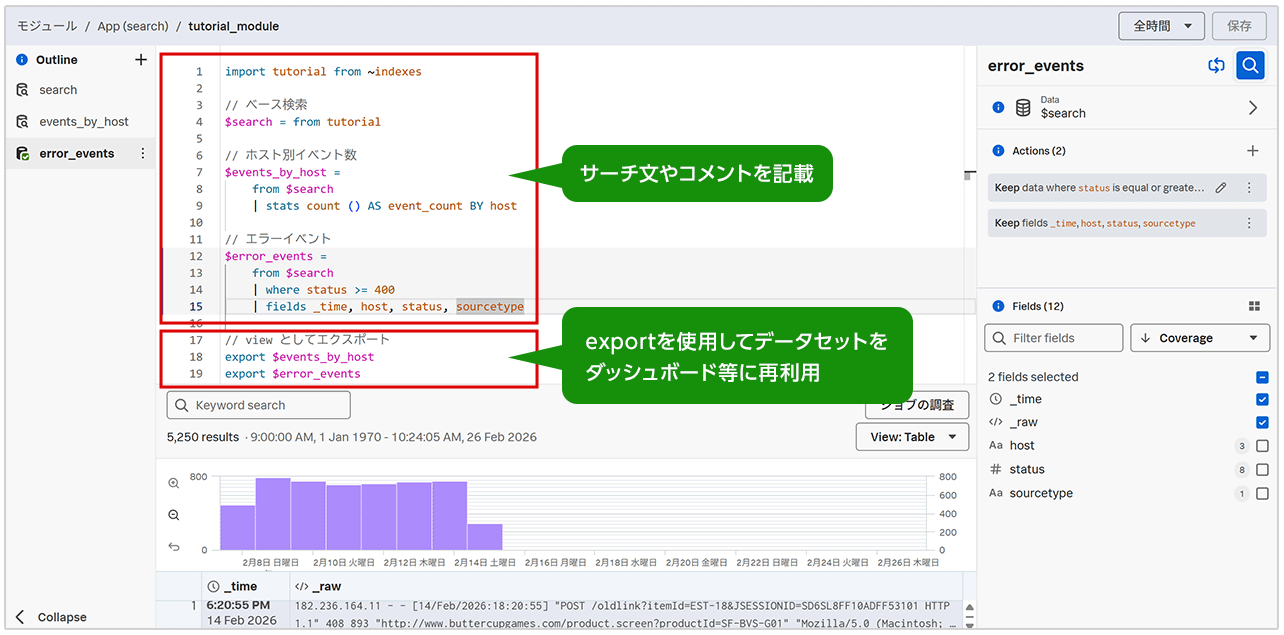
You can use it in situations like this! !
- SQL user participation
SPL2 is SQL-like, making it an easy search language for SQL users to learn. - Share your search with other users
You can write search statements, custom functions, and their intent in the SPL2 module and share them with other users. - Reuse search results in dashboards
By exporting search results in an SPL2 module, you can reuse the results as a dataset in other modules or dashboards.
Splunk AI Assistant for SPL
- The Splunk AI Assistant for SPL (SAIA) is now available in the Search & Reporting App.
- SAIA supports the generation and interpretation of SPL using natural language.
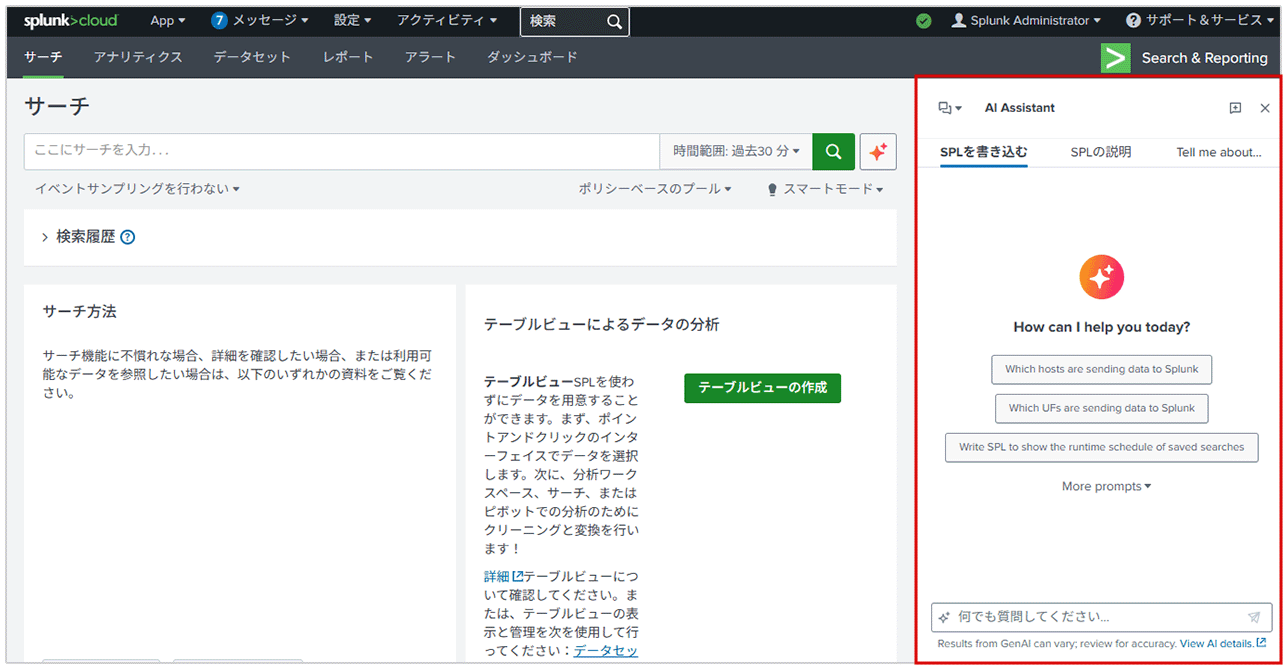
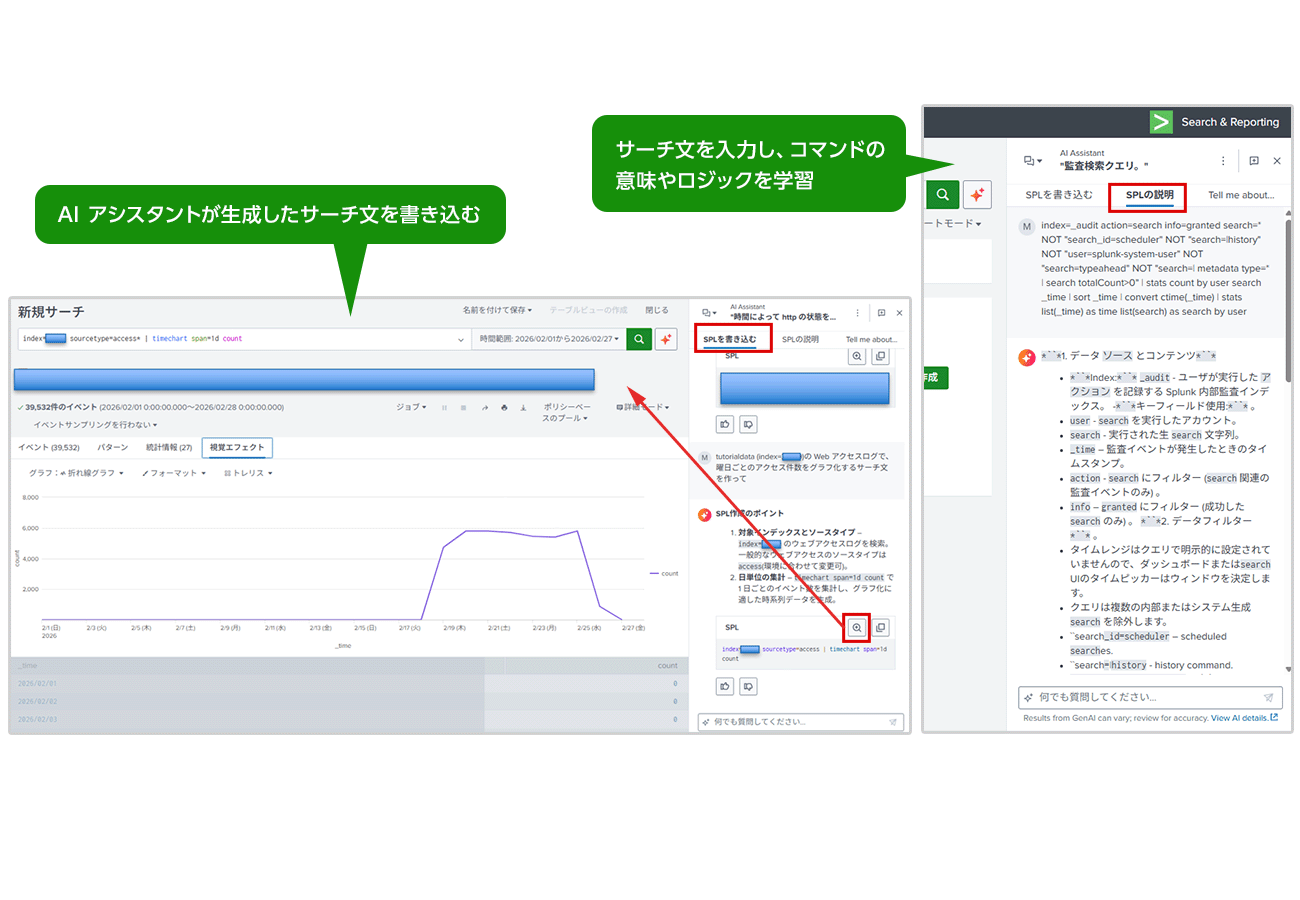
You can use it in situations like this! !
- Speed up work
Get precise answers to your technical questions with references to published Splunk documentation, helping you work more efficiently when analyzing new data or building new dashboards. - Accelerate learning
It deciphers the complex parts of SPL queries and provides natural language explanations to help new users learn.
Dashboard Studio Panel Condition Display
- Panel conditions can now be displayed.
- It is possible to limit the users who can view each panel.
- It can also be used in combination with tokens, such as hiding depending on the time of day or job status.
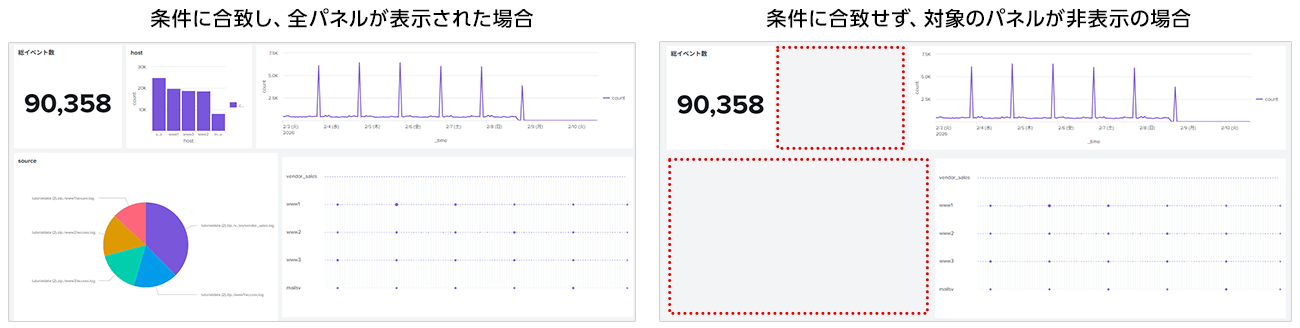
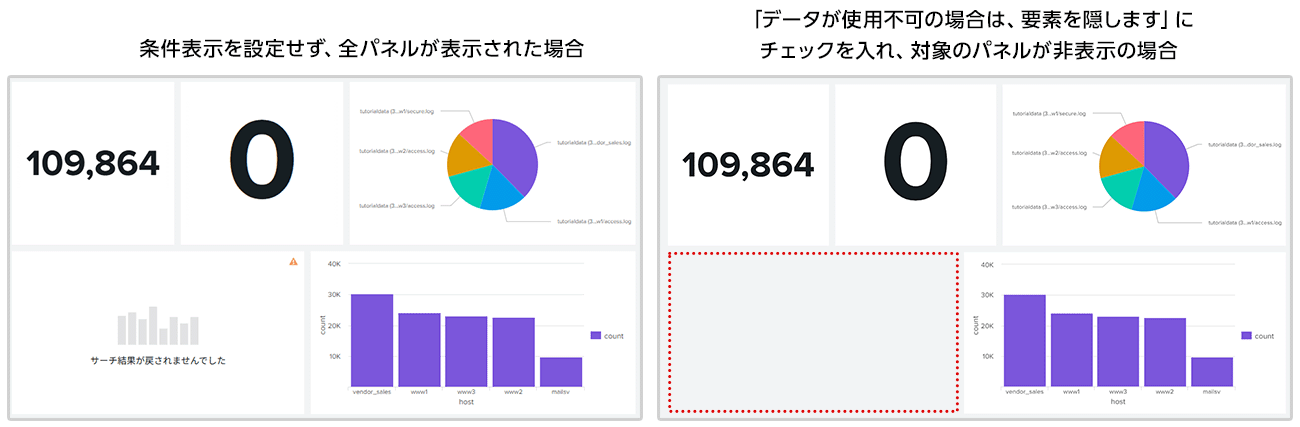
You can use it in situations like this! !
- No need to manage dashboards individually
By specifying variable conditions for roles and users, you can display panels only to specific departments or users. There is no need to separate dashboards for each department; you can manage display/hide on a panel-by-panel basis. - Hide panels that do not contain target data
If the target data is not available, such as when there are no search results, the panel can be hidden.
Click here for function information of past and other versions
Inquiry/Document request
In charge of Macnica Splunk Co., Ltd.
- TEL:045-476-2010
- E-mail:splunk-sales@macnica.co.jp
Weekdays: 9:00-17:00