product
- Why choose Splunk
- Installation record
- price
- Splunk Enterprise Security
- Splunk Phantom (SOAR)
- Splunk ITSI (Next Generation IT Operations)
- Splunk Observability Cloud
- Splunk UBA
- Macnica CSIRT App Basic
- App for Splunk for Financial Institutions
- Splunk Analytics for Hadoop
- About Apps
- Splunk Edge Hub
- What is Splunk
service
- Dashboard/SPL Creation Pack [Implementation/Building Support]
- Version upgrade service [implementation and construction support]
- Smart Security Monitoring App [Original App/Service]
- Splunk × LANSCOPE Original App [Original App/Service]
- Security Monitoring App for Box [Original App/Service]
- Cloud Security Monitoring App [Original App/Service]
Specifications/Technical Information
Application for evaluation machine
- FAQ

Splunk
Splunk
Security Monitoring App for Box

What is the Security Monitoring App for Box?
"Security Monitoring App for Box" is a Splunk app (add-on software) that uses event logs generated by the content cloud "Box" to detect and monitor unauthorized access, misconfigurations, and other issues related to Box.
Features of the Security Monitoring App for Box
- Use Box event logs to monitor for misuse, abuse, and configuration errors in Box.
- Equipped with over 10 types of dashboards/visualization panels to enable effective security monitoring and operation.
- It is equipped with an alerting mechanism to detect abnormalities.
Solution operation image
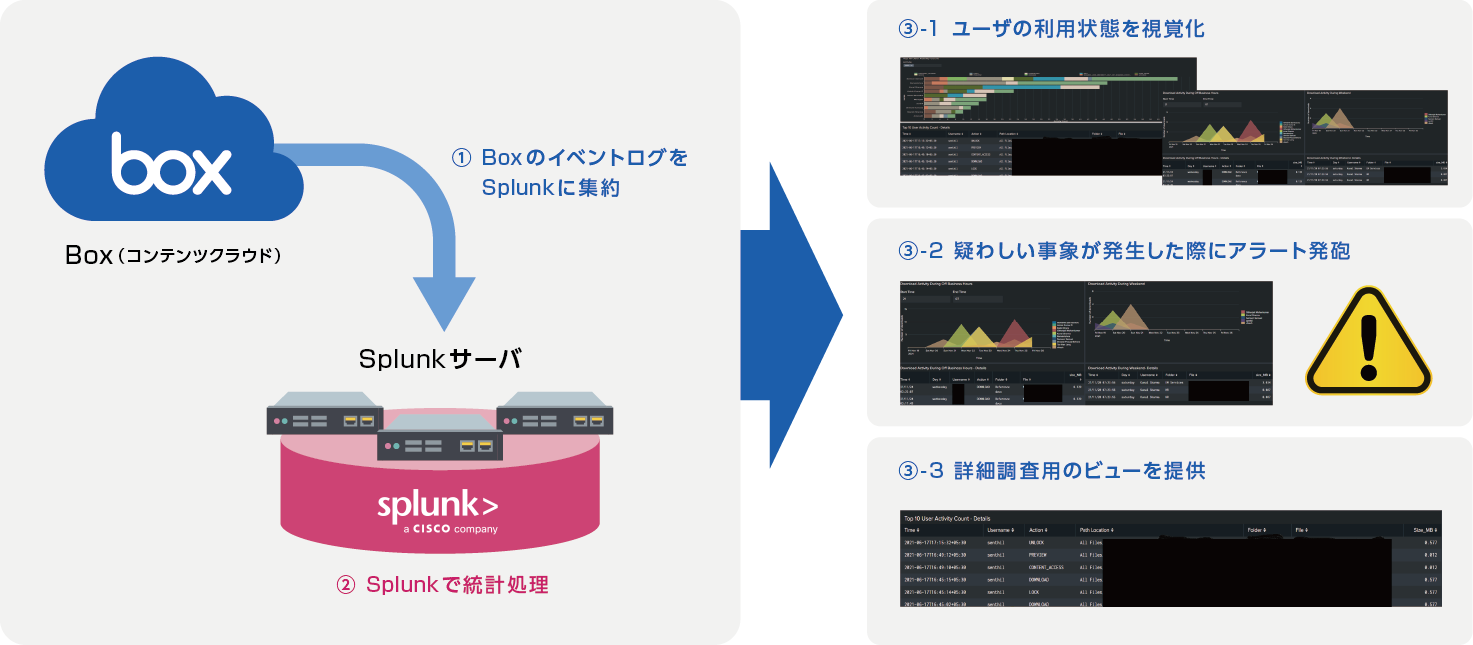
Extensive visualization/dashboard capabilities
"By visualizing Box usage using a set of preset dashboards, you can notice unusual or abnormal conditions and grasp trends. The initial release version includes 12 different visualization panels. Here are some examples of visualization features:
- Visualize the access status of externally shared folders.
- Visualize the creation and access patterns of open and public links.
- Visualize download activity outside of business hours and on weekends.
- List and visualize excessive download and deletion activities.
- etc.
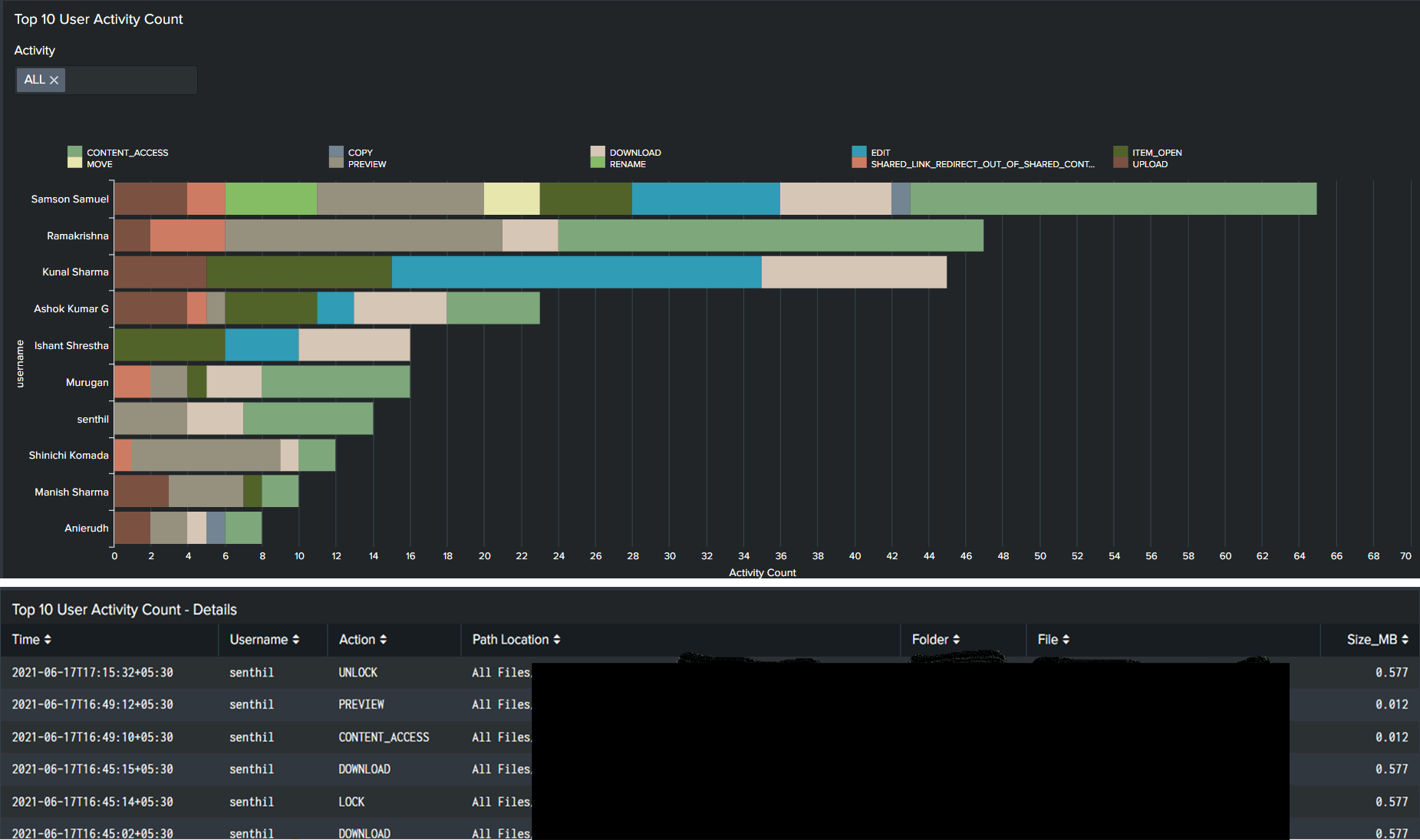
Example: Statistics by User Activity
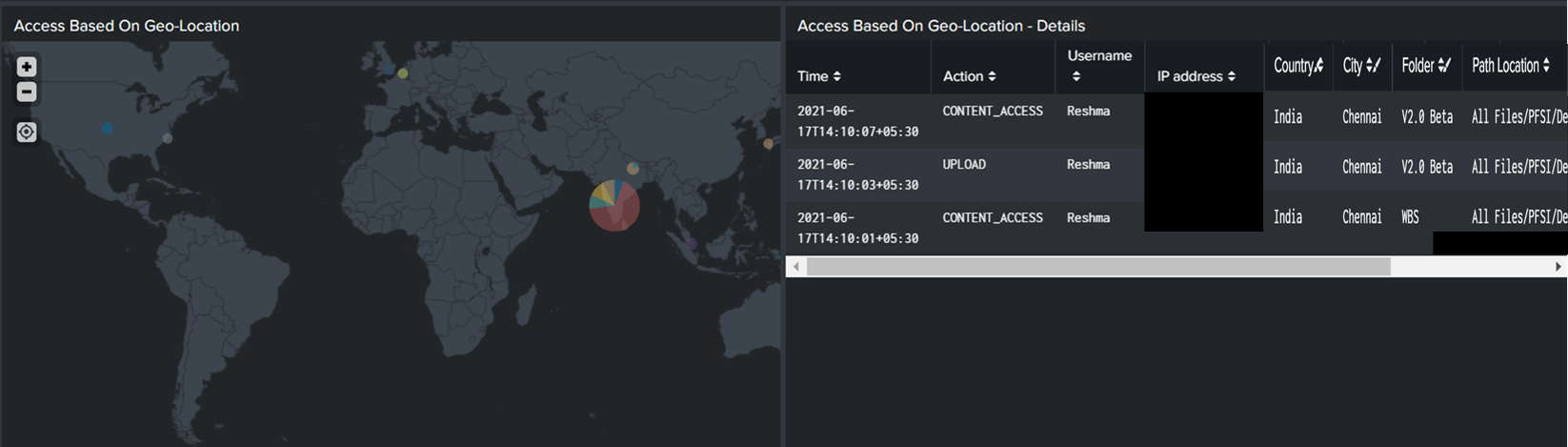
Example: Access information based on geographic information
Proactively detect abnormalities! Alert function
The preset alert function allows administrators to receive notifications by e-mail, etc. when events requiring attention occur. The initial release version provides 7 types of alert functions. Some examples are:
- An alert will be sent when excessive downloads exceeding the threshold occur.
- Alert when an open link is generated.
- Alerts are sent when an open link is accessed.
- リンクの有効期限が切れそうな場合にアラート
- etc.
SaaS/クラウドストレージもセキュリティ管理が重要
In recent years, the use of SaaS (Software as a Service) has exploded, and content sharing and data storage are among the most rapidly growing categories of SaaS. Due to the impact of the COVID-19 pandemic and remote work, a significant number of companies are replacing their traditional on-premises file servers with SaaS-based cloud storage. "Box" is one of the leading products in the content cloud market.
Box implements robust security and meticulous management functions, making it possible to prevent information leaks due to external attacks. However, with the spread of remote work, it is necessary to pay even more attention to information leaks caused by configuration errors due to the increased complexity of access control settings, and by malicious employees accessing and downloading files.
By using this app, you can further enhance the security of your Box usage.
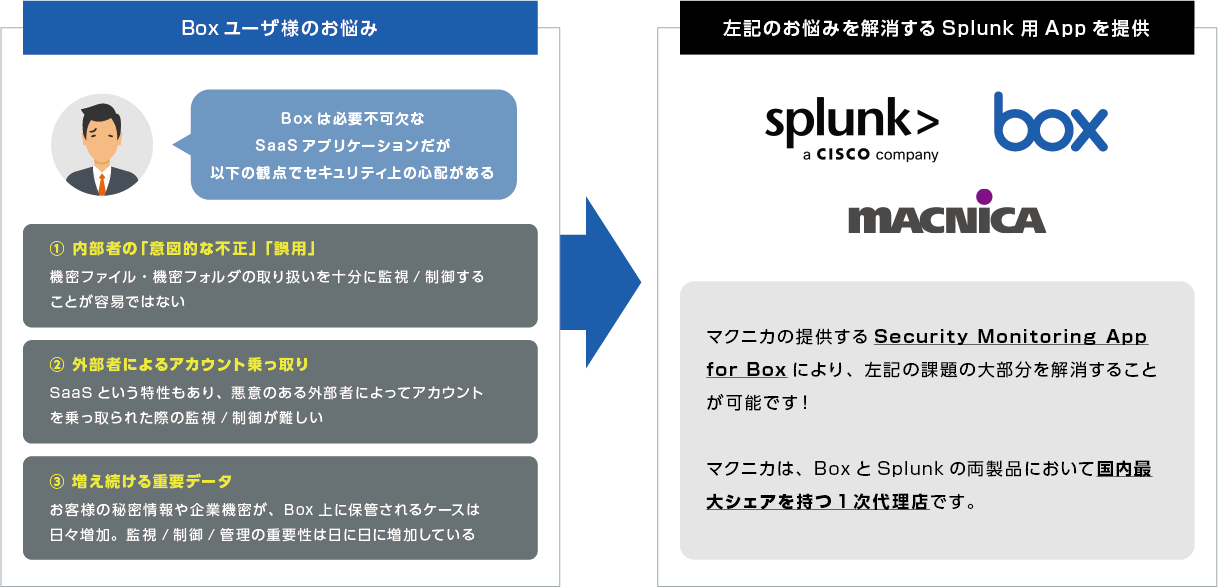
Problems of Box users
Box users, in particular, have the following security concerns: They need to monitor, manage, and control operations and settings related to confidential files within Box.
Offered as an annual subscription
This app is an add-on software specifically for "Splunk Enterprise" or "Splunk Cloud." It is a subscription-based service that includes annual support. Macnica can also provide this app together with Splunk ("Splunk Enterprise" or "Splunk Cloud").
Pricing
Pricing structure for this service
- This is an annual subscription per user at a list price of 700,000 yen (excluding tax) per year.
- As a general rule, customers are responsible for installation, implementation, and tuning.
- During the contract period, Macnica will provide various support services (inquiries regarding specifications, bug fixes, etc.).
| Contents of offer | cost |
|
Base package contents - Provision of our app, "Security Monitoring App for Box" |
Annual usage fee: 700,000 yen (excluding tax) *The same fees will apply in subsequent years. |
| Contents of offer | cost |
|
Installation/implementation/tuning services and various support (※ using dashboard/SPL creation package) *As a general rule, customers are responsible for installation, implementation, and tuning. |
Estimates will be provided on a case-by-case basis depending on the requirements. |
|
Customization/feature enhancements to meet your needs (※ using the Dashboard/SPL creation package) *If requested, we can provide support for customization and feature enhancements tailored to your specific requirements. |
Estimates will be provided on a case-by-case basis depending on the requirements. |
Inquiry/Document request
In charge of Macnica Splunk Co., Ltd.
- TEL:045-476-2010
- E-mail:splunk-sales@macnica.co.jp
Weekdays: 9:00-17:00