"I honestly don't really understand what ERP is," "How is it different from a core business system?" — Many people in the DX promotion departments and production management/information systems departments of manufacturing companies have these kinds of questions. ERP is a crucial system for centralizing a company's core business operations and improving the speed and accuracy of management decisions. In this article, we will explain the meaning of ERP, how it differs from core business systems, its advantages and disadvantages, its types, and how to supplement operations that cannot be fully covered by standard ERP functions, incorporating the expertise of Macnica, which has a wealth of experience in supporting DX in the manufacturing industry.
What is ERP? A simple explanation of its meaning.
Definition of ERP (Enterprise Resource Planning)
ERP stands for Enterprise Resource Planning. It refers to a concept that aims to improve and optimize business efficiency by comprehensively managing and effectively utilizing a company's management resources, such as "people," "goods," "money," and "information."
Currently, the business systems developed to realize this concept are commonly referred to as "ERP," "ERP packages," or "ERP systems." They integrate and manage core business functions such as accounting, human resources, production, logistics, and sales in a single database, enabling real-time information sharing across departments.
Differences from the core system
| system | Purpose of use | Area of effect |
|---|---|---|
| ERP | Centralized management and optimization of company-wide resources, and rapid decision-making. | Entire company |
| Core system | Streamlining operations in individual areas such as accounting, production, and inventory. | Each department/department |
ERP is often confused with "core business systems." The difference between the two lies in the scope of operations they manage. Core business systems are a general term for systems that individually manage specific business areas, such as accounting systems and production management systems.
On the other hand, ERP refers to a system that integrates these multiple core systems into one, optimizing resources across the entire company. The key difference is that while core systems are tools for "departmental optimization," ERP aims for "company-wide optimization."
The main function of ERP is centralized management of core business operations such as accounting, production, and sales.
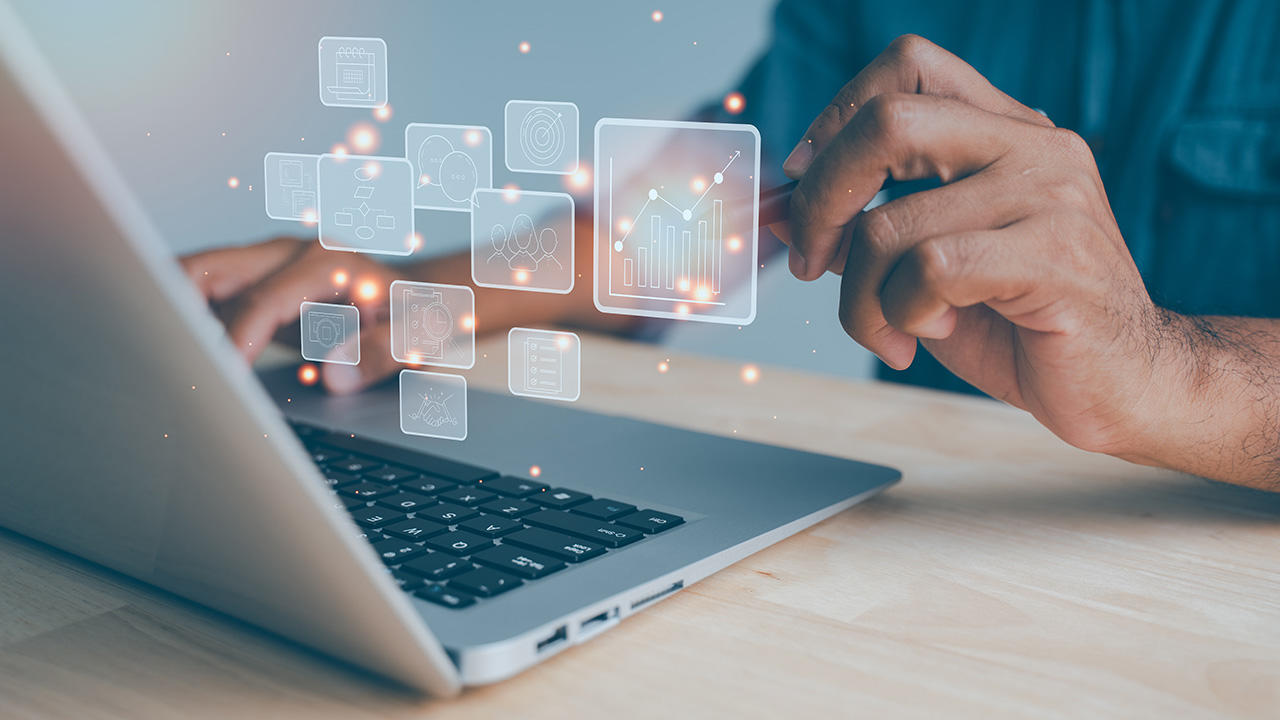
Typical functions of ERP include accounting management, human resources and payroll management, production management, purchasing management, sales management, inventory management, and customer management.
By linking these functions on a single database, it becomes possible to automatically synchronize everything from the single fact that "a product has been sold" to inventory reduction, sales recording, updating of sales performance, and invoice issuance.
Visualization of business performance through data integration
Many ERP systems include dashboards and data analysis functions, allowing for real-time visualization of data from each department.
Management will be able to make decisions based on a clear understanding of the latest business situation without having to cross-reference multiple documents.
Benefits of implementing ERP
Centralized information management and streamlining of data entry operations
Implementing an ERP system eliminates the need for duplicate data entry across multiple systems, simultaneously reducing human error and achieving a paperless environment.
Speeding up management decision-making
Because company-wide data is linked in real time, management can grasp market changes and on-the-ground situations in a timely manner and make quick decisions.
Strengthening internal controls and security
ERP systems incorporate access control and log management functions, contributing to the prevention of unauthorized access and data tampering, as well as strengthening internal controls.
Disadvantages and points to note when implementing ERP
It incurs implementation and operating costs.
Because ERP systems have a wide scope, initial and running costs tend to be high depending on the scale of implementation.
Therefore, we recommend starting small by narrowing down the necessary functions and gradually implementing them. Please note that specific costs vary greatly depending on the implementation method and the scope of the business operations, so we have not specified any amounts in this article.
Business processes need to be reviewed.
ERP implementation must be carried out in conjunction with a review of existing business processes. It is important to have a perspective of standardizing business processes to match the ERP system.
It takes time for it to become established.
It takes a certain amount of time and effort, including developing manuals and providing employee training, for the changes to be fully implemented on-site.
Types and Classification of ERP Systems

ERP systems are easier to understand when classified along two axes: "how to use them" and "how to create them." Let's look at the characteristics of each, using familiar examples.
Deployment method: On-premise / Cloud
The first key aspect is the "implementation method," which refers to where the system is located and used. There are two main types: "on-premise," where servers are installed and operated within the company's own building, and "cloud-based," where users access and utilize an environment provided by the vendor via the internet.
To use an analogy, on-premise systems are like having a safe at home, while cloud-based systems are more like renting a safe deposit box at a bank. On-premise systems offer the freedom to customize, but they incur costs for server construction and securing personnel to handle maintenance. Cloud-based systems, on the other hand, can be implemented quickly with lower initial costs, and maintenance and security measures can be entrusted to vendors who are experts in information management. As a result, they are becoming mainstream not only for small and medium-sized enterprises but also for large corporations.
Development methodology: Package-based / Full-scratch / Component-based
The second axis is the "development method," which is how the system is built. Package-type systems are "off-the-shelf products" that have functions common to many companies already prepared. They are easy to implement at low cost and in a short period of time, and are widely chosen by companies ranging from small and medium-sized enterprises to large corporations.
In contrast, a "custom-made" system, built from scratch to suit a company's specific business needs, is called a full-scratch development. While offering a high degree of flexibility, the development period and cost are significant. Although it was once primarily adopted by large corporations, its use has decreased, even among financial institutions.
The component-based approach involves selecting and combining only the necessary functions, such as accounting, inventory, and production management, like individual components. This is suitable for companies that have already implemented some business systems or those that want to start small.
| classification axis | type | feature |
|---|---|---|
| Mode of introduction | On-premise | Building your own servers allows for customization, but requires significant costs and personnel for setup and maintenance. |
| Cloud-based | Access vendor services via the internet. Allows for quick implementation with reduced initial costs. | |
| Development Methods | Package type | Utilizes existing functions as they are. An "off-the-shelf" type that is easy to implement at low cost and in a short time. |
| Full scratch build | This "custom-made" type involves developing a system from scratch according to the company's specifications. While it offers a high degree of flexibility, it is costly and time-consuming, so its adoption is currently declining. | |
| Component type | A "semi-custom" type where you select and combine only the necessary functions like parts. |
Which type is right for your company depends on factors such as the size of your business, the status of your existing systems, and "how much customization you want."
What to do about tasks that ERP alone cannot handle? No-code development as an option.
The limitations of standard ERP functions and the burden of "add-on development"
Package-based ERP systems have general-purpose functions to accommodate a wide range of industries, but this can mean they may not fit a company's unique business processes or on-site management requirements.
"Add-on development" to compensate for this often relies on traditional scratch development, which tends to present challenges in terms of development costs, time, and the burden on the IT department.
Especially if you are using SAP, this article provides a detailed explanation of side-by-side extensions using Mendix.
In-house development of peripheral tasks using the low-code/no-code development platform "Mendix"
One option to address these challenges is Mendix, an enterprise-grade low-code development platform offered by Siemens. (Macnica is an authorized reseller of Mendix, providing comprehensive support from product delivery to implementation assistance.)
Mendix is a hybrid platform that enables no-code development with an intuitive drag-and-drop interface, while also supporting full-fledged custom code extensions using Java/JavaScript.
For tasks that don't require differentiation from competitors, such as accounting management and human resources/payroll management, the basic approach is to adapt the process to the standard functions of the ERP system. On the other hand, for tasks that create value through differentiation, such as sales activities and production sites, a system optimized for the company's specific needs is required. With Mendix, you can quickly develop systems for these differentiated tasks in-house, either led by the IT department or involving the operational departments.
Benefits of implementing Mendix (speed, flexibility, reduced burden on the IT department)
By utilizing Mendix, you can expect shorter development times compared to traditional scratch development, and you can also respond flexibly to specification changes.
One of the reasons Mendix is chosen is that it allows for the gradual in-house development of peripheral management systems and the digitization of field forms without having to modify the ERP system itself. Macnica 's engineers, who understand both IT and OT, provide support from requirements definition to development and operation.
If you are interested in business process improvement and in-house development starting with ERP, please visit the Mendix service page.
Key points for choosing an ERP system that suits your company

ERP systems are large-scale systems that, once implemented, are difficult to switch to other systems easily. That's why we've compiled a list of key points to consider during the selection process.
① Clarify the purpose of implementation.
If you proceed with the consideration of implementing an ERP system without clearly defining "why you are implementing it," the implementation is likely to deviate from the original objective. Start your considerations from the management challenges you want to solve, such as "do you want to centralize information management?", "do you want to speed up management decision-making?", or "do you want to eliminate the reliance on specific individuals for certain tasks?" If you proceed with an ERP system without a clear objective, the criteria for vendor selection and functional requirements will become inconsistent, and you may end up with a situation where "it's not what we expected" after implementation.
② Check if the system has all the necessary functions for your company's operations.
The features included in ERP systems vary. Make sure that the system has all the necessary functions for your company's operations, including accounting, human resources, production, and sales, without any unnecessary additions or omissions.
More features aren't always better; paying for features you don't use can actually decrease the return on investment. We recommend taking advantage of demonstrations and free trials to test how the features fit into your actual work.
③ Confirm compatibility with existing systems and external services.
Many companies already use some kind of business system, such as a sales management system or an attendance management system, even before implementing an ERP system.
When implementing an ERP system, an important criterion is whether it can seamlessly integrate with existing systems and external services that can be linked via APIs.
If the integration is poor, manual data entry will still be necessary, and the full benefits of ERP implementation will not be realized.
④ Determine the balance between cost and functionality (cost-effectiveness).
Implementing and operating an ERP system involves licensing fees, maintenance fees, and sometimes customization fees. It's important to evaluate whether the benefits outweigh the cost, taking into account factors such as reduced workload and prevention of human error, rather than simply comparing prices.
⑤ Confirm the operation, maintenance, and support system.
ERP systems are not a one-time implementation; they are systems that are operated over the long term. Therefore, it's important to also check the vendor's support system, including the speed of response to problems, the frequency of system updates, and the comprehensiveness of their customer support channels.
⑥ Check the implementation track record in companies of a similar industry and size to your own.
If you choose a vendor with extensive experience implementing solutions in companies of a similar industry and size to your own, you can expect them to understand industry-specific business practices and processes. It's a good idea to review their implementation track record and case studies to get an idea of how well their solutions might fit your own business operations.
⑦ Test with a small start.
Instead of implementing it company-wide all at once, it's also effective to pilot it in a few business areas or departments and then gradually expand it.
In particular, if you find that certain business processes cannot be handled solely by the standard functions of your ERP system, you can easily expand its capabilities by combining it with a low-code development platform like Mendix, which was introduced in the previous chapter.
Frequently Asked Questions about ERP
For more information about Mendix, please visit our services page.
Summary
ERP (Enterprise Resource Planning) is a crucial system for centrally managing a company's core business operations and improving the speed and accuracy of management decisions. While there are benefits to implementation, there are also challenges in terms of costs and adoption. Therefore, it is important to clearly define your company's business challenges and then determine the appropriate form and product for your needs.
Furthermore, for tasks that cannot be fully handled by standard ERP functions alone, it is possible to flexibly and quickly supplement them by combining them with a low-code development platform such as Mendix. Macnica, which has supported the DX of the manufacturing industry from both IT and OT perspectives, will propose the optimal approach tailored to your company's challenges.