- Smart City/Mobility Business HOME
- Search by use case
-
Search by product/service

- event·
seminar -
Case studies and columns
- Inquiry
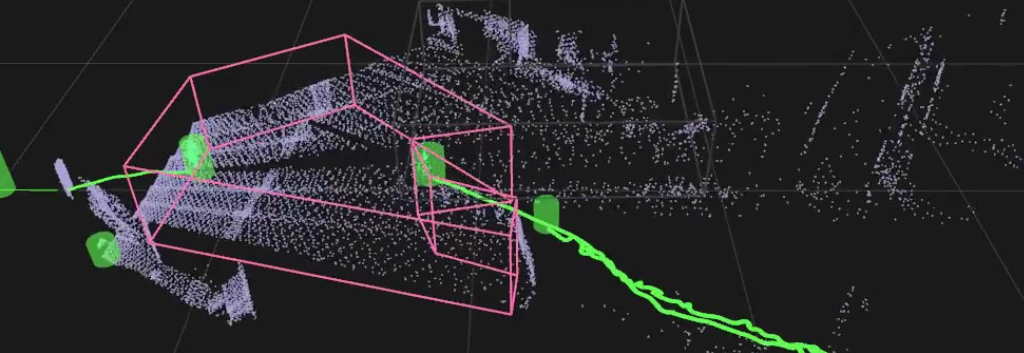
You saw how easy it is to build a 3D-LiDAR intrusion detection system.
This time, let's add an alarm function such as an LED or buzzer.
Composition of the demo system
LiDAR: Solid-state LiDAR (can be replaced with 360° LiDAR)
PC: Linux PC (ubuntu18.04) running software that detects intrusion
Microcomputer board: buzzer, LED control
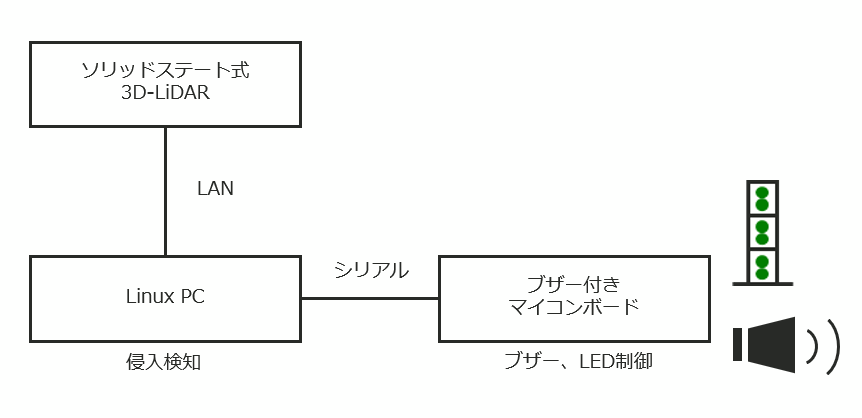
Figure 1: Intrusion detection demo configuration image
This time, we used a solid-state LiDAR with a 60-degree angle of view instead of a 360-degree rotating LiDAR in order to detect intrusions over long distances. is available.
As shown in Fig. 1, the data obtained from 3D-LiDAR is processed by point cloud on Linux PC, and human and vehicle identification, intrusion detection, and detection flag output are performed.
The microcomputer board that receives the detection flag lights up the LED and outputs a buzzer according to the flag.
Demo system in action
First, please watch the video below.
In the first scene of this video demo, it starts with nothing in the detection area surrounded by a pink frame.
When an object (person) enters the area, the LED switches from 3 steps of blue to 2 steps of red.
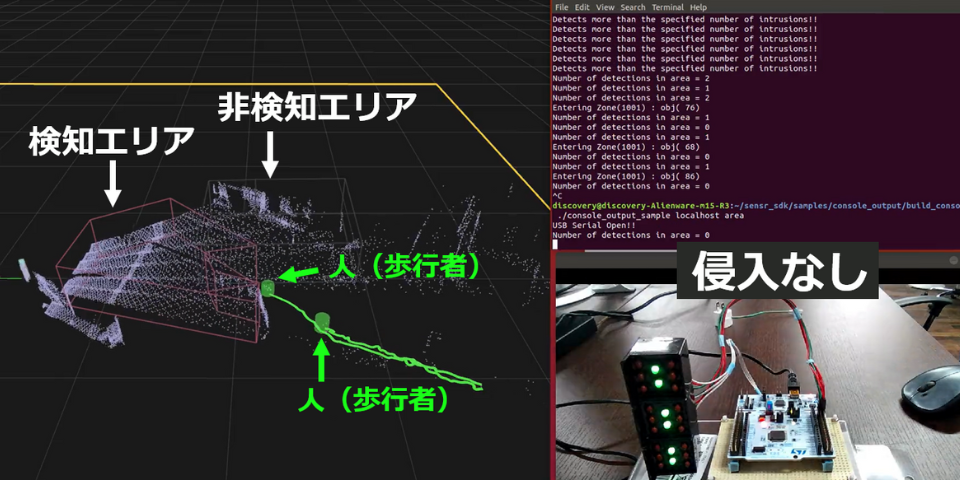
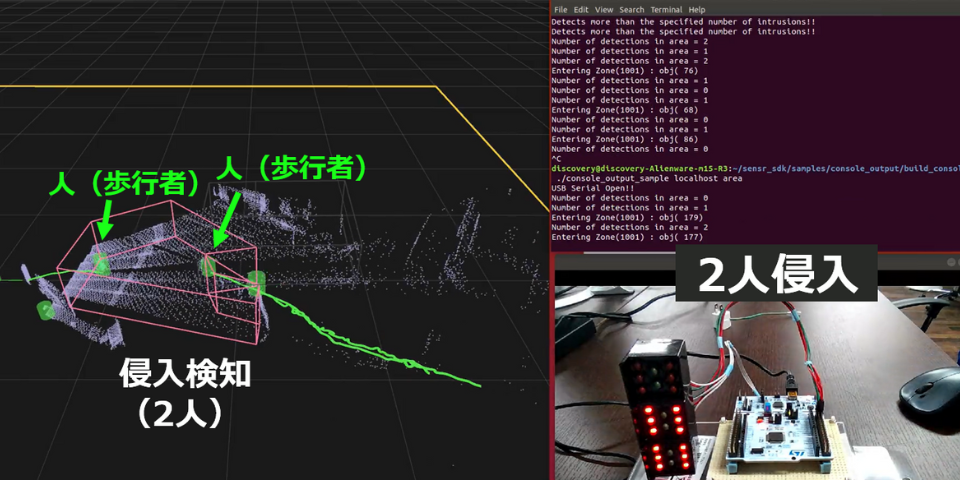
Figure 2: Before invasion (left), after invasion (right)
Also, in the video demonstration, the intrusion of an object is detected in an area delimited by complex polygons.
With the tool used this time, it is possible to set multiple detection areas, and it is also possible to set non-detection areas, thereby always excluding objects such as robot arms and trees fluttering in the wind that are moving but do not want to be detected as intruding objects. It is also possible to
In the video demo, a non-detection area with a gray frame is set to the upper right of the detection area with a pink frame.
A car enters a non-detection area on the way, but it is being tracked as a vehicle before entering the non-detection area.
After entering the non-detection area, you can see that the tracking is stopped.
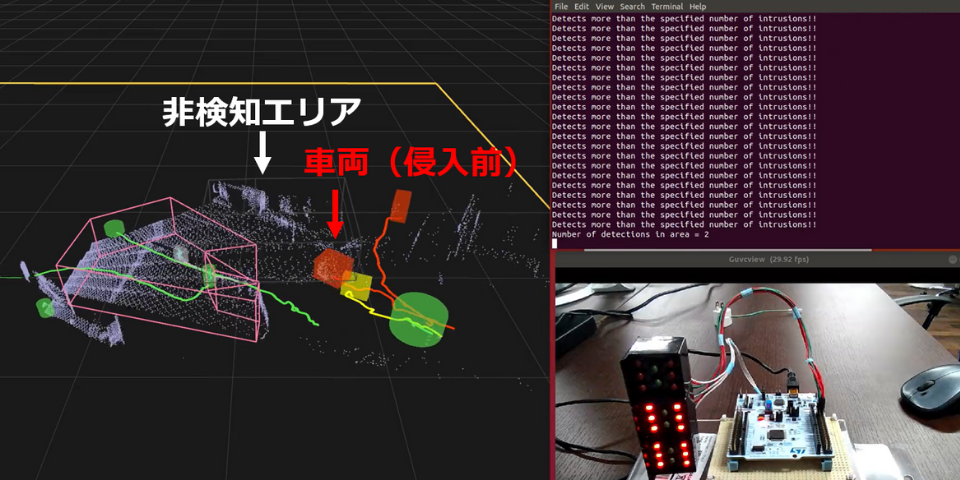
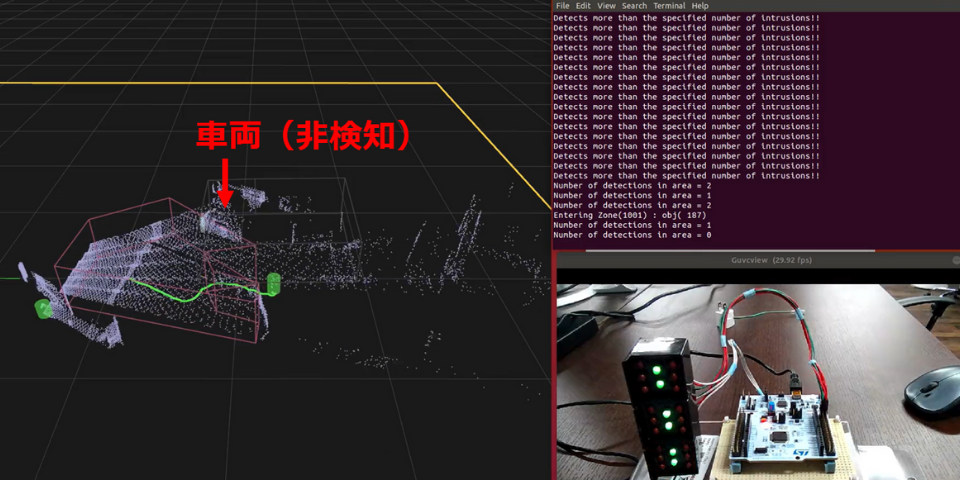
Figure 3: State before (left) and after (right) vehicle entry into non-detection area
The area you want to monitor varies depending on where you use it, but with the tool you're using this time, you can grasp the layout from the 3D point cloud information, and monitor only the passages in the factory or the crosswalks at intersections. It is possible to set the detection area freely.
System construction and recognition algorithm development
This time, I added a buzzer and LED so that you can imagine how to apply the 3D-LiDAR intrusion detection system.
In addition, the video introduces the situation in which a moving object is detected, the situation in which it is identified by people and vehicles, and the detection / non-detection situation in the detection area and non-detection area.
I would appreciate it if you could give me a concrete image by looking at the actual situation.
Macnica also provides consulting for these applications and support for the development of recognition algorithms.
Inquiry
If you have any questions about the contents of this article, or if you have any problems with sensor selection such as LiDAR, please contact us from the following.