- Semiconductor BusinessHOME
- Products and Services of Macnica,Inc.
-
technical information

-
Events and Seminars
- Handling Manufacturer
- Support
- Inquiry
- Click here to purchase products
- Semiconductor business e-mail magazine registration


 Narrow down by specifying conditions
現在2237件がヒットしています。check

[Trying out AI persona marketing with NVIDIA DGX Spark]
Episode 1: Overview of the Demo
Episode 2: Selection of the Subjects to be Investigated
Episode 3: Question Generation
Episode 4: Generating and Collecting Responses
Episode 5: Visualizing the Survey Results
Episode 6 Summary
Contents of this story
In this article, we will explain how to download the Nemotron-Personas-Japan dataset (*1), which is a set of persona data, and how to extract the target audience for the survey from it.
*1: Fujita, A., Gong, V., Ogushi, M., Yamamoto, K., Suhara, Y., Corneil, D., & Meyer, Y. (2025). Nemotron-Personas-Japan: Synthetic Personas Aligned to Real-World Distributions. https://huggingface.co/datasets/nvidia/Nemotron-Personas-Japan
Download Persona Data
The Nemotron-Personas-Japan dataset can be downloaded from Hugging Face Hub as follows:
from huggingface_hub import hf_hub_download
import cudf
import json
# Nemotron-Personas-JapanデータセットのファイルをHugging Face Hubからダウンロード num_files = 8 file_list = [] for i in range(num_files): filename = f"data/train-{format(i, '#05d')}-of-{format(num_files, '#05d')}.parquet" path = hf_hub_download(repo_id="nvidia/Nemotron-Personas-Japan", filename=filename, repo_type="dataset") file_list.append(path) file_listLoading the dataset
The Nemotron-Personas-Japan dataset is provided as a Parquet file, so it can be loaded using cuDF, which is part of the NVIDIA RAPIDS ecosystem. cuDF is a GPU-accelerated Python DataFrame library that provides a Pandas-compatible API and enables high-speed (up to 150x *2) loading, filtering, and manipulating large datasets on the GPU.
*2: RAPIDS cuDF speeds up pandas by approximately 150 times with zero code changes.
df = cudf.read_parquet(file_list)
print(f"Number of rows: {len(df)}")
print("Column Names:")
print(df.columns)
Number of rows: 1000000
Column Names:
Index(['uuid', 'professional_persona', 'sports_persona', 'arts_persona',
'travel_persona', 'culinary_persona', 'persona', 'cultural_background',
'skills_and_expertise', 'skills_and_expertise_list',
'hobbies_and_interests', 'hobbies_and_interests_list',
'career_goals_and_ambitions', 'sex', 'age', 'marital_status',
'education_level', 'occupation', 'region', 'area', 'prefecture',
'country'],
dtype='object')You can extract rows that match the conditions in the same way as with Pandas, as shown below.
# 年齢が20歳以上30歳未満のレコードを抽出 df[(df["age"] >= 20) & (df["age"] < 30)].sample(10) # 抽出したデータからランダムに10行を表示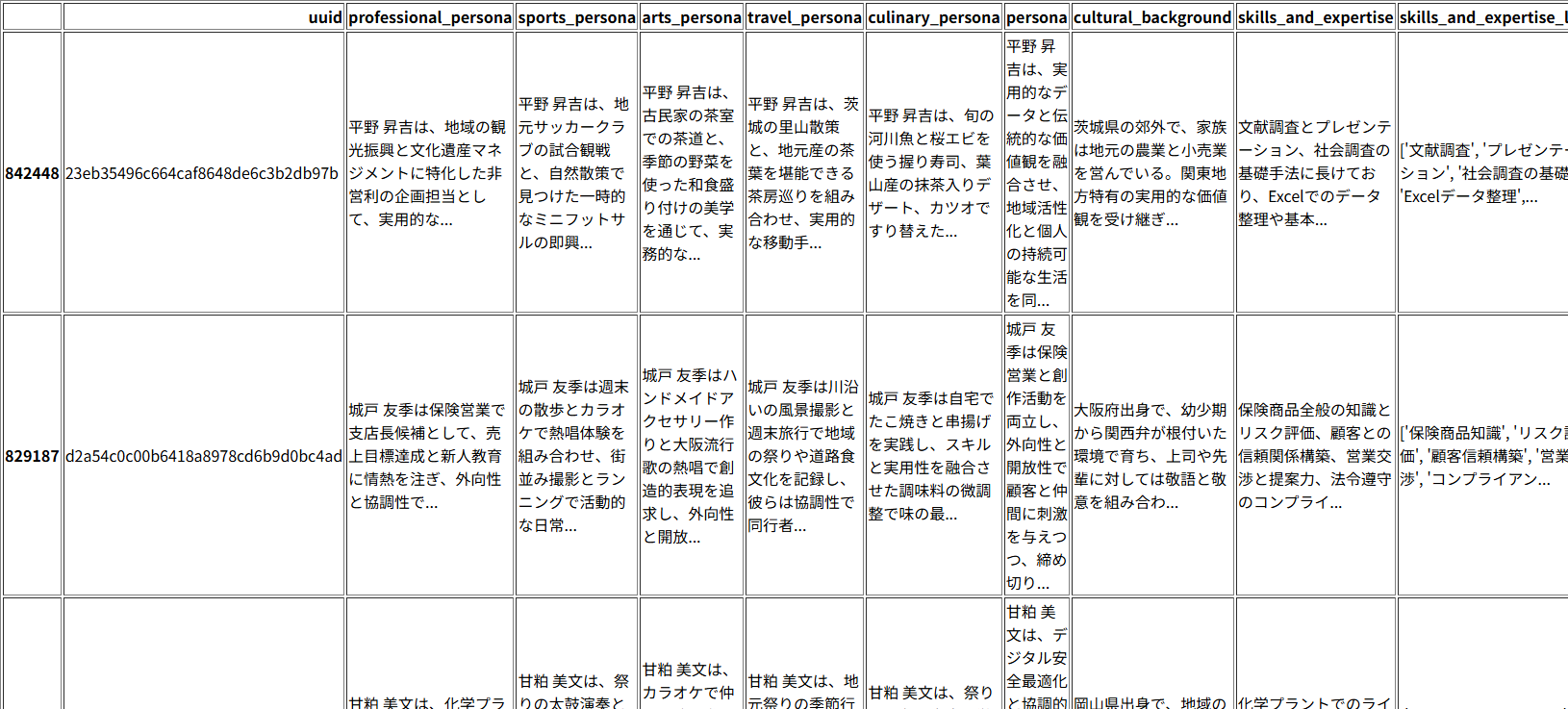
A portion of the extracted rows is displayed.
*The Nemotron-Personas-Japan dataset was generated by AI, so the names of the people displayed are fictional.
Selection of survey participants
The survey participants (*3) are selected as follows: In this demo, 1,000 individuals aged 20 to under 30 were randomly selected from 1 million fictional individuals contained in the Nemotron-Personas-Japan dataset to be surveyed.
*3: In the Nemotron-Personas-Japan dataset, each (fictional) person has six personas and sixteen attributes. In this demo, all of these (except UUIDs) are provided to the LLM to conduct a survey.
# 条件に合致するレコード数を抽出 filtered_df = df[ (df["age"] >= 20) & (df["age"] < 30) ].sample(1000) len(filtered_df)# cuDFデータフレームをPandasデータフレームに変換 filtered_df = filtered_df.to_pandas() len(filtered_df)# JSONL形式で保存 filtered_df.to_json("personas.jsonl", orient="records", force_ascii=False, lines=True)Summary of this episode
We've shown you how to download the Nemotron-Personas-Japan dataset and extract survey participants that match your user criteria. The Nemotron-Personas-Japan dataset is a massive dataset with 1 million personas, but by loading it into a cuDF DataFrame, you can achieve high-speed data access using NVIDIA GPUs.
In the next episode, we will explain how to generate survey questions and answer choices using LLM.
Click here for inquiries