- Semiconductor BusinessHOME
- Products and Services of Macnica,Inc.
-
technical information

-
Events and Seminars
- Handling Manufacturer
- Support
- Inquiry
- Click here to purchase products
- Semiconductor business e-mail magazine registration


 Narrow down by specifying conditions
現在 4343 件がヒットしています。
Microchip FPGA: Where can I change the waveform viewer in Identify?
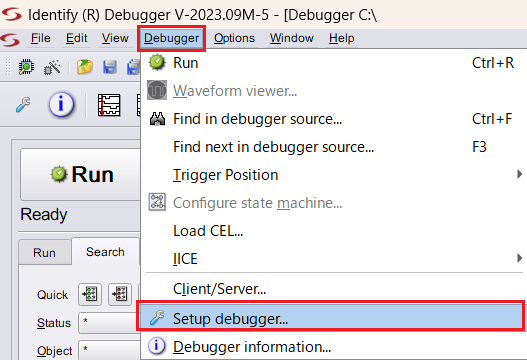
At the top of Identify, click Debugger > Setup debugger...
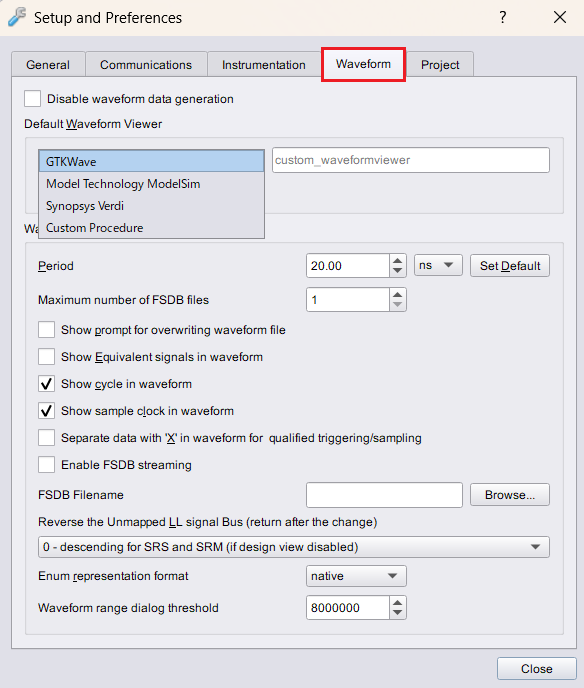
You can change it in the Default Waveform Viewer pull-down menu in the Waveform tab.
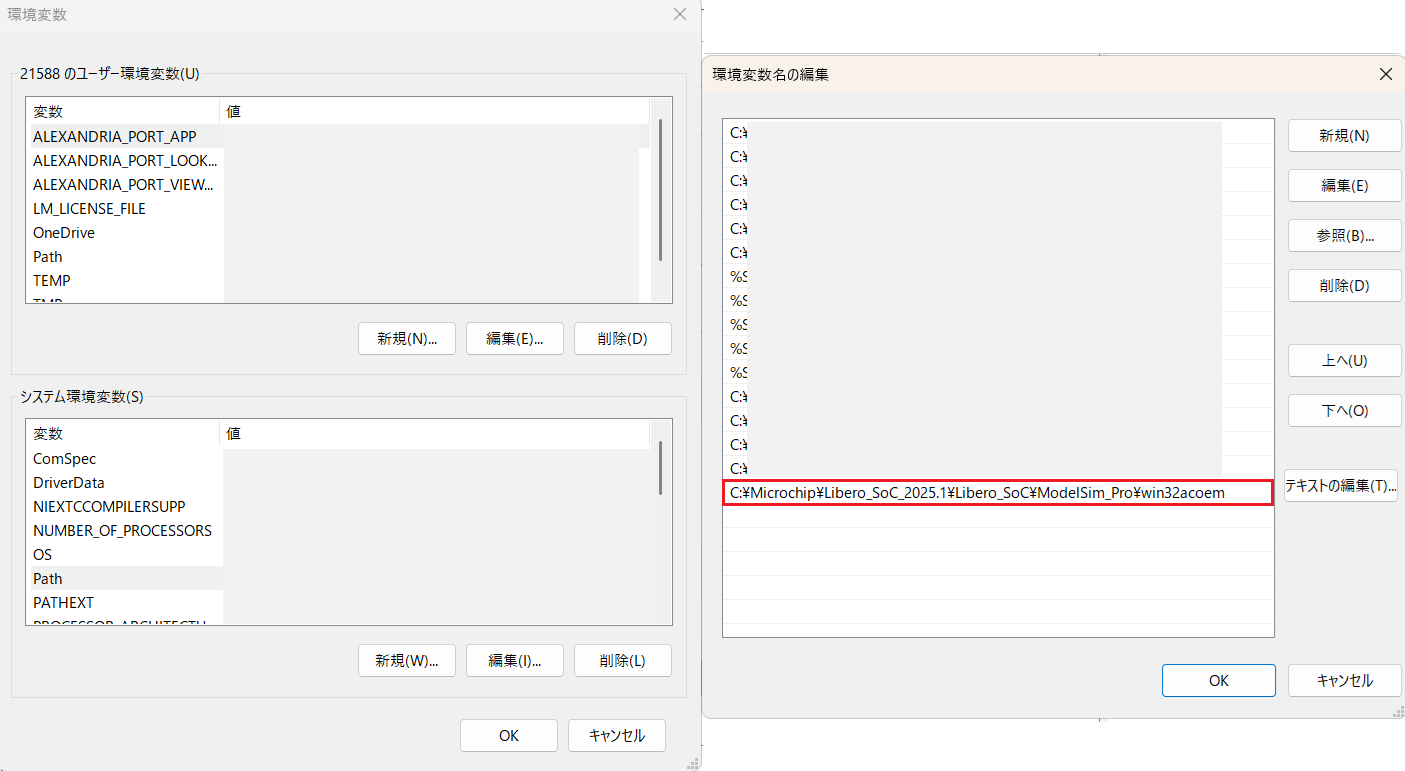
Also, please set the environment variables for the waveform viewer.
Quote: "Make sure that the selected simulator is installed on your machine and that the path to the executable is set by your $PATH environment variable."
https://ww1.microchip.com/downloads/aemDocuments/documents/FPGA/ProductDocuments/UserGuides/sw-ugs/Synopsys+Identify+RTL+S2021.09M+Debugger+User+Guide.pdf#page=86
 Experienced FAE
Free consultation is available.
From specific product specifications to parts selection, the Company FAE will answer your technical concerns free of charge. Please feel free to contact us.