- Semiconductor BusinessHOME
- Products and Services of Macnica,Inc.
-
technical information

-
Events and Seminars
- Handling Manufacturer
- Support
- Inquiry
- Click here to purchase products
- Semiconductor business e-mail magazine registration

EB2: What is the device management system "BMS"?
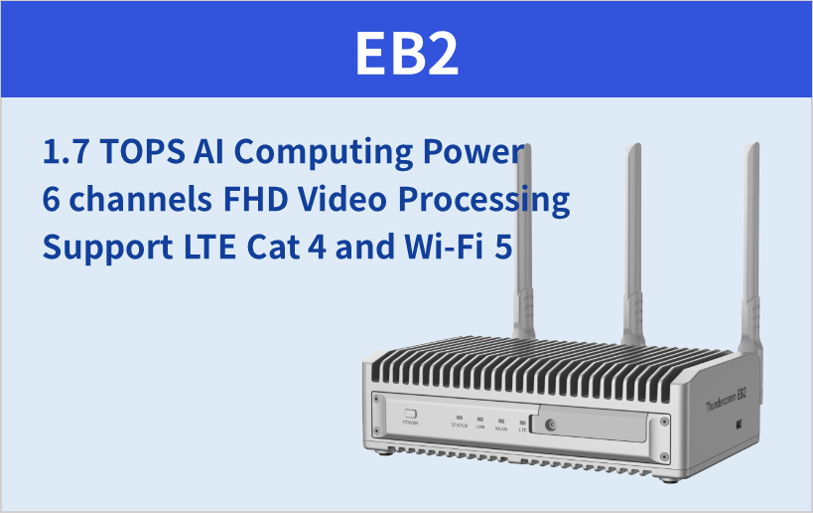
As a preliminary knowledge before going into the main topic,EB2What isQualcomm QCS610Powered by EdgeAIA computing terminal.
↓ First, if you want to know the product specifications ofEB2, click the image ↓
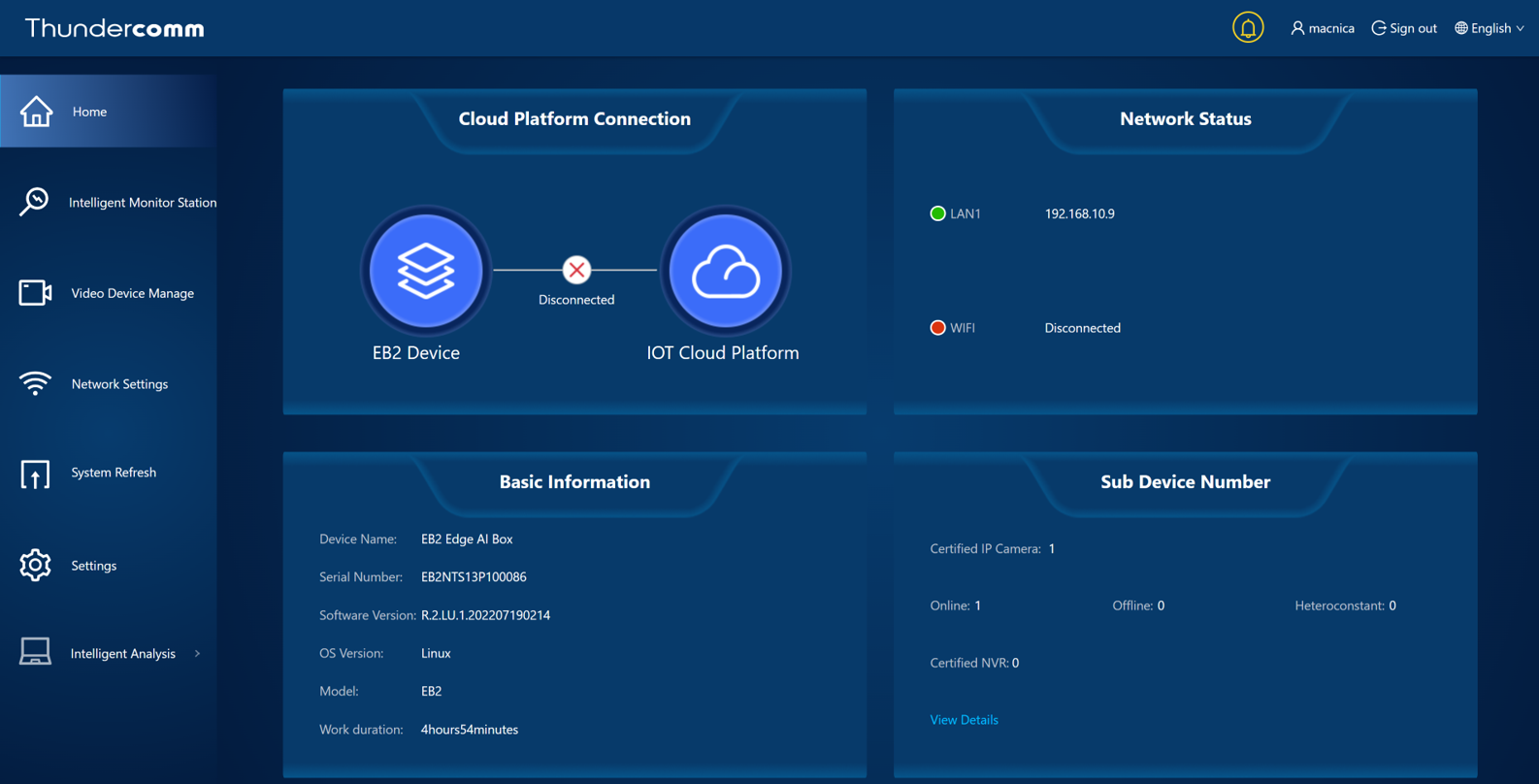
EB2as a device management system inBMS (Backstage Management System)accessible via a browser calledGUIis implemented.BMSteethEB2or connectedIPIn addition to basic functions such as camera device management,EB2image processing, the strength ofMonitoring using AIIt is a system that can Main functions are as follows.
・Basic functions: User information / language / time zone / network settings, software upgrade function
・Camera-related functions: IP camera registration, IP camera image preview
・Cloud-related functions: connection with cloud services
・Intelligent function: AI algorithm setting, alert output corresponding to arbitrary AI algorithm, image saving of detection timing
Home Screen
Easy execution of image processing AI with intelligent monitoring
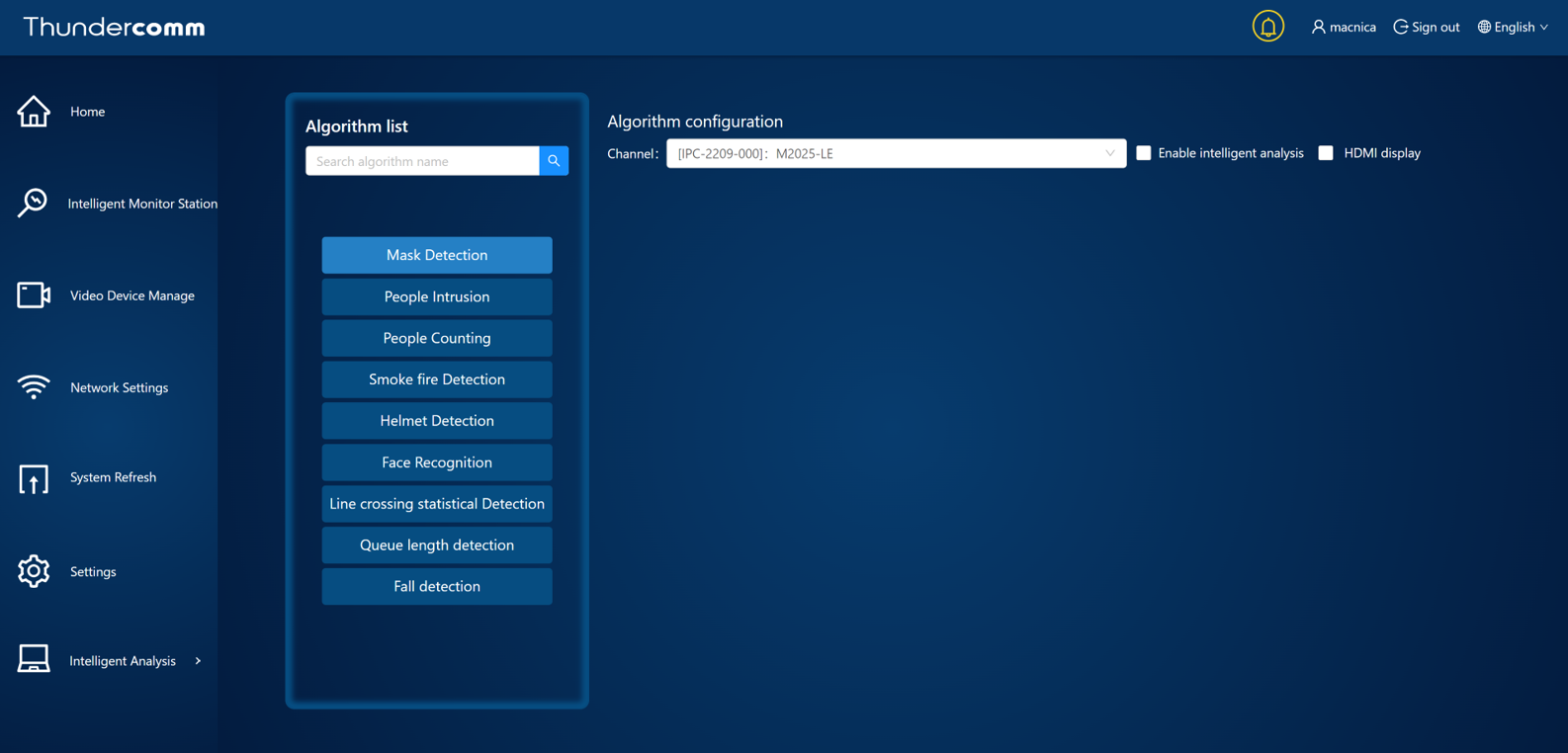
intelligent monitoringBMSAboveIntelligent Analysis/Intelligent Monitor Stationis implemented asEB2Various pre-learned forAIAlgorithms are provided as packages,GUIat the baseEB2move upAIFunctions can be selected and executed.BMSAboveAIfunction on/Perform off switching, detection area setting, threshold setting that triggers alert generation, etc. By using this functionEB2connected toIPcamera made easyAIIt is possible to turn it into a camera.BMSI registered in advance withIPcamera imageEB2to the edge in real timeAII am processing.
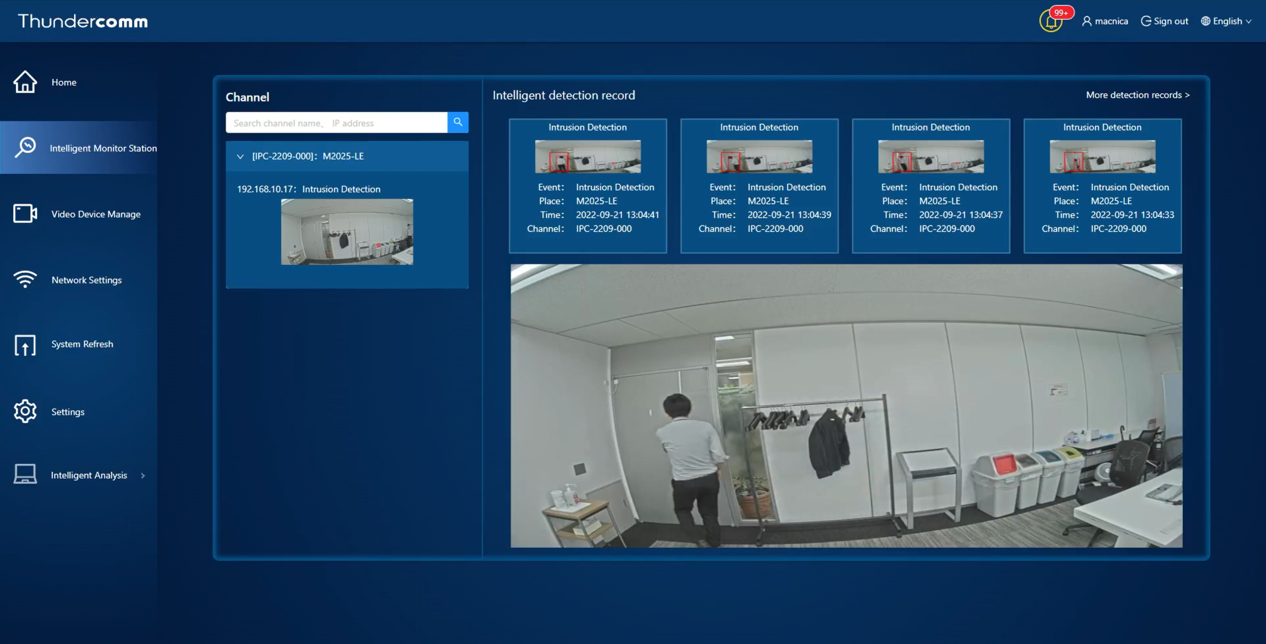
human subject/mono/When motion is detected, an image depicting a bounding Box surrounding the target area is saved in the device as a snapshot of that timing. Since the date and time information associated with the image is also saved in the system, it is possible to easily check the situation at the time of the alert even later.
September 2022Algorithms available at the moment are9It is a type, and will be expanded in the future. Please check this page for update information.
・MaskDetection
・People Intrusion
・People Counting
・Smoke Fire Detection
・Helmet Detection
・Face Recognition
・Line Crossing Statistical Detection
・Queue Length Detection
・Fall Detection
Operation image
The image below is an example of the screen display when the intruder detection algorithm is activated. A specific detection area is set in advance on the GUI, and an alert is raised when an intruder enters the area, and the image is displayed/saved with information such as the date and time of detection and the camera.
The actual operation of each algorithm will be released at a later date.
Inquiry/Quotation
If you have any questions about the contents of this page or would like more detailed product information, please contact us here.