- Semiconductor BusinessHOME
- Products and Services of Macnica,Inc.
-
technical information

-
Events and Seminars
- Handling Manufacturer
- Support
- Inquiry
- Click here to purchase products
- Semiconductor business e-mail magazine registration


 Narrow down by specifying conditions
現在2230件がヒットしています。check

Introduction
This page introduces the procedure to try object detection using OpenCV + TensorFlow Lite using Qualcomm® Robotics RB5 Platform development kit and USB camera.
Related Link: About Qualcomm® Robotics RB5 Platform Development Kit
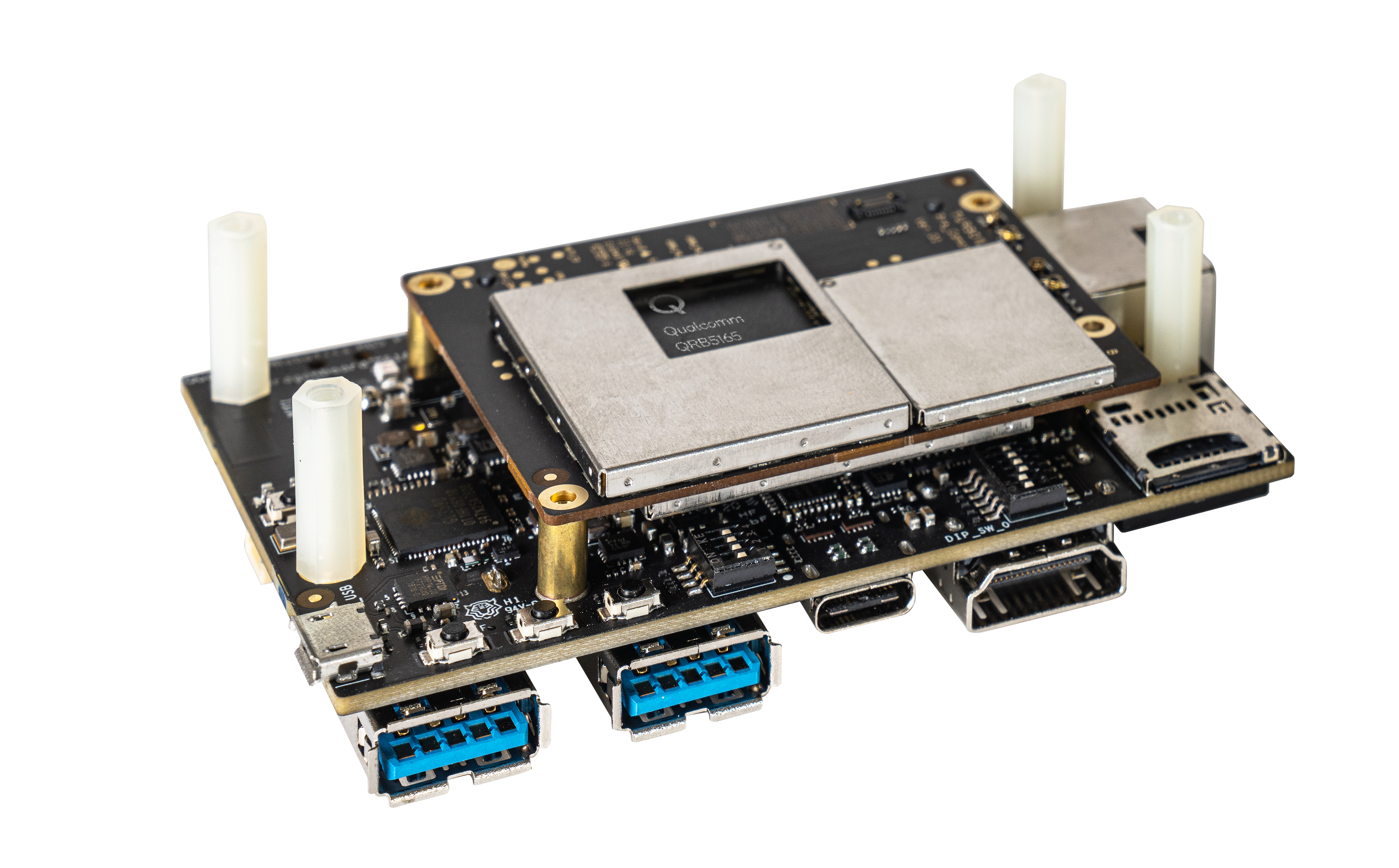
Things necessary:
・Host PC (Ubuntu 18.04)
・Qualcomm® Robotics RB5 Platform Development Kit
・USB keyboard, USB mouse, (USB Type-C cable)
・USB camera
・HDMI monitor, HDMI cable
Advance preparation
Please set up the Qualcomm® Robotics RB5 Platform Development Kit itself in advance.
Related page (links to an external site): Setup
Since the Qualcomm® Robotics RB5 Platform Development Kit will be connected to the Internet in the following procedure, it is necessary to complete the Set up network.
Library build for TensorFlow Lite
Build the TensorFlow Lite library on your host PC. Below is an example command.
For more information on building TensorFlow Lite, please refer to the link below if necessary.
https://www.tensorflow.org/lite/guide/build_arm64
hostPC$ sudo apt-get update
hostPC$ sudo apt-get install crossbuild-essential-arm64
hostPC$ git clone https://github.com/tensorflow/tensorflow.git
hostPC$ cd tensorflow
hostPC$ git branch r2.1 remotes/origin/r2.1
hostPC$ git checkout r2.1
hostPC$ ./tensorflow/lite/tools/make/download_dependencies.sh
hostPC$ ./tensorflow/lite/tools/make/build_generic_aarch64_lib.sh
./tensorflow/lite/tools/make/gen/generic-aarch64_armv8-a/lib/
Please confirm that libtensorflow-lite.a was created under We will use it later.
Run Weston desktop
Launch the Weston desktop on the Qualcomm® Robotics RB5 Platform development kit.
Please turn on the power of the Qualcomm® Robotics RB5 Platform development kit after completing the following preparations.
・Connect HDMI monitor and Qualcomm® Robotics RB5 Platform development kit with HDMI cable
・Connect keyboard, mouse and USB camera to Qualcomm® Robotics RB5 Platform development kit
When the startup is completed, the login console will be displayed on the HDMI monitor, so please execute the following command.
qrb5165-rb5 login: root Password: oelinux123 root@qrb5165-rb5:/# weston --connector=29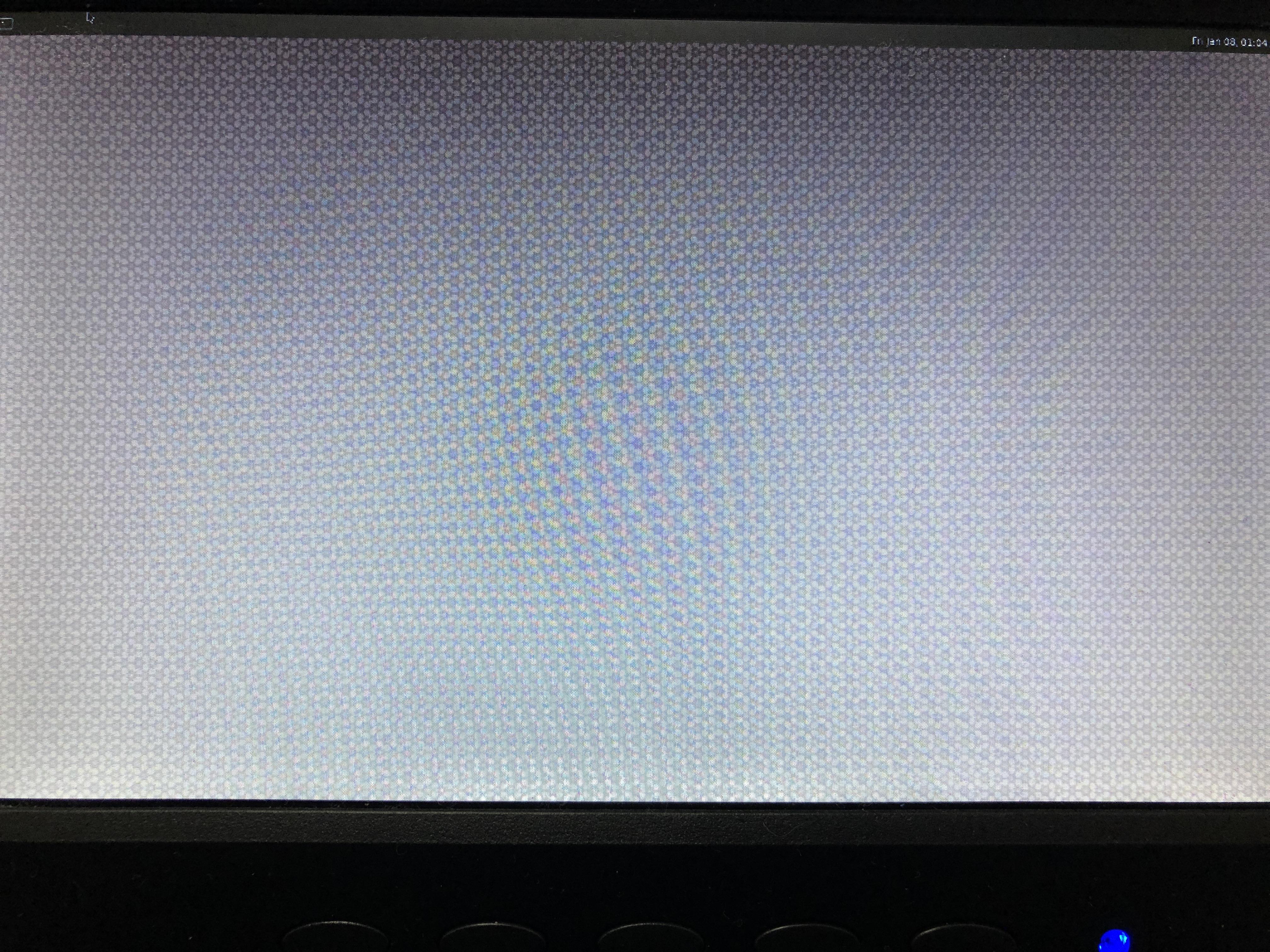
Building OpenCV for Wayland
Build OpenCV for Wayland on Qualcomm® Robotics RB5 Platform Development Kit.
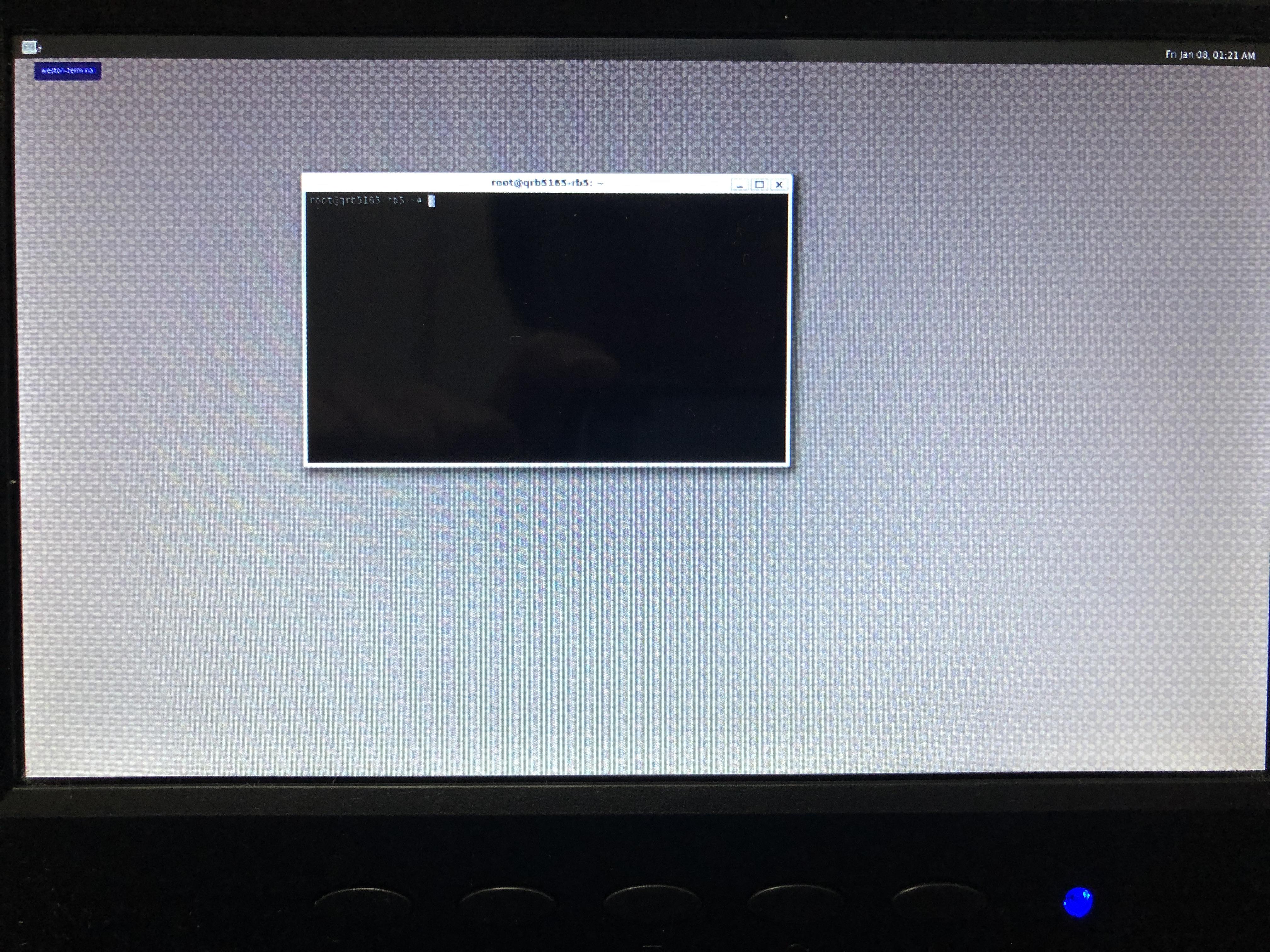
Start the terminal displayed on the upper left of the monitor and do the following in order on the terminal.
root@qrb5165-rb5:/# apt-get install build-essential curl unzip
root@qrb5165-rb5:/# apt-get install cmake git libgtk2.0-dev pkg-config libavcodec-dev libavformat-dev libswscale-dev
root@qrb5165-rb5:/# apt-get install libjpeg-dev libpng-dev
root@qrb5165-rb5:/# apt-get install python-numpy libxkbcommon-dev libwayland-client0 libwayland-dev
root@qrb5165-rb5:/# mkdir /home/src
root@qrb5165-rb5:/# cd /home/src/
root@qrb5165-rb5:/# git clone https://github.com/pfpacket/opencv-wayland.git
root@qrb5165-rb5:/# cd opencv-wayland/
root@qrb5165-rb5:/# mkdir build
root@qrb5165-rb5:/# cd build/
root@qrb5165-rb5:/# cmake -D CMAKE_BUILD_TYPE=Debug -D CMAKE_INSTALL_PREFIX=/usr/local -DWITH_IPP=OFF -DWITH_WAYLAND=ON -DWITH_GTK=OFF ..
root@qrb5165-rb5:/# make -j7
Building an object detection application
Build an object detection application on the Qualcomm® Robotics RB5 Platform development kit.
Install the required TensorFlow Lite dependencies before building the application.
root@qrb5165-rb5:/# cd /home/src/
root@qrb5165-rb5:/# git clone https://github.com/tensorflow/tensorflow.git
root@qrb5165-rb5:/# cd tensorflow/
root@qrb5165-rb5:/# git branch r2.1 remotes/origin/r2.1
root@qrb5165-rb5:/# git checkout r2.1
root@qrb5165-rb5:/# ./tensorflow/lite/tools/make/download_dependencies.sh
Download an object detection application.
root@qrb5165-rb5:/# cd /home/src/
root@qrb5165-rb5:/# git clone https://github.com/mattn/webcam-detect-tflite.git
root@qrb5165-rb5:/# cd webcam-detect-tflite/
root@qrb5165-rb5:/# mkdir libs
Copy the TensorFlow Lite library (libtensorflow-lite.a) built on the host PC in advance to the Qualcomm® Robotics RB5 Platform development kit.
hostPC$ adb push libtensorflow-lite.a /home/src/webcam-detect-tflite/libs/Create the following content as CMakeList.txt and save it to /home/src/webcam-detect-tflite/ on the Qualcomm® Robotics RB5 Platform development kit.
cmake_minimum_required(VERSION 3.0) project(webcam-detector) set(CMAKE_CXX_FLAGS "${CMAKE_CXX_FLAGS} -std=c++17 -O2 -g") set(CMAKE_CXX_FLAGS "${CMAKE_CXX_FLAGS} -ldl -lrt") message(STATUS "optional:-std=c++17") set(OpenCV_DIR "/home/src/opencv-wayland/build/") include_directories(/usr/include/freetype2/) include_directories(/home/src/tensorflow/) include_directories(/home/src/tensorflow/tensorflow/lite/tools/make/downloads/flatbuffers/include/) find_package(OpenCV REQUIRED) message(STATUS "OpenCV library status:") message(STATUS " version: ${OpenCV_VERSION}") message(STATUS " libraries: ${OpenCV_LIBS}") message(STATUS " include path: ${OpenCV_INCLUDE_DIRS}") include_directories( ${OpenCV_INCLUDE_DIRS} ) ADD_LIBRARY(TFlite_LIB STATIC IMPORTED) SET_TARGET_PROPERTIES(TFlite_LIB PROPERTIES IMPORTED_LOCATION /home/src/webcam-detect-tflite/libs/libtensorflow-lite.a) set(SOURCE_FILES main.cxx) add_executable(${PROJECT_NAME} ${SOURCE_FILES}) target_link_libraries(${PROJECT_NAME} ${OpenCV_LIBS} ) target_link_libraries(${PROJECT_NAME} freetype pthread dl ) target_link_libraries(${PROJECT_NAME} TFlite_LIB)Build an object detection application on the Qualcomm® Robotics RB5 Platform development kit.
root@qrb5165-rb5:/# cd /home/src/webcam-detect-tflite root@qrb5165-rb5:/# mkdir build root@qrb5165-rb5:/# cd build root@qrb5165-rb5:/# cmake .. root@qrb5165-rb5:/# make root@qrb5165-rb5:/# cp ../mobilenet_quant_v1_224.tflite . root@qrb5165-rb5:/# cp ../labels.txt .Note: A separate font file is required.
Search the web for mplus-1c-thin.ttf, download it, and save it to /home/src/webcam-detect-tflite/build/ on the Qualcomm® Robotics RB5 Platform development kit.
hostPC$ adb push mplus-1c-thin.ttf /home/src/webcam-detect-tflite/build/
Running an object detection application
On the Qualcomm® Robotics RB5 Platform Development Kit, make sure the USB camera is recognized at /dev/video2.
Run the application on the Qualcomm® Robotics RB5 Platform Development Kit with the following command. (You can exit with the ESC key.)
root@qrb5165-rb5:/# cd home/src/webcam-detect-tflite/build
root@qrb5165-rb5:/# ./webcam-detector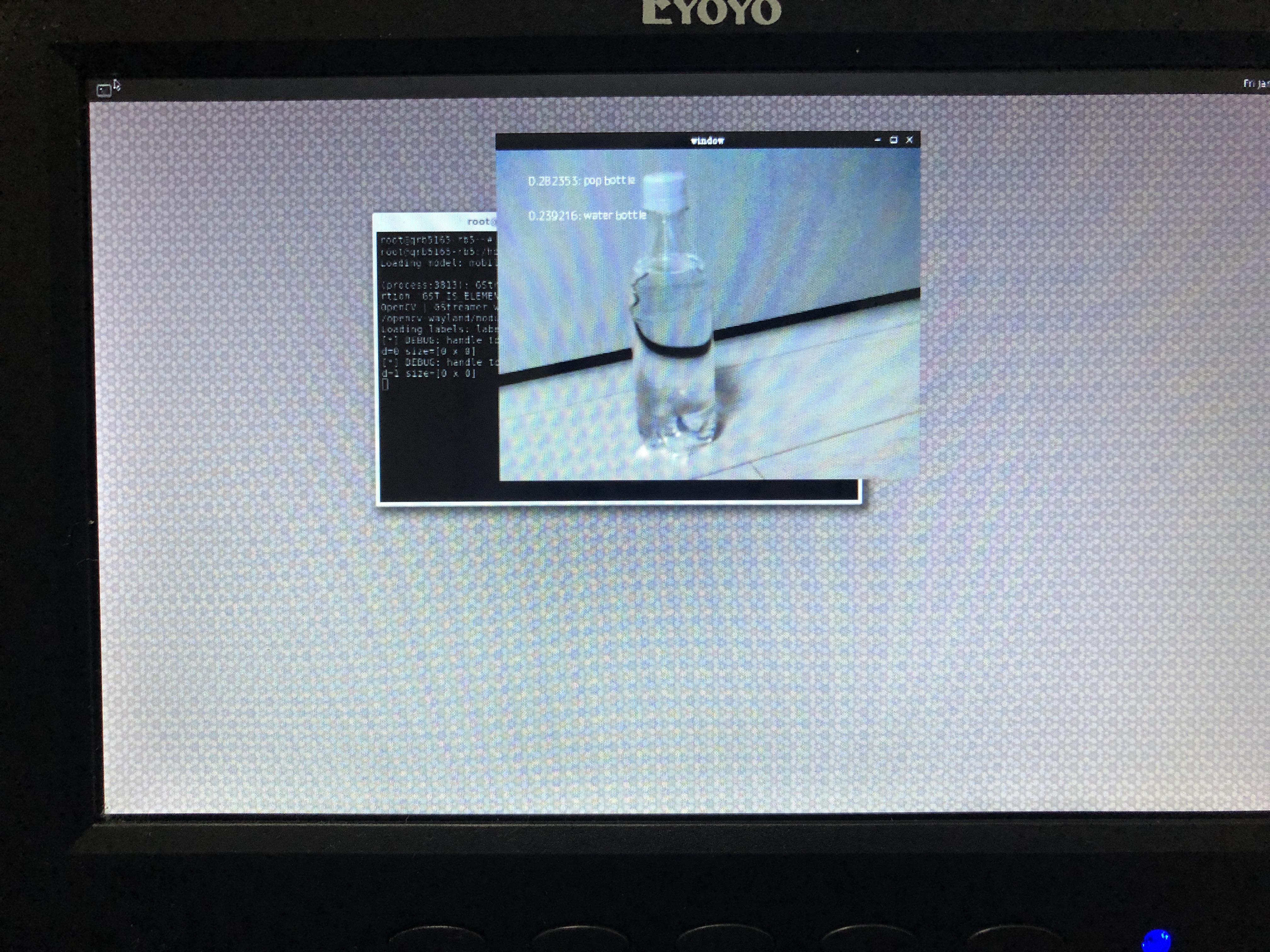
Inquiry / Quotation
For product inquiries and development kit estimates, please use the link below.
To Qualcomm manufacturer information Top
If you want to return to the Qualcomm manufacturer information top page, please click below.