- Semiconductor BusinessHOME
- Products and Services of Macnica,Inc.
-
technical information

-
Events and Seminars
- Handling Manufacturer
- Support
- Inquiry
- Click here to purchase products
- Semiconductor business e-mail magazine registration


 Narrow down by specifying conditions
現在2247件がヒットしています。check


Hello.
My name is Macnica and I provide technical support for Altera® FPGA products at Macnica.
Did you know that sample designs and reference designs for Altera® FPGAs are available for free?
It's FPGA Design Store!
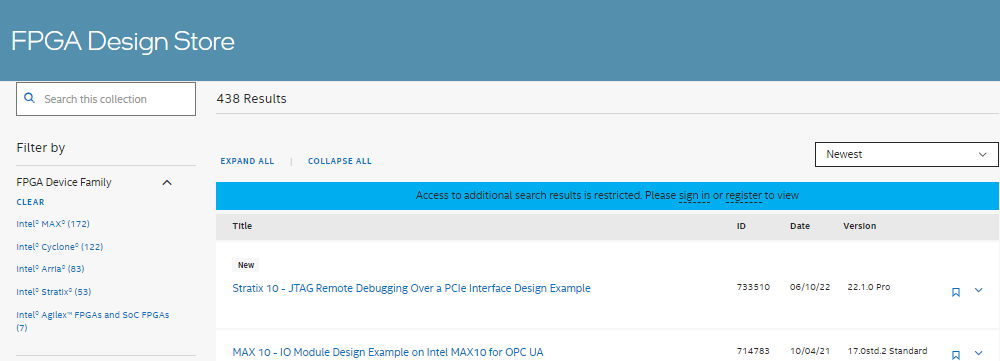
It provides the latest design examples and reference designs for various Altera® FPGA development kits (for Quartus® Prime software 16.0 and later).
The biggest attraction is that it includes a Quartus® Prime project template so that you can start designing with Quartus® Prime immediately after obtaining the design data! So, once you set up a project in Quartus® Prime, you can immediately verify the design (with some exceptions).
Very easy to use
1. First, access the FPGA Design Store!
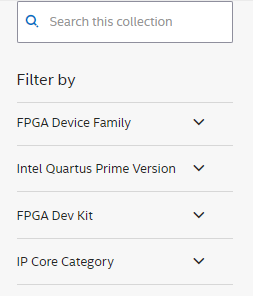
2. Select the desired design information from the filters on the left side of the screen.
the type of filter
・ FPGA Device Family
・ Quartus Prime Edition & Version [Quartus Prime Version]
・ Development kit [FPGA Dev Kit]
・ IP core category [IP Core Category]
Above four.
Keywords can also be entered.
3. A lineup filtered by the selection criteria is displayed.
Click the Expand/Collapse icon on the right for a quick overview.
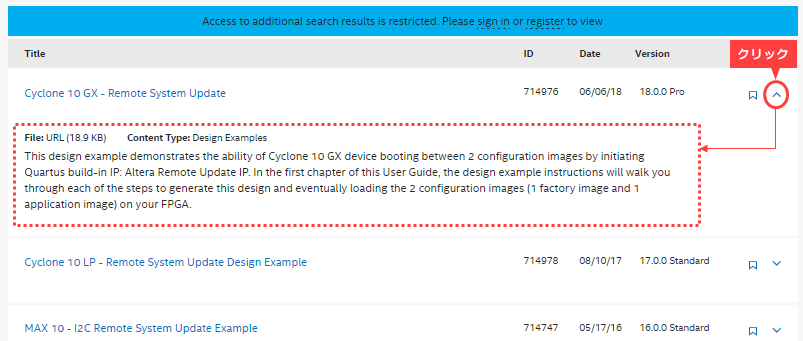
4. Click the desired Title from the displayed list to go to the details page.
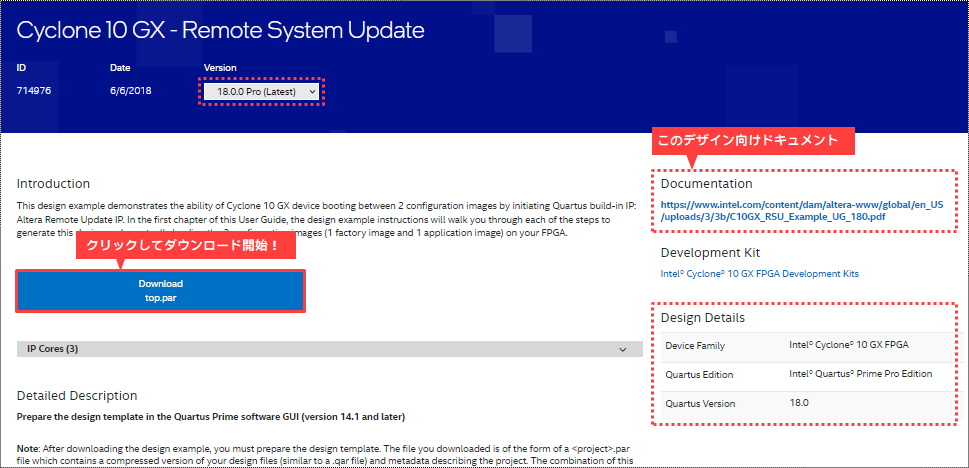
5. On the details page, you can download the project containing the design, as well as obtain a document with instructions and instructions.
Click the Download button to download the par file.
See the Detailed Description on that page for how to extract the downloaded project template (.par).
or How to extract FPGA sample design par file Please refer to
Altera® provides reference designs and example designs through the FPGA Design Store, Altera® FPGA Design Examples, and RocketBoard.
By touching these samples, you will quickly become familiar with how to use Quartus Prime and the flow of creating IP (Intellectual Property).
Click here for recommended articles/materials
How to extract the FPGA example design par file
Altera® FPGA Development Flow/FPGA Top Page