- Semiconductor BusinessHOME
- Products and Services of Macnica,Inc.
-
technical information

-
Events and Seminars
- Handling Manufacturer
- Support
- Inquiry
- Click here to purchase products
- Semiconductor business e-mail magazine registration


 Narrow down by specifying conditions
現在2249件がヒットしています。check

When developing with Altera® FPGAs, if you use paid Quartus® Prime development software, paid IP (Intellectual Property), or Questa* - Altera® FPGA Edition, you will need a license file for that product. After purchase, you (the license administrator) will obtain the license file from the manufacturer's dedicated website, the "Self Service Licensing Center (SSLC)". If this is your first time signing in to the Self Service Licensing Center, please register beforehand.
This section explains how to register for the Self Service Licensing Center.
[Notes]
When obtaining a paid license through the Self Service Licensing Center, please sign in with the account created using the "license administrator email address" that you provided to your reseller at the time of purchase.
The work menu is as follows:
Register with the Self Service Licensing Center (SSLC)
1. Click the link below to go to the License Center sign-in page.
Self Service Licensing Center (SSLC)
2. The sign-in page for the License Center will appear. Click [Register] located in the middle of the screen.
[Notes]
To use the License Center, you need an <Altera account> And this time <Registration with the Self Service Licensing Center > is required.
If you do not have an account, please register for an Altera account beforehand.
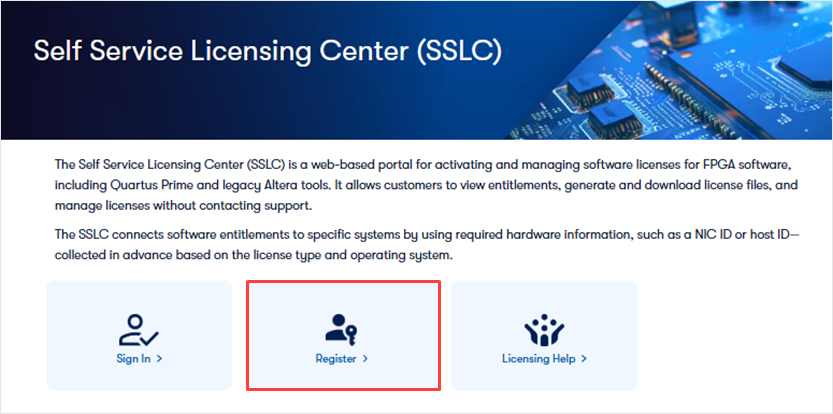
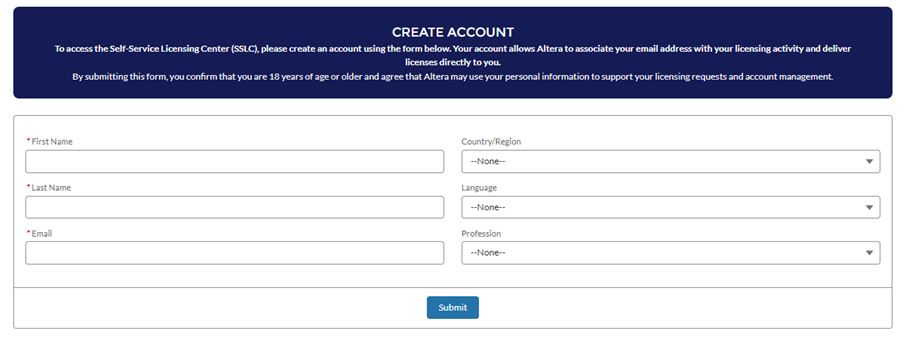
3. The CREATE ACCOUNT page will be displayed.
Enter your user information and click the [Submit] button.
<Notes> Please register with the same email address as your Altera account.
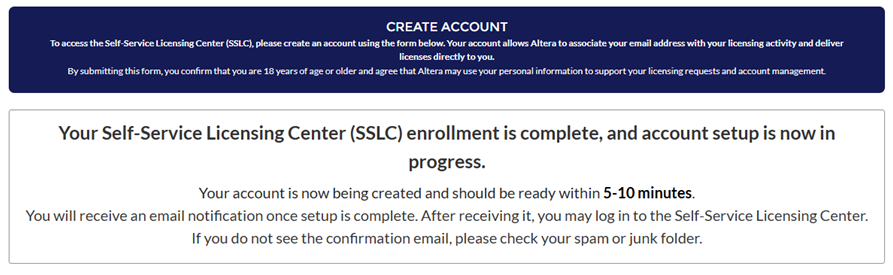
4. The following message will be displayed.
5. After a short while, you will receive an email from Altera with the subject line "Welcome to Altera Self-Service Licensing Center".
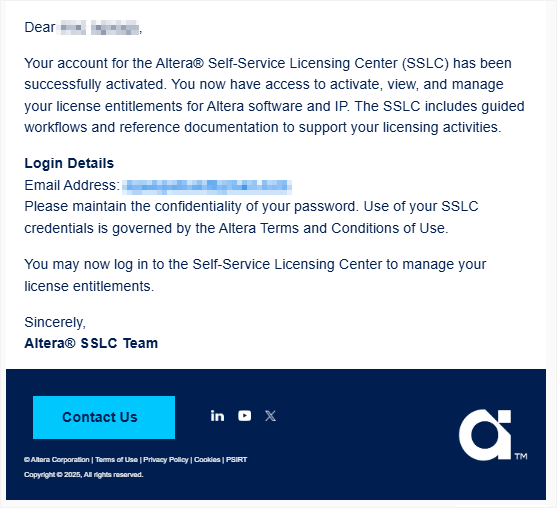
This completes your registration for the Self-Service Licensing Center.
Verify that you can sign in to SSLC.
1. Click the link below to go to the SSLC sign-in page.
Self Service Licensing Center (SSLC)
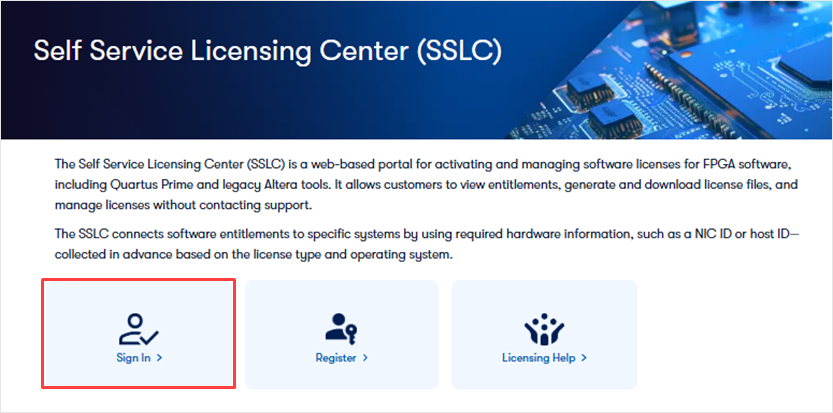
2. Click [Sign In] located on the left side of the sign-in page.
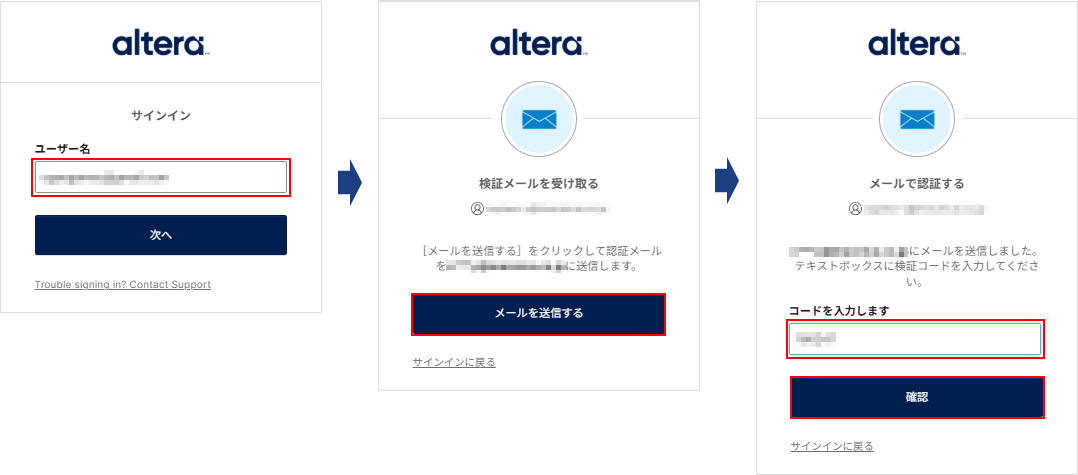
3. After entering your Altera account username, a verification code will be sent to your registered email address.
Please enter the verification code in the form and click the [Verify] button.
4. Once the SSLC homepage is displayed, access is complete.
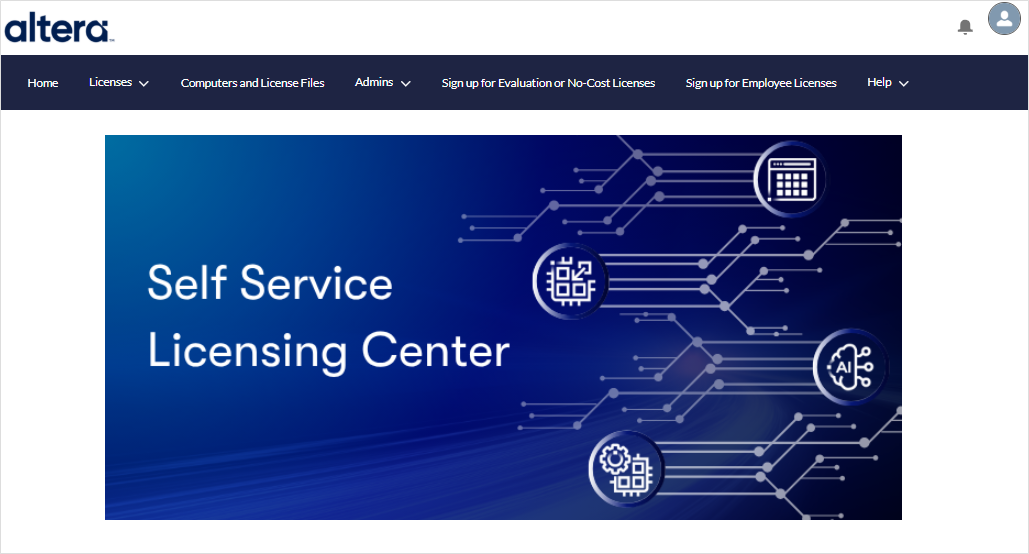
You can now use SSLC.
The homepage does not appear even after signing in.
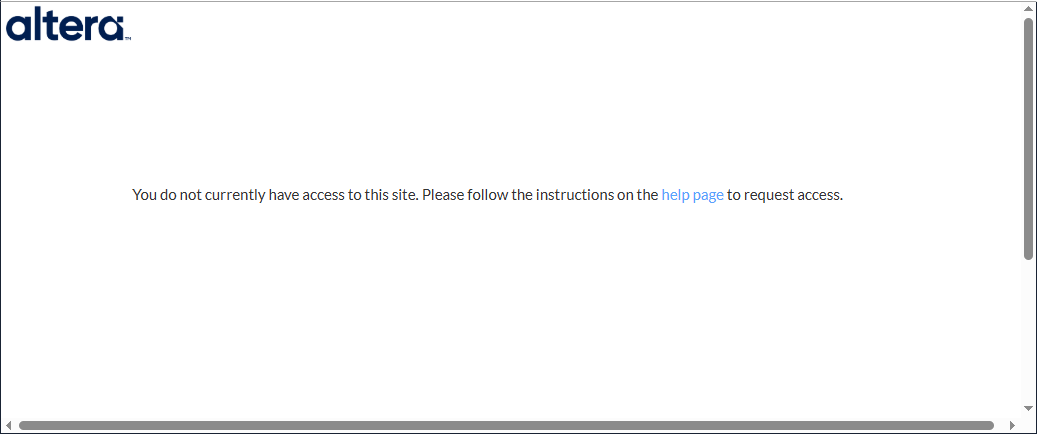
If you see this message when trying to sign in to SSLC, your registration with SSLC is not yet complete.
Please check if you have received the email titled "Welcome to Altera Self-Service Licensing Center".
If the problem is not resolved by the next day, Contact Altera (Submit your Inquiry)Please contact us in English.
Click here for recommended articles/materials
How to create a new Altera account
How to obtain new licenses for Quartus® Prime, IP, and Questa* - Altea® FPGA Edition
How to obtain Quartus® Prime, IP and Questa* - Altera® FPGA Edition licenses for maintenance renewal
How to obtain and set up a Questa* - Altera® FPGA Starter Edition license file