- Semiconductor BusinessHOME
- Products and Services of Macnica,Inc.
-
technical information

-
Events and Seminars
- Handling Manufacturer
- Support
- Inquiry
- Click here to purchase products
- Semiconductor business e-mail magazine registration


 Narrow down by specifying conditions
現在2224件がヒットしています。check

Welcome to the Altera® FPGA learning space!
Hello, I'm Hanako Altera, who provides technical support for Altera® FPGAs at Macnica.

This page showcases Altera® FPGA products designed to "assist in learning."
Learn Altera® FPGA development online, face-to-face, or through self-study—in the style that suits you best!
Learning Style




I want to practice in the tutorial
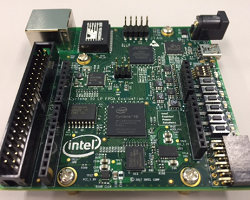
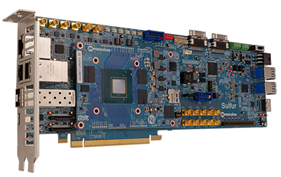
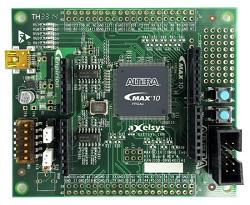
Let's create a simple design in Quartus® Prime and run the FPGA on a development board.
(Some exercises can be done without a development board.)
 This is recommended for people who want to actually touch and move things at their own time and place!
|
Quartus® Prime Editions |
||
| tutorial |
For Quartus® Prime Pro Edition |
|
| Development Board |
(Also available at Macnica Mouser.) |
|
|
(Also available at Macnica Mouser.) |
||
I want to learn through videos
We have released presentation slides with audio from hands-on seminars that were regularly held in person at Macnica around 2019.
(*The content has not been updated as it was at the time of the event, so some of the information and content may be outdated. We ask for your understanding.)
Watch whenever and wherever you want.
[Course fee] Free




I want to take an online seminar
You can watch online from your office, home, or on the go!
Macnica Altera® FPGA engineer will be speaking.
Recommended for those who want to get a quick grasp of the content in a short amount of time.
[Course fee] Free
Please apply via the link page for each course. Applications for <Pre-registration> courses will be made available at a later date, so please wait a while.
<Updated on 9/15/2026>
| Seminar Name | Date and time | Overview |
|
Get started with FPGA design with the Agilex™ 3 FPGA Development Kit (Time: 45 minutes) |
Wednesday, September 2, 2026 11:00-11:45 |
Beginners are welcome! This is an introductory seminar for FPGAs where you can easily learn basic knowledge and design methods to start developing with Altera® FPGAs. |
|
Altera® FPGA Timing Analysis - Introduction (Time: 60 minutes) |
Tuesday, November 10, 2026 13:30-14:30 |
This book explains the concepts of timing constraints, analysis terminology, and basic SDC required for Altera® FPGA development. Even if you are new to timing constraints and analysis, you can learn the minimum flow to set SDC in Quartus® Prime. |
|
Altera® FPGA Timing Analysis - Beginner's Guide (Duration: 105 minutes) |
Tuesday, September 29, 2026 13:15-15:00 |
This course follows the same flow as "Altera® FPGA Timing Analysis - Introduction", adding additional explanations and demonstrating examples of SDC settings and timing error analysis. |
|
Let's try running Nios® V on an Agilex® 3 FPGA. (Time: 60 minutes) |
Wednesday, October 21, 2026 13:30-14:30 |
This document provides an overview of the Nios® V processor and explains how to implement it on the latest FPGA, the Agilex® 3 FPGA. |
|
Key Points for Checking Altera® FPGA Schematics – Agilex® 3 FPGA Examples ~ (Time: 60 minutes) |
Wednesday, November 4, 2026 11:00-12:00 |
This document outlines key points to consider when creating a circuit board for implementing an Altera® FPGA, using the Agilex® 3 FPGA as an example, and highlights the essential checkpoints for the FPGA board's schematic. |
|
Points to check for Altera® FPGA circuit diagrams - Arria® 10 FPGA example - (Time: 45 minutes) |
Thursday, October 8, 2026 11:00-11:45 |
This article introduces the FPGA board schematic checkpoints, taking the Arria® 10 FPGA as an example, to points that you should pay particular attention to when creating a board that implements an Altera® FPGA. |
|
Altera® FPGA Circuit Schematic Check Points - Cyclone® V FPGA Example - (Time: 45 minutes) |
ー |
This article introduces FPGA board schematic checkpoints, using the Cyclone® V FPGA as an example, to highlight points to pay particular attention to when creating a board that implements an Altera® FPGA. |
|
Agilex™ 5 FPGA Remote System Update (Time: 45 minutes) |
Wednesday, September 9, 2026 11:00-11:45 |
This seminar will provide an overview of the remote system update function based on the Agilex™ 5 FPGA, as well as an explanation of the circuit configuration and operation, and a demonstration using an actual device. |
|
Update the Altera® FPGA configuration ROM using a microcontroller! - NXP i.MX RT1050 Edition - (Time: 60 minutes) |
ー |
This article describes how to update the configuration ROM data of an Altera® FPGA using a microcontroller. |
|
Power Consumption Estimation Method Using Agilex™ 3 FPGA - PTA Edition (Time: 45 minutes) |
Thursday, September 3, 2026 11:00-11:45 |
This article introduces how to estimate power consumption based on Agilex™ 3 FPGA using the power consumption estimation tool "Power and Thermal Analyzer (PTA)" provided by Altera®. |
|
Power Consumption Estimation Method Using Cyclone® V FPGA - EPE Edition |
ー |
Learn how to estimate FPGA power consumption using the Early Power Estimators (EPE), a spreadsheet provided by Altera®. |
|
Agilex® 5 FPGA High-Performance Design (Time: 60 minutes) |
Wednesday, November 11, 2026 13:30-14:30 |
This document provides an overview of the Hyperflex™ architecture of the Agilex® 5 FPGA, explains the improvements made to the architecture in the second generation, and presents performance comparison results. |
|
Agilex™ 5 FPGA External Memory Interface Design (Time: 60 minutes) |
Tuesday, September 15, 2026 11:00-12:00 |
This article introduces the Agilex™ 5 FPGA External Memory Interface IP, including its overview, parameter settings, important points to note, and debugging tools. |
|
Agilex™ 7 FPGA External Memory Interface Debugging Techniques (Debug Toolkit) (Time: 45 minutes) |
ー | This article introduces how to check the margins and analyze failures of external memory interfaces using the external memory interface analysis tool "External Memory Interface Debug Toolkit" provided by Altera®. |
|
Introducing PCI Express Solutions Enabled by Agilex™ 5 FPGAs (Time: 45 minutes) |
Friday, September 18, 2026 11:00-11:45 |
We will introduce the new user interface GTS AXI Streaming PCIe IP, including the differences in settings from existing devices and how to implement it. |
|
Settings related to the efficiency of DDR4 random access – Agilex® 7 FPGA edition (Time: 30 minutes) |
ー | This document introduces effective options for improving the efficiency of the external memory interface IP during DDR4 random access on Agilex® 7 FPGAs (such as settings related to changing the command issuance order), along with examples of how each setting works. |
|
A tool for implementing floating-point data in hardware on Altera® FPGAs. (Time: 60 minutes) |
Wednesday, October 7, 2026 13:30-14:30 |
This page introduces DSP Builder and floating-point IP for Quartus® Prime. |
|
Learn how to use Altera®'s Quartus® Prime with these tips - Standard Edition (Time: 45 minutes) |
ー |
This article introduces some useful features of the Quartus® Prime Standard Edition development tool. |
|
Learn how to use Altera®'s Quartus® Prime with these tips - Pro Edition (Time: 45 minutes) |
Wednesday, October 28, 2026 11:00-11:45 |
This article introduces some useful features of the Quartus® Prime Pro Edition development tools. |
I want to take training
You can take lectures and practical exercises taught by Macnica 's Altera® FPGA engineers.
The course will incorporate some technical know-how, so it is recommended for those who want to learn the material thoroughly.
You can gather a group of people from the same company (or group of companies) or the same work team (from different companies) and apply. The representative should inquire and apply.
There is a minimum number of participants for each course, but please contact us first to discuss your options.
(※ This is not a format where customers are selected through a general public application process and multiple companies are involved.)
Course format
There are various course formats to choose from.
(*Depending on the course, you may not be able to choose the course format.)
|
venue |
Teacher |
Computers used in the exercises |
remarks |
|
| Type A |
(Please consult with us if you are in Shinagawa, Osaka, or Nagoya.) |
face to face |
You can choose one of the following (only for courses with exercises) ・Participants must bring their own PC *1 ・ Macnica loaned PC *2
Notes(1): Participants will set up their computers by referring to the dedicated web page for advance preparation. Notes(2): Depending on the date of your request, we may not be able to provide a rental computer. Therefore, please request a date at least two months in advance. |
Depending on the requested date, we may not be able to provide our venue. Therefore, please request the date of the event at least two months in the future. Please check other announcements as well. |
|
Type B |
Participant's company | face to face |
If Macnica lends out equipment (such as computers or development boards), it will send it all together to the participants' companies. Please check other announcements as well.
<※ If you would like the participant's company to be at the venue> Participants' companies are required to provide their own presentation equipment (projector, screen, etc.), whiteboard, and power strip. |
|
| Type C | Participant's company | online | ||
| Type D |
online |
online |
|
<Legend> |
|
|
|
 This is a lecture-only course. This is a lecture-only course. |

Click on the banner of the course you want to study to see an overview of each course.
Introductory Course
|
|
|
|
|


Basic to Advanced Course
 |
 |
 |
|
 |
 |
 |
|
 |
Others
 |
 |
 |
|
▲ Back to Choosing Your Learning Style

Here is an overview of each course.
Quartus® Prime Introduction Course
| Course Overview |
This is an introductory course for customers who want to try out Quartus® Prime and get an overview of it. We will quickly pick out key operations from the overall flow and explain them through simple exercises. In the exercises conducted during the lectures, VerilogHDL and VHDL designs are prepared in advance. Students will choose one of the designs and proceed with the exercises. |
||
| agenda |
・Altera® FPGA Product Introduction How to get and install the tool Quartus® Prime Overview ・ Basic operations - Project creation / Design creation / Function simulation * / Pin assignment settings / Compilation / Programming / Signal Tap (experience) ★ Practice using development board <Notes> ✔ The simulator tool used is Questa-Altera® FPGA Edition. (If participants bring their own PCs, Questa-Altera® FPGA Starter Edition is also acceptable.) ✔ Timing constraints and analysis are omitted. If you would like to take these courses, please take a separate course or online seminar. |
||
| Lecture time |
Approximately 4 hours (Example: 13:30-17:30) |
Try it! |
can be |
| Tuition | Paid | Number of students | 5 people or more |
|
Inquiry |
|
||

▲ Back to I want to take training
Altera® FPGA Design Basics Course
| Course Overview |
If you're new to FPGAs and Quartus® Prime, but want to learn everything at once, this is the course for you!
<First session> *Part 1 can be omitted. The course fee remains the same even if you omit it. [Part 2] Learn how to use Quartus® Prime. The design used in the exercises will be created in HDL. You will learn how to set options that take advantage of FPGA characteristics, how to set I/O placement, FPGA clock networks and I/O functions, timing constraints, and how to use the Timing Analyzer required for analysis. After compilation, you will learn how to read the report and how to use the Timing Analyzer required for timing analysis. (Continued in Part 2)
<2nd session> |
||
| agenda |
・ Basic knowledge of FPGAs (overview / recommendations for synchronous design) *This chapter can be omitted. The course fee will remain the same even if you omit it. ・ Introduction of Altera® FPGA products - Quartus® Prime feature overview Basic method - Project creation / Design input / Logic simulation * / Setting constraints / Compilation / Timing verification / Programming / On-chip debugging (Signal Probe, Signal Tap) ★ Practice using development board <Notes> ✔ The simulator tool used is Questa-Altera® FPGA Edition. (If participants bring their own PCs, Questa-Altera® FPGA Starter Edition is also acceptable.) |
||
| Lecture time | Total of 2 sessions (each session lasts approximately 6-7 hours) Example 1: 2 consecutive days Example 2: Every Monday (2 weeks in total) |
Try it! |
can be |
| Tuition | Paid | Number of students | 3 or more |
| Inquiry |
|
||
Altera® FPGA Design Basics Course with VHDL Basics
| Course Overview |
If you're a beginner to FPGAs, VHDL, and Quartus® Prime, but want to learn everything at once, this is the course for you!
<First session> [Part 1] Learn what kind of device an FPGA is, its features, and an overview of the development flow. *Part 1 can be omitted. The course fee remains the same even if you omit it. [Part 2] We will implement the contents of the VHDL Basic Course. (The exercises will be simulation only. The actual exercises will be held on the third day.)
<2nd session> You will learn how to operate Quartus® Prime. The design used in the exercise will be created in VHDL using what you learned on the first day. You will also learn how to set options that take advantage of FPGA characteristics, how to set I/O placement, and FPGA clock networks and I/O functions. You will learn how to operate the Timing Analyzer, which is necessary for timing constraints and analysis. Finally, you will program the design used in the exercise on an actual development board and check its operation.
<3rd session> [Part 1] Experience the Signal Tap on-chip debugging feature included in Quartus® Prime. [Part 2] <2-day comprehensive exercise> Learn how to write VHDL with consideration for optimizing resources and performance. Also, run the design created in the first exercise on a development board. In addition, we will also do exercises that make use of the features of FPGA. |
||
| agenda |
・ FPGA basics (overview / synchronous design recommendations) * This chapter can be omitted. The course fee remains the same even if you omit it. ・Altera FPGA product introduction ・ VHDL Basics - Overview / Basic structure / Circuit description (simple combinational circuit / complex combinational circuit / sequential circuit / calling lower blocks) - Exercises Quartus Prime Overview - Basic operations of Quartus Prime - Project creation / Design input / Logic simulation * / Setting constraints / Compilation / Timing verification / Programming / On-chip debugging (Signal Probe, Signal Tap) - Practice using the development board ・ Comprehensive Exercise (VHDL description for optimizing design / Utilizing FPGA features) <Notes> ✔ The simulator tool used is Questa-Altera® FPGA Edition. (If you are using your own PC, Questa-Altera® FPGA Starter Edition is also acceptable.) |
||
|
Lecture time |
Total of 3 sessions (each session lasts approximately 6-7 hours) Example 1: 3 consecutive days Example 2: Every Monday (3 weeks in total) |
Try it! |
can be |
| Tuition | Paid | Number of students | 3 or more |
| Inquiry |
|
||
Quartus® Prime Advanced Course ~Debugging Tools~
| Course Overview |
This article introduces the on-chip debugging features of Quartus® Prime, which can be used in various situations during development of Altera® FPGAs. |
||
| agenda |
・ On-chip debugging tools included with Quartus® Prime - Signal Tap Logic Analyzer / In-System Source and Probe / In System Memory Content Editor / System Console etc. - Transceiver Channel Evaluation Tool Transceiver Toolkit External Memory Interface Debug Toolkit |
||
| Lecture time |
Approximately 3 hours (Example: 13:30-16:30) |
Try it! |
none |
| Tuition | Paid | Number of students | 5+ people |
|
Inquiry |
|
||
Nios® V Processor Introduction Course
| Course Overview |
This course is aimed at customers who are considering introducing Nios® V, a soft-core processor that can be mounted on Altera® FPGAs. |
||
| agenda |
What is Nios® V? - Migration from Nios® II Nios® V hardware development Nios® V software development - Nios® V boot method ★ Exercises using development boards: Platform Designer system creation / hardware design creation / software design creation / software design execution |
||
| Lecture Time |
Approximately 4 hours (Example: 13:30-17:30) |
Try it! |
can be |
| Tuition | Paid | Number of students | 5+ people |
|
inquiry |
|
||
Getting Started with FPGA Development using Agilex® 3: Practical Applications with Nios® V and Quartus® Prime!
| Course Overview |
Leveraging the low-cost and highly efficient characteristics of Agilex® 3, you will learn embedded system design, debugging techniques (using the Signal Tap logic analyzer), and more, step by step. |
||
| Lecture Time |
13:30~17:15 |
Try it! | can be |
| Application |
This course is currently open to the public. Please check the dates and venue before applying.
|
||
| Inquiry |
It is also possible to hold the event on dates other than those listed above by gathering five or more people from the same company (same group company) or the same work team (different companies). Please contact us first. |
||
Getting Started with FPGA Development using Agilex® 3: Practical Applications of the FPGA AI Suite!
| Course Overview |
This course provides practical learning on how to implement AI inference models using FPGA AI Suite, leveraging the low-cost and high-efficiency characteristics of Agilex® 3 FPGAs. |
||
| Lecture Time |
13:30~17:15 |
Try it! | can be |
| Inquiry |
|
||
Agilex® 5 SoC FPGA Hands-on Seminar
| Course Overview |
This presentation will provide an overview of the device, development environment, and development flow for customers considering Agilex® 5 SoC FPGA development. Click here for an overview. |
||
| Lecture Time |
Approximately 4 hours (Example: 13:30-17:30) |
Try it! | can be |
| Number of participants |
5 people or more *Currently, we are not holding regular events. Please apply by recruiting participants from the same company (including affiliated companies). |
||
| inquiry |
|
||
VHDL / Verilog-HDL Introduction Course
| Course Overview |
This course is aimed at customers who are new to digital logic circuit design using VHDL or Verilog-HDL. You will get an overview of the language and learn basic writing techniques through simple exercises. In this exercise, you will perform functional simulation of the code you created using Questa-Altera FPGA Edition. |
||
| agenda |
<VHDL> ・ Language design overview ・ VHDL Fundamentals ・ VHDL Structure ・ Circuit description (simple combinational circuits / simple sequential circuits) ★ Exercises |
<Verilog-HDL> ・ Language design overview ・ Verilog-HDL Basics ・ Verilog-HDL Structure ・ Circuit description (assign statement / always statement) ★ Exercises |
|
| Lecture time |
Approximately 3.5 hours (Example: 13:30-17:00) |
Try it! |
can be |
| Tuition | Paid | Number of students | 5 people or more |
|
Inquiry |
|
||
VHDL Basic Course
| Course Overview |
In addition to the content of the [Introduction to VHDL Course], you will learn how to write calls to lower-level entities required for state machines and hierarchical design. |
||
| agenda |
- Language design overview ・Basic structure of VHDL Circuit description - Simple combinational circuits - Complex combinational circuits - Sequential Circuits - Calling lower blocks ★ Practice using development board |
||
| Lecture time |
Approximately 6 hours (Example: 10:00-17:00) |
Try it! |
can be |
| Tuition | Paid | Number of students | 3 people or more |
|
Inquiry |
|
||
Hyperflex® Architecture Design Techniques Course
| Course Overview |
Achieving maximum performance from the Hyperflex® architecture requires architectural knowledge and RTL design technique. This course will teach you the techniques and design methods. This is recommended for users considering new designs with Agilex® 7 / Agilex® 5, or users considering migrating from the Cyclone® series or Arria® series to the Agilex® series. |
||
| agenda | <In preparation> | ||
| Lecture time | <In preparation> | Try it! |
none |
| Tuition | Paid | Number of students | 5+ people |
| Inquiry |
|
||
More Training News
<For all students>
・Textbooks will be provided in PDF or electronic format, and no printed materials will be provided (some courses do not qualify). If you require printed materials, please prepare and bring them yourself.
・The computers we provide will not be equipped to view textbooks. (You may bring your own computer or mobile device to the venue for viewing purposes.)
- Participants and company representatives are requested to refrain from taking photographs or recording during lectures.
<For participants visiting Macnica Building 1 or Building 2 >
Lunch is not provided. (Please go out and use the eat-in areas at nearby restaurants or convenience stores.)
• Eating is not permitted at the training venue. However, hydration is allowed.
Training enquiries
Please note that we will respond within 1 to 3 business days, so please contact us well in advance.
In case of an emergency, please contact our staff through the person in charge of this training at your company.