- Semiconductor BusinessHOME
- Products and Services of Macnica,Inc.
-
technical information

-
Events and Seminars
- Handling Manufacturer
- Support
- Inquiry
- Click here to purchase products
- Semiconductor business e-mail magazine registration


 Narrow down by specifying conditions
現在2136件がヒットしています。check
What is an MCU platform that makes it easier to try out AI inference than FPGAs?
In recent years, advances in AI technology have led to increased attention being paid to AI inference on edge devices. Traditionally, field programmable gate arrays (FPGAs) have been commonly used to achieve this type of processing. However, while FPGAs offer great flexibility, they also present significant challenges in terms of the complexity of their development environment and the high cost involved.
So, more easily AI One option that has attracted attention as a way to test inference is MCU (Micro Controller Unit)-based platform is.
Why MCU?
MCUs are low-power processors widely used in embedded devices and IoT devices. In recent years, MCUs with specialized functions for AI inference have appeared, offering the following benefits:
- Ease of development
MCUs can be used in existing embedded development environments, such as C and RTOS, eliminating the need to learn a hardware description language.
- Low cost and low power consumption
Low component costs and low power consumption make it suitable for battery-powered devices. IoT Ideal for equipment.
・Enhancing the AI library
AI inference libraries for MCUs, such as TensorFlow Lite for Microcontrollers and CMSIS-NN, are available, making it easy to port trained models.
Specific use case examples
The MCU platform utilizing AI inference can provide practical solutions in a variety of fields. We will introduce some specific use cases.
Food-aware cash register
Cameras identify products in real time, streamlining cash register operations and contributing to accelerating operations and tackling labor shortages.
・ Logistics and luggage sorting
This system combines AI and cameras to automatically classify packages, significantly improving work efficiency in warehouses and distribution centers.
・Traffic monitoring cameras
Cameras installed on roads and intersections use AI to detect vehicle and pedestrian movements, detecting congestion and dangerous behavior in real time and utilizing this information for traffic management and safety measures.
These are typical applications where low power consumption and real-time processing can be achieved by combining the latest high-performance MCUs with AI inference libraries.

Image creator: Renesas Electronics Corporation, Production method: AI-generated image using Microsoft 365 Copilot
Steps to try AI inference
It's surprisingly easy to experience AI inference on an MCU platform. Here, we'll introduce the specific steps using Renesas' latest evaluation board, the EK-RA8P1, as an example.
1. Get an evaluation board
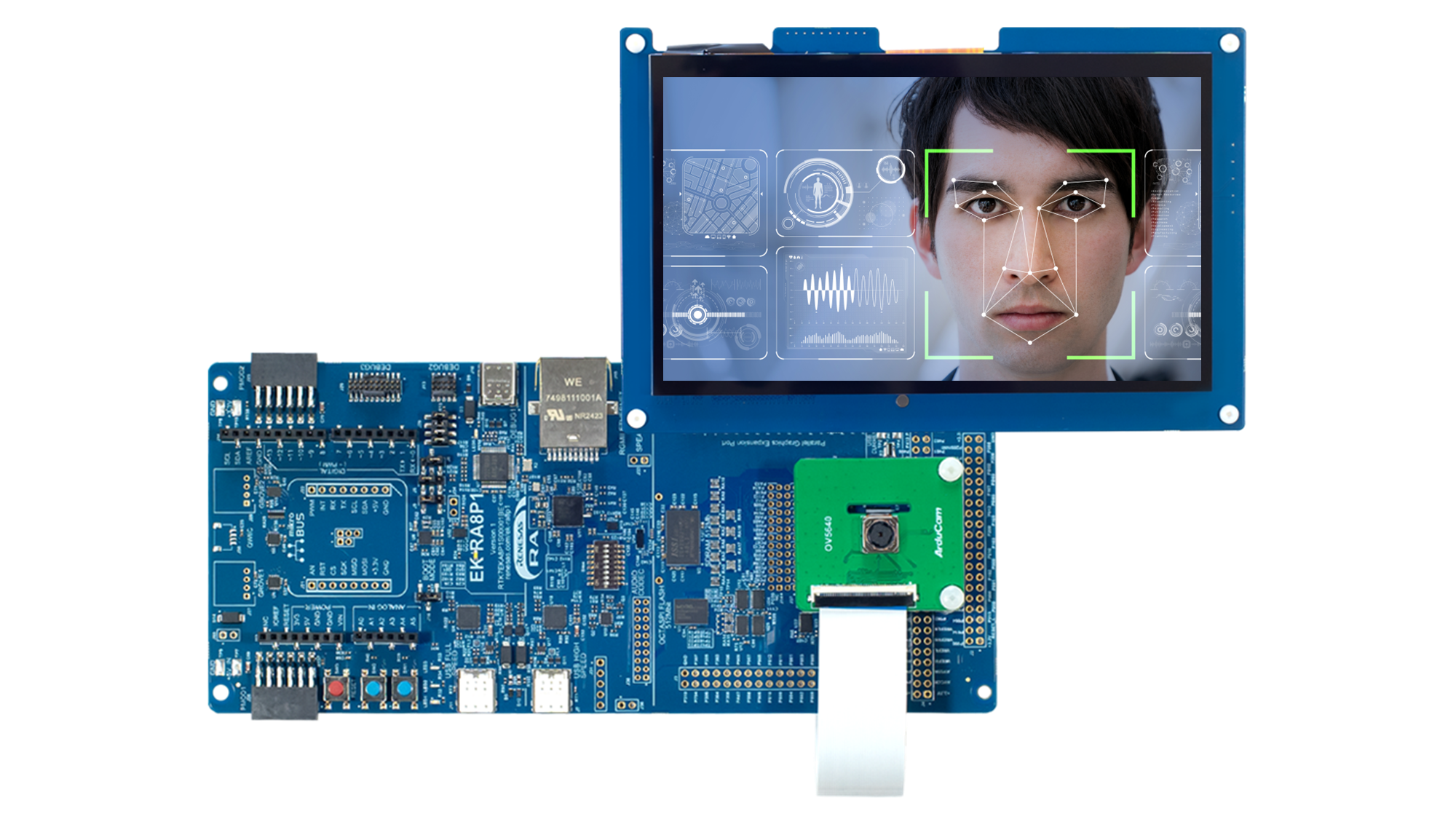
Purchase the EK-RA8P1 evaluation board from the Renesas website. This board also comes with an LCD expansion board and a camera expansion board, making it ideal for developing applications such as AI (artificial intelligence), IoT, image recognition, voice recognition, and real-time analysis.
In particular, the RA8P1 is equipped with Renesas' first AI accelerator, the Ethos-U55 NPU, enabling full-scale AI inference on an MCU.
2. Set up your development environment
Once you receive the EK-RA8P1 evaluation board, prepare the development environment on your PC and write the code to the evaluation board.
Required development environment
• e² studio: Renesas' official integrated development environment (IDE)
• Flexible Software Package (FSP): A software package that compiles various drivers for operating a microcontroller.
Easy setup steps
1. Install e² studio and FSP
FSP Platform Installer download site: Flexible Software Package (FSP) | Renesas
*e² studio and FSP can be downloaded together
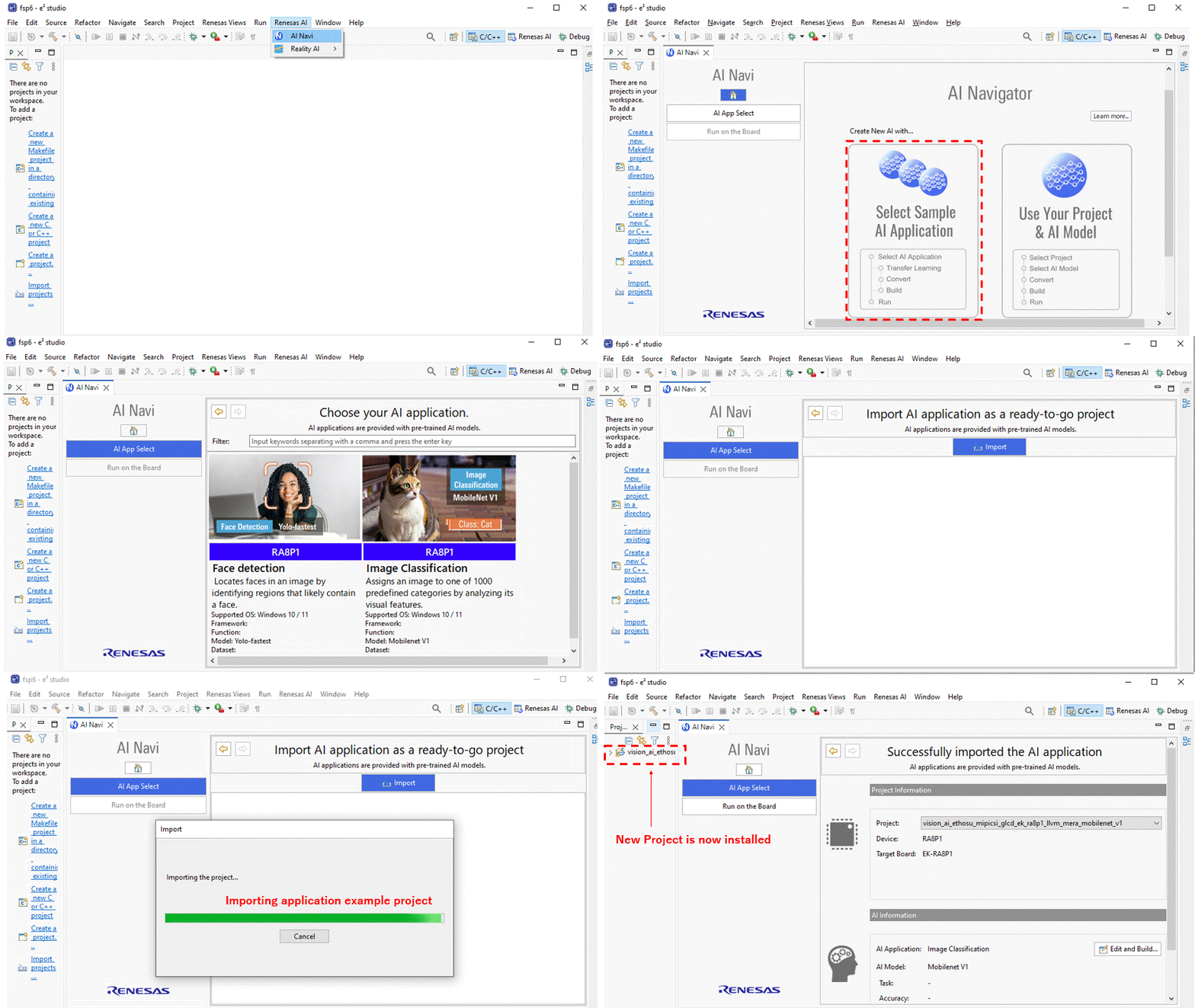
2. Download the sample program to e2-studio
(The following GIF explains how to use AI Navigator to download image classifications.)
3. Set up the evaluation board
① Install the LCD expansion board and camera expansion board on the main board.
② Connect the EK-RA8P1 board to the PC with a USB-C cable.
4. Write to the evaluation board
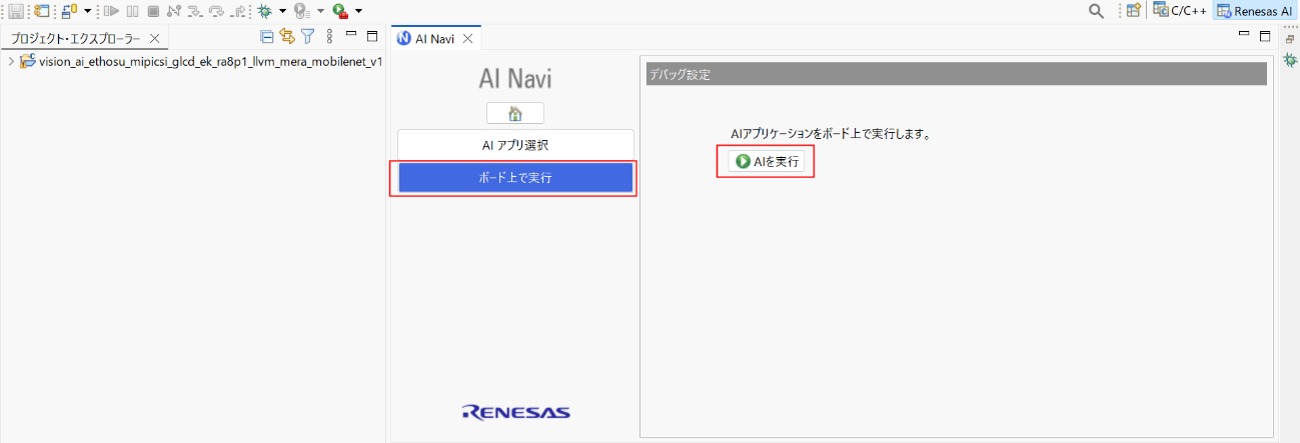
Click "Run on board" ⇀ "Run AI" *This will take a few minutes to complete.
AI NavigatorWhat is it?
Renesas' integrated development environment e² studio A set of plugins for embedded AI A toolset for streamlining system development.
3. Try out AI inference
The following AI sample programs are available for the RA8P1 evaluation board. For details, please see the link below (GitHub).
Both can be downloaded directly to e2-studio using AI Navigator.
With just this, you can get the AI sample program up and running in no time. Even beginners can try it out in about an hour.
Imageclassification: AI determines the object captured by the camera

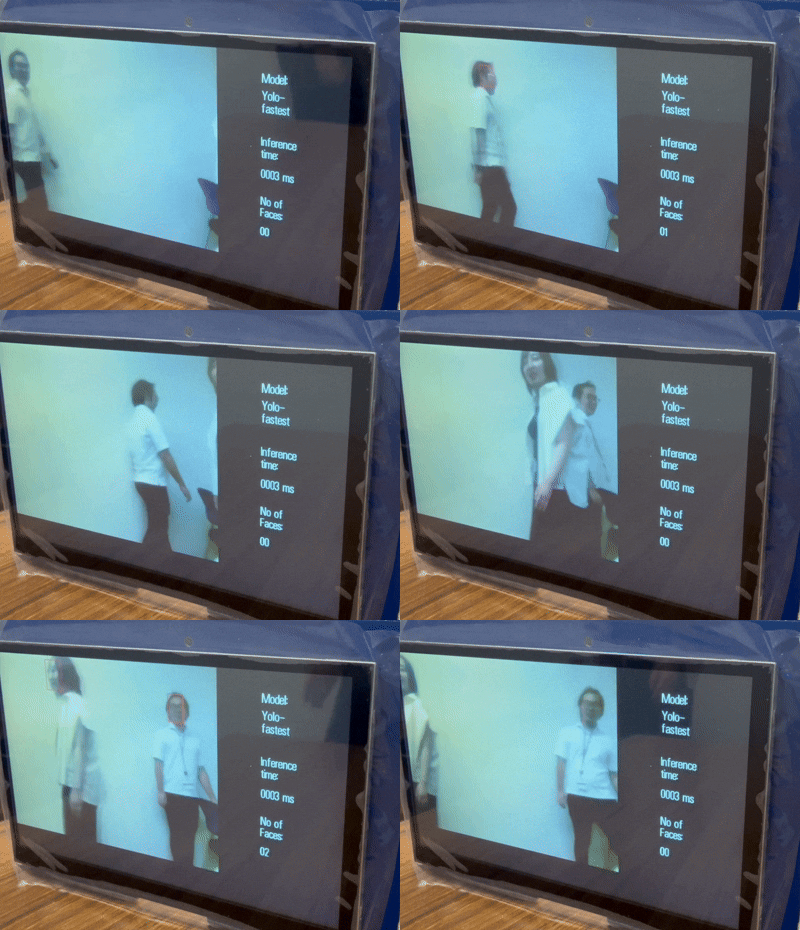
Facedetection: Detect human faces in real time
Summary
While FPGAs boast high flexibility and performance, the reality is that they are difficult to develop and costly. On the other hand, MCU platforms are an attractive option that allows you to try out AI inference at low cost while leveraging your existing embedded development skills. With the spread of IoT and edge AI, AI inference using MCUs will play an increasingly important role in the future.
Contact Us