- Semiconductor BusinessHOME
- Products and Services of Macnica,Inc.
-
technical information

-
Events and Seminars
- Handling Manufacturer
- Support
- Inquiry
- Click here to purchase products
- Semiconductor business e-mail magazine registration


 Narrow down by specifying conditions
現在2171件がヒットしています。check
Light up with koshian! Program in JavaScript using konashi.js.
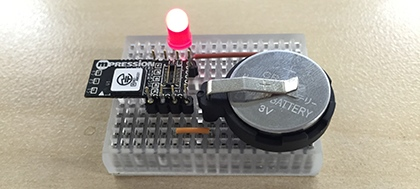
This time, let's solder pins to the through holes on the end face of the koshian and put it on the breadboard.
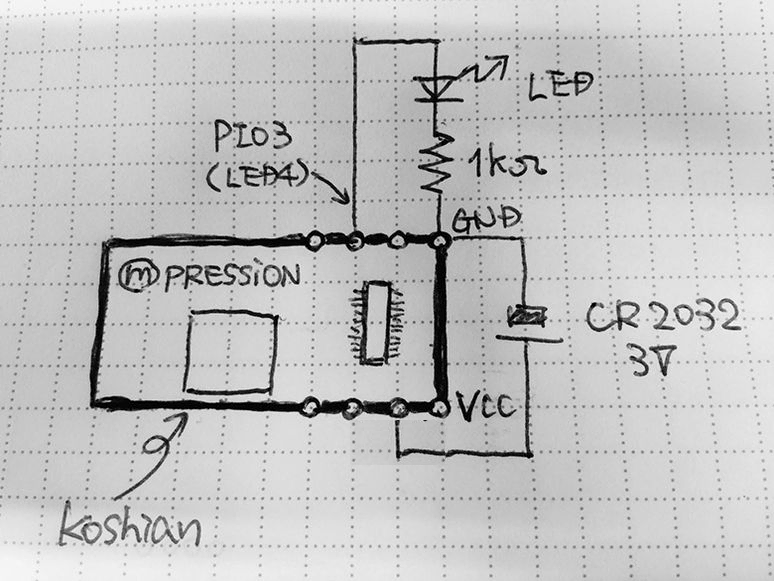
Here is the schematic. Connect an LED, a resistor, and a CR2032 coin battery to the koshian.
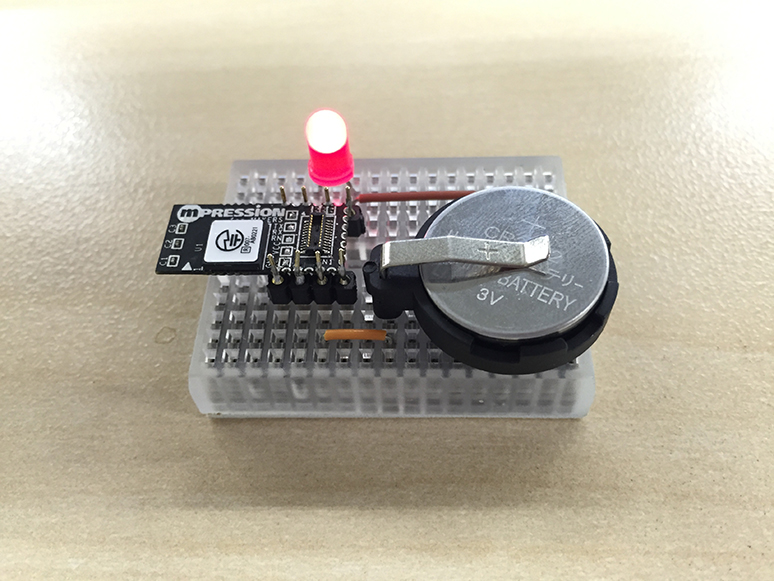
The result is something like this. The through-holes on the end face of koshian are 1.27mm pitch, so please be careful not to bridge when soldering. It can be a little difficult here...
Well, next is LED blinking programming. First, install konashi.js on your iPhone from the AppStore.

Select the sample code in konashi.js.
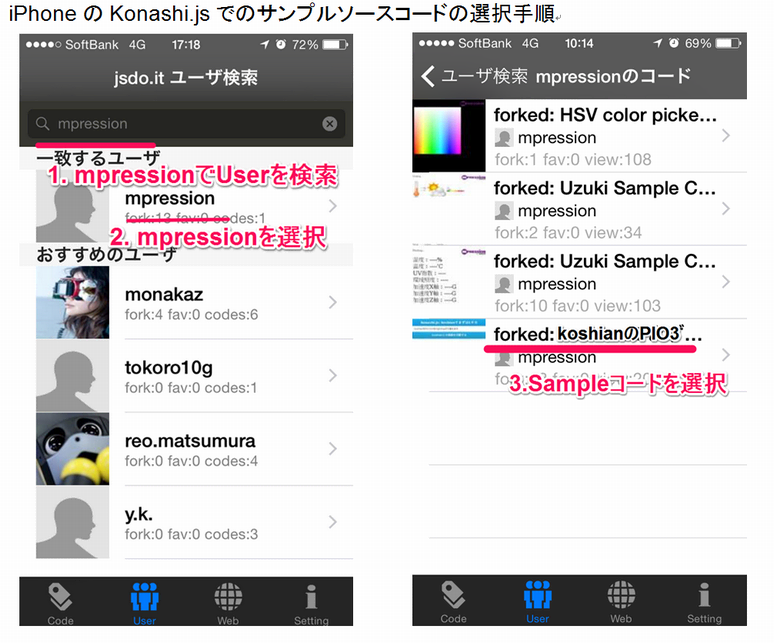
When you read the sample code, it will search for surrounding BLE devices, so select koshian as the connection destination.
When the connection is completed, the LED blinks in a cycle of 1 second.
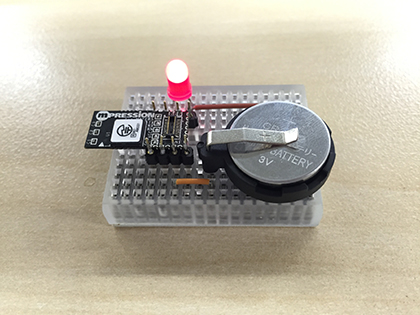
With koshian, you can easily flash the lights like this!
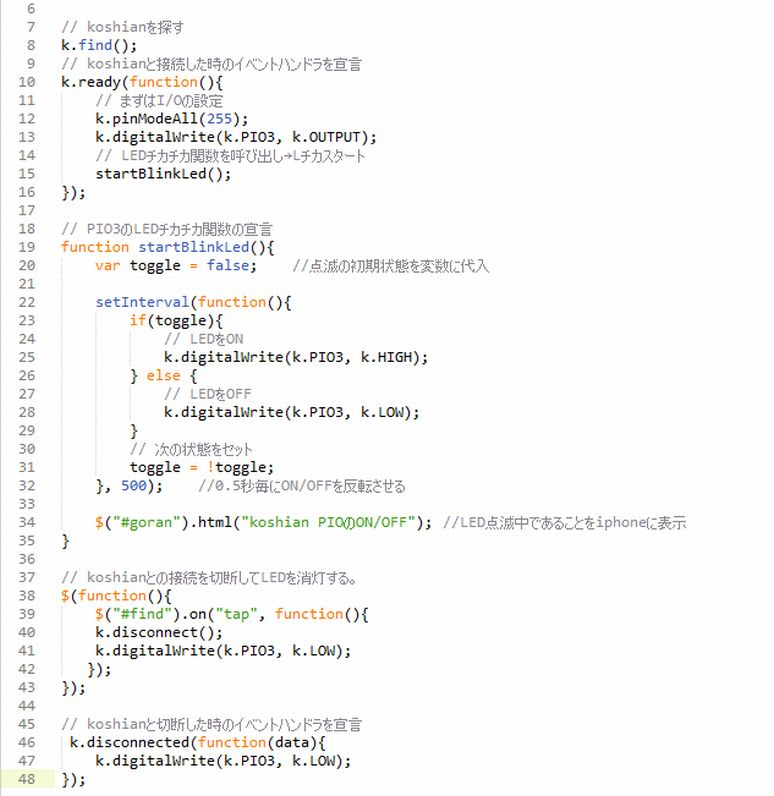
I will introduce the Javascript code image as supplementary information.
Commands starting with "k." are code by konashi.js SDK.
Please refer to the link below for details on the role of the code.