- Healthcare Business HOME
- wellness
- nursing care
- medical care
- DX Support
-
column·
example
- Inquiry
2-2. How to edit players
-
Video on how to edit players (English)
https://youtu.be/2brhNIILyAE
-
● I want to temporarily use the sensor with another player.
-
● I want to change the sensor to another player.
-
I want to delete the data of players I no longer use.

You can use or delete it by editing the registration screen.

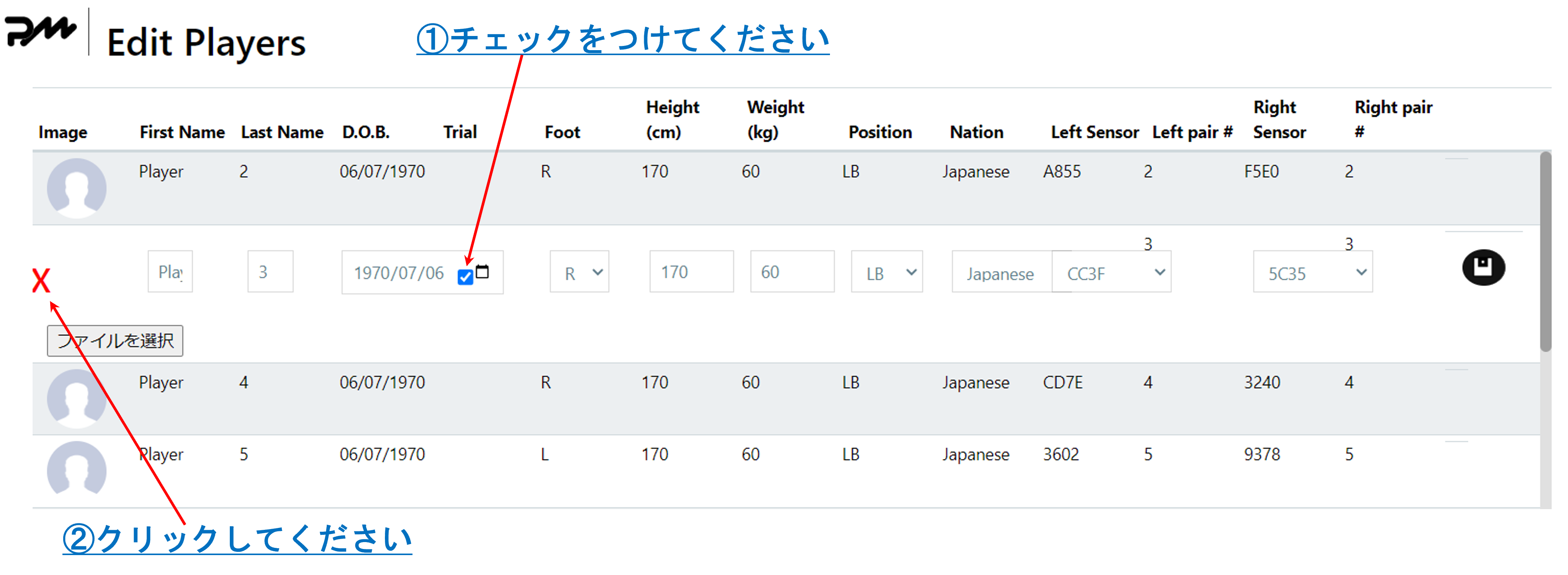
1. Temporarily use the sensor on another player
Example) Player 3 (= sensor number 3) is temporarily made the new player.
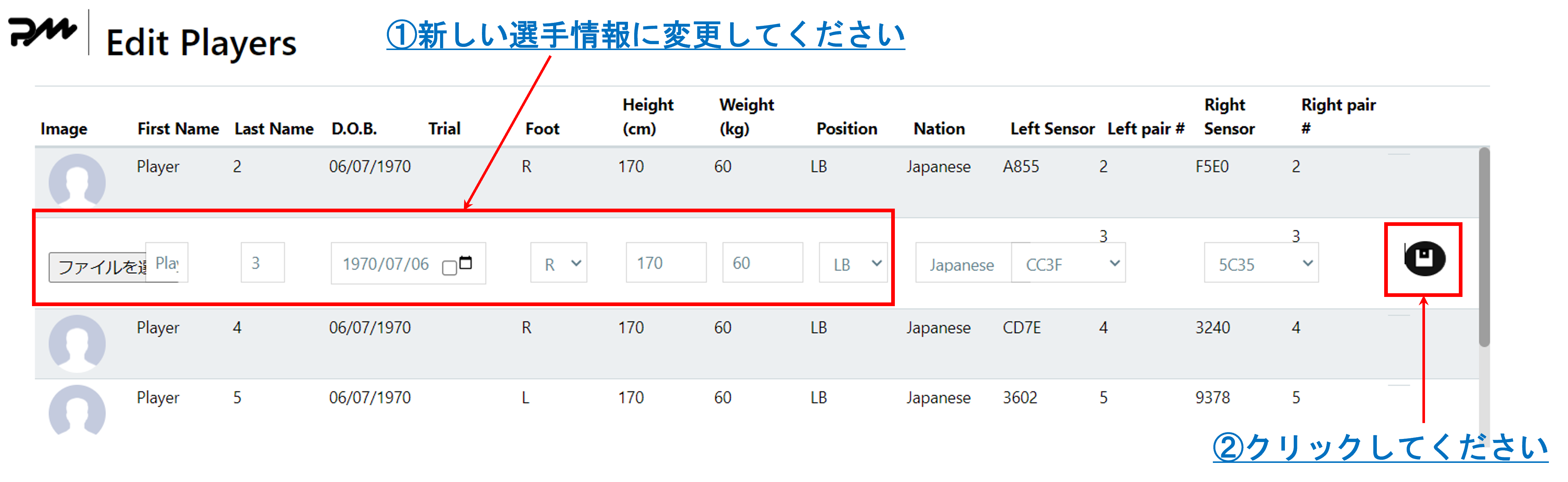
Note
- The data isOverwriting previous playerTherefore, please use this only for a specific session.
- Tracking (monitoring) - Other than the above,Edit player replacement on the next pagePlease do the following:
2. Switch the sensor to another player
Example) Reassign Player3 (sensor number 3) to another new player (NEW)
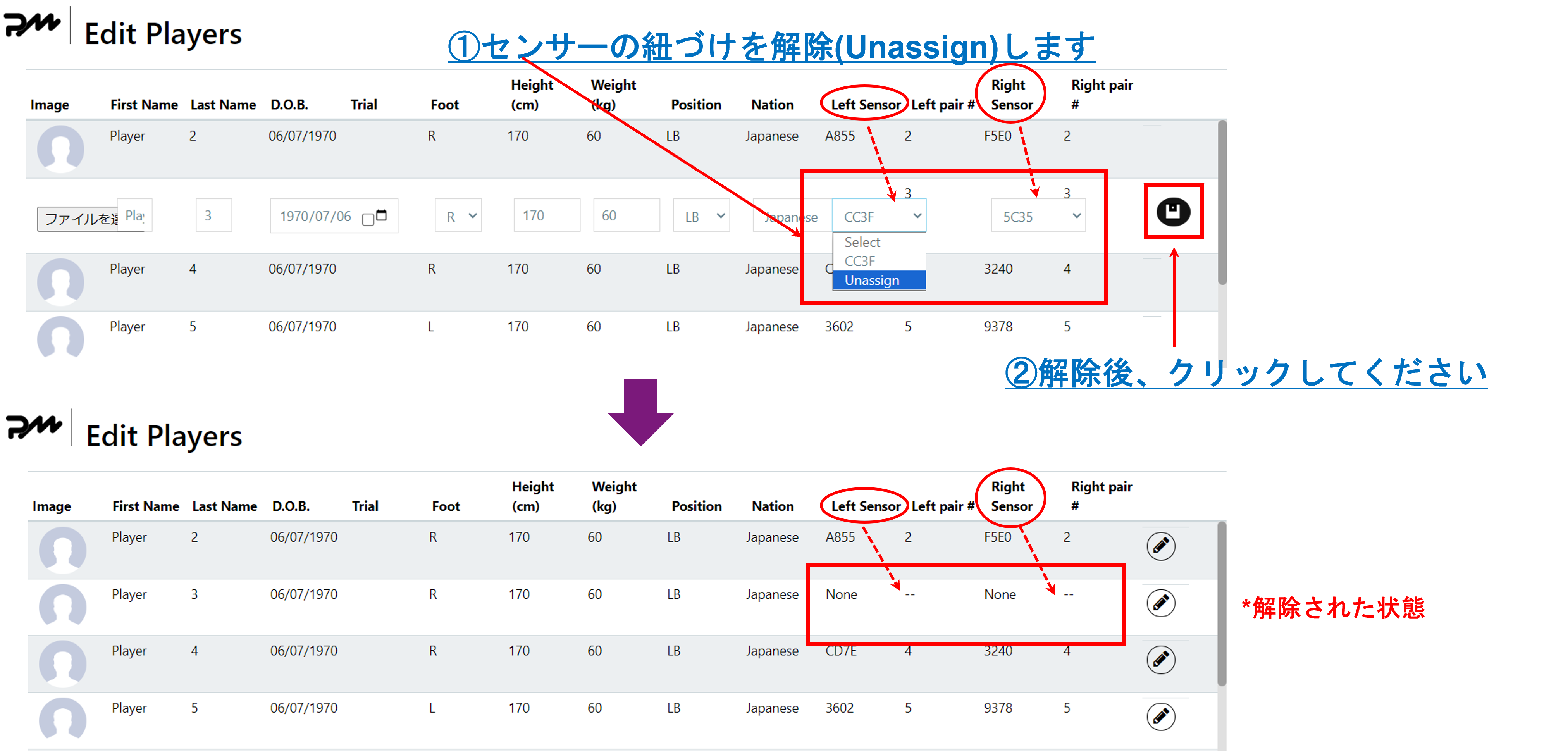
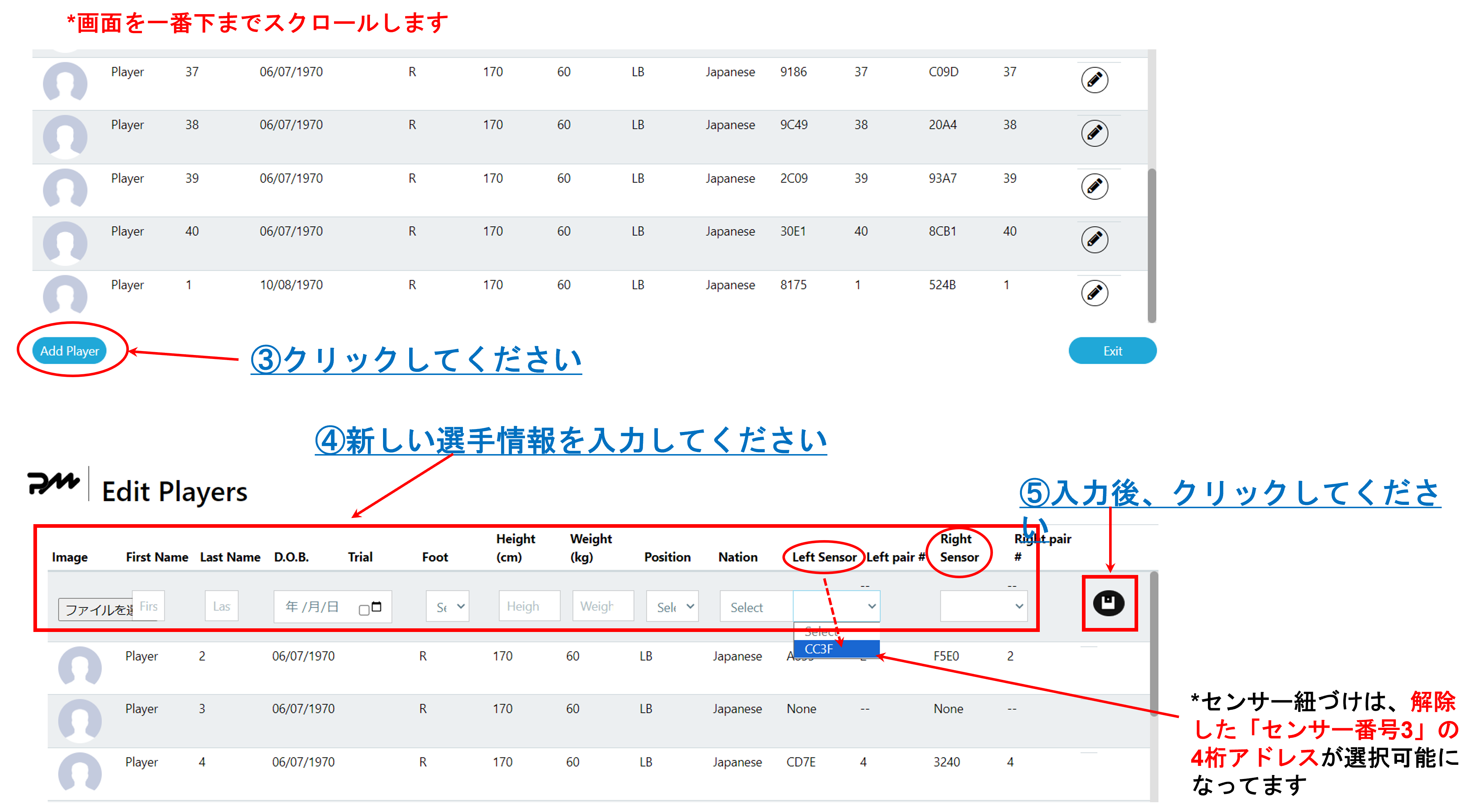
Replacement is complete
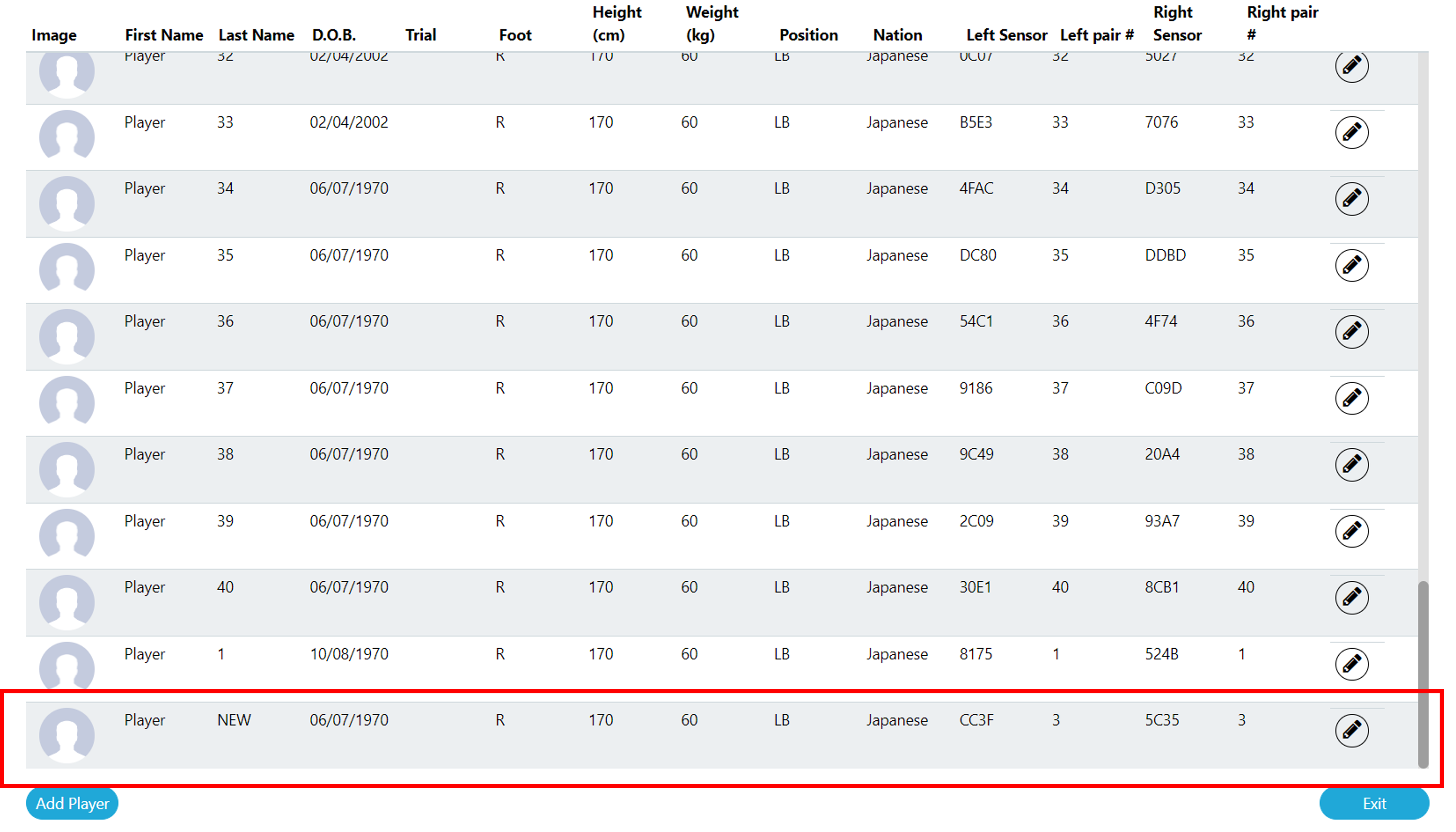
3. Delete the data of players you no longer use
Example) Delete data for Player3 (sensor number 3)