- Semiconductor BusinessHOME
- Products and Services of Macnica,Inc.
-
technical information

-
Events and Seminars
- Handling Manufacturer
- Support
- Inquiry
- Click here to purchase products
- Semiconductor business e-mail magazine registration


 Narrow down by specifying conditions
現在2240件がヒットしています。check

Before selecting a power supply device, you need to know the power consumption of the target FPGA. The power consumption of an FPGA depends on various factors (resources used), such as the number of I/O and logic units used, internal memory, DSP blocks, and transceivers.
For users of Altera® FPGAs, an Excel-based tool called PowerPlay Early Power Estimator (EPE) is available to estimate power consumption. By entering the FPGA resources to be used into the EPE, power consumption will be calculated. Conditions such as ambient temperature and airflow can also be entered.
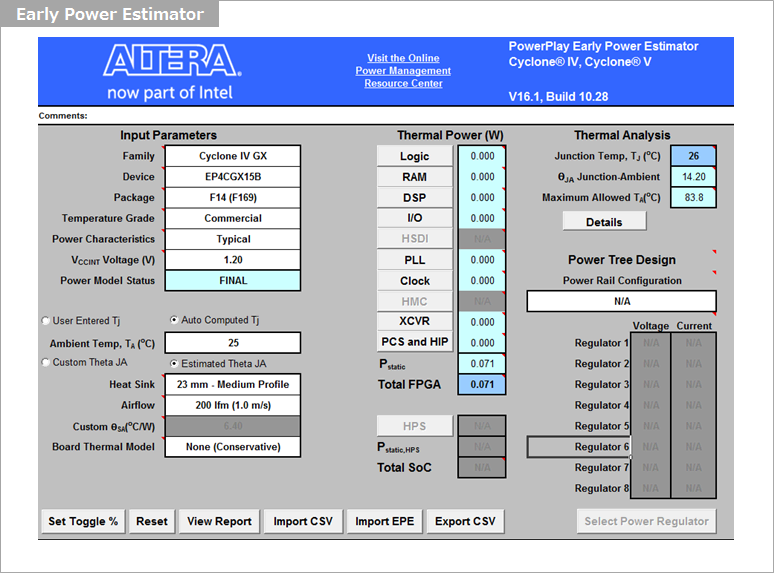
For more information on estimating and analyzing power consumption for Altera® FPGAs, please see this article.
FPGA power consumption types and calculation methods
How to estimate power consumption
To estimate the power consumption of the FPGA, the EPE needs to input the FPGA's resource information. The more accurate this resource information is, the more accurate the calculated power consumption will be.
Here, we will introduce two methods depending on the degree of completion of the FPGA design (circuit).
If you don't yet see your FPGA utilization
If you don't see much utilization for the FPGA, you'll have to guess and manually enter the resource information to use within each tab of the EPE.
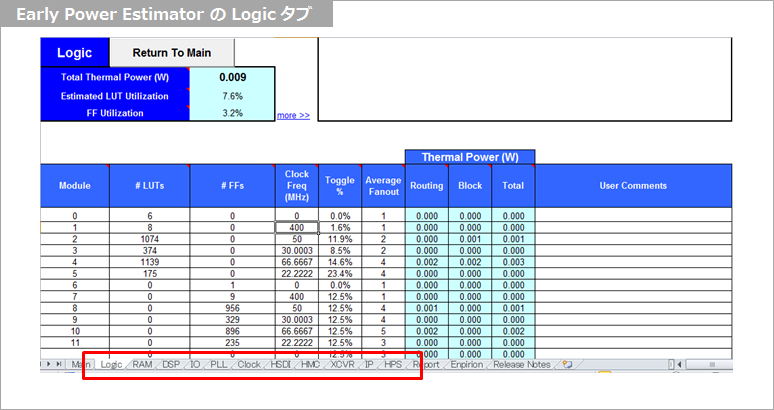
Before designing, you might be unsure how much resources to input, but try inputting estimated resource information for each tag (Logic, RAM, DSP, I/O, PLL, Clock, HSDI, HMC, XCVR, IP, HPS). For power estimation, it's safer to input more resource information than necessary.
For detailed instructions on how to enter the information, please see this article.
How to estimate FPGA power consumption
If you can see some degree of FPGA utilization
If you are designing an FPGA design in Quartus® Prime, you can see the utilization rate of the FPGA to some extent, so you can estimate the current power consumption by porting that information to the EPE. Specifically, you can easily calculate the power consumption by generating a CSV file that can input resource information from Quartus® Prime to the EPE and loading this CSV file into the EPE.
Select Quartus® Prime Project menu ⇒ Generate PowerPlay Early Power Estimator File to generate a CSV file. When this CSV file is imported from EPE's ImportCSV, the resource information is entered and the power consumption is calculated.
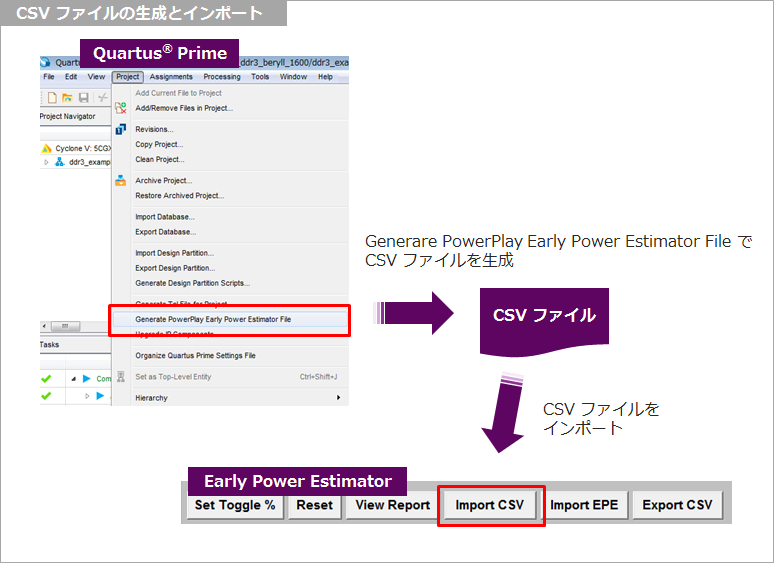
Importing a CSV file is much easier and more accurate than entering it manually, so I recommend it.
Choice of implementation environment
After entering the resource information, the next step is to select the FPGA implementation environment.
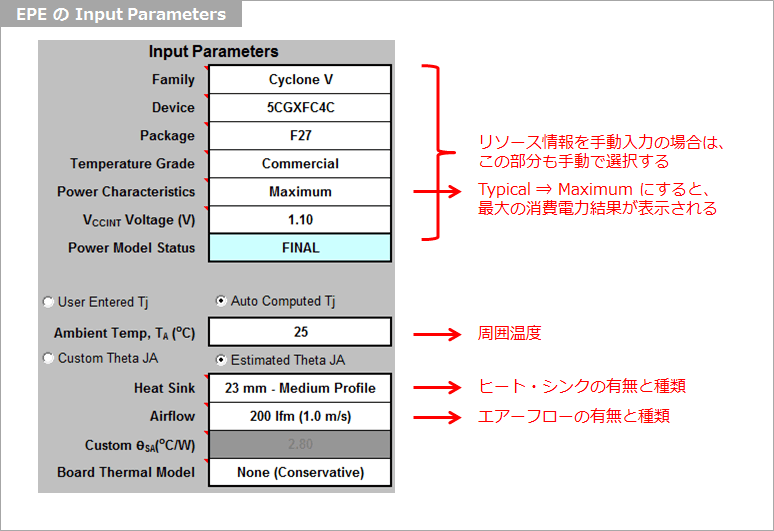
If you change PowerCharacteristic from Typical to Maximum here, the calculation result will change to the maximum power consumption result, so please change it as necessary.
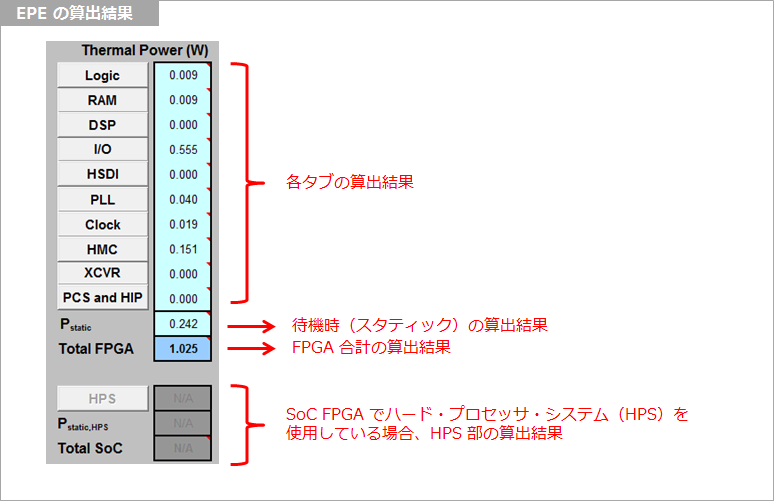
Next, select the ambient temperature of the FPGA, the presence and type of heat sink, and the presence and type of airflow, and the power consumption calculation results will be displayed according to these conditions.
What did you think?
You should now understand that FPGA power consumption depends on how the FPGA is used (resources, etc.) and can be estimated in advance. Please use the results estimated with this EPE as a reference when selecting an Enpirion® device.
Click here for recommended articles/materials
Analog Circuits for Absolute Beginners: Enpirion® Series, Part 1 - What are the essential power supply elements for FPGAs?
Analog Circuits for Absolute Beginners: Enpirion® Series, Part 3: What is Power Supply Accuracy? (Part 1)
Analog Circuits for Absolute Beginners: Enpirion® Series, Part 4: What is Power Supply Accuracy? (Part 2)
FPGA power consumption types and calculation methods
Altera® FPGA Development Flow / Homepage