- Smart City/Mobility Business HOME
- Search by use case
-
Search by product/service

- event·
seminar -
Case studies and columns
- Inquiry
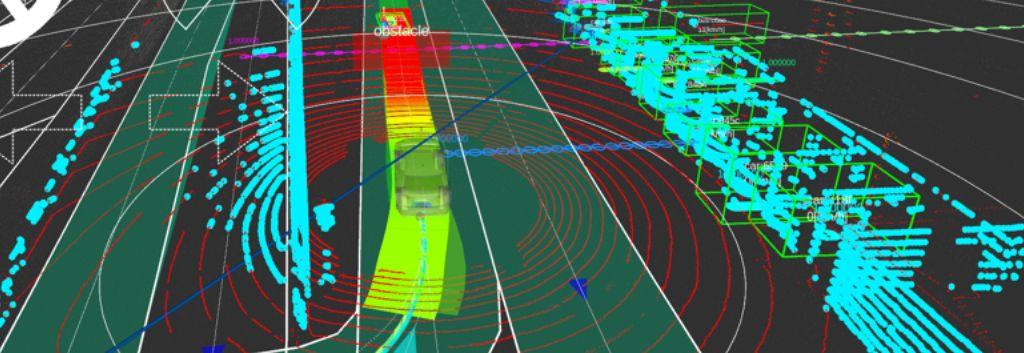
As autonomous driving technology evolves and becomes more real, many players are investing significant time and resources into developing their own autonomous driving software. The Autoware Foundation, on the other hand, has taken a different approach, building a fully open source software stack for autonomous driving, with contributions from Foundation members and rapid development.
In this column, we will introduce how Macnica implemented multiple autonomous driving vehicles in a PoC project in Thailand using Autoware.
What is Autoware?
-
Autonomous driving generally consists of three main components.
-
sensor
Sensors such as LiDAR, radar, 2D/3D cameras, GNSS, IMU, and INS are the eyes of the vehicle. -
Autonomous driving software stack
Autonomous driving software stacks such as Autoware process data from the above sensors in real-time to extract key information such as vehicle position, surrounding obstacles and current route. At the end of the pipeline, the best action is determined given the current situation. It is the brain of the vehicle. -
Drive-by-wire system
A system that translates software decisions into physical actions, such as applying the brakes, turning the steering wheel, changing gears, or turning on turn signals. This last component is the hand of the car.
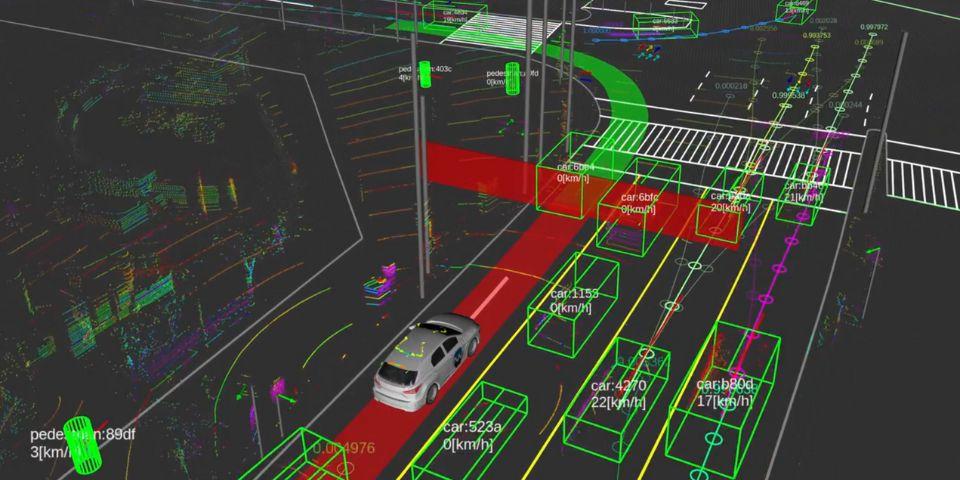
Figure 1: Peripheral situation recognized by Autoware
From Autoware Foundation, distributed under Apache 2.0 LICENSE
- Autoware aims to be "platform independent". This means Autoware can be installed in any vehicle and can be combined with any sensor kit or drive-by-wire system. To achieve such flexibility, Autoware itself consists of many modules, and users can choose which modules and algorithms to use according to their use cases.
- Autoware processing pipeline
- Raw sensor data is first processed by the sensing module. At this stage the data is synchronized, parsed, formatted, corrected and combined. The data is then processed by localization and perception modules.
- The localization module fuses all localization information including IMU data, GNSS positioning and 3D point cloud matching to calculate vehicle position. In parallel, the Perception module uses both AI and heuristic-based algorithms to detect and track obstacles in the scene. A planning module calculates the optimal behavior and trajectory of the vehicle based on location information and detection data. The vehicle not only follows traffic rules and avoids dangerous situations, but also responds to various scenarios such as changing lanes and avoiding stationary obstacles.
- Finally, the control module translates Autoware's sophisticated decisions (deceleration, left turn, etc.) into commands to the drive-by-wire system.
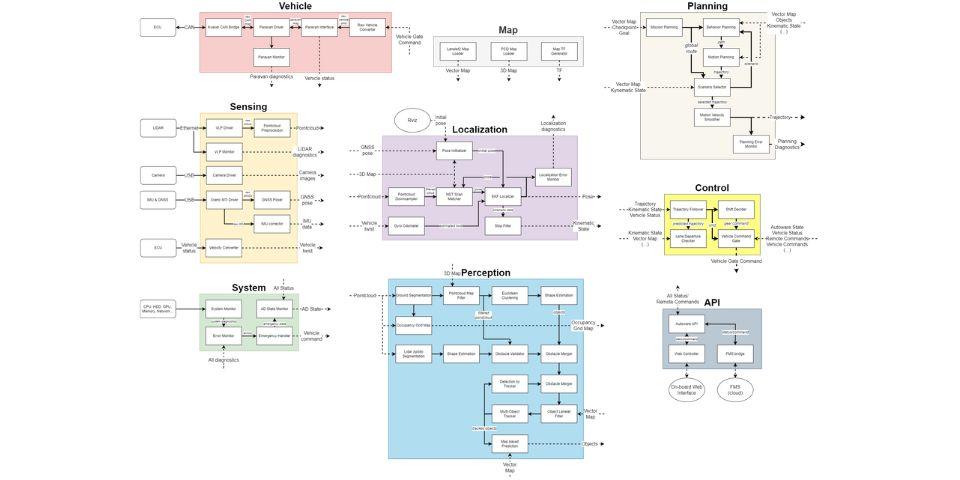
Figure 2: Autoware Modular Architecture
*Click to enlarge (separate window)
An example of vehicle integration
In the PoC project that Macnica conducted in Thailand, the following sensors and drive-by-wire system were installed in an EV vehicle manufactured by BYD.
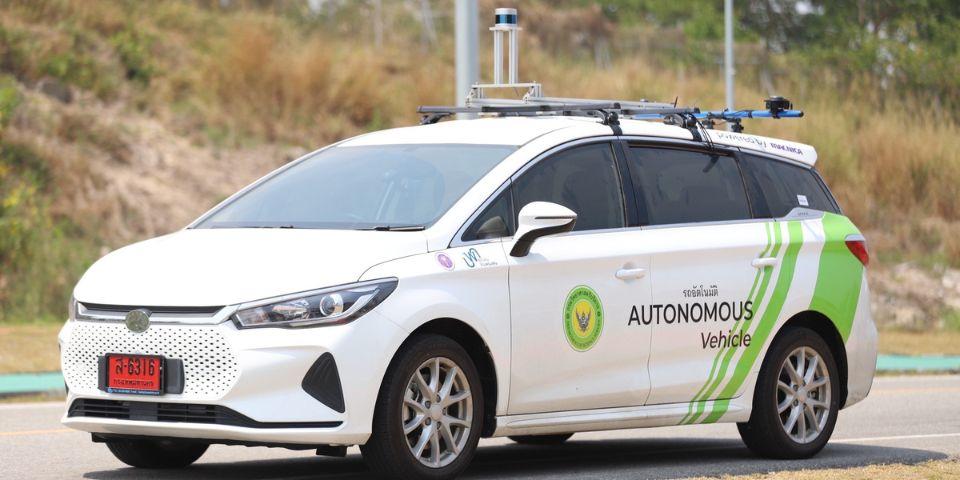
Figure3: Demonstration vehicle (source: Gensurv)
-
A Velodyne VLP-32C LiDAR sensor on top of the vehicle provides highly accurate point cloud data for both obstacle detection and localization (a 3D map matching algorithm). Besides, the Xsens Mti-680G INS module has many sensors such as gyroscope, accelerometer, geomagnetic sensor, GNSS receiver, etc. This module is mainly used for localization. Even with such a simple sensor configuration, Autoware can drive autonomously at the speed limit (<30km/h) without any problems. The drive-by-wire system used this time is manufactured and implemented by a third party. The system provides pedal and steering control via a dedicated CAN network inside the vehicle. Controls such as gears and direction indicators can be controlled via the vehicle's on-board CAN network.
Components such as the PC for Autoware, electrical wiring and spare batteries are housed in the trunk of the vehicle. -
Autoware is platform independent, allowing easy integration of such customized setups, sensor kits and drive-by-wire systems.
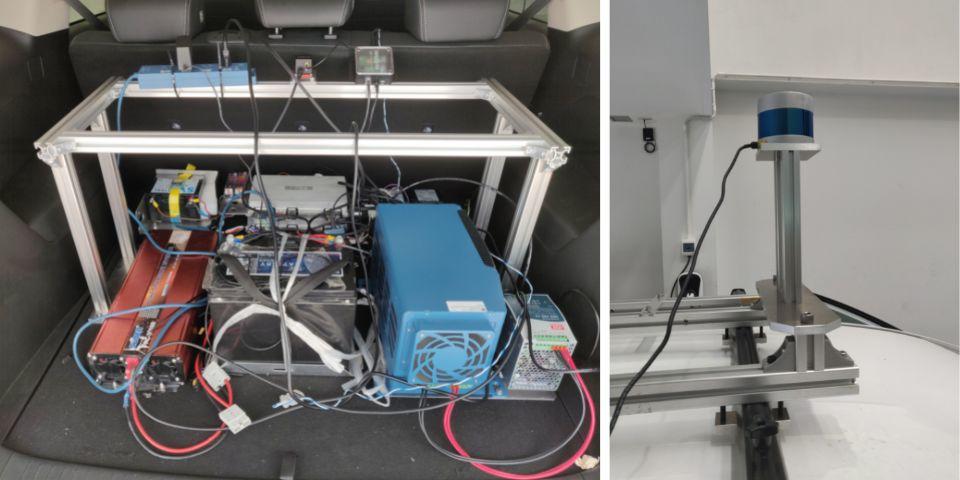
Figure4: BYD vehicle trunk and rooftop
HD maps and 3D maps
To increase the reliability and consistency of autonomous driving, Autoware leverages both HD and 3D maps.
HD map
HD maps (or vector maps) are map information focused on traffic rules and drivable lanes. Lane, road signs, traffic lights, speed limits, pedestrian crossings, parking lots, etc. can be checked before departure and left in perfect condition, so the driving area of the vehicle is limited. It can save processing resources. HD maps are usually created by hand using specialized tools.
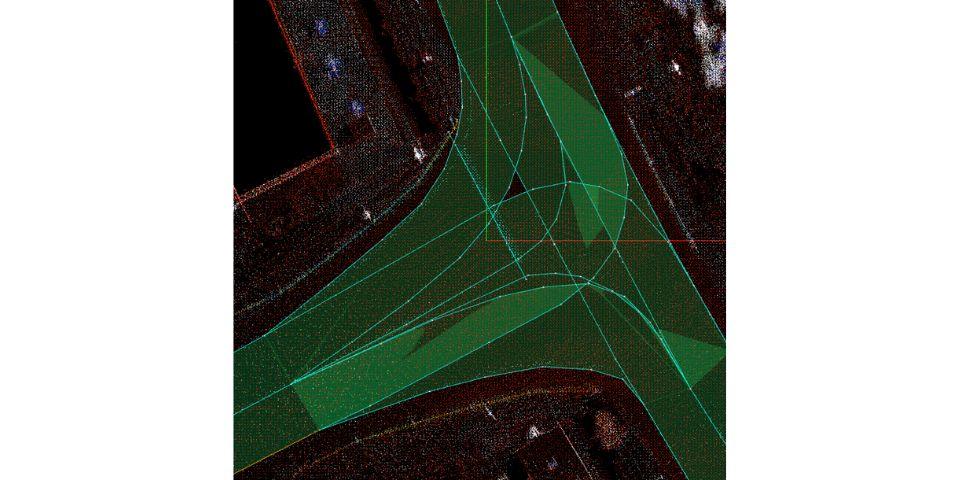
Figure5: Intersection on HD map
3D map
A 3D map is a 3D point cloud depicting a static object of a physical object. Roads, trees, buildings, etc. are all displayed on a 3D map. However, using a 3D map means that the vehicle's autonomy is limited to its extent on the map. However, this map provides Autoware with very useful information.
First, by matching the point cloud data of the 3D map and the LiDAR sensor, it is possible to calculate the exact position of the vehicle in centimeters. A 3D map is then used to distinguish between static objects in the scene, such as trees, fences, and telephone poles, and related obstacles. 3D maps are usually created with MMS systems, SLAM, etc. provided by map vendors.
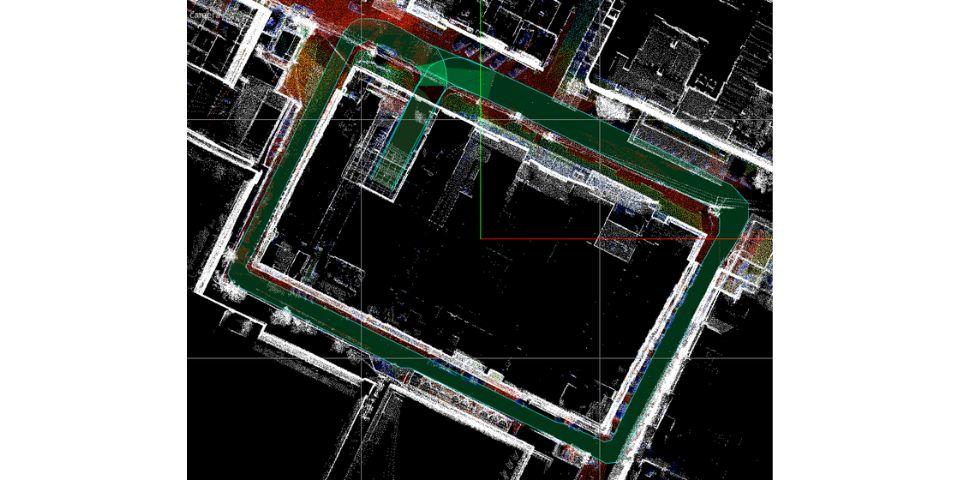
Figure 6: HD map drawn on 3D map
Onsite deployment
With the vehicle, HD map, and 3D map ready, it was finally time to bring the vehicle to the site. A PoC demonstration was conducted by running a 5km course on the EECI property located in the east of Bangkok. Autoware autonomously responds to various situations, such as matching the speed with the vehicle ahead, avoiding vehicles stopped on the shoulder, and giving priority to other vehicles at intersections. In a place like this, there were some difficult situations, but the advantage of open source is that you can quickly fix and tweak it to make it behave perfectly on the road.
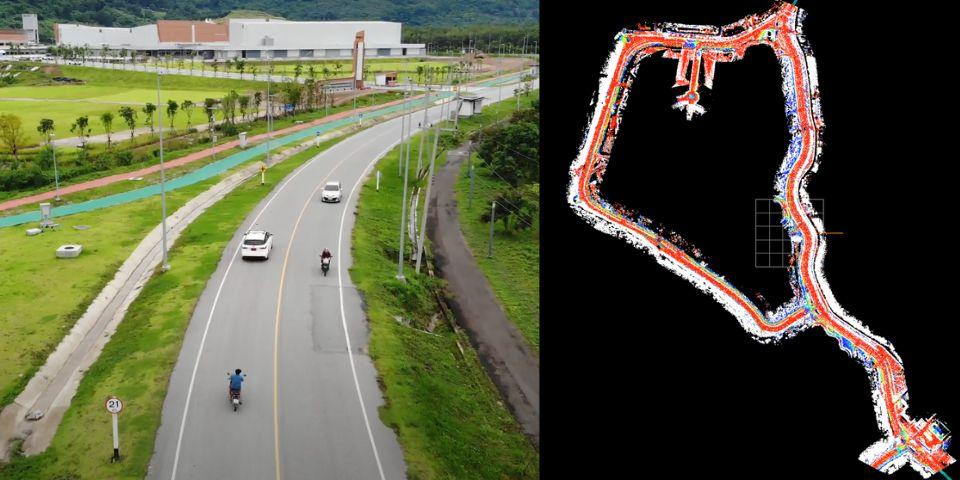
Figure7: 5Km test track at the EECI site (left figure source: Gensurv)
inquiry
If you have any inquiries related to this matter, please contact us from the following.