- Semiconductor BusinessHOME
- Products and Services of Macnica,Inc.
-
technical information

-
Events and Seminars
- Handling Manufacturer
- Support
- Inquiry
- Click here to purchase products
- Semiconductor business e-mail magazine registration


 Narrow down by specifying conditions
現在2149件がヒットしています。check

My first homemade printed circuit board
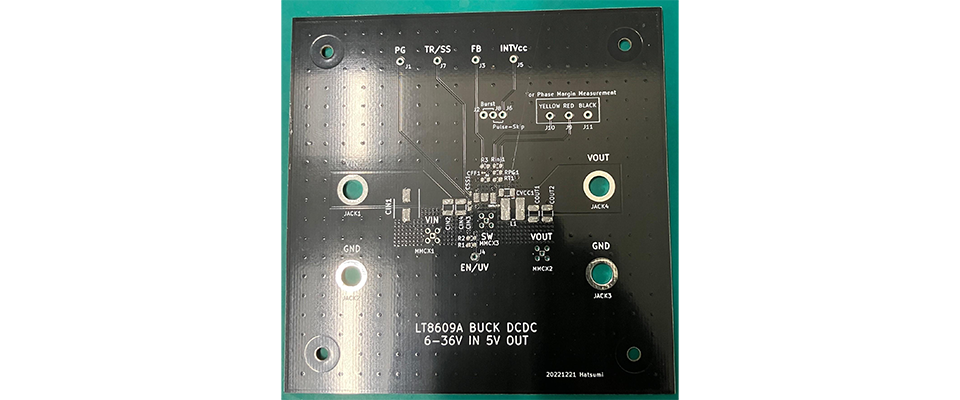
The circuit board I designed in my previous article, “Making a power supply with a homemade printed circuit board! (2)” has finally arrived!
This time, I have ordered two types of board: one before the pattern review (white) and one after the pattern review (black), so I will use them to check the changes due to the pattern layout.

The board arrived
Component mounting
Now that the board has arrived, I'll start mounting the components. This time I'm using components purchased from Macnica-Mouser.
Last time, when I used a universal board, I passed the legs of the components through the holes and then soldered them, but this time I will be surface mounting on a printed circuit board, so I cannot use the same method.
That's where the "hot plate" comes in handy! It's a version of the hot plate you use at home to grill meat and other foods, but for use on electrical circuit boards. Using this makes it possible to mount components efficiently.

Hot plate
The circuit board is placed on top of the heated iron plate of the hot plate. Paste solder is applied to the copper foil parts of the circuit board that need to be soldered, and the components are placed on top of that. Then, as the circuit board heats up, the paste solder melts and the components are mounted. By the way, this is what a circuit board with solder paste applied looks like.
A "stencil" is used when applying solder paste. In actual practice, the know-how is to make the size of the stencil slightly smaller than the area to be applied in order to prevent shorting between the pins. However, the supplier in this case was unable to adjust the size of the stencil, and as a result, a problem occurred with the pins of the device. Because the spacing between the patterns was narrow, adjacent pins were shorting out.
Therefore, this time I decided to attach the PAD part on the back of the device with a hot plate, and carefully attach the feet by hand.

Applying solder paste with a stencil
This manual mounting actually requires some skill, and I had a hard time at first, but by applying a generous amount of flux to the pins of the device, the solder was able to stick firmly to the pins, and I was able to attach it successfully in the end.
And here is the finished board!

Completed board (white, pre-review circuit)

Completed board (black, circuit after review)
Efficiency measurement
I immediately applied heat to the completed board and measured its efficiency. This time, I created two boards with different patterns before and after the review, so I will check the difference in efficiency between them.
I'm looking forward to seeing what the results will be!

Pre-review PCB pattern

Reviewed PCB pattern

Efficiency Graph
What happens when you look at the efficiency graph? As the output power (W) increases, you can see that there are differences in efficiency between the boards. In particular, there is a localized drop in efficiency at 36V input and 1.5A output on the WHITE board, so this is an important point to check.
In the next article, we will take a closer look at why this difference in efficiency occurred. Stay tuned!
Universal board/printed circuit board list
■Universal board edition
・ I made a DC/DC converter using a universal board (1)
・ I tried making a DC/DC converter using a universal board (2)
・ I tried making a DC/DC converter using a universal board (3)
・ I made a DC/DC converter using a universal board (4)
■Printed circuit board edition
・ Create a power supply with your own printed circuit board! (1)
・ Create a power supply with your own printed circuit board! (2)
・Create a power supply using a homemade printed circuit board! (3)
・ Create a power supply using a homemade printed circuit board! (4)
・ Create a power supply using a homemade printed circuit board! (5)