- Semiconductor BusinessHOME
- Products and Services of Macnica,Inc.
-
technical information

-
Events and Seminars
- Handling Manufacturer
- Support
- Inquiry
- Click here to purchase products
- Semiconductor business e-mail magazine registration


 Narrow down by specifying conditions
現在2220件がヒットしています。check
Introduction
This page introduces a sample project for the Qualcomm® Robotics RB5 Platform Development Kit. If you want to touch the Qualcomm® Robotics RB5 Platform development kit and try various things, but you don't know where to start, I hope it will be helpful.
Related Link: About Qualcomm® Robotics RB5 Platform Development Kit
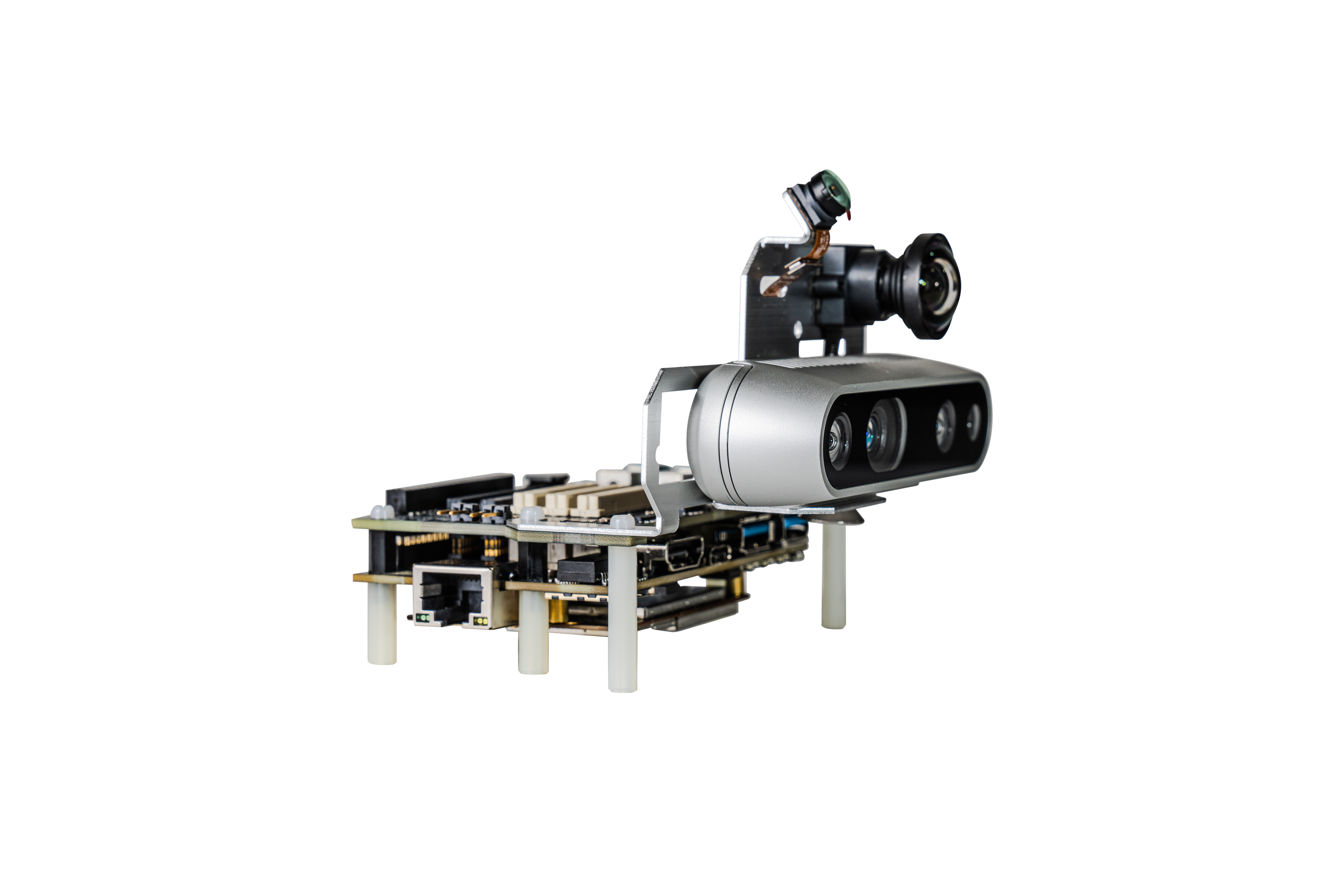
Things necessary:
・Host PC (Ubuntu 18.04)
・Qualcomm® Robotics RB5 Platform Development Kit (Vision Kit)
・USB keyboard, USB mouse, (USB Type-C cable)
・USB camera
・HDMI monitor, HDMI cable
Advance preparation
Please set up the Qualcomm® Robotics RB5 Platform Development Kit itself in advance.
Related page (links to an external site): Setup
Since the Qualcomm® Robotics RB5 Platform Development Kit will be connected to the Internet in the following procedure, it is necessary to complete the Set up network.
Get a sample project
A sample project is available on github.
Download and build the sample project on the Qualcomm® Robotics RB5 Platform Development Kit. Connect the host PC and Qualcomm® Robotics RB5 Platform development kit with a USB Type-C cable and log in to the development kit using adb.
hostPC$ adb shell
root@qrb5165-rb5:/# cd /data
root@qrb5165-rb5:/# git clone https://github.com/quic/sample-apps-for-Qualcomm-Robotics-RB5-platform.git
Example: Gstreamer-Applications
As an example, we will continue to build and run the Gstreamer-Applications included in the sample project. Gstreamer-Applications contains multiple sample codes (Camera display, Video encoding/decoding, Audio recording/playback, GUI Applications, use of TensorFlow Lite, etc.) are ready.
First, install the required dependencies to the Qualcomm® Robotics RB5 Platform Development Kit.
root@qrb5165-rb5:/# apt install qt5-default qtwayland5 qtbase5-private-dev
root@qrb5165-rb5:/# apt install v4l-utils
Build the Gstreamer-Applications sample code.
root@qrb5165-rb5:/# cd Gstreamer-Applications/
root@qrb5165-rb5:/# cd gst_gui_app/
root@qrb5165-rb5:/# qmake
root@qrb5165-rb5:/# cd ..
root@qrb5165-rb5:/# make
Try running the GUI application.
* Connect the development kit USB keyboard and USB mouse in advance, and connect the development kit and HDMI monitor with an HDMI cable.
root@qrb5165-rb5:/# ./weston.shThe desktop screen is displayed on the HDMI monitor. Launch the terminal from the upper left terminal icon and execute the following command.
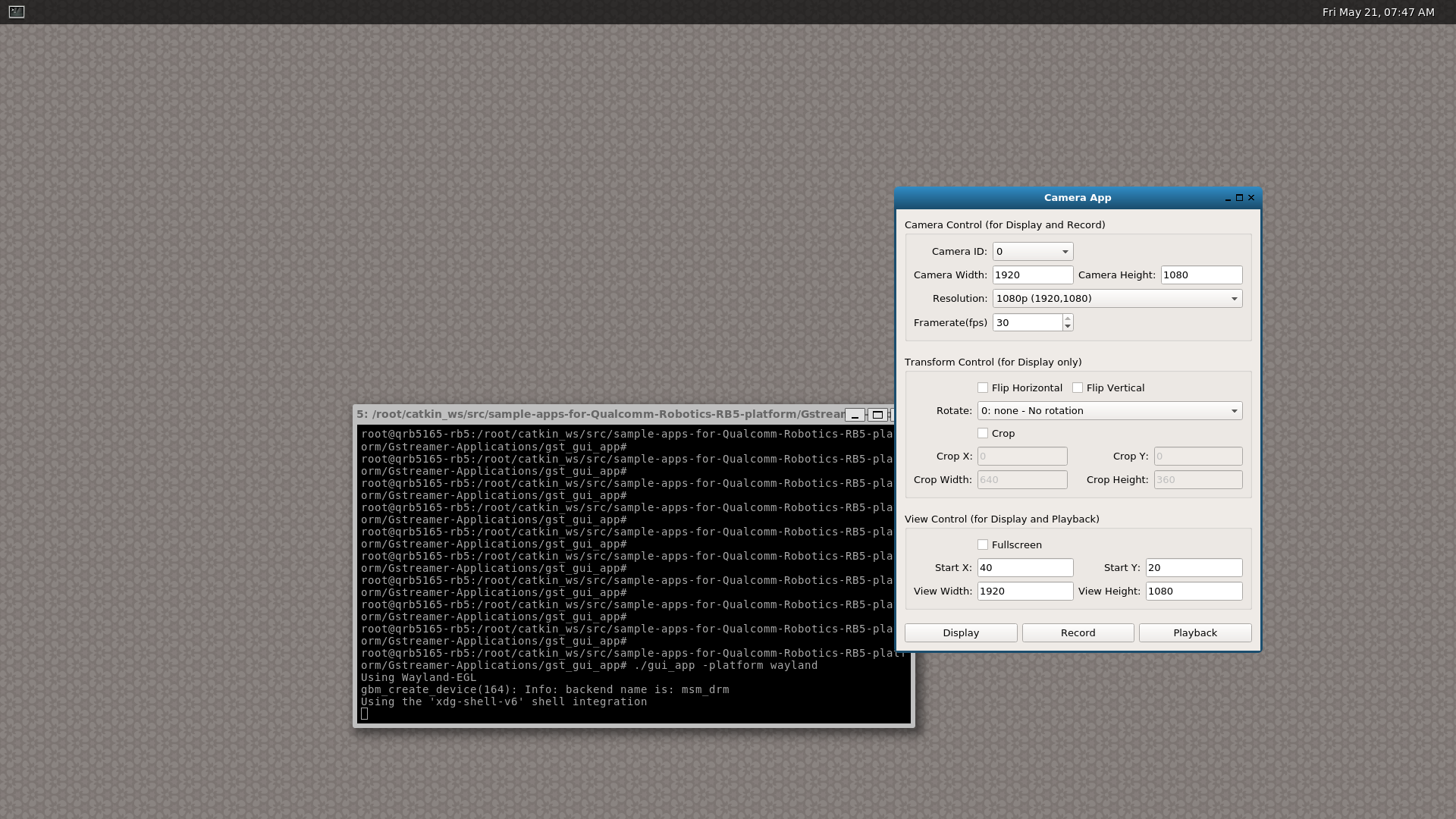
root@qrb5165-rb5:/# cd gst_gui_app/ root@qrb5165-rb5:/# ./gui_app -platform waylandIt is successful if the following is displayed. Please refer to the README file for details on how to use gui_app.
The sample project published on github that I introduced this time contains various other sample applications, so please refer to each README file to learn aboutthe various functions of the Qualcomm® Robotics RB5 Platform development kit. We hope that it will be useful for evaluation and product development using the Qualcomm® Robotics RB5 Platform.
Inquiry / Quotation
For product inquiries and development kit estimates, please use the link below.
To Qualcomm manufacturer information Top
If you want to return to the Qualcomm manufacturer information top page, please click below.