- Semiconductor BusinessHOME
- Products and Services of Macnica,Inc.
-
technical information

-
Events and Seminars
- Handling Manufacturer
- Support
- Inquiry
- Click here to purchase products
- Semiconductor business e-mail magazine registration


 Narrow down by specifying conditions
現在2261件がヒットしています。check
Introduction
In recent years, there has been a growing need to replace tasks currently performed by humans with humanoid robots.
Humanoid robots, with their body structures similar to those of humans, are expected to be applied to tasks such as transportation, sorting, assembly, and inspection. However, simply providing the robot's hardware is not enough for it to perform its intended tasks autonomously. To make a robot operate autonomously, it needs camera footage to perceive its surroundings and an AI model to control its body according to instructions. One of the technologies that corresponds to this "brain" is the NVIDIA Isaac™ GR00TN1.5.
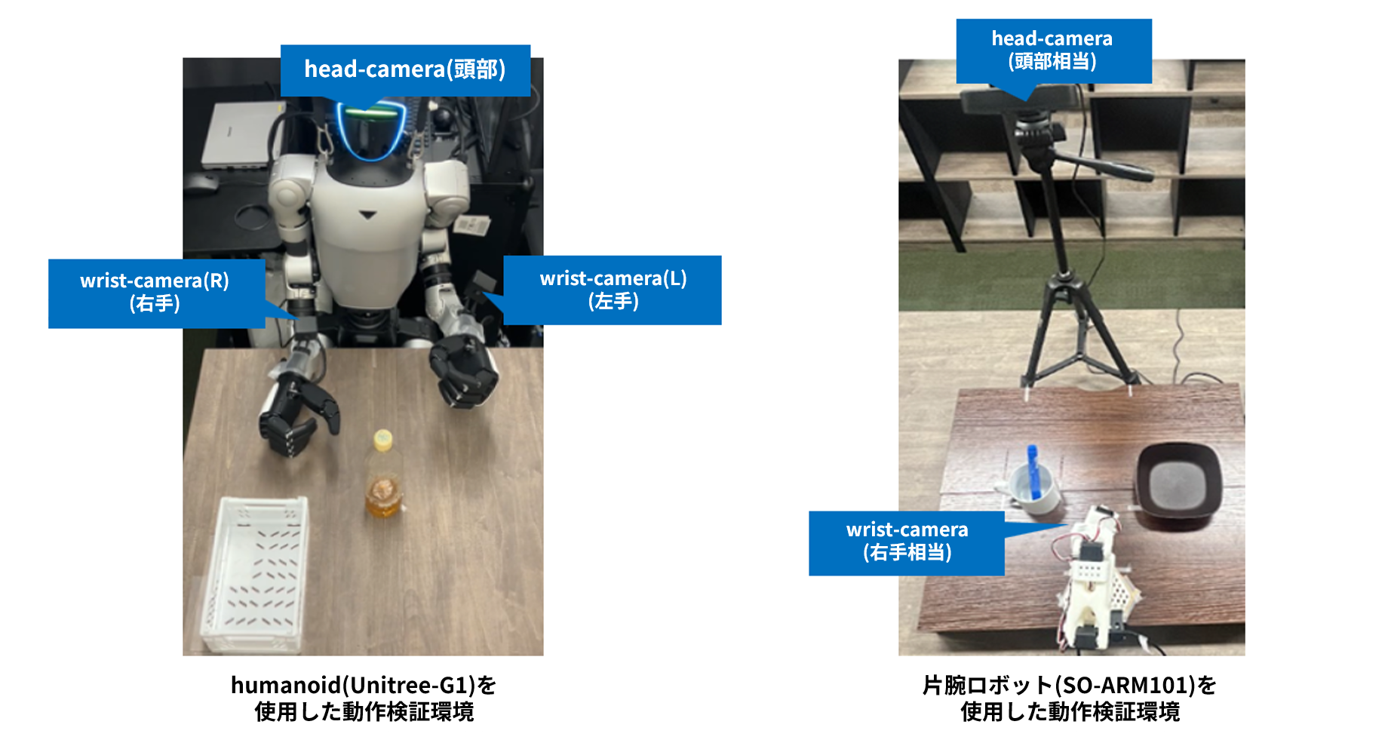
Macnica conducts various motion verifications using humanoid robots and robotic arms. This article introduces a verification example using the relatively easy-to-handle one-arm robot SO-ARM101. In an environment using SO-ARM101, a series of autonomous operation workflows using the NVIDIA Isaac GR00T can be verified by using a head camera and a wrist camera.
Humanoid validation workflow utilizing NVIDIA Isaac GR00T
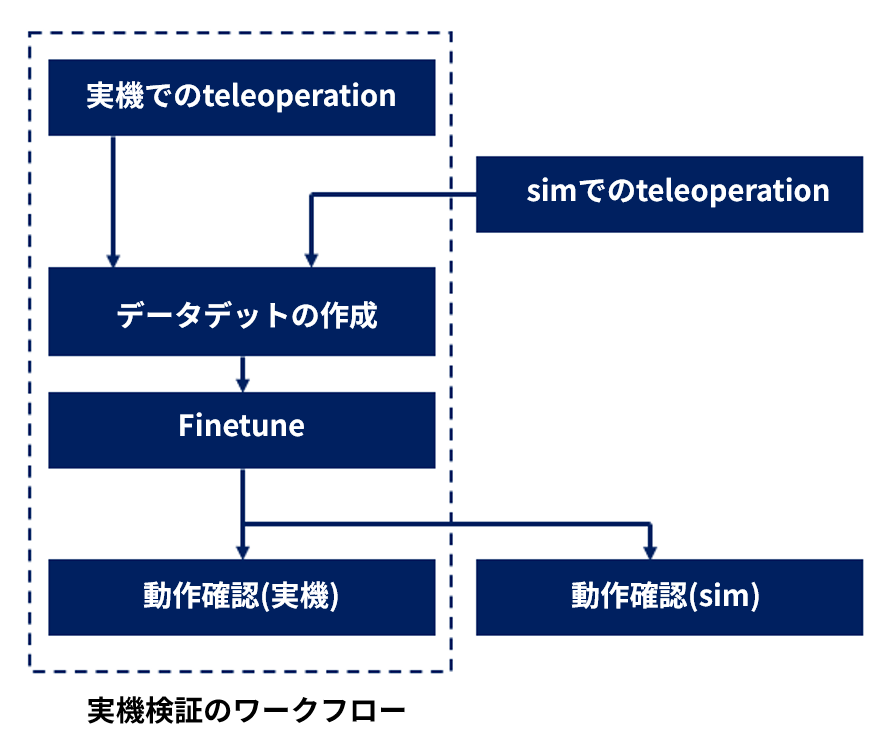
This section provides an overview of the humanoid validation workflow using the NVIDIA Isaac GR00T N1.5 (hereinafter referred to as GR00T).
① Dataset creation via teleoperation
First, a human remotely controls the robot. This operation is called teleoperation.
By building a real-world environment, it is also possible to collect datasets from actual hardware. In this case, we used Leader ARM to control a virtual robot on NVIDIA Isaac Sim™ and created a training dataset.
② Fine tuning
Next, we will perform fine-tuning to build the AI model.
GR00T is provided as a base model that has been pre-trained on a large amount of human work data and robot motion data. Therefore, by additional training tailored to the robot and task being used, it has the potential to adapt to new robots and tasks even with relatively small datasets.
For example, additional learning will be performed depending on the following elements:
Robot joint mechanisms
Gripper characteristics
Camera configuration
• Object to be worked on
By adjusting these settings, we can expect to improve the system's ability to adapt to the target task.
③ Operation check
The robot's joints are controlled using the finely tuned AI model.
In this instance, we controlled a virtual robot on Isaac Sim and confirmed its autonomous operation.
Example 1: A simple Pick & Place task
Here, as the first verification example using GR00T, we present an example of implementing a simple Pick & Place task: "Pick up a pen and put it into a cup." The purpose of this task was not to aim for high generalization performance, but rather to first confirm "a series of workflows that enable learning and autonomous operation by GR00T." Therefore, in order to reduce the amount of data set as much as possible, the placement conditions of the objects were fixed for the verification.
Arrangement conditions for the object
The cup's position is fixed. Similarly, the pen's position is also fixed, with only two orientation options provided.
The conditions are as follows:
- The cup position is fixed.
- The pen position is fixed.
- Only the pen orientation is different (2 types)
In real-world scenarios, the position of the object changes, but this time, our priority was to first confirm whether the robot could learn the task itself.
Create a dataset
We collected the dataset using a real-world teleoperation environment.
The operator controls the Leader ARM, and the robotic arm follows its movements. The following information is recorded simultaneously:
• Head camera footage
- Wrist camera footage
Robot joint information
- Gripper condition
Task instructions
The collected data will be saved as a training dataset.
In this verification, we recorded approximately 35 data points for each of the two pen orientation patterns, creating a dataset of approximately 70 data points in total.
Learning by GR00T
We will use the collected dataset to fine-tune GR00T.
During learning, the system learns by associating camera footage and the robot's state with the joint operations actually performed by the operator.
In other words, the model is trained to understand "what actions should be taken when this video is input to complete the desired task."
Verification of autonomous operation
After training is complete, inference will be performed using only the finely tuned GR00T model, without any human intervention.
The robot recognizes the pen's position from the camera image and autonomously performs the following series of actions.
Approach the pen → Grasp the pen → Transport it to the cup → Place it into the cup
In this verification, we were able to confirm the autonomous action of placing a pen into a cup using a model trained on a dataset of approximately 70 data points.
Example of implementation ②: Advanced tasks
Next, as a more advanced task, we attempted the task of "recognizing a cube of a specified color from among several cubes and placing it in a tray."
The key point here is that it goes beyond simple pick-and-place mechanics and focuses on generalization performance.
For example, consider learning to place a red cube on a tray. If the red cube and the tray are always placed in the same position in the training data, the AI model may only remember that specific environment.
As a result, the following problems occur:
- If the cube's position changes even slightly, it will fail.
- Cannot be executed if the tray position changes.
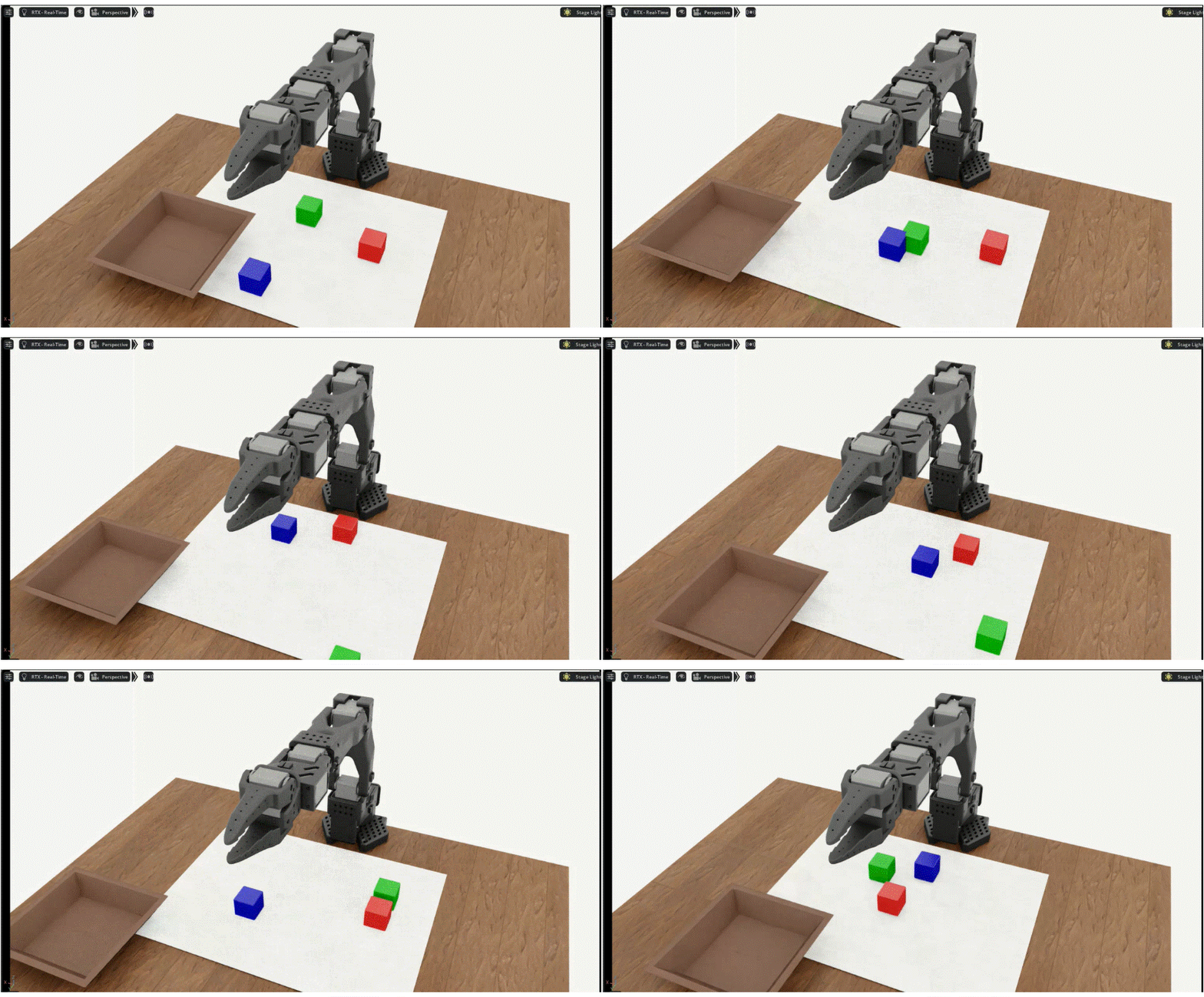
Therefore, this time, Public sample While using, Isaac Sim We have set up a teleoperation environment above.
The task involved placing multiple cubes on a workbench, selecting a cube of a specified color, and placing it in a tray.
Furthermore, we confirmed that by automatically generating the initial placement of objects using a program, we can efficiently generate a large number of placement patterns.
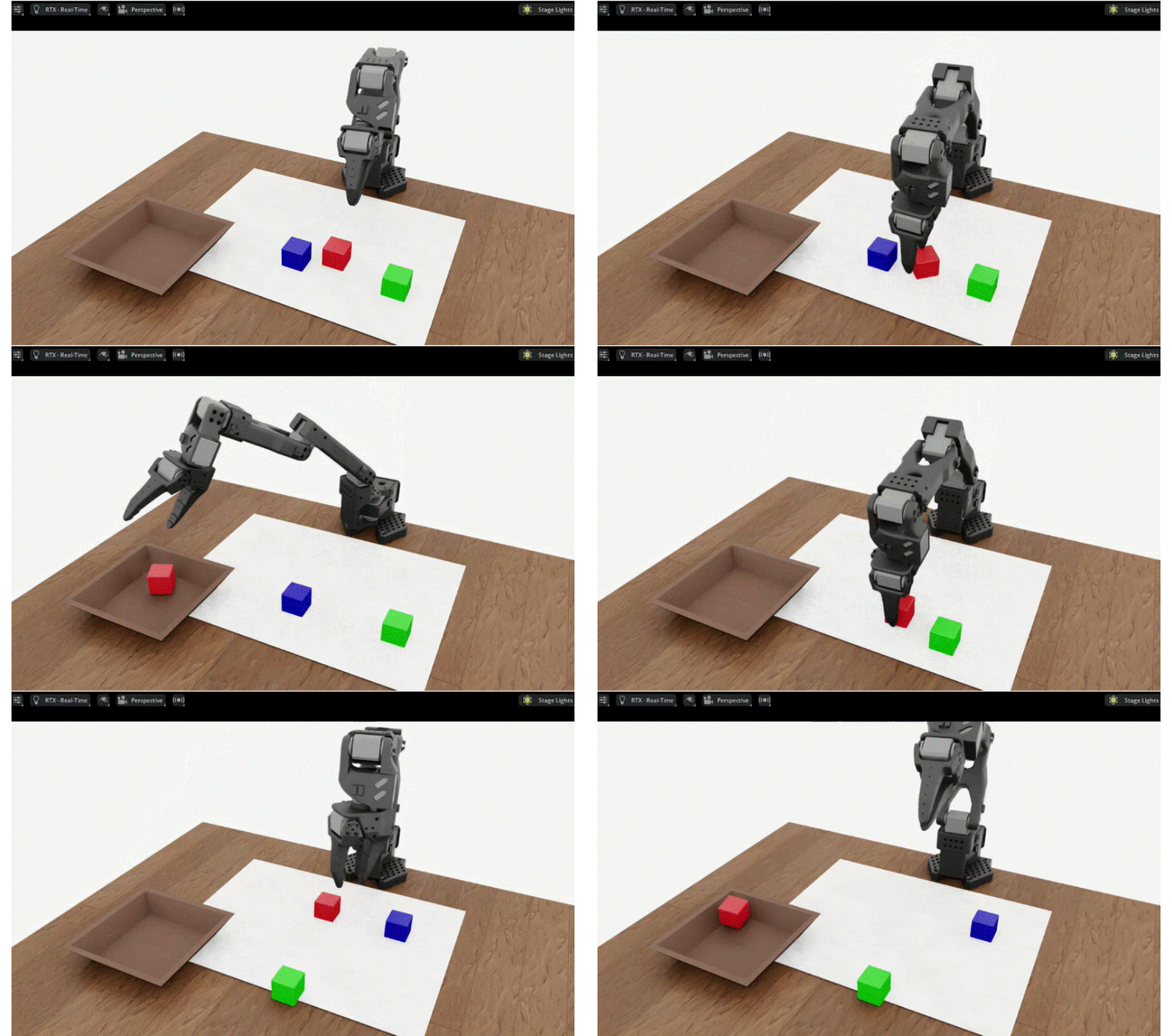
Autonomous operation confirmed with AI model (GR00T).
We created a dataset on Isaac Sim, fine-tuned GR00T, and then verified its autonomous operation.
The following prompts were used in this test:
”Pick up the red cube and place it in the tray”
Following these instructions, we were able to confirm that the robot recognized and grasped the red cube and placed it on the tray.
Summary
"Controlling a Robot with NVIDIA Isaac Sim - Setup Guide -Following on from the previous article, we have the NVIDIA RTX PRO™ 6000 Blackwell Max-Q Workstation Edition. 96GB Workstation equipped with ROBODEV Use Isaac Sim We verified a series of workflows, from dataset creation using [the system] to fine-tuning and autonomous operation verification. Isaac Sim By building a dataset creation environment as described above, you can evaluate the following items in advance, even in environments where you do not have actual machines or robotic arms on hand.
• Number of data points required
Data Variations
Optimal camera placement
Task design method
Furthermore, in the simulation environment, the placement of cubes and trays, camera position, lighting conditions, background, etc., can be automatically changed by program. Therefore, it is possible to develop a system that automatically generates a large number of variation data.
We hope this article will be helpful to those interested in humanoid robots or those considering the use of Physical AI.
Please feel free to contact us if you have any questions or inquiries regarding our products or technologies.
Inquiry


Related page