- Semiconductor BusinessHOME
- Products and Services of Macnica,Inc.
-
technical information

-
Events and Seminars
- Handling Manufacturer
- Support
- Inquiry
- Click here to purchase products
- Semiconductor business e-mail magazine registration


 Narrow down by specifying conditions
現在2220件がヒットしています。check
Introduction
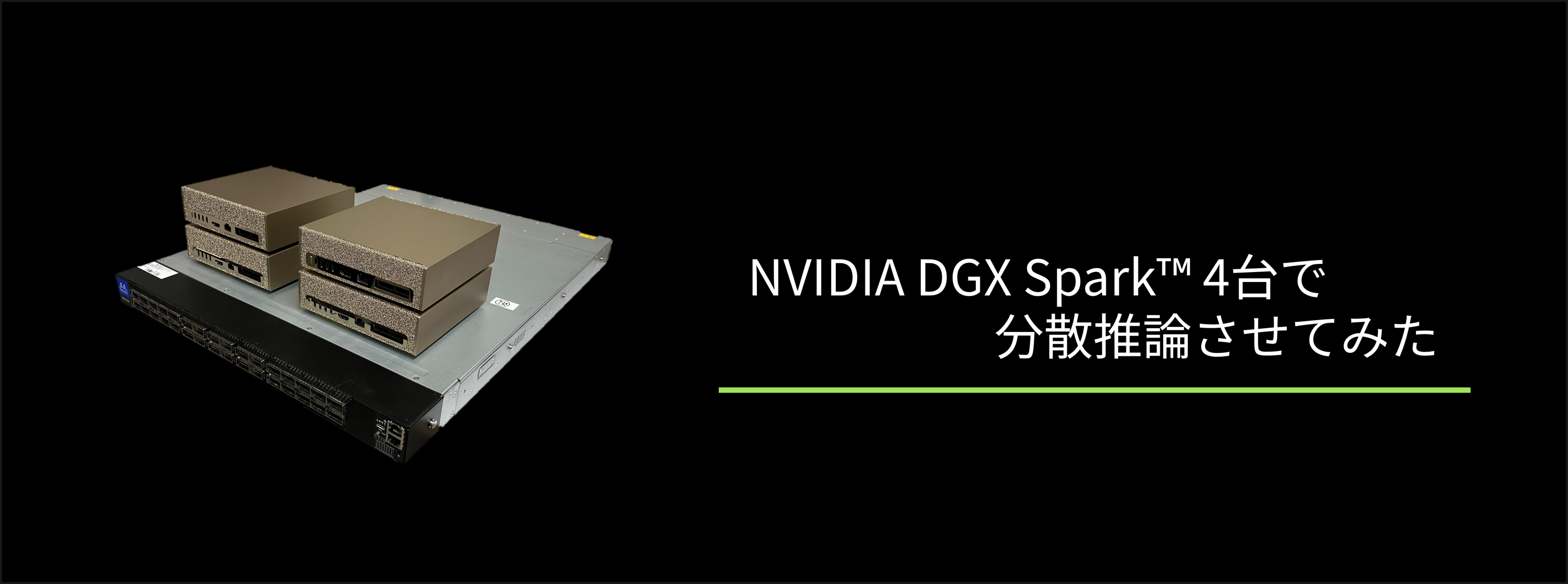
NVIDIA has released NVIDIA DGX Spark™, which is being increasingly utilized in a variety of applications. DGX Spark is an excellent standalone GPU workstation, and because it features NVIDIA® ConnectX®-7, it also delivers superior performance in multi-node environments.
Many people have shared implementation examples using two DGX Sparks. While distributed learning and distributed inference are essential technologies for future GPU utilization, setting up the necessary environment can be quite challenging.
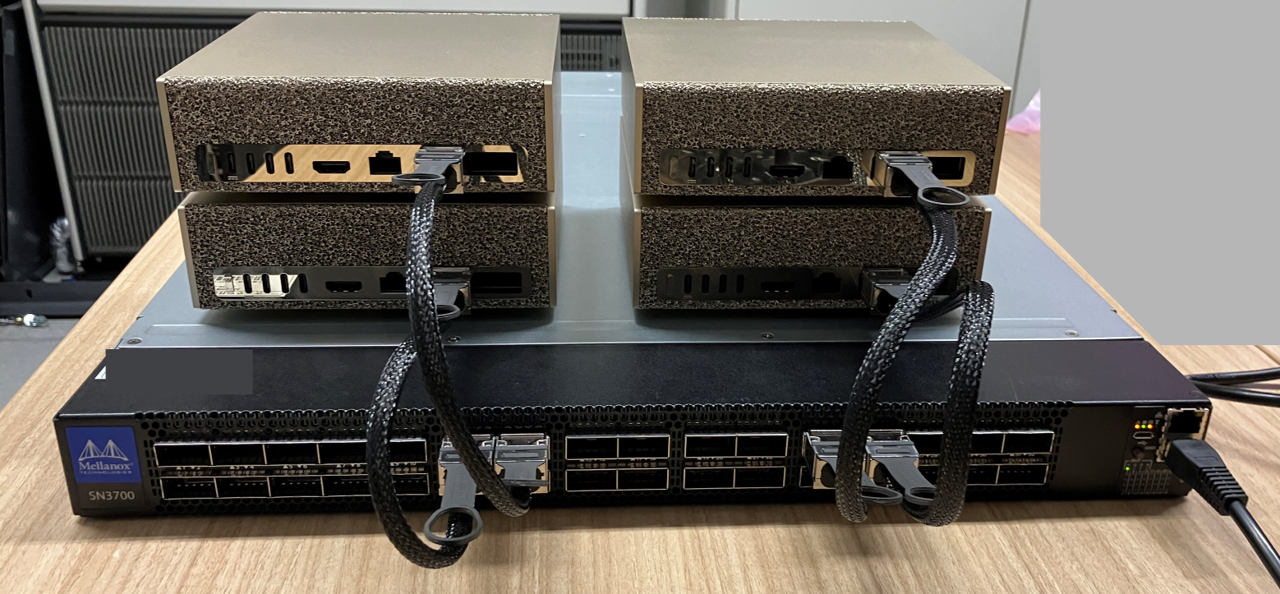
This time, with a focus on larger-scale GPU clusters, we will show you how we built a GPU cluster using an NVIDIA® Spectrum®-2 SN3700 Ethernet switch and four DGX Spark GPUs, and performed distributed inference.
Verification environment
hardware
• GPU computing nodes: 4 NVIDIA DGX Spark units
• Network switch: NVIDIA Spectrum-2 SN3700 Ethernet switch (1 unit)
software
・OS: DGX OS (Ubuntu 24.04)
• Distributed learning: vLLM (nvcr.io/nvidia/vllm:26.03-py3)
• Distributed processing framework: Ray (2.54.1)
set up
For details regarding the physical setup, please refer to the separate article.
I tried distributed learning using four NVIDIA DGX Spark™ graphics cards.
Furthermore, the setup will be carried out according to NVIDIA's official documentation.
vLLM for Inference
Step 1: Common setup on all nodes
Step 1.1 Setting up Ray
Download the vLLM cluster deployment script on all nodes. This script will set up the Ray cluster required for distributed inference.
wget https://raw.githubusercontent.com/vllm-
project/vllm/refs/heads/main/examples/online_serving/run_cluster.sh
chmod +x run_cluster.sh
Step 1.2 Obtaining the vLLM container image
To enable the execution of Docker commands without sudo, we add the user to the docker group.
sudo groupadd docker
sudo usermod -aG docker $USER
newgrp docker
After that, we obtain the vLLM container from the NGC container catalog.
This time, we will be using Qwen3.5-397B-A17B, so we will use the 26.03-py3 image.
docker pull nvcr.io/nvidia/vllm:26.03-py3
export VLLM_IMAGE=nvcr.io/nvidia/vllm:26.03-py3
Step 1.3 Download the LLM Model
This time we will be using the nvidia/Qwen3.5-397B-A17B-NVFP4. NVIDIA provides open-weight models converted to the NVFP4 format, which was newly supported in the Blackwell generation, via Hugging Face, so we will be using this.
Our company also provides information on the NVFP4 format and LLM conversion methods in our article "Getting Started with NVFP4 Inference with NVIDIA DGX™ B200 - Part 1: What is NVFP4?", so please refer to it.
Create a virtual environment, install huggingface_hub, and download the Model.
uv venv
source .venv/bin/activate
uv pip install -U huggingface_hub
hf auth login
hf download nvidia/Qwen3.5-397B-A17B-NVFP4
Step 2: Setup on the Head Node
On the head node, set the following environment variables and run the cluster deployment script. Please set MN_IF_NAME to match your actual environment.
export MN_IF_NAME=enp1s0f1np1
export VLLM_HOST_IP=$(ip -4 addr show $MN_IF_NAME | grep -oP '(?<=inet\s)\d+
(\.\d+){3}')
echo "Using interface $MN_IF_NAME with IP $VLLM_HOST_IP"
bash run_cluster.sh $VLLM_IMAGE $VLLM_HOST_IP --head ~/.cache/huggingface \
 -e VLLM_HOST_IP=$VLLM_HOST_IP \
 -e UCX_NET_DEVICES=$MN_IF_NAME \
 -e NCCL_SOCKET_IFNAME=$MN_IF_NAME \
 -e OMPI_MCA_btl_tcp_if_include=$MN_IF_NAME \
 -e GLOO_SOCKET_IFNAME=$MN_IF_NAME \
 -e TP_SOCKET_IFNAME=$MN_IF_NAME \
 -e RAY_memory_monitor_refresh_ms=0 \
 -e MASTER_ADDR=$VLLM_HOST_IP
Step 3: Setup on the Worker node
On the worker node, set the following environment variables and run the cluster deployment script. Please set MN_IF_NAME and HEAD_NODE_IP to match your actual environment.
export MN_IF_NAME=enp1s0f1np1
export VLLM_HOST_IP=$(ip -4 addr show $MN_IF_NAME | grep -oP '(?<=inet\s)\d+
(\.\d+){3}')
export HEAD_NODE_IP=<NODE_1_IP_ADDRESS>
echo "Worker IP: $VLLM_HOST_IP, connecting to head node at: $HEAD_NODE_IP"
bash run_cluster.sh $VLLM_IMAGE $HEAD_NODE_IP --worker ~/.cache/huggingface \
 -e VLLM_HOST_IP=$VLLM_HOST_IP \
 -e UCX_NET_DEVICES=$MN_IF_NAME \
 -e NCCL_SOCKET_IFNAME=$MN_IF_NAME \
 -e OMPI_MCA_btl_tcp_if_include=$MN_IF_NAME \
 -e GLOO_SOCKET_IFNAME=$MN_IF_NAME \
 -e TP_SOCKET_IFNAME=$MN_IF_NAME \
 -e RAY_memory_monitor_refresh_ms=0 \
 -e MASTER_ADDR=$HEAD_NODE_IP
Confirmation of cluster deployment
Open another terminal on the head node and run the following command to verify that the cluster has deployed successfully.
export VLLM_CONTAINER=$(docker ps --format '{{.Names}}' | grep -E '^node-[0-9]+$')
echo "Found container: $VLLM_CONTAINER"
docker exec $VLLM_CONTAINER ray status
As you can see below, four GPUs are recognized.
Resources
---------------------------------------------------------------
Total Usage:
  0.0/80.0 CPU
  0.0/4.0 GPU
  0B/447.52GiB memory
  0B/38.91GiB object_store_memory
From request_resources:
  (none)
Pending Demands:
  (no resource demands)
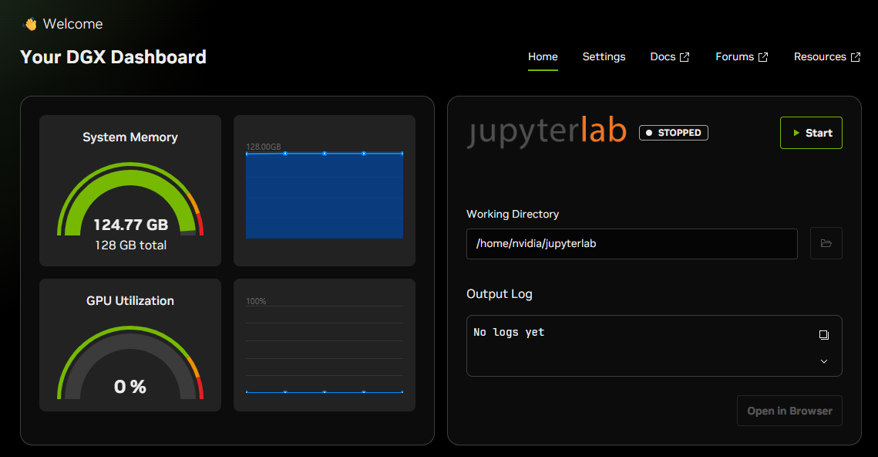
You can also access <HEAD_NODE_IP>:8265 to check the cluster status on the Ray Dashboard.
As you can see below, all four nodes are connected successfully.
Performing distributed inference
Model Development
Once the cluster is successfully deployed, let's actually perform distributed inference.
export VLLM_CONTAINER=$(docker ps --format '{{.Names}}' | grep -E '^node-[0-9]+$')
docker exec -it $VLLM_CONTAINER /bin/bash -c '
 vllm serve nvidia/Qwen3.5-397B-A17B-NVFP4 \
  --tensor-parallel-size 4 --max-model-len 129000 --max-num-seqs 4 --trust-
remote-code'
The model deployment and other processes will take some time, but once you see logs similar to the ones below, the distributed inference setup is complete.
(APIServer pid=5732) INFO:  Started server process [5732]
(APIServer pid=5732) INFO:  Waiting for application startup.
(APIServer pid=5732) INFO:  Application startup complete.
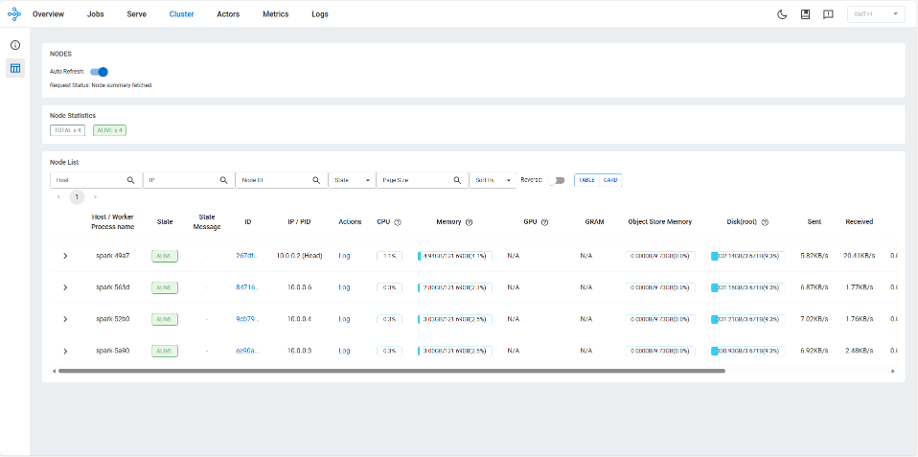
Additionally, you can access DGX Spark's <HOST_IP>:11000 to check GPU usage.
Running inference
Run the following command in a separate terminal to perform the inference.
curl http://localhost:8000/v1/completions \ -H "Content-Type: application/json" \ -d '{ "model": "nvidia/Qwen3.5-397B-A17B-NVFP4", "prompt": "神奈川県の観光名所を2か所教えてください。", "max_tokens": 4096, "temperature": 0.7 }'After a short wait, you will receive a response similar to the one below. Reasoning models, including Qwen3.5, generate many inference processes, so it takes a little time to receive a response.
Furthermore, if the value of max_tokens is too small, the process will reach max_tokens during its thought process, and the final answer will not be generated. Therefore, it is recommended to set a sufficiently large value.
神奈川県の代表的な観光名所を 2 つご紹介します。

1. **横浜中華街**
日本最 大級の中華街で、本格的な中華料理店やお土産屋さんが立ち並んでいます。

2. **鎌倉大仏(高徳院)**
鎌倉のシンボルである国宝の仏像で、歴史を感じられる人気スポットです。

Looks good.

7. **Output Generation** (matching the thought process).
</think>

神奈川県の代表的な観光名所を 2 つご紹介します。

1. **横浜中華街**
日本最大級の中華街で、本格的な中華料理店や雑貨店が立ち 並んでいます。食べ歩きやショッピングを楽しめる人気スポットです。

2. **鎌倉大 仏(高徳院)**
鎌倉のシンボルである国宝の仏像です。約 800 年の歴史を持ち、荘厳な雰囲気を感じられる県内有数の歴史観光スポットです。
Summary
In this project, we built a GPU cluster using DGX Spark and SN3700 and performed distributed inference.
Because it allows the use of large models without worrying about costs, it is extremely useful for tasks where the mere operation of a large model is valuable, such as generating synthetic data for distillation.
NVIDIA offers NVIDIA NeMo DataDesigner and Nemotron Personas Japan for generating synthetic data, so please feel free to use these as well.
Building small clusters is excellent material for learning distributed learning and distributed inference techniques.
The constructed cluster can generate synthetic data from a model with a huge number of parameters, and this data can then be used to train a model with a large number of parameters.
I encourage you all to try it.
Reference URL
Contact Us