- Semiconductor BusinessHOME
- Products and Services of Macnica,Inc.
-
technical information

-
Events and Seminars
- Handling Manufacturer
- Support
- Inquiry
- Click here to purchase products
- Semiconductor business e-mail magazine registration


 Narrow down by specifying conditions
現在2240件がヒットしています。check

Summary of previous episodes
In the previous episode, Part 3, the evaluation of the sensor components to be used in the robot was successfully completed.
This time we'll be talking about the software that controls the sensors and the motor drivers that run on the ground!
But before that, you need to solder, create the circuit board, and assemble the robot.
Kuro-chan, a senior who completed this production workshop last year, is known for his excellent soldering skills.
I would like to surprise Kuro-chan senpai with my beautiful soldering.
I'd like to show you a part of the soldered board, the photosensor board for detecting black and white on the ground!
So, how good am I?!
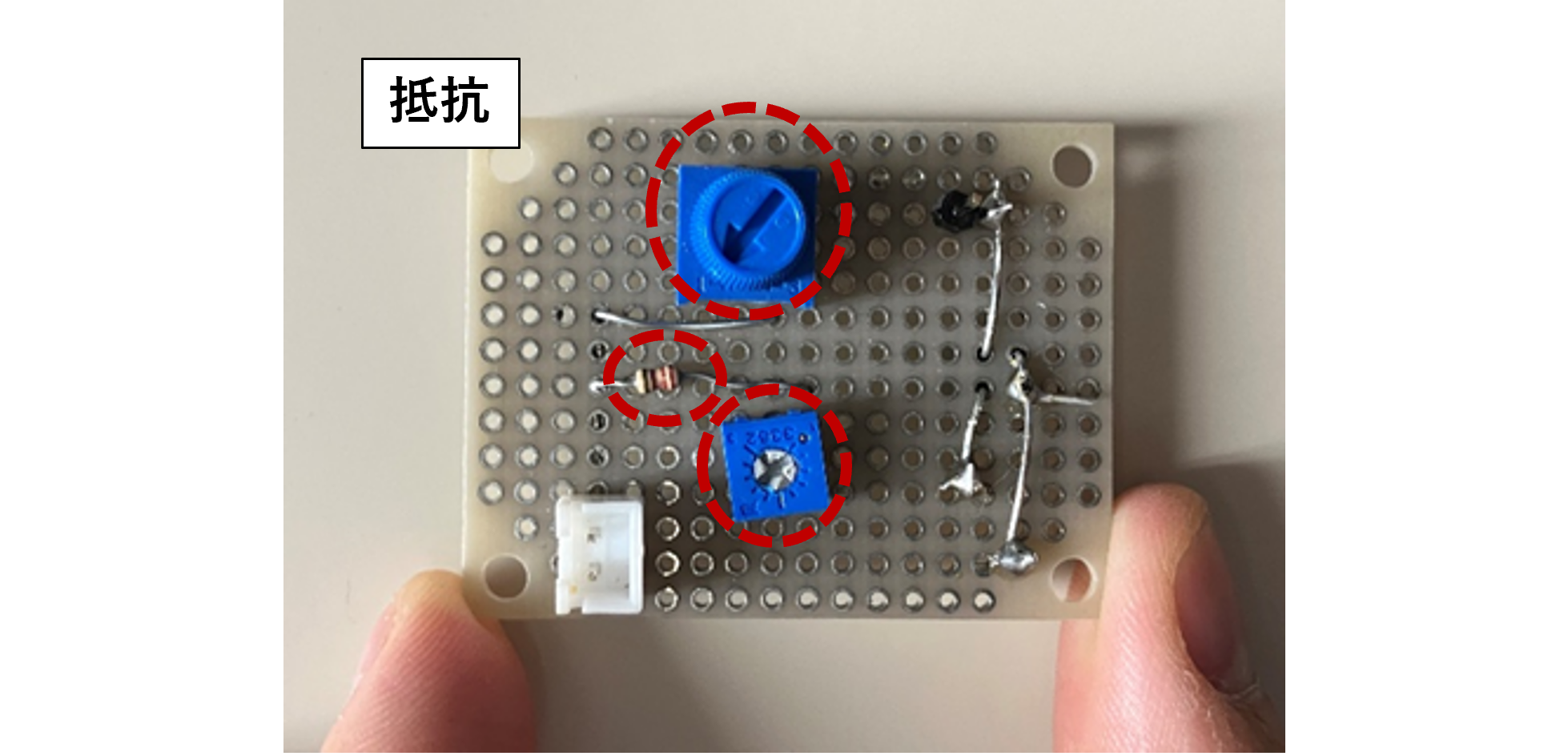
Photosensor substrate (surface)
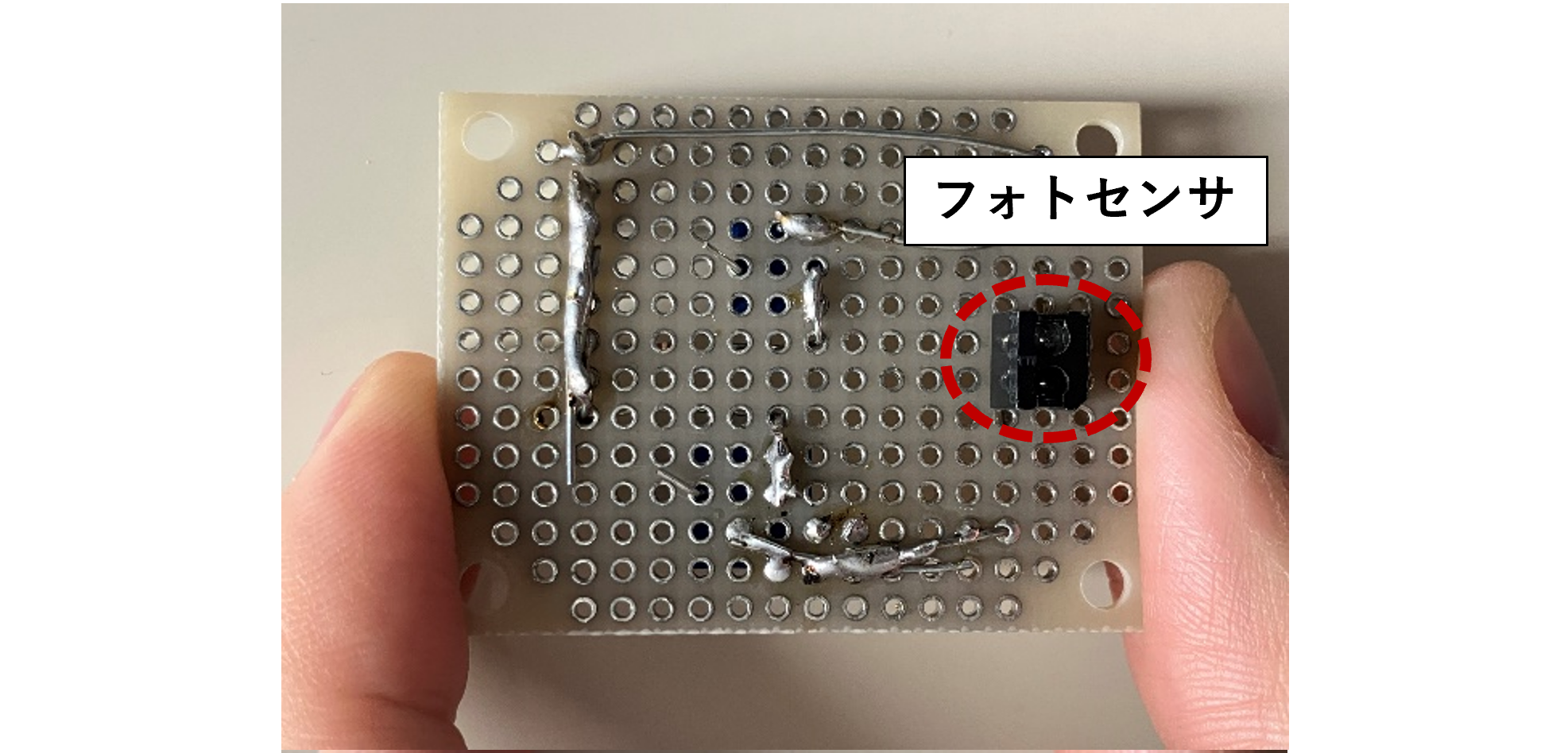
Photosensor board (back side)
Very good, isn't it? (Pressure)
Software control starts
Now, we come to the software part, which is the highlight of the production training.
This time we will use a microcontroller with the cute name PSoC.
This microcontroller can be designed using a GUI-based integrated development environment called PSoC Creator.
There are also multiple sample codes available, including analog, digital, and communications.
This is very helpful for me as I am a beginner with microcontrollers!
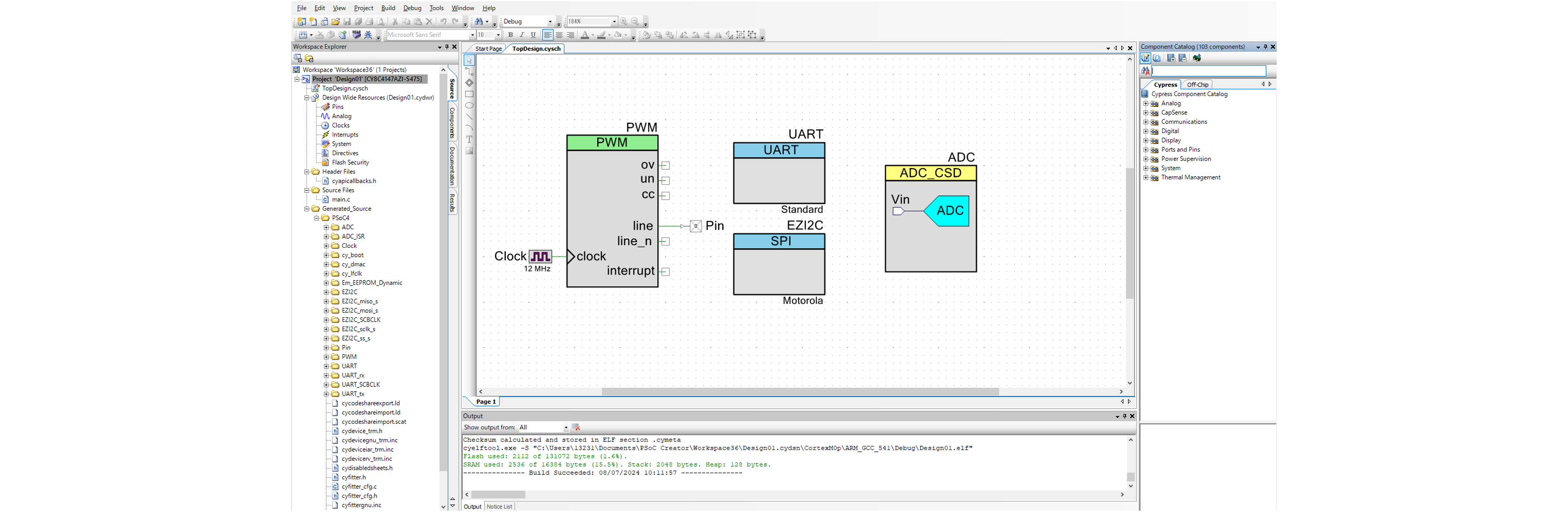
Integrated Development Environment - PSoC Creater -
This time, we will attach four photosensors to the robot to detect black and white on the ground.
The board was designed so that each photosensor outputs a high voltage to the microcontroller when it detects white, and a low voltage when it detects black.
The truth table is as follows:
This time, four photosensors were placed on the front of the robot, named (from left) ①, ②, ③, and ④.
The operation of the housing is determined based on the High (1) or Low (0) output of each sensor.
We decided the High (1) and Low (0) to be input to the input pins (AIN1, AIN2, BIN1, BIN2) of the motor driver (MD).
I would like to control the robot's motor driver based on this truth table.
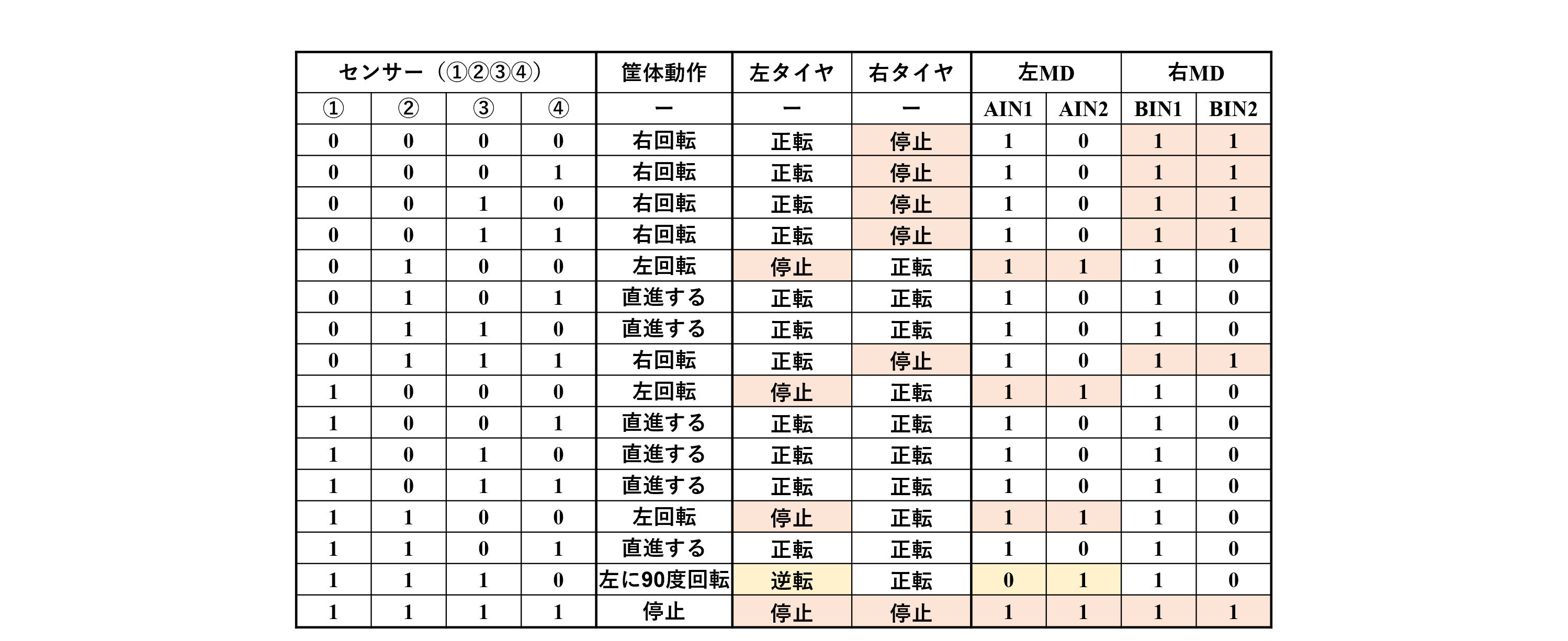
truth table
Motor Selection
Next, we need to select the motor, which is essential for line tracing.
We purchased many motors with different speeds depending on the series in advance and tested each motor individually several times.
I had thought that the best motor would be the one that could run the fastest, but this time, in addition to how fast it could go in a straight line, how smoothly it could turn was also important.
I would like to use this Tamiya motor because of the ease of control of rotation speed, torque, and speed.
All that's left to do is use software PWM control to achieve straight line speed and smooth turns.
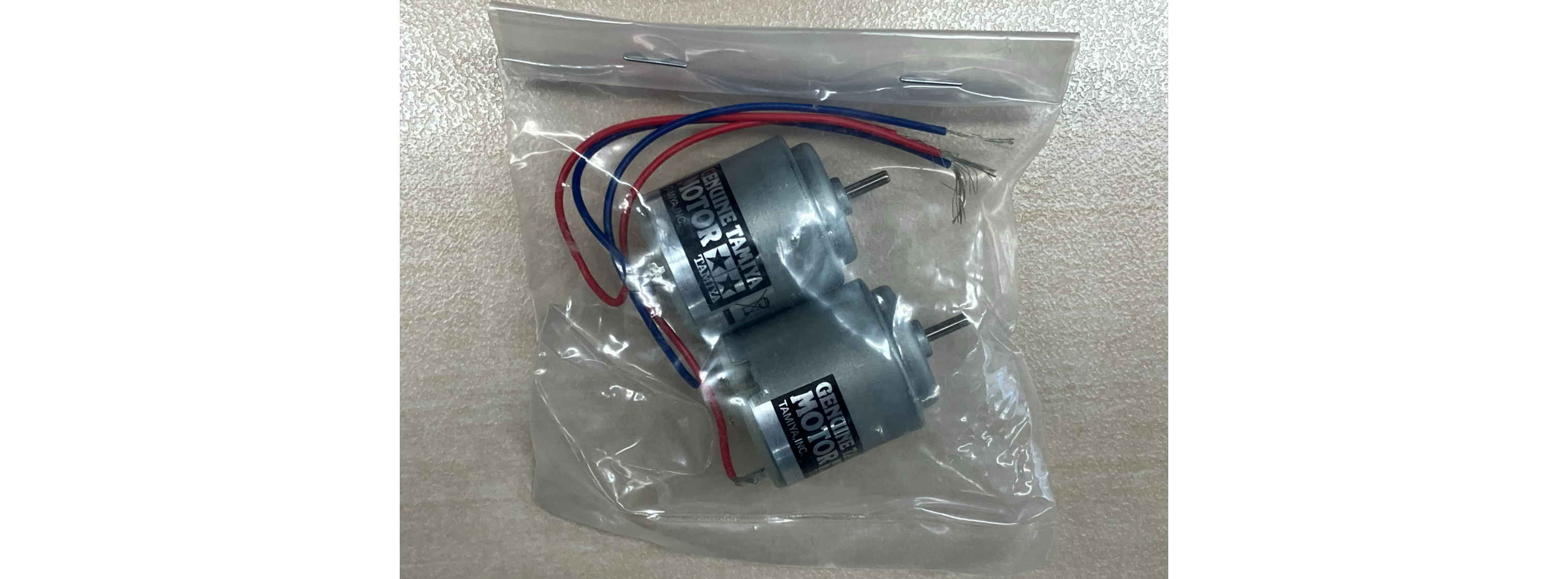
Tamiya motor "260typemotor"
Test run
-- A few days later --
Now that the SW has been implemented, it's time for a test run.
I was nervous even though it wasn't the real thing, but I made it to the finish line safely!
However, my sense of relief was short-lived as I soon ran into a new obstacle.
After practicing a few times, I noticed that about once every two or three times, when I reached first base, I would go straight instead of turning left.

This competition field
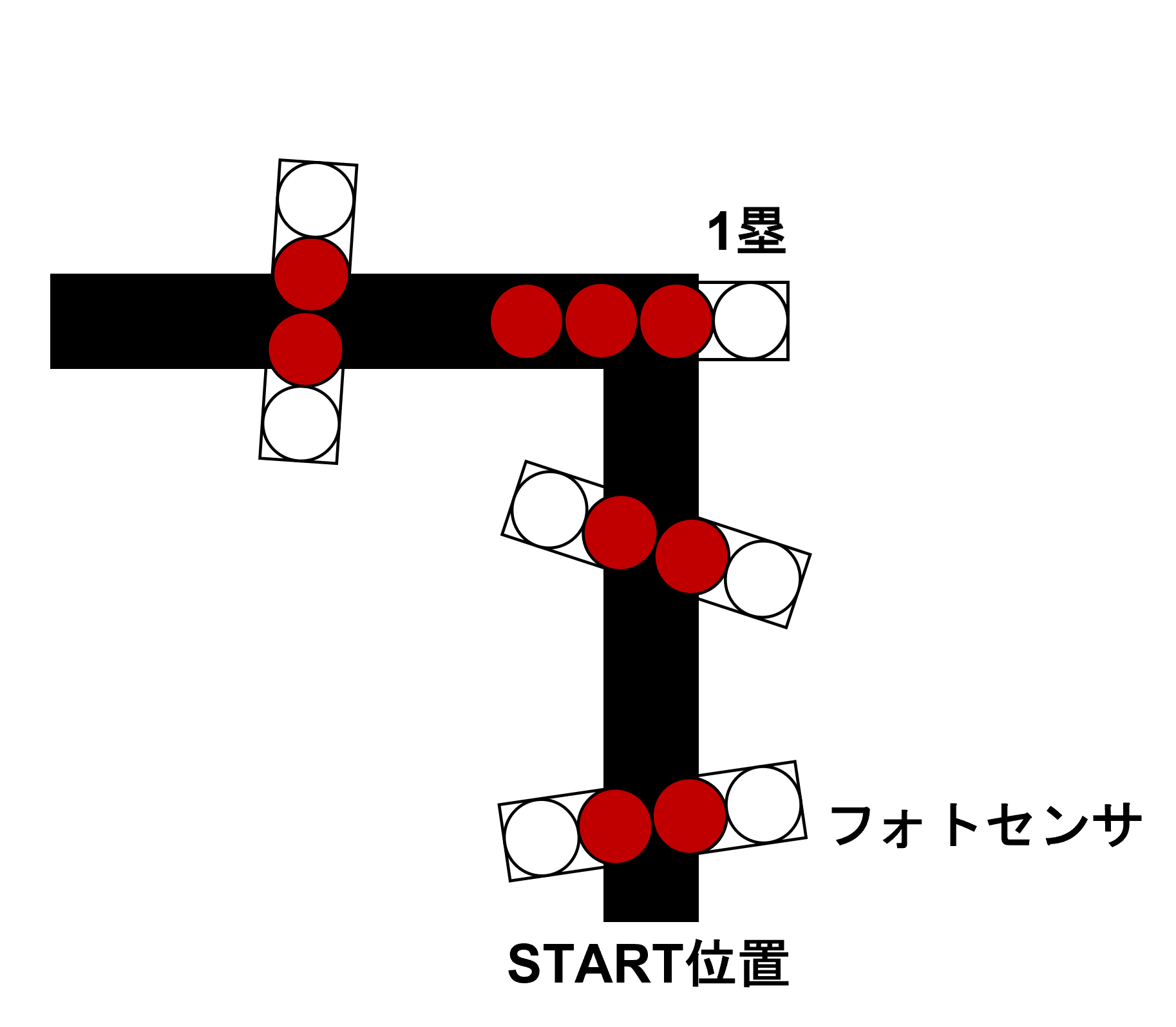
The ideal movement
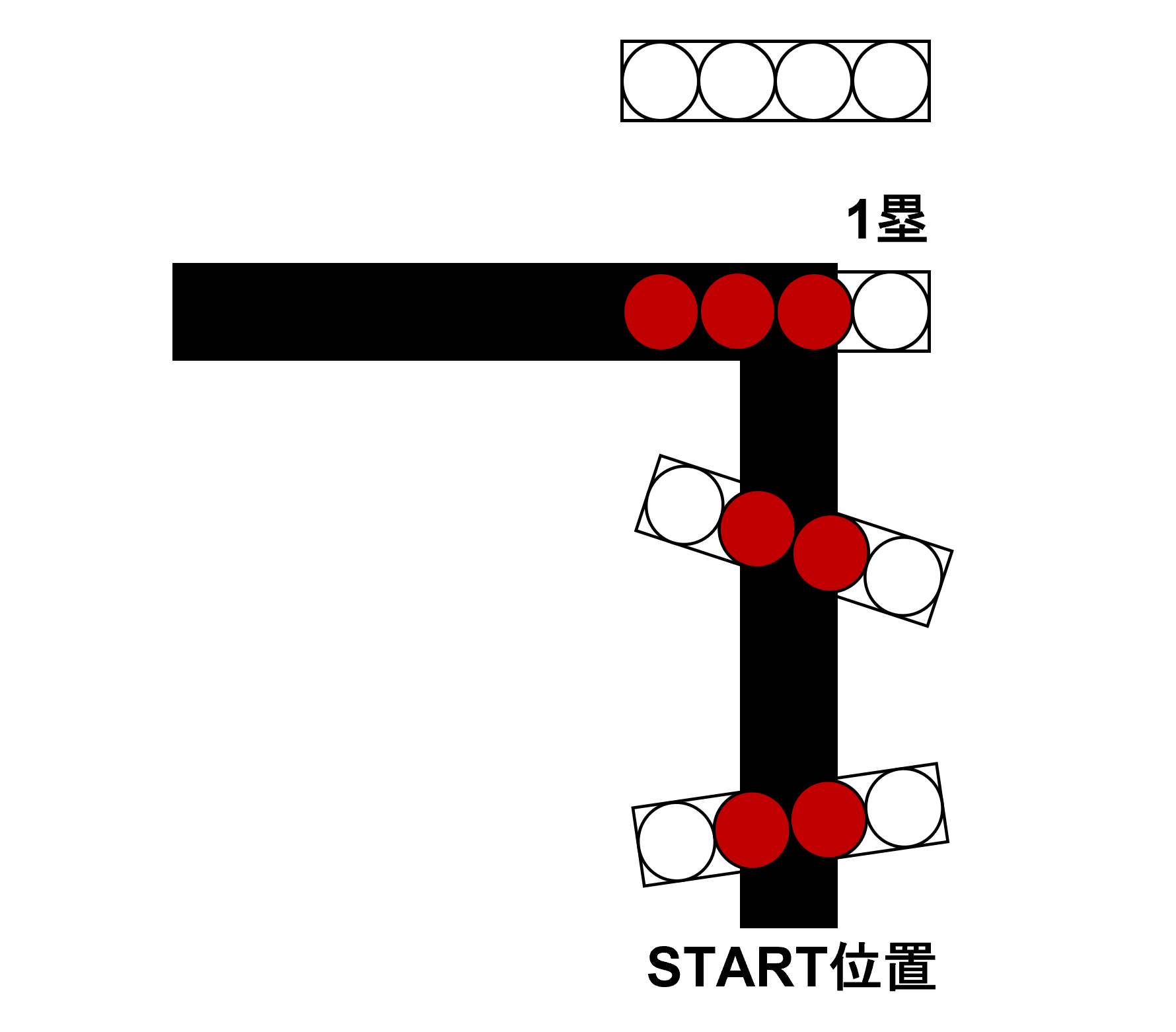
Actual movement
I thought that the problem might be that the motor output was too strong, so I tried implementing PWM control, but that didn't solve the problem.
Hmmmm...
The program for running on the ground mainly consists of only two parts: 1) sensing the white and black parts of the ground, and 2) controlling the motor output.
Therefore, it seems that there are no further areas in the source code that can be modified.
PSoC has the feature of being able to configure the hardware via Config, so I decided to take another look at this using PSoC Creator.
Here I encountered an unexpected pitfall.
This time, I was changing the hardware configuration of the peripheral ADC block based on the demo code.
We discovered that the timing of ground sensing this time is determined not by the source code, but by the ``Timer Counter''!
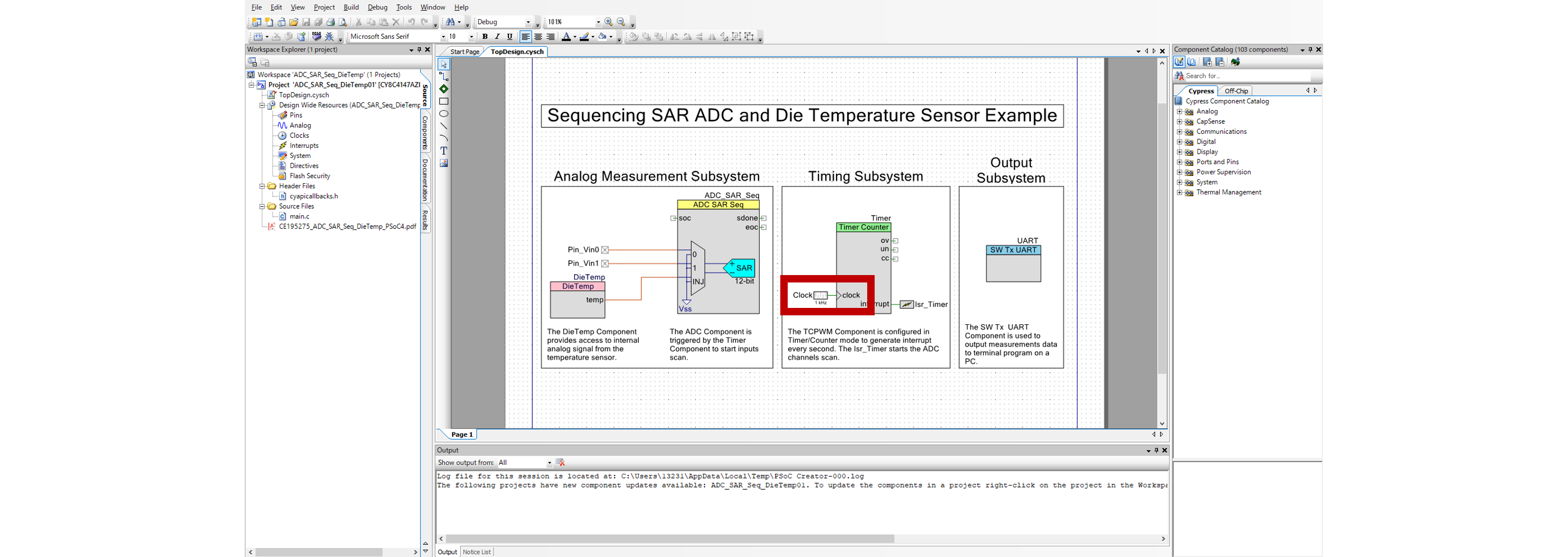
PSoC Creator hardware configuration screen
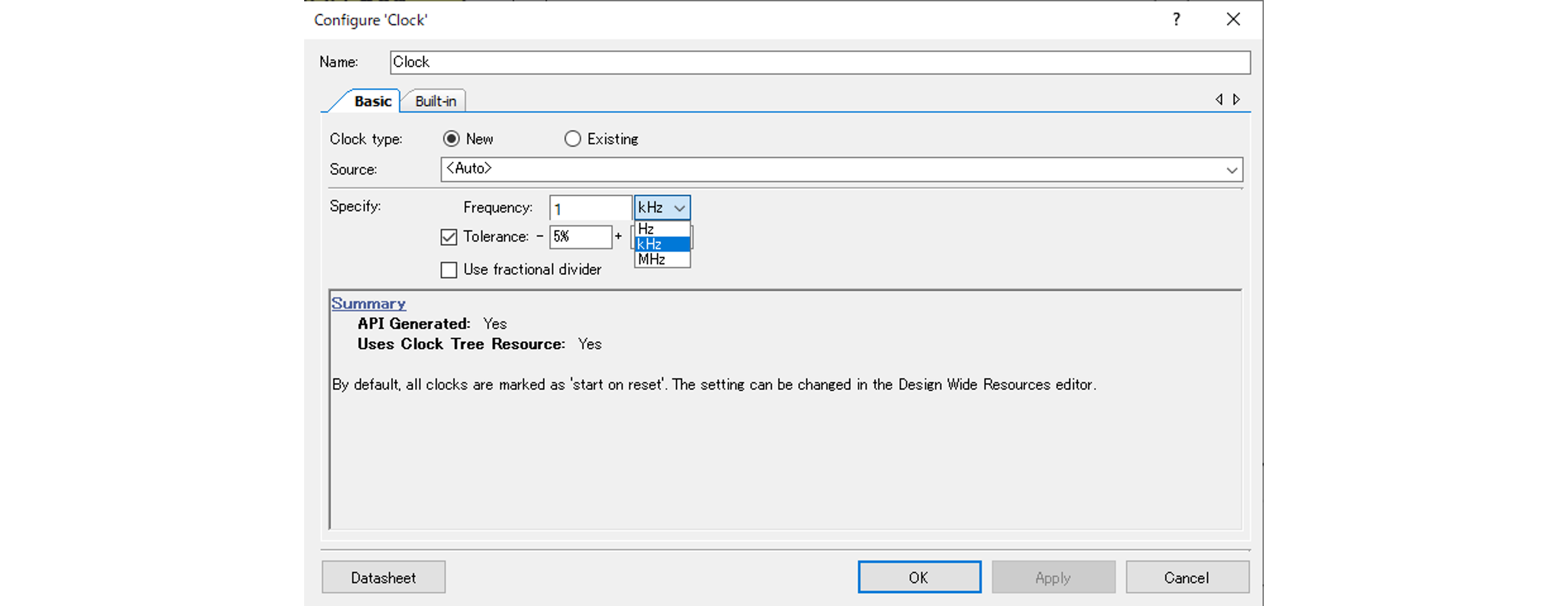
PSoC Creator Clock setting screen
By changing the Clock on this timer counter, you can sprint to first base, second base, third base, and even home base!
--A few hours later--

Comparison of the photosensor sensing cycle and driving success (◯) and failure (×)
The result is shown in the image above!
I increased the Clock of the timer counter and ran the base five times for each frequency, but by increasing the frequency (shortening the sensing time interval) I was able to run it all the way to the end!
Now everything is solved!
See you in the next and final episode, Episode 5, "A Moving Macnica?! You're the No. 1 Robot."