- Semiconductor BusinessHOME
- Products and Services of Macnica,Inc.
-
technical information

-
Events and Seminars
- Handling Manufacturer
- Support
- Inquiry
- Click here to purchase products
- Semiconductor business e-mail magazine registration


 Narrow down by specifying conditions
現在2216件がヒットしています。check

The parts for review have arrived
In the previous article, we came up with a plan to create a robot based on the concept of "reliable batting and fastest running."
After purchasing many parts online and waiting anxiously, the robot parts finally arrived at the company.
The large cardboard box is packed with numerous sensors, motors, circuit boards, jumper wires, and more - it's exciting!
When I was little, my parents bought me a toy robot and had me assemble it for them...
Those are the kind of nostalgic memories that come back to me these days.
First, check that the parts you purchased are working properly.
It would be impossible to write about everything we checked, so we'll just provide you with an excerpt!
Funny Friends: Photo Sensor Edition
I'm going to check the operation of each part right away!
First, the photosensor.
The rule this time is that after hitting a home run with the bat, you run around the bases.
To do this, you need to clearly identify the black line drawn on a pure white field.
That is the role of the photosensor!
The photosensor I purchased outputs a low voltage when it detects white and a high voltage when it detects black, but the output changes depending on the distance from the object.
Let's create a simple field and experiment with it.
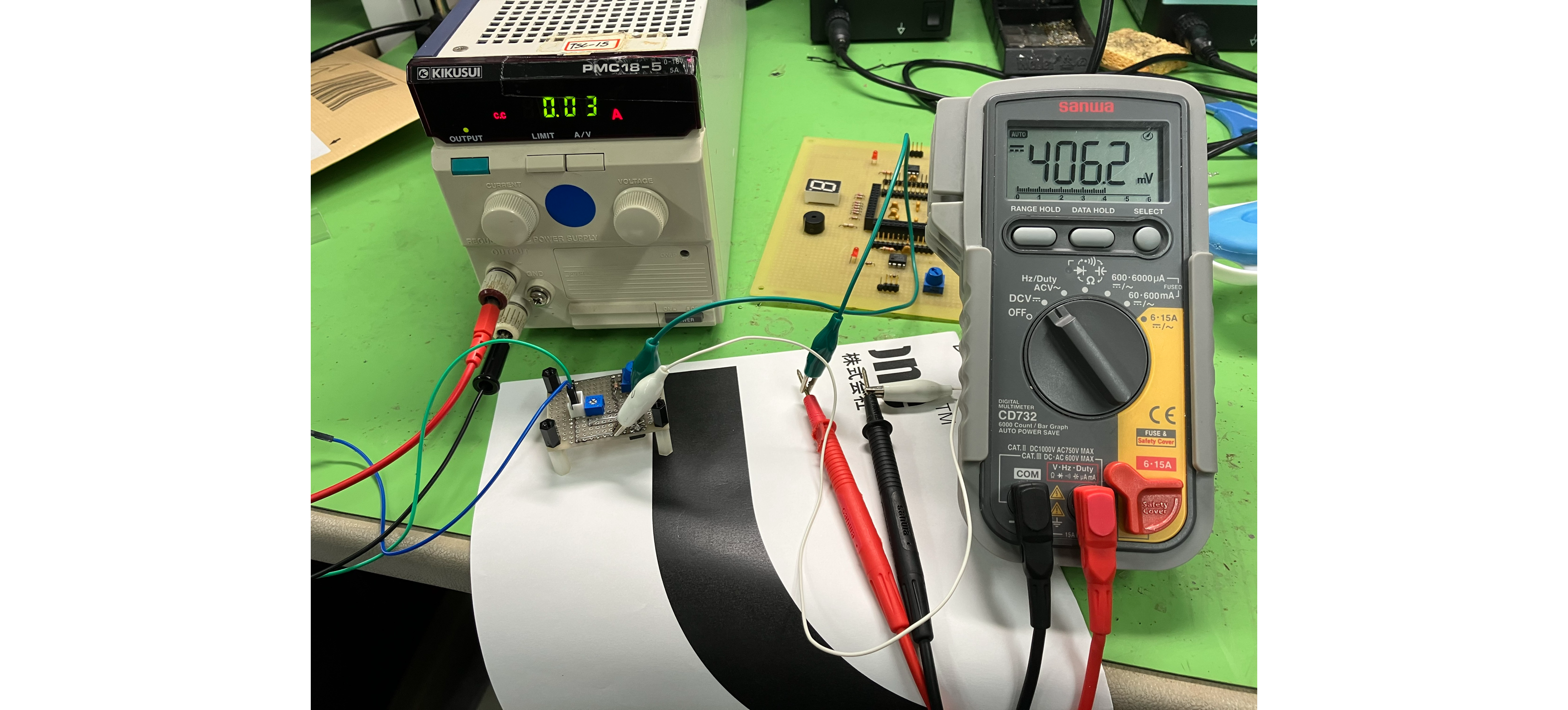
Detecting the white line
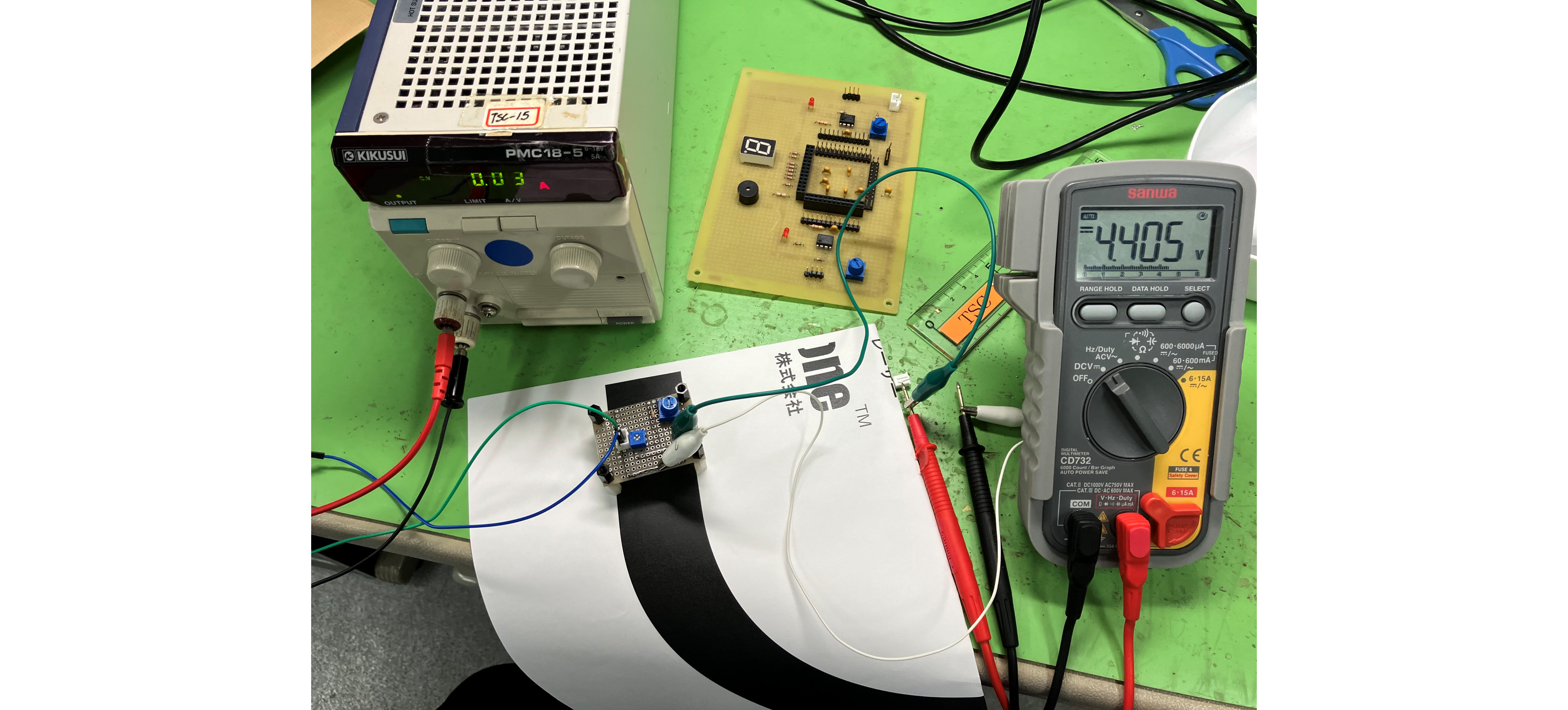
Detecting the black line
Sorry the picture is very hard to see (lol)
The photo on the left shows the photosensor board placed on top of white, and the photo on the right shows the photosensor board placed on top of black!
The voltage was 4.405V for black and 406.2mV for white. It seems like it can distinguish very clearly. (I love this child who is easy to understand!)
Next, I would like to conduct an experiment to change the distance between the photosensor and the ground to determine how many centimeters of difference is optimal.
The result is the table below.
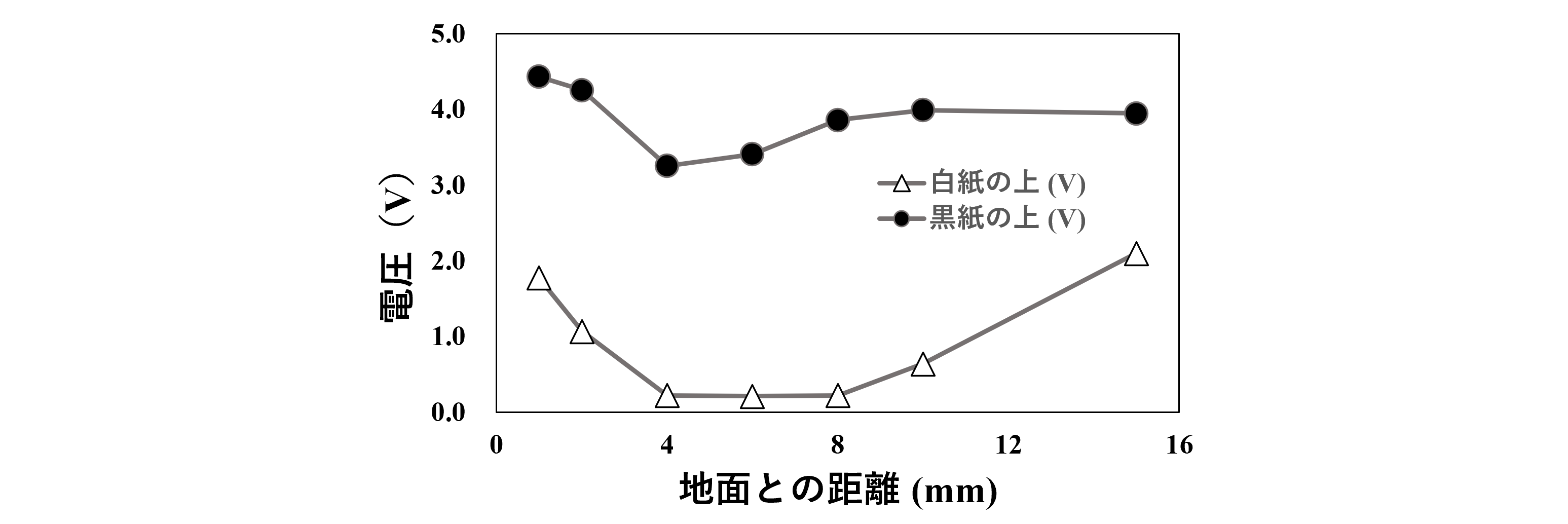
Photo sensor distance-output voltage
The result is as shown in the figure above.
If the distance to the ground is too close or too far, there seems to be some fluctuation in the output when detecting white or black.
The difference between black and white seems to be most obvious if the distance from the ground is 6 to 8 mm.
I'm really looking forward to being able to sense the lines on the ground accurately.
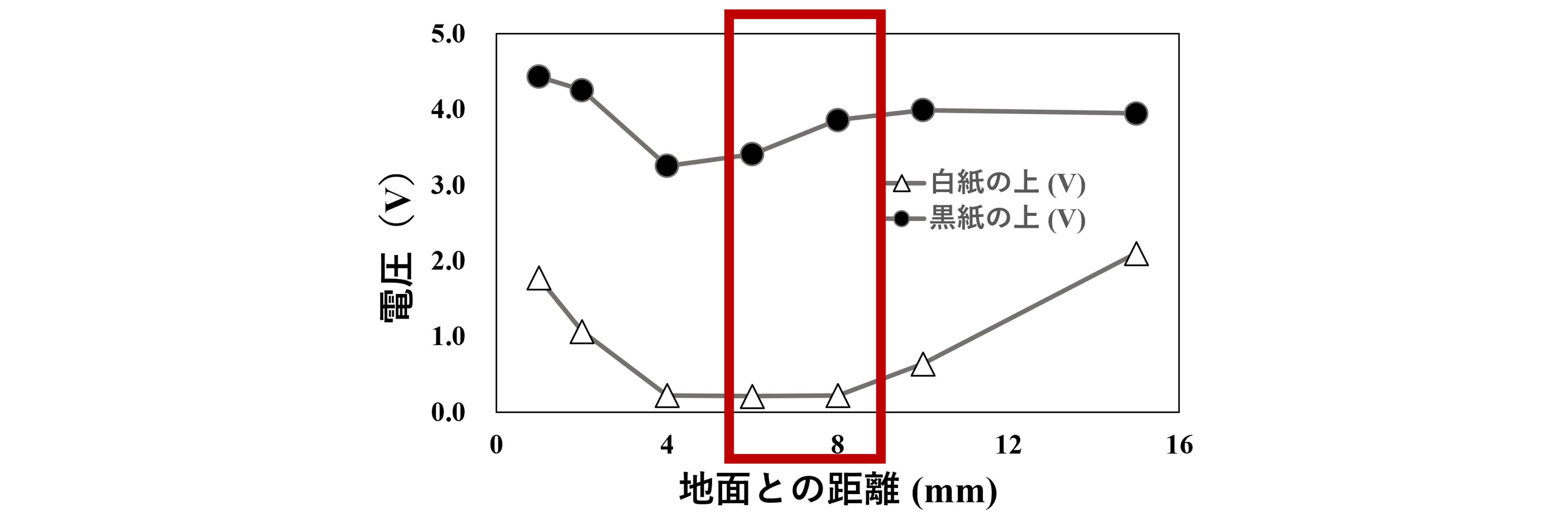
Optimal range of distance for photosensors
Funny Friends: Ultrasonic Sensor Edition
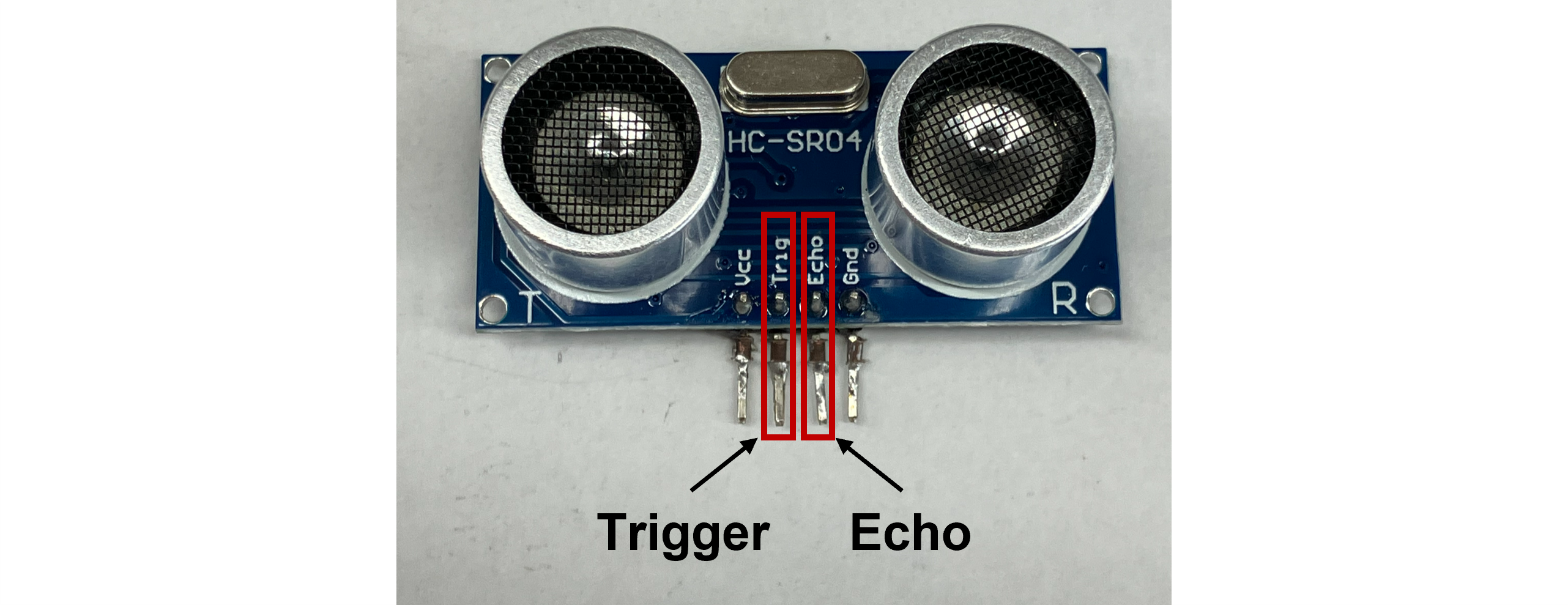
The datasheet states that "When a single pulse is input to the ultrasonic sensor's Trigger pin, an ultrasonic wave is output from the Echo pin."
In this case, all you need to do is create a pulse wave using a function generator and send a signal to the ultrasonic sensor.
Switch on the function generator and oscilloscope, and let the ball roll...
...Huh? If the ball is detected, the waveform should change significantly...
Switch it on again!!!
(scene)
...Hmm?! Is this ultrasonic sensor broken? This is really troubling.
At the moment I accidentally touched the ultrasonic sensor, a change in the waveform that would be output when a ball is detected appeared on the oscilloscope.
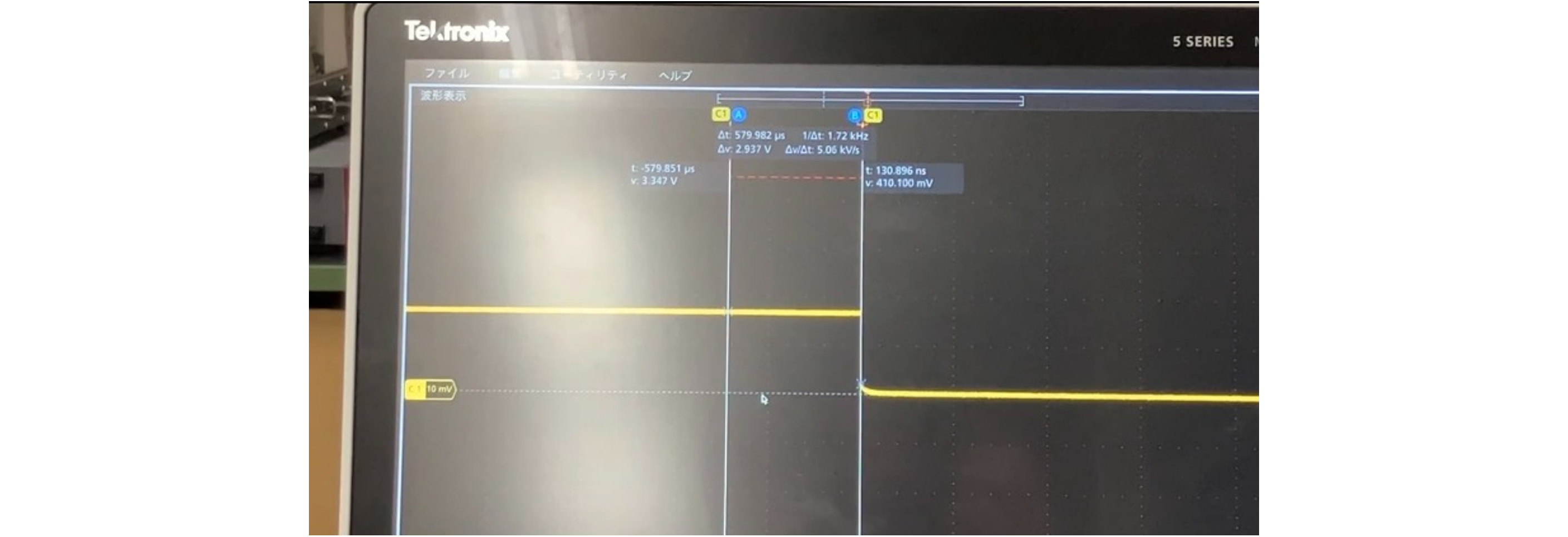
Oscilloscope waveform (before change)
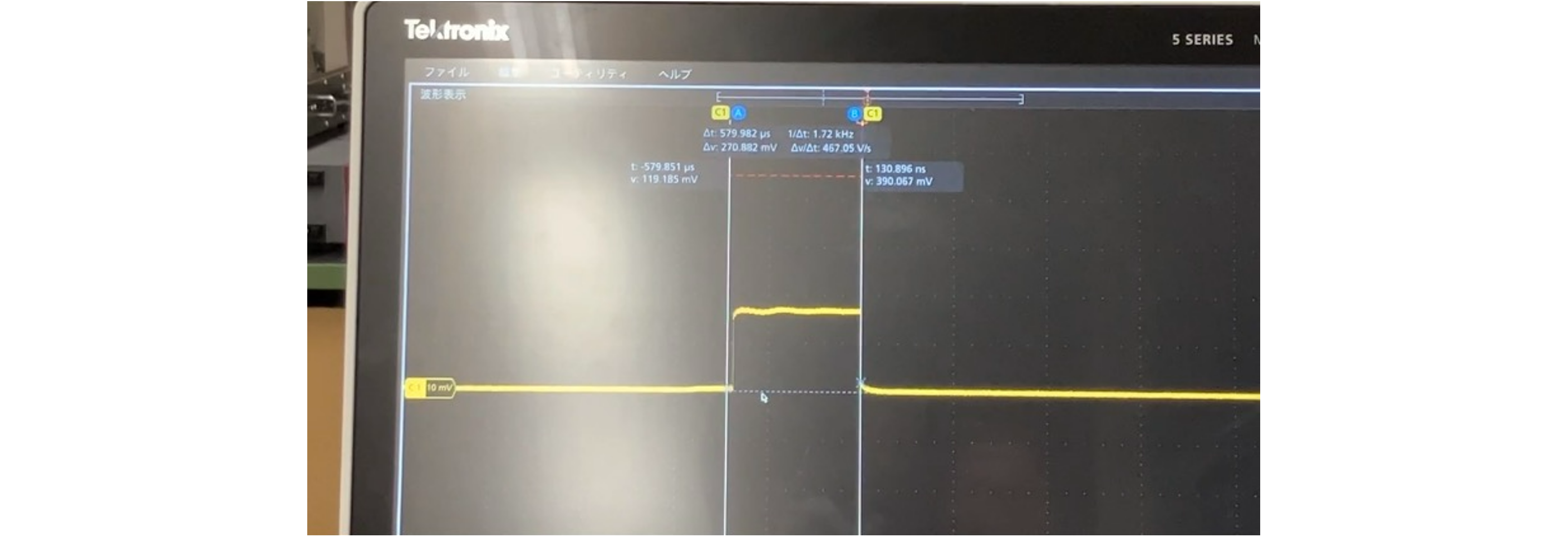
Oscilloscope waveform (after change)
But maybe the placement of the ultrasonic sensor was important?
If the ultrasonic sensor is positioned poorly, it will sense the ground, but it also needs to be placed at a height that can clearly detect the ball.
Experiment to find the best height for you!
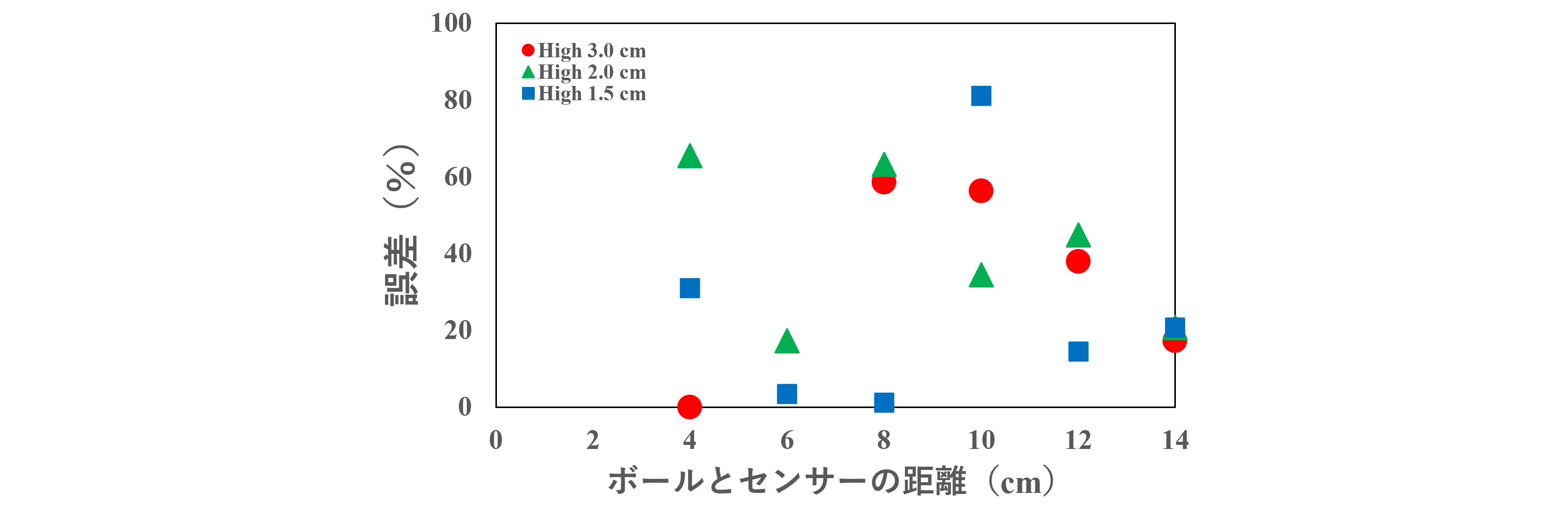
Ultrasonic sensor experiment
Hmm, it looks like if I place the ultrasonic sensor 1.5 cm above the ground and 6 to 8 cm away from the ball, there will be less error between the actual distance and the ultrasonic sensor's measurement.
Although I had already confirmed this through an experiment, I turned the switch on again and this time it detected properly.
And so, the ultrasonic sensor has become an important teammate for my robot. Welcome, ultrasonic sensor!
Bonus: How much current does the motor consume?
While the parts checking was progressing smoothly (?), a question came to mind while experimenting with the motor.
I connected the stabilized power supply to the motor and looked at the stabilized power supply monitor, which showed a reading of 0.22 A.
What on earth is this number?
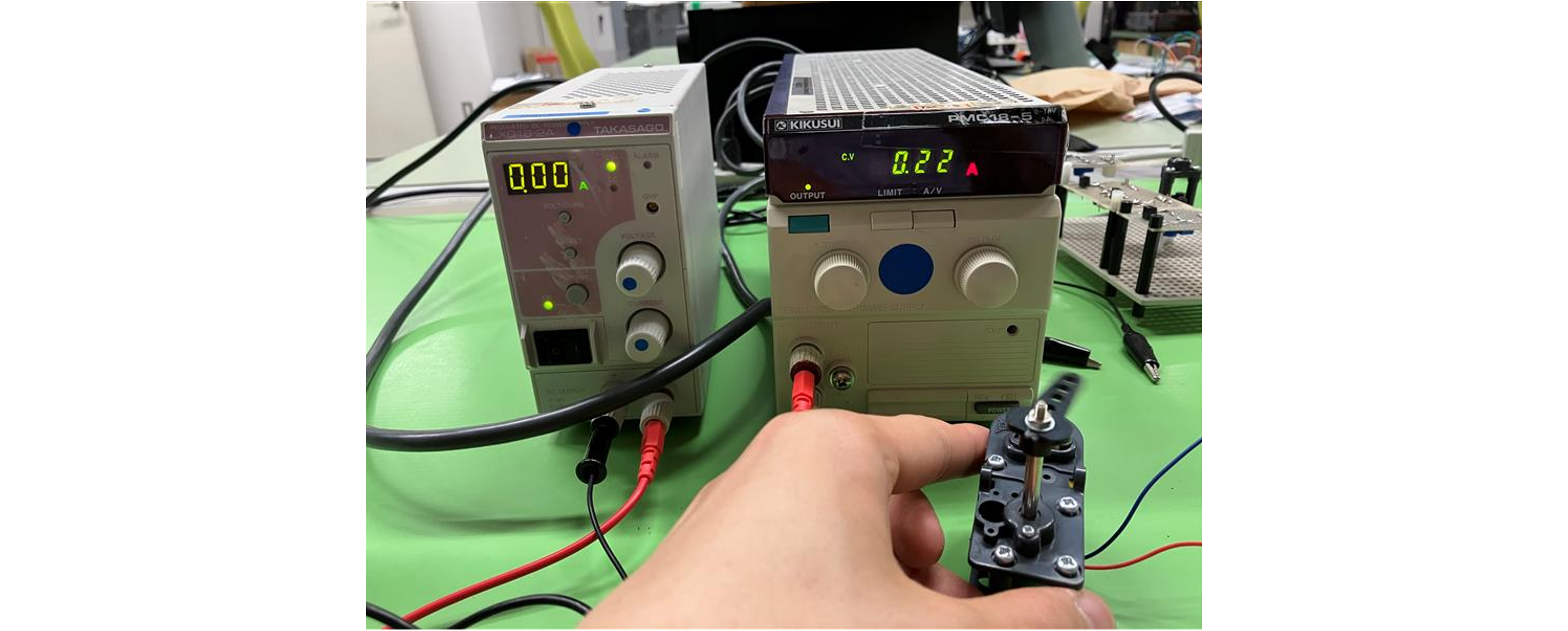
Motor running without load
We asked Kuro-chan, a senior who completed this production training last year.
Me: Kuro-chan senpai, what are these numbers?
Kuro: Kousuke, did you read the data sheet properly?
Me: Hmm, now that I think about it, I did look at the CURRENT item. I think it was 0.66 A.
Kuro: Let me see.
~ 1 minute later ~
Kuro: I see. So Kosuke looked at the current value at maximum efficiency. It definitely says 0.66 A.
Me: See, I told you! I read the datasheet!
Kuro: You're being naive, you won't be able to reach my back. What you need to see now is the NO LOAD item. You know what NO LOAD means, right?
Me: There's no way?
Kuro: That's the wrong spelling. NO LOAD means there is no load. Right now, the motor is not running on the road or carrying anything, right? In that state, the current draw is less. Look at the value of NO LOAD.
Me: Oh, it says 0.20 A!
Kuro: Right. I think the slightly higher current consumption is due to the gears being engaged.
Me: I see. Ah, when I held down the motor with my hand and applied a load, the current value increased!!
Kuro: Now you understand motors a lot better. Keep up the good work.
Me: Thank you very much!
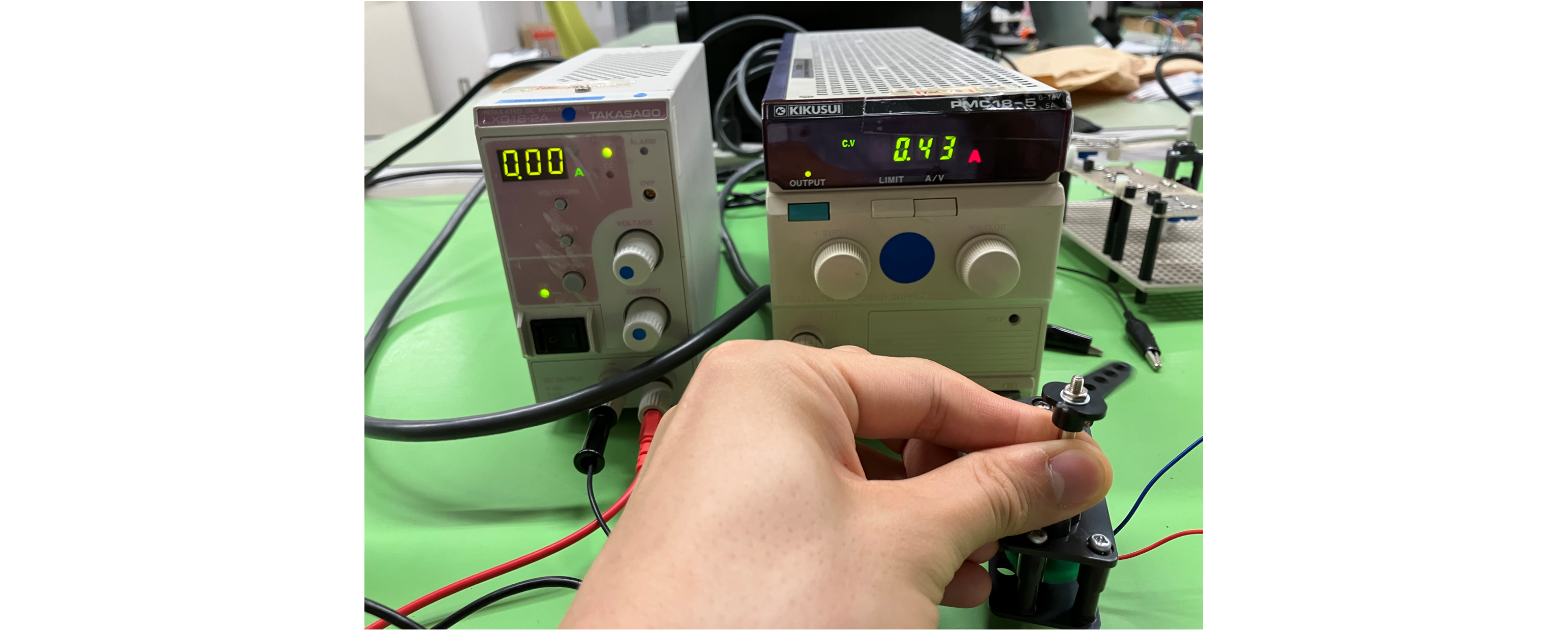
The current increases as a load is applied.
In this way, Kousuke took another step in growth.
See you next time in "Run Through the Bases, Controlling Speed with Software."