- Semiconductor BusinessHOME
- Products and Services of Macnica,Inc.
-
technical information

-
Events and Seminars
- Handling Manufacturer
- Support
- Inquiry
- Click here to purchase products
- Semiconductor business e-mail magazine registration


 Narrow down by specifying conditions
現在2183件がヒットしています。check
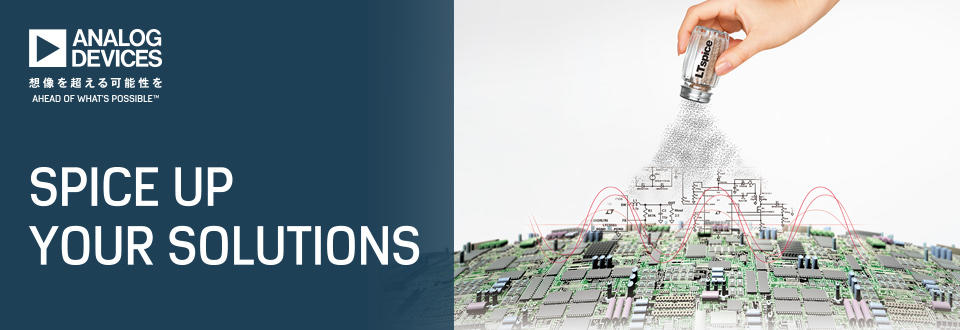
This article reviews what has been added and improved in the updated LTspice 24 and explains some of the added content and features.
Looking at the change log, there are 12 major items. In this article, we will explain the four items that have been added and improved: the change log, faster simulation, enhanced frequency response analysis, and component libraries and AppData.
We have released a digest video of the seminar "What has changed in LTspice 24?", which was previously held online, and you can watch it at any time. The changes in LTspice 24 are explained in an easy-to-understand manner with actual screens, so please take a look. In addition, if you answer the questionnaire displayed at the end of the video, you can also download the seminar materials.
LTspice changelog
In previous versions, you could check the contents of updates by looking at the change log. In LTspice24, the change log has also changed. Originally, changes to LTspice and changes to the provided device models were managed in the same change log. Starting with LTspice24, the change logs for LTspice and device models are displayed separately, making it easier to see the changes.
Figure 1 shows the change log. The model change log is on top and the LTspice change log is on the bottom. You can also see the changes in version 24 by looking at the LTspice change log here.

The main changes and improvements listed in version 24.0.0 are as follows. For details, please refer to the change log. I will explain some of the improvements that have been made.
* Faster and more consistent simulation
* User interface changes
* Change the trtol setting to 2
* Enhanced frequency response analysis
* Waveform viewer improvements
* Dialogue improvements
* New Analysis Settings toolbar button and shortcut ("A")
* Shift + left click to toggle between comments/instructions
* Component Libraries and AppData
* Share anonymous usage analytics to help improve LTspice
* Improved and streamlined SPICE log files
* Improved usability
Faster and more consistent simulations
It seems that the simulation has been sped up. I checked it using the LT8609S JIG circuit. The simulation, which took about 24 seconds in LTspice XVII, finished in about 14 seconds in LTspice24, about 40% faster. The speedup rate may vary depending on the PC specs, model, circuit contents, analysis method, etc., but it was confirmed that the simulation can be executed faster.

Frequency response analysis improvements
Frequency response analysis (FRA) has been improved. FRA components have already been added to LTspice XVII, but now a new 4-terminal component has also been added. This makes it possible to perform frequency response analysis of μModule models.
This simulation is saved as a sample in the Educational folder. If you would like to run it, open the sample circuit from the FRA folder in the Educational folder and run it.

Component Libraries and AppData
I think that many users who used LTspice XVII may have been confused by the change in component library when they started using LTspice24 after installing it.
First, please note that LTspiceXVII and LTspice24 are installed in separate locations so that they can coexist. This means that LTspice24 was not installed over the original LTspiceXVII, so the storage locations of the libraries used are different. Therefore, component information such as diodes that users have registered in libraries added in LTspice XVII cannot be called from LTspice24.
In LTspiceXVII, there is an LTspiceXVII folder and a library for registering components in the document as shown in Figure 4, and users were allowed to add components. However, from LTspice24 onwards, users are prohibited from adding components to the standard library. If you try to save, a pop-up will warn you not to save.

LTspice24 adds a user library function. You can create component library files (user.dio, user. mos, user. res, user. cap, user. ind, user. bead, user. jft, user. bjt) in the directory [ C:\Users\username\Documents\LTspice ] and register additional parts that you need.
The User Library directory is set by default as Search Paths in Settings (Figure 5). If you want to change the directory, change it to the desired folder here.
You can also register and use third-party component *.lib (library files) and *.asy (symbol files) in this directory. I create folders called sub and sym, and register the directories in Search Paths as shown in Figure 5.

"What's changed in LTspice 24?" Seminar digest video released
We have released a video of the seminar "What has changed in LTspice 24?" held in December 2024 (digest version). If you would like to know more about LTspice 24, please watch this video.
If you fill out the following survey, you will be able to download the seminar materials. After completing the survey, we will send you an email with a URL for downloading the supplementary materials. If you have any requests, such as what kind of seminars you would like us to hold in the future or what kind of technical materials you would like, please write your comments in the free-form section of the survey. We would like to hold seminars and provide technical materials that will be useful to you based on your opinions.
At the end
If you have not used LTspice yet, please download it from the link below!
Please try once.
Click here to download LTspice
If you are just starting LTspice, we recommend that you look at the "Basic Edition" from the list below.
Click here for the list of Let's try using LTspice series
Also, if you would like to see a video on how to write a basic circuit and how to execute it, there is an on-demand seminar that does not require you to enter personal information. Detailed information about the seminar is also provided to those who fill in the questionnaire.
LTspice On-Demand Seminar - Function check with RC circuit -
We also regularly hold LTspice seminars for beginners. We hope you will join us as you will be able to learn the basic operations of LTspice.
Click here for information on LTspice seminar
Click here for recommended articles/materials
List of articles: Let's use LTspice Series
LTspice FAQ: FAQ list
List of technical articles: technical articles
Manufacturer introduction page: Analog Devices, Inc.
Click here for recommended seminars/workshops
Inquiry
If you have any questions regarding this article, please contact us below.
Analog Devices Manufacturer Information Top
Analog Devices Manufacturer Information If you would like to return to the top page, please click below.