- Semiconductor BusinessHOME
- Products and Services of Macnica,Inc.
-
technical information

-
Events and Seminars
- Handling Manufacturer
- Support
- Inquiry
- Click here to purchase products
- Semiconductor business e-mail magazine registration


 Narrow down by specifying conditions
現在2237件がヒットしています。check


Hello.
My name is Altera Hanako and I provide technical support for Altera® FPGA products at Macnica.
Altera® Programmable Solutions Group (PSG) offers technical training for FPGA design engineers.
There are three types of technical training available, each with a diverse curriculum.
| instructor· training |
online training | virtual class | |
| Date and time | Determined by the organizer | Voluntary for students | Determined by the organizer |
| venue | Determined by the organizer | Voluntary for students (Work, home, etc.) |
Voluntary for students (Work, home, etc.) |
| Course fee | Paid | free | Paid |
| PC environment | The organizer prepares at the venue (Students do not need to prepare) |
Prepare a computer or mobile device that allows students to connect to the Internet | Prepare a personal computer with an Internet connection and a development software environment set up by the student. |
| Hands-on with development tools | can be (Actual use of evaluation board) |
none (presentation and demonstration only) |
can be |
| others | Q&A in real time | can't answer questions | Q&A in real time |
| Hanako's recommendation point |
You can learn eye-catching lectures and techniques directly from the instructor. You can also ask questions, so it's a chance to solve your usual doubts! |
You can pause, rewind, or postpone the course, so you can take the course at your own pace. You can download the video environment that can be taken offline separately. |
― *Omitted as there is no event sponsored by Japan |
This time, we will introduce online training that you can take for free.
For information on Altera® FPGA-related workshops hosted by Macnica, please see below.
Introducing the latest information on Macnica Original Workshops
Visit the Altera® FPGA Technical Training page
Go to the Altera® homepage in your web browser and click "Support" at the top.

From the submenu, select Altera® FPGA Support and then Training.
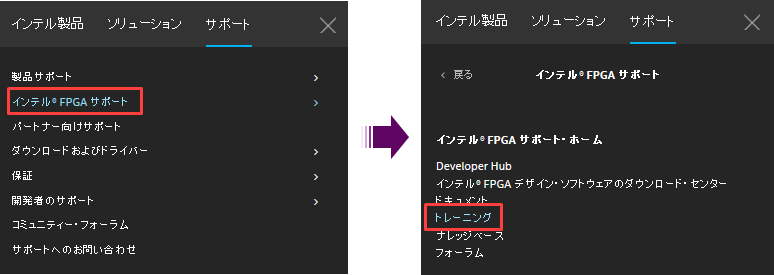
You have been redirected to the Altera® FPGA Technical Training page.
https://www.altera.com/design/fpga-training/overview
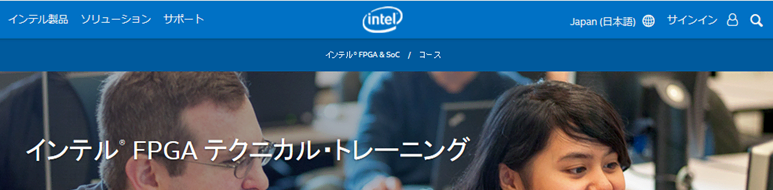
Select course
Click on the Courses tab and you will see a “Search Area” and “Training Courses” where you can search for courses.
If you are browsing on a Japanese page, the language field will default to Japanese. By switching this language, you can check information on courses held around the world.
Here, let's narrow down the search by limiting it to courses that are Japanese and that can be taken for free.
1. In the search area, enter the criteria as follows:
- Course type: Online
- Language: Japanese
- Price: Free
In addition, please use keywords, DeviceFamily, and Curriculum as necessary to narrow down your search.
Only courses that meet the specified conditions will be automatically displayed.

2. Click the name of the course you want to take and check the course content.
To enroll, scroll down to Class Schedule at the bottom of the page and click Register Now on the far right of the table.

3. Sign in to your My Altera® account.
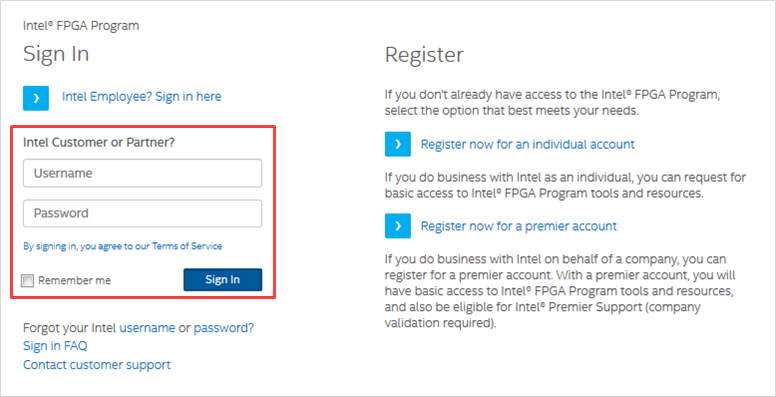
◆ My Altera® Account [Altera® FPGA Program]
https://www.intel.co.jp/content/www/jp/ja/forms/fpga/fpga-individual-registration.html
take an elective course
1. Clickthe Take Trainingbutton.
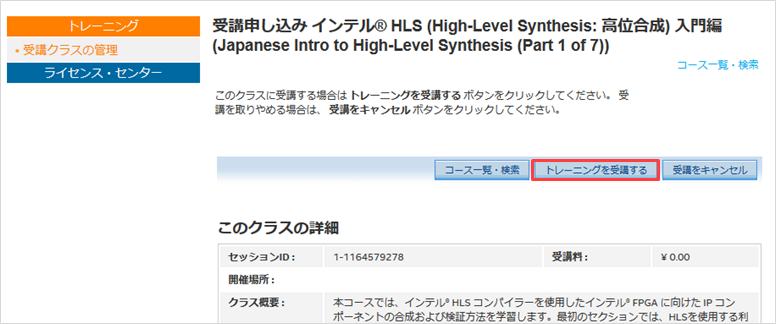
2. Click the Start Online Classbutton.
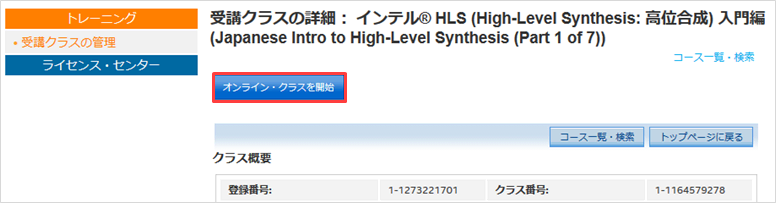
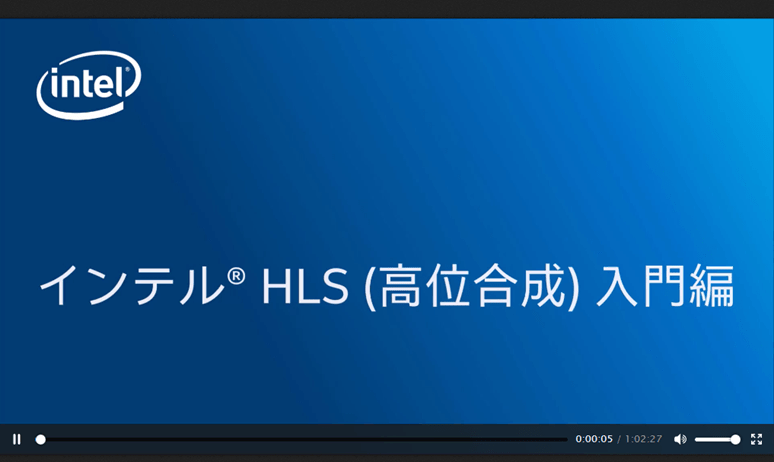
3. The training presentation will start on your web browser.
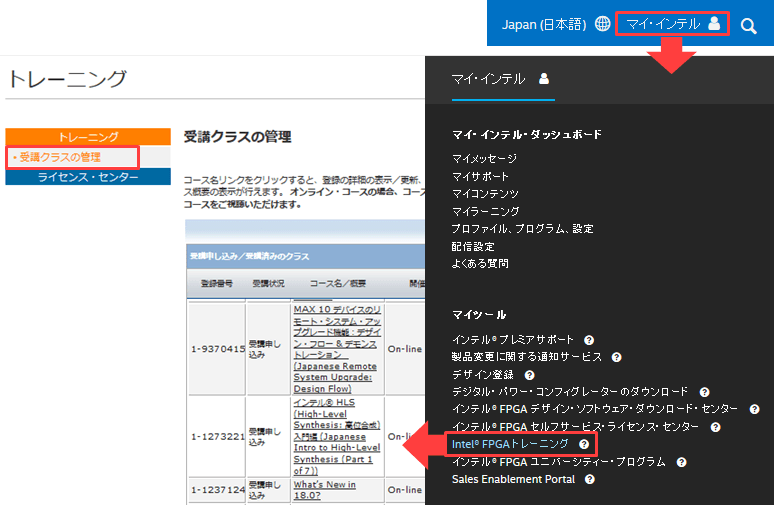
The courses you have taken will be registered in My Altera® under [Altera® FPGA Training] > [Manage Classes] and you can retake the course from there. Therefore, you can take the course multiple times even if you stop watching the lecture video halfway through.
After taking the course, click [Post-Course Survey] for the corresponding course displayed in [Manage Classes] and answer a short survey (optional).
Can be taken offline
Did you know that once you've completed an online course presentation, you can take subsequent sessions of that course offline, without needing to be connected to the internet?
As soon as the first presentation of the online course begins, you will receive a thank you email to the email address registered to your My Altera® account saying, "Thank you for taking the online training class."
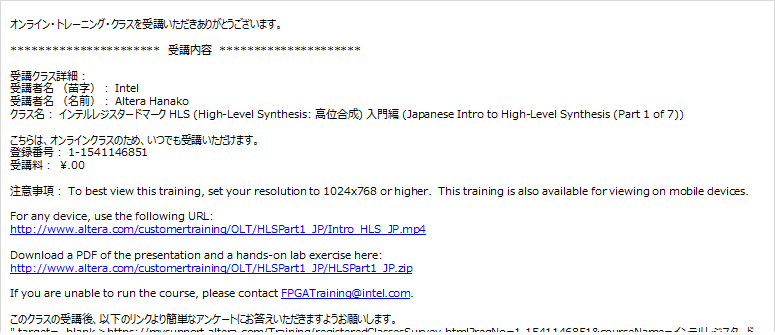
This email will contain a link to the online video of the course you have taken, as well as a link to download the offline content of the presentation. (The media provided may be Flash video, PDF file, etc., depending on the course.) By obtaining the offline content, you can immediately take Altera® training even in environments where you do not have an internet connection.
Please feel free to take advantage of Altera®'s online training.