- Semiconductor BusinessHOME
- Products and Services of Macnica,Inc.
-
technical information

-
Events and Seminars
- Handling Manufacturer
- Support
- Inquiry
- Click here to purchase products
- Semiconductor business e-mail magazine registration


 Narrow down by specifying conditions
現在2240件がヒットしています。check


Hello.
I'm Hanako F. Altera, and I provide technical support for Altera® FPGA products at Macnica.

Here you will find the drivers for the Altera® FPGA Download Cable (formerly known as USB-Blaster™).
This guide explains how to install it on a Windows® OS computer.
Please perform this operation with administrator privileges.
Notes:
- For the Windows OS supported by Quartus® Prime, please refer to the Quartus Prime Supported Windows OS Compatibility Matrix.
- When using an Altera development kit with an On-Board USB-Blaster board, please also install the USB-Blaster driver.
- For instructions on how to install the driver for the Altera FPGA Download Cable II (formerly known as USB-Blaster™ II), please see here.
Installation method
- Connect the USB-Blaster to your computer with a USB cable.
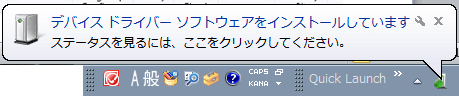
- Windows OS will automatically start searching for drivers.
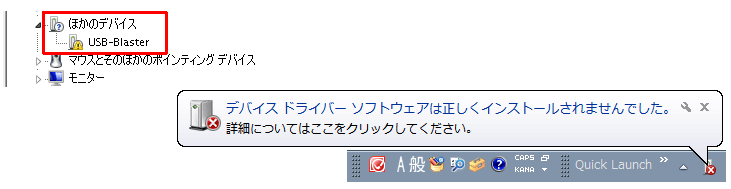
3. After that, a pop-up "The device driver software did not install correctly" appears, and in Device Manager, "USB-Blaster" is detected as "Other Devices" with a warning mark.
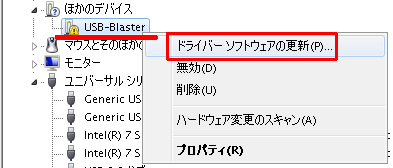
4. Right-click "USB-Blaster" in Device Manager and click "Update Driver Software".
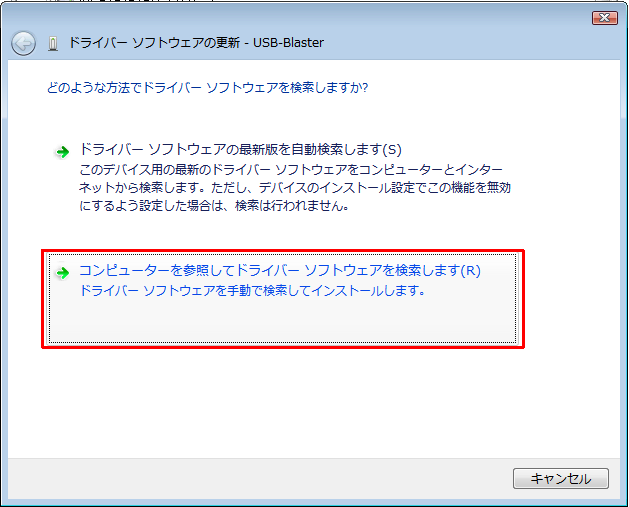
5. Select "Browse my computer for driver software" for "How would you like to search for driver software?"
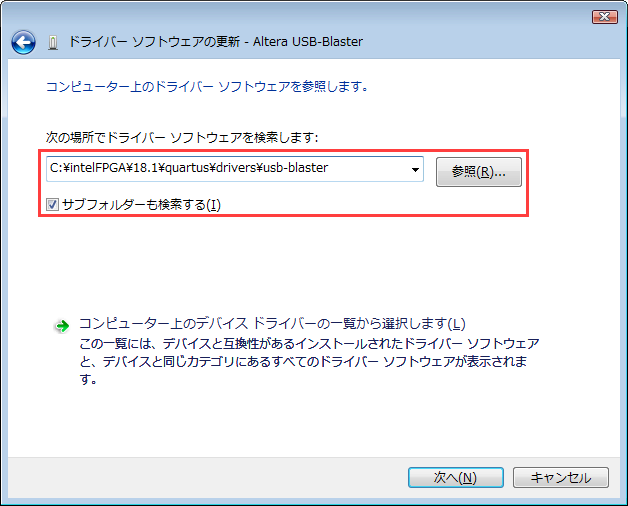
6. For "Browse for driver software on your computer.", specify "\drivers\usb-blaster" under the Quartus Prime installation folder and select the "Search subfolders (I)" option. Enable (✔).
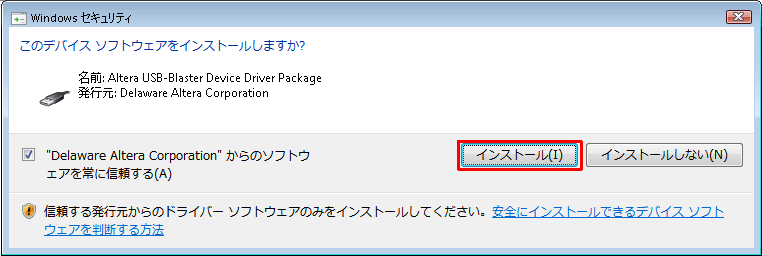
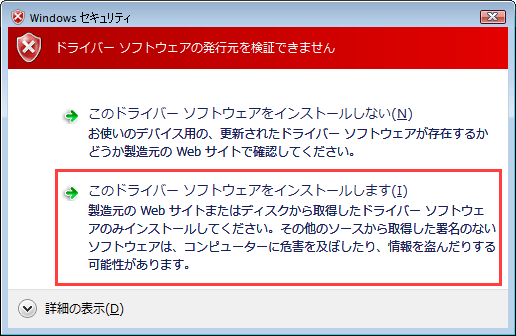
A Windows Security screen may appear, but in any case select [Install].
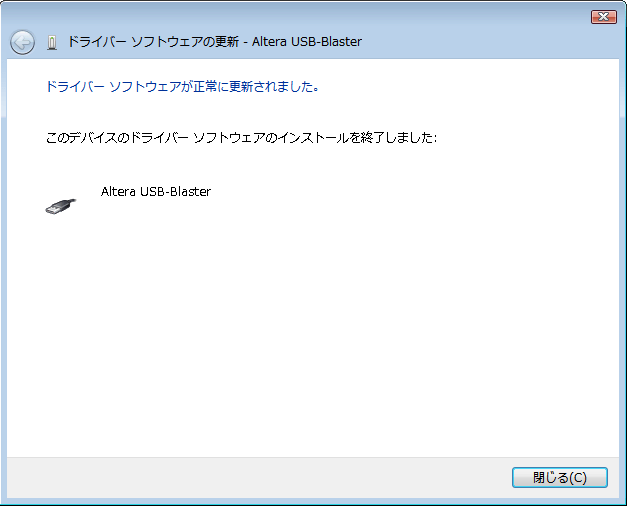
7. Confirm the message "The driver software has been successfully updated." and the displayed "Altera USB-Blaster", and close the screen.
8. Check that "Altera USB-Blaster" is listed under "Universal Serial Bus Controllers" in Device Manager.
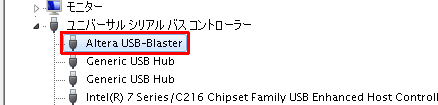
Installation is now complete.
Now you can use the USB-Blaster on your computer.
If an error log saying "A problem occurred while installing the device driver" occurs and the driver cannot be installed
Please see the content below.
What to do when you can't install USB-Blaster™ II and USB-Blaster driver on Windows 10
Click here for recommended articles/materials
Windows 10 に USB-Blaster™ II および USB-Blaster ドライバーをインストールできないときの対処方法
USB-Blaster II のドライバーをインストールしてみよう
USB-Blaster II の TCK 周波数を変更してみよう