
Just by talking
To ensure the information is conveyed.
Reporting tasks
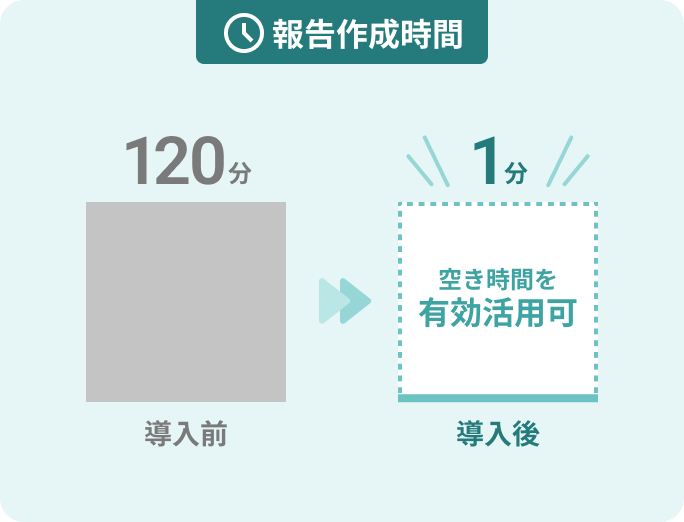
In one minute.
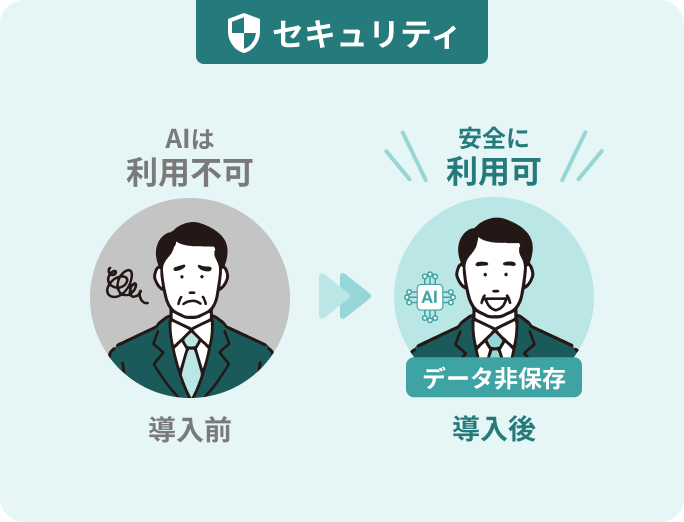
機密データを残さず安心(データ非保存型)
声だけで話者を識別可能
These are some of the problems
Don't you have any?
- セキュリティが心配でAIを導入できない
- 専門用語が正しく認識されない
- オフライン会議・現場での記録が困難
- 報告作成に1〜2時間
- 議事録の品質がバラバラ
- メモ取りに必死で議論に集中できない
If only I could create reports more efficiently...
During meetings, I want to focus on the discussion rather than taking notes...


That problem
 Problem solved!
With the ninja who puts everything together,
This is how it will change!

It's super easy to use!
Completed in 3 steps
-
Press the Start Input button
Launch the browser
Tap the start button. -
Speak (automatically records voice)
Automatically records the content of business negotiations and meetings.
Speaker recognition is also a breeze for me. -
The report that gets the message across is complete!
Automatically generate reports that effectively communicate information.
Technical terms are also perfectly reflected.
The ninja
To be selected 3 two reasons
Secure and safe –no confidential data is left behind!
Audio data is deleted immediately after processing.
You can rest assured even when dealing with technical negotiations involving confidential information.

I understand technical terms perfectly!
Product names, technical terms, and customer names are all accurately transcribed.
We also support industry-specific terminology.
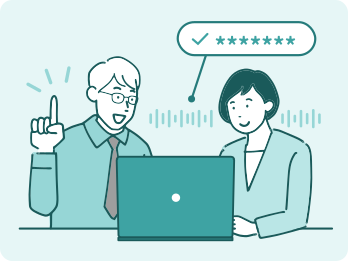
It's also incredibly useful for face-to-face meetings!
Simply start entering data at the customer's site or on-site.
Meeting minutes can be completed in 1 minute without the need for web conferencing tools.
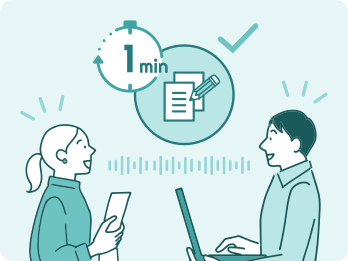
A 2-hour report reduced to 1 minute.
Why not try it right now?
Sign up in 1 minute! Start your 14-day free trial.
From recording to reporting,
Active in all situations

Minutes of an internal company meeting

Meeting with a client

Creating daily and weekly reports

In-person and on-site recording

On-the-job training (OJT) and training records

audit·
Compliance
customer's voice
While we were talking,
The report was already finished!
Rohto Pharmaceutical Co., Ltd.
Sales, Marketing, and Production Departments
"I can't let go of my bulky ninja."
We've been receiving a steady stream of comments like this.
 "I can't let go of my bulky ninja."
Web conference host privileges
It can be used even without it.
That was the deciding factor!

The person in charge takes notes by hand or on a computer, and then transcribes them into a final version. It takes about two hours to create meeting minutes for a one-hour meeting.
The problem was that the quality varied depending on the creator, and essential discussions were not recorded.
- It can be used regardless of the environment or host permissions of the web conferencing tool.
- High accuracy in speech recognition and minimal effort required for correction.
I can now complete my reports in just one minute! I'm freed from taking notes and can focus on the meeting itself.
Because AI records objectively, variations in quality have been eliminated.
It's also convenient that you can switch between "Detailed Meeting Notes Mode" and "Key Points Summary Mode" depending on the situation!
The data will not remain on the server.
"This will work!"
I decided immediately.

I spend the entire day coordinating with internal and external stakeholders, struggling just to take notes during conversations. After work, I take the information home and spend hours summarizing and formulating instructions before sending them via email.
No matter how tired I was, having to get it done by the end of the day was a real burden.
- Data is not saved to the server
- It can be used with confidence even in quality control settings that handle confidential information.
Tasks that used to take 2-3 hours after work, including sending emails, have been drastically reduced!
I processed it in the car after the meeting, and all that's left is to copy and paste and send the email.
I've become so attached to my "Ninja Compartment" that I feel like I can't live without it.
Required for reporting
All the features are here
Voice input
- Both smartphone and PC input are supported.
- Teams meetings are also automatically transcribed.
- Supports up to 70,000 characters (approximately 3 hours' worth of content).
- Supports transcription from audio files.
Recognition accuracy
- Specialized terminology dictionary registration (customizable)
- Automatically identify the speaker
- Audio from web conferences is also clearly recognized.
- High accuracy even in noisy environments
Editing and formatting
- Real-time transcription correction feature
- Batch conversion of speaker labels
- Correct mistranslations with one click.
Output format
- Point summary mode (focused on key points)
- Simple meeting memo mode
- Detailed meeting memo mode
- Custom mode (proprietary format)
Integration and Security
- Data-free security design
Rate plan
BASIC plan
¥29,000/month (excluding tax)
Effectively ¥1,000 per person per month
- Secure data management
- Automatic victim identification
- Registered in the Specialized Terminology Dictionary
- Selectable output modes
- Chat support
- Up to 30 users
Premium Plan
We offer premium plans that allow for flexible customization to suit your business needs.
Unlimited user plan
A scalable pricing structure that can accommodate company-wide implementation.
Custom summary mode
Summary templates tailored to use cases
Implementation and adoption support
Supporting organizational transformation from tool adoption to complete transformation.
Large-capacity text input box
A generous word count for organizations with many meetings.
Frequently Asked Questions
-
Can I use it on both my smartphone and my PC?
Yes. Both can be accessed through a web browser.
-
Where is the audio data stored?
The audio data is deleted immediately after processing and is not stored on the server.
You can use it with confidence even in environments where confidential information is handled. -
What kind of summary format can be used?
You can choose the optimal mode depending on your needs.
- For quick summaries of daily reports or key points of conversations, use the "Point Summary" mode.
- If you need a summary that is easy for absentees to understand, including the flow of the meeting, use the "Detailed Meeting Notes" mode.
- If you want to quickly summarize the key points of a meeting, use the "Quick Meeting Notes" mode.
-
Do you need a microphone?
You can also use the microphone built into your computer or smartphone.
For use in large conference rooms or environments where sound is difficult to pick up, we recommend using an external microphone. -
Is it possible to record who said what?
Yes, this is possible. The system can automatically identify and record speakers based on their voice characteristics.
-
Are there any feature limitations during the free trial?
No, you can use all features for 14 days.

 The company that created Matome Ninja
Macnica
Macnica, a company with over 50 years of experience in semiconductors, electronic components, and AI implementation support, created Omatome Ninja based on its experience working with over 500 companies.
A system costing 5 million yen per month is not being used by anyone.
This article discusses Macnica 's approach to AI, as they have addressed these challenges.
NewsPicks appearance video
The real reason why AI isn't used in the field