- Semiconductor BusinessHOME
- Products and Services of Macnica,Inc.
-
technical information

-
Events and Seminars
- Handling Manufacturer
- Support
- Inquiry
- Click here to purchase products
- Semiconductor business e-mail magazine registration


 Narrow down by specifying conditions
There are currently 4342 results.
Microchip FPGA: How can I check the die temperature of a PolarFire?
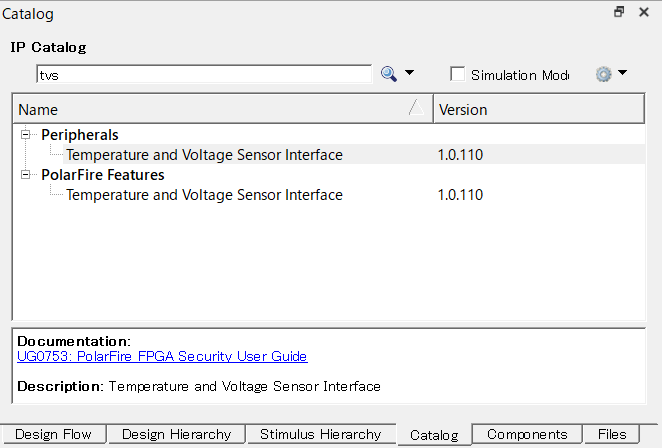
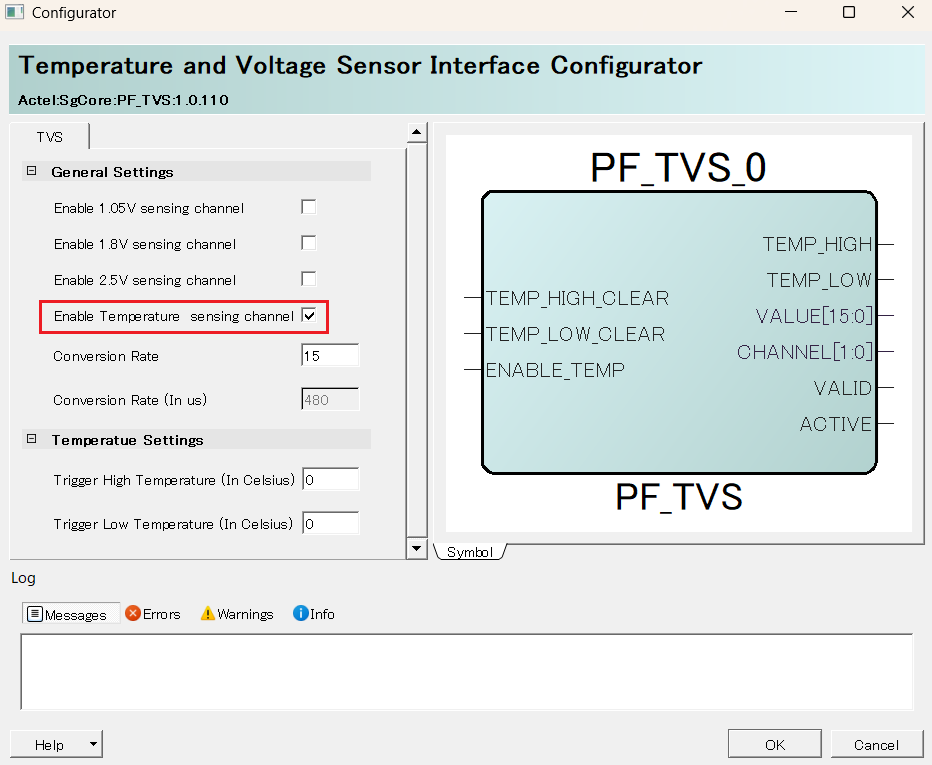
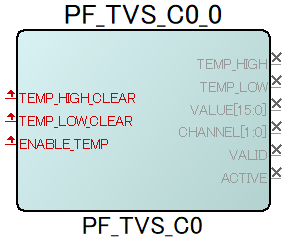
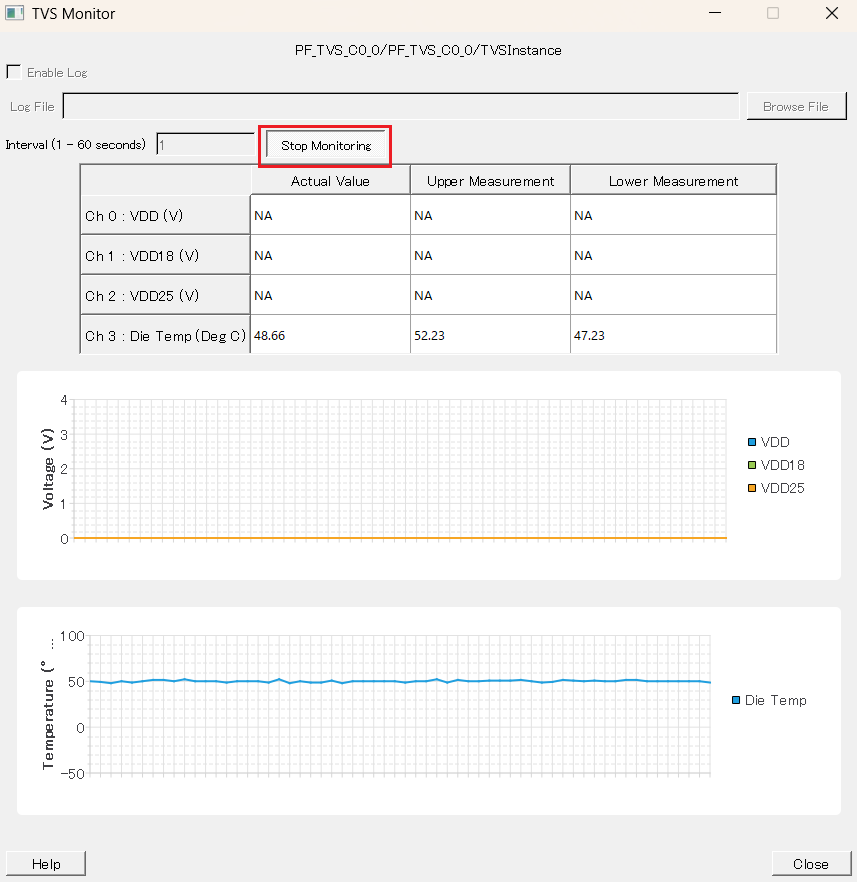
This can be confirmed by incorporating a Temperature and Voltage Sensor Interface (TVS) into your design.
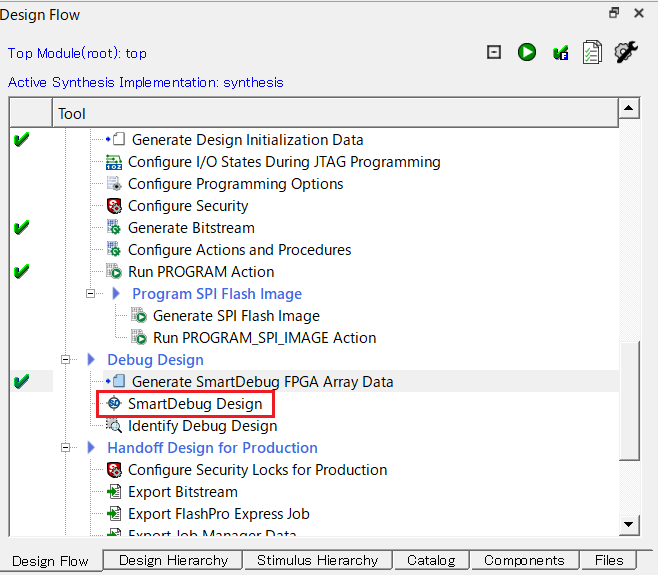
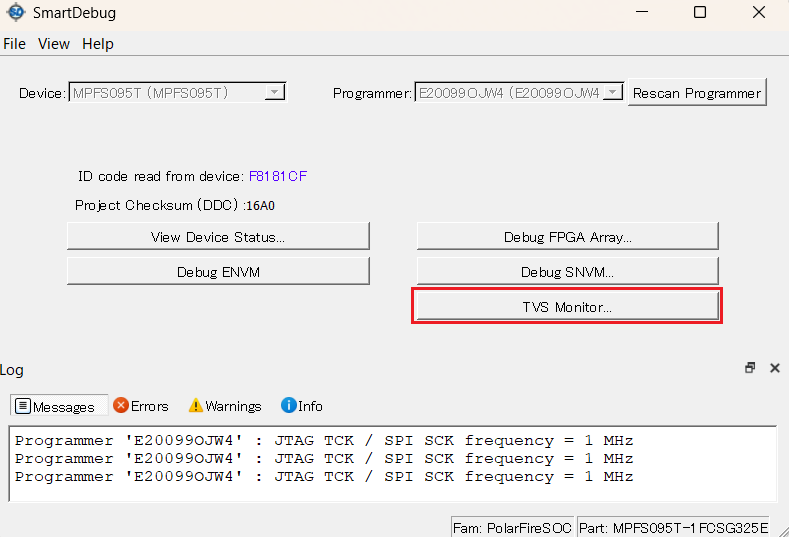
If you want to check using the Libero SoC GUI, you can do so by clicking the TVS Monitor button in SmartDebug.
Please also refer to the SmartDebug User Guide > Measuring Die Temperature and Voltages section.
The SmartDebug User Guide can be found under the User Guides tab in the Documentation.
https://www.microchip.com/en-us/products/fpgas-and-plds/fpga-and-soc-design-tools/fpga/libero-software-later-versions#Documentation
*SmartDebug's TVS Monitor is supported on Libero SoC v2022.3 and later.
Quote "1.4.1.6 New TVS Monitor for SmartDebug
A new SmartDebug feature has been added to monitor both internal voltage supplies and die temperature from the
TVS outputs, and log the values across specified time intervals.”
https://ww1.microchip.com/downloads/aemdocuments/documents/fpga/core-docs/libero/head/libero_soc_v2022_3_release_notes.pdf#page=7
 Experienced FAE
Free consultation is available.
From specific product specifications to parts selection, the Company FAE will answer your technical concerns free of charge. Please feel free to contact us.