- Semiconductor BusinessHOME
- Products and Services of Macnica,Inc.
-
technical information

-
Events and Seminars
- Handling Manufacturer
- Support
- Inquiry
- Click here to purchase products
- Semiconductor business e-mail magazine registration


 Narrow down by specifying conditions
現在2189件がヒットしています。check
[Edge AI made possible by NVIDIA x NXP]
Episode 1 Process overview
Episode 2 Creating a dataset (NVIDIA Omniverse)
Episode 3 AI model learning (NVIDIA TAO Toolkit)
Episode 4: Deployment and Inference on Edge Devices (i.MX 8M Plus EVK)

In the previous article, we performed transfer learning with the TAO Toolkit using synthetic data to create an AI model that detects dolls.
In Part 4, we will introduce the procedure for deploying the AI model to the edge device i.MX 8M Plus EVK. The TAO Toolkit can output models in ONNX format, making it possible to convert models for various edge devices.
This time I will focus on NXP devices, but the same can be applied to other edge devices, so I hope this will be helpful.
Model Transformation Overview
This time, we will convert the ONNX model created with the TAO Toolkit to TensorFlow Lite. The NPU of NXP's i.MX 8M Plus supports a variety of models, but we chose TensorFlow Lite, which is widely supported on other devices.
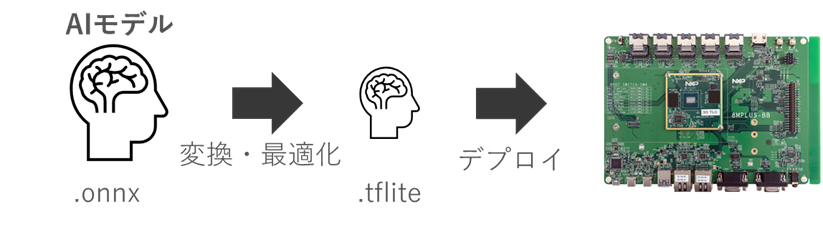
Model conversion for edge devices
Model conversion for edge devices does not simply change the model extension, but also involves making modifications and quantization so that it can be processed by the device's accelerator (NPU, GPU, DSP, etc.). NVIDIA is well known for an optimization called TensorRT, which converts models to run in an optimal way on NVIDIA GPUs and speeds up processing. Generally, the model before conversion (optimization) is called the learning model, and the model after conversion is called the inference model. Inference models reduce unnecessary processing, so they are expected to be faster.
Reference: [Deep Learning Inference Acceleration Techniques] Part 1: Overview of NVIDIA TensorRT
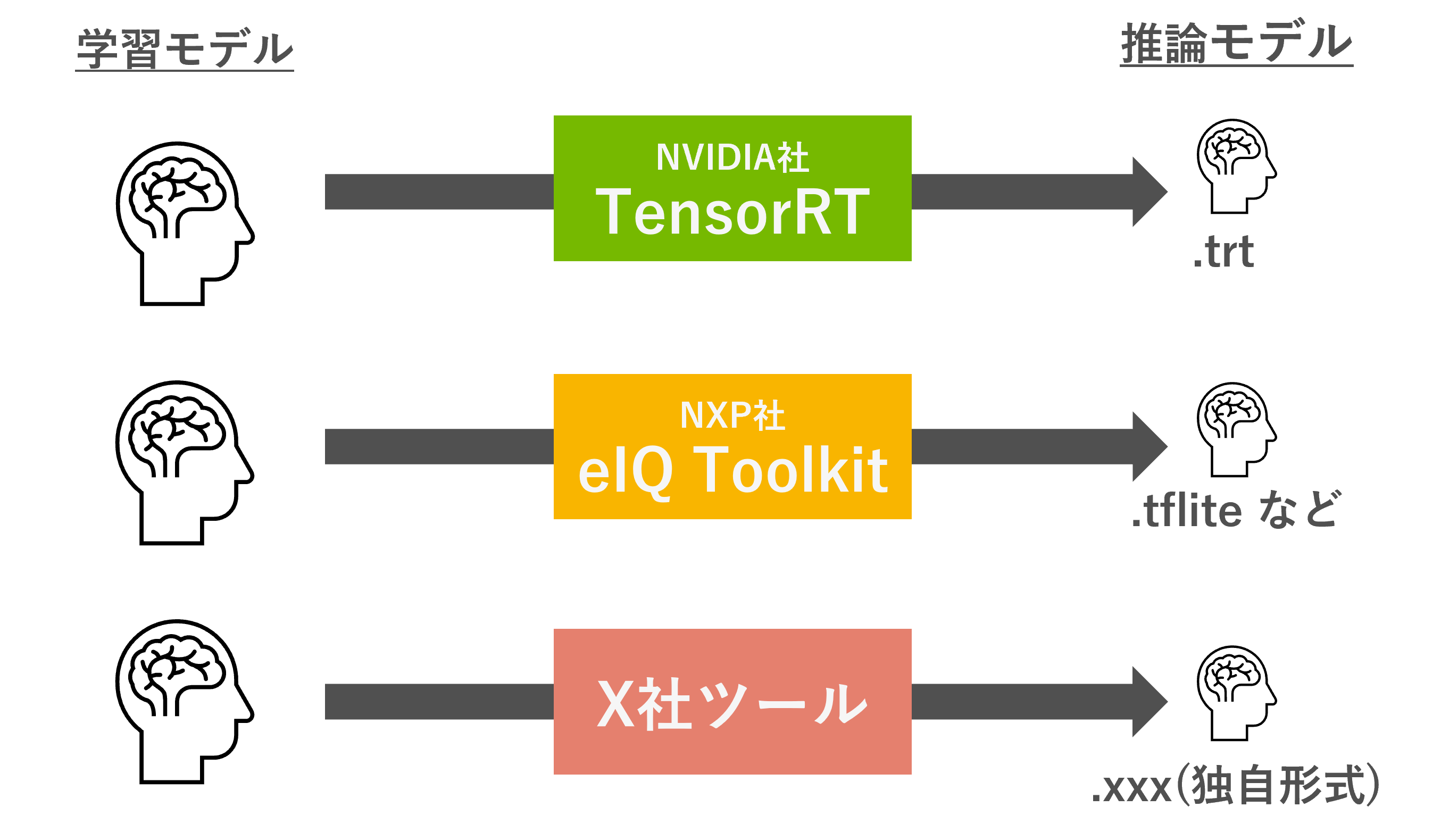
Each company that makes edge devices provides its own conversion and optimization tools. NXP provides the eIQ®Toolkit, which allows you to convert models to run on TensorFlow Lite, Arm NN, and ONNX Runtime. Each tool supports different operators, so check the documentation of each company to see if your model can be converted.
Model conversion flow (i.MX 8M Plus)
The NXP i.MX 8M Plus used here supports TensorFlow Lite, so we will convert the model to the .tflite format. There are two main methods for model conversion: using a vendor-specific tool (eIQ®Toolkit) and using an open source tool.
How to use vendor-specific tools (eIQ®Toolkit)
The eIQ Toolkit provided by NXP is a powerful toolset to support the development and deployment of machine learning models. It includes functions such as model development, profiling functions, and dataset management, as well as conversion to inference engines (inference models).
Personally, I find it very easy to use, and it is very convenient because you can operate it using the UI and check the model structure in a Netron-like way. After operating the UI to convert it into an inference engine, you can visually check whether there is any waste in the model structure.
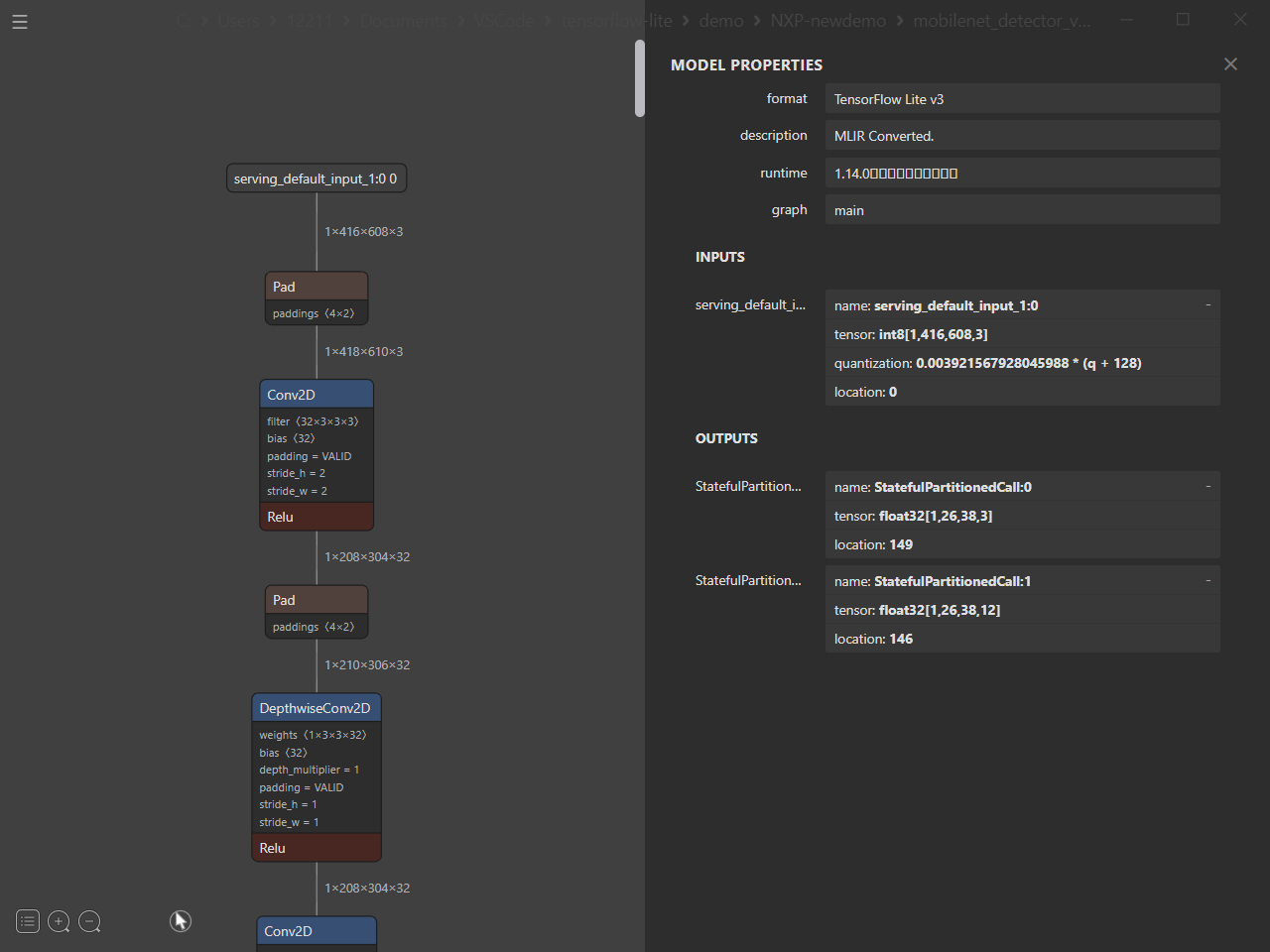
This is a very useful tool, but when converting a model in NCHW format to NHWC format (TensorFlow), unnecessary layers are inserted.
(Reference: Deploy PyTorch Models to NXP Supported Inference Engines Using ONNX)
So this time I used a free conversion tool.
How to use a free conversion tool
TensorFlow Lite is a well-known framework, so there are various conversion methods available. This time, we used a conversion tool published on GitHub to convert to a TensorFlow Lite model. There are problems with direct conversion from ONNX (NCHW format) to TensorFlow (NHWC format), so we took a roundabout approach. This method is recommended when converting models in NCHW format, as it leads to faster speeds because no unnecessary layers are inserted. (We will not explain the specific commands this time, but we will publish them in a separate article at a later date.)

It's a long journey, but the payoff is considerable. When converting a ResNet-34 based model, we were able to reduce inference time by up to 1/10 compared to converting it with the eIQ Toolkit.
Offloading TensorFlow Lite model processing to the NPU
Once you have created a TensorFlow Lite model, it is very easy to deploy. By simply using the TensorFlow Lite delegate function, you can easily offload CPU processing to the NPU. First, create an application that runs on the CPU, and then change just two lines of source code. It's so easy that you won't have any trouble.
delegate = tflite.load_delegate("/usr/lib/libvx_delegate.so")
interpreter = tflite.Interpreter(model_path=model_path, experimental_delegates=[delegate], num_threads=4)
Points to note when converting and deploying models
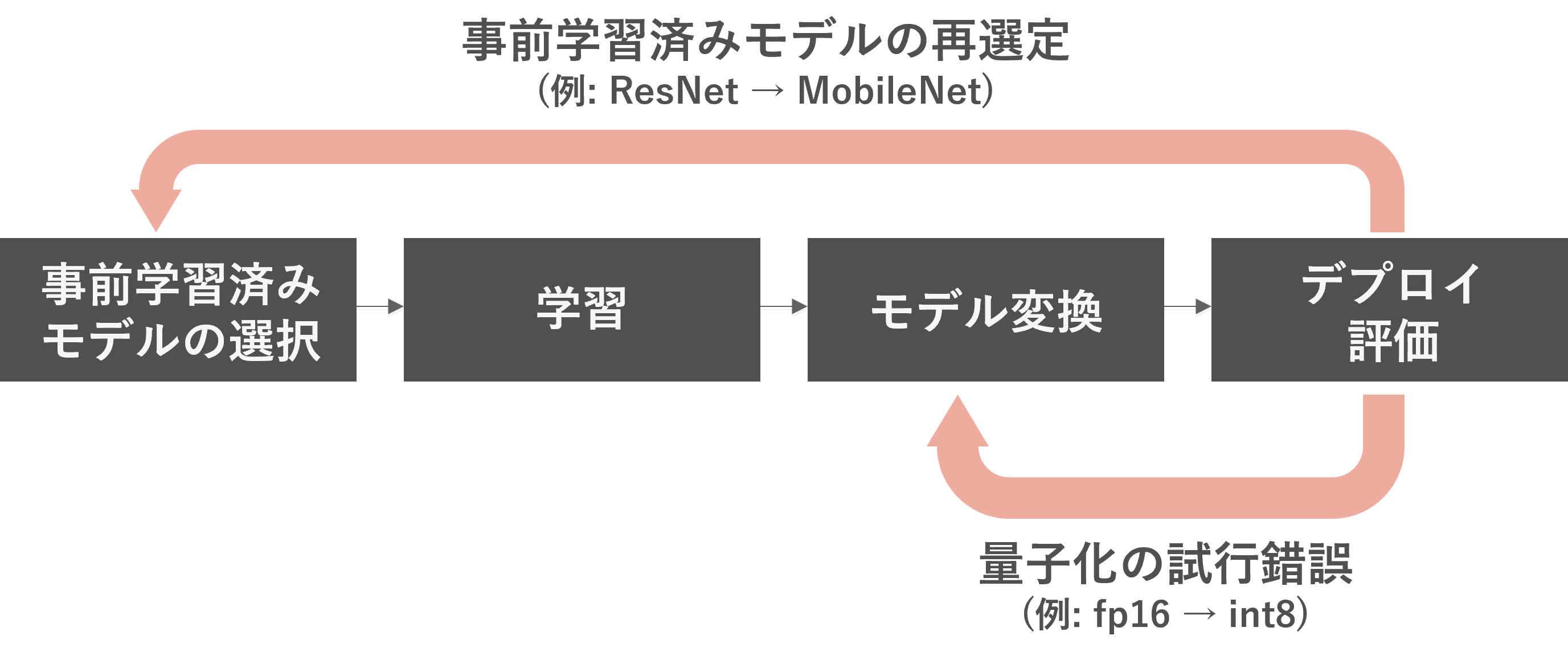
Conversion to an inference model can be fraught with problems, and requires model conversion to suit the model architecture and edge device being used. It is common for the model to be over-quantized and not be accurate, or for the model to contain operators that the conversion tool does not support. Try and error to optimize and select a model architecture that suits your edge device.
(Example 1) In order to use a model while maintaining accuracy, the fp32 model was converted to fp16, but the processing speed was insufficient. Therefore, try converting it to int8.
(Example 2) You were using a ResNet-based model, but the processing speed was insufficient. Try transferring the MobileNet-based model again.
Realizing edge AI!
This article explained the process from creating a model to realizing edge AI. By utilizing the NVIDIA Omniverse platform, we automatically generated a dataset in a photorealistic virtual space without taking pictures at the actual site, and used it to create an AI model. After creating the AI model, we converted the resulting ONNX model into TensorFlow Lite format and deployed it to the edge device (i.MX 8M Plus EVK). By using the delegate function, we were able to offload it to the NPU (AI accelerator) very easily.
We hope you will use this article as a reference and try out the entire process.
If you are considering Omniverse, TAO Toolkit, or Edge AI, please contact us.


Related information