- Semiconductor BusinessHOME
- Products and Services of Macnica,Inc.
-
technical information

-
Events and Seminars
- Handling Manufacturer
- Support
- Inquiry
- Click here to purchase products
- Semiconductor business e-mail magazine registration


 Narrow down by specifying conditions
現在2208件がヒットしています。check
[Edge AI made possible by NVIDIA x NXP]
Episode 1 Process overview
Episode 2 Creating a dataset (NVIDIA Omniverse)
Episode 3 AI model learning (NVIDIA TAO Toolkit)
Episode 4: Deployment and Inference on Edge Devices (i.MX 8M Plus EVK)
In the previous episode, Part 2, we introduced the process of creating synthetic data using Omniverse™ Replicator.
In Part 3, we will use the synthetic data created in Part 2 to perform transfer learning using the TAO Toolkit to create an AI model that can detect dolls.

Building the NVIDIA TAO Toolkit GPU environment
To use the TAO Toolkit for training, you must first create a GPU environment. For details on how to create the environment, see the following link.
Once the environment is set up, you will be able to run the TAO Toolkit on the command line.
Use the following command to check if the environment has been set up correctly.
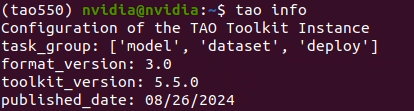
In this article, we are running version 5.5.0 as described above.
Preparing the training dataset
Data format conversion
Next, prepare the dataset needed for training.
The data required for training has already been created using Omniverse Replicator, but the output synthetic data needs to be converted into a data format that can be used for training using the TAO Toolkit.
When you unzip the zip file output by Omniverse Replicator, you will see that it contains three types of data: png, npy, and json.
Each file contains the following:
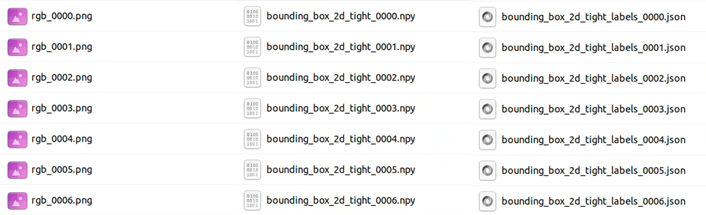
・png: composite RGB image data
・npy: Bounding box data that indicates the location of the asset in the composite image
・json: Class data that indicates the contents of the assets in the composite image
These data are converted into a data format called KITTI format in order to be trained with the TAO Toolkit.
The KITTI format is a data format that outputs annotation information, including class data and bounding box data, as a txt file for each image as shown below.
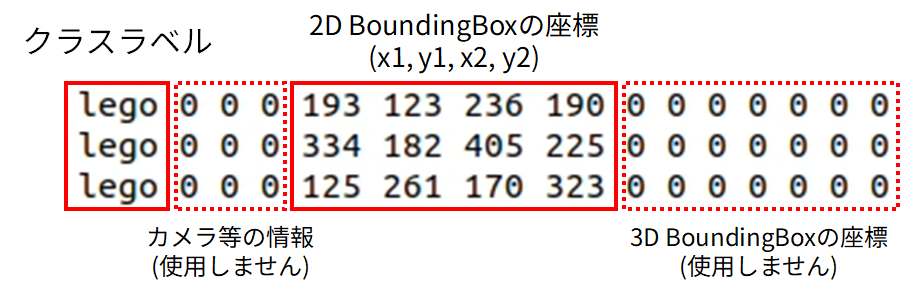
Now, let's extract the necessary information from the npy and json files and convert them into KITTI format.
A Python script is used for the conversion.
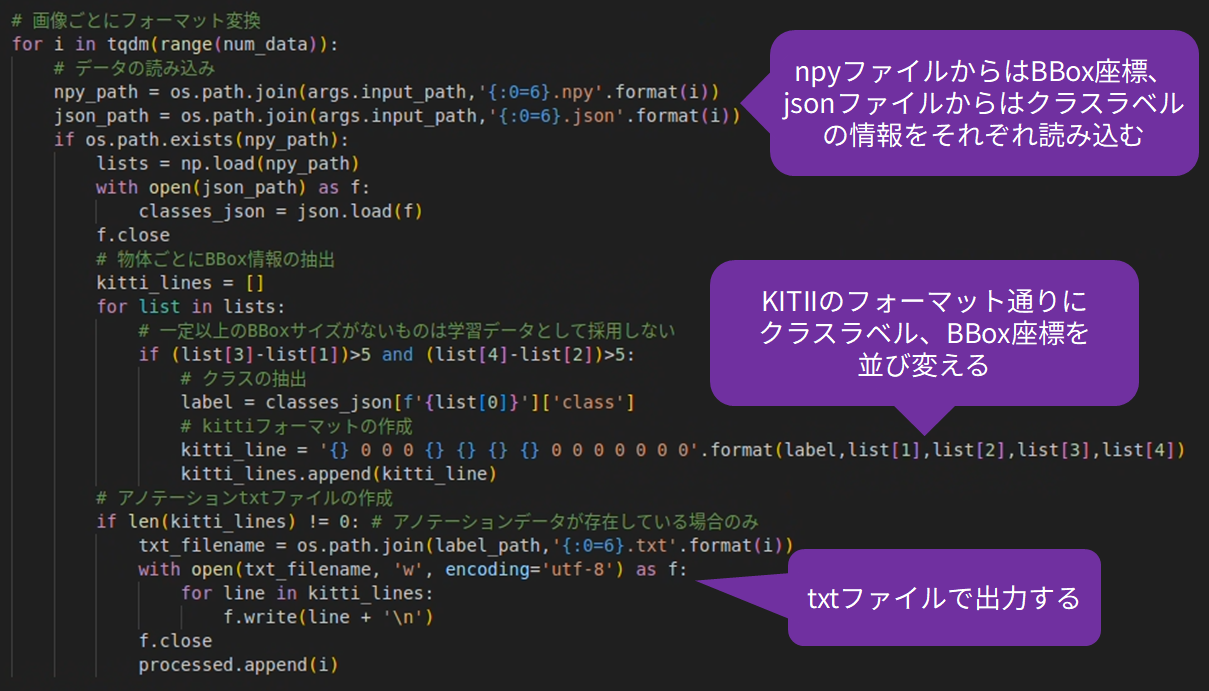
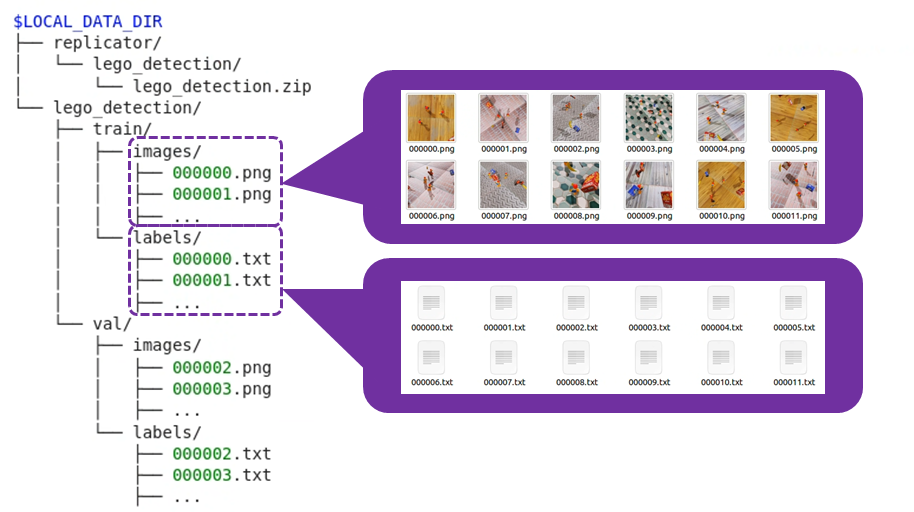
Once the above process is complete, the dataset will be organized as follows:
Let's check how much data has been organized.
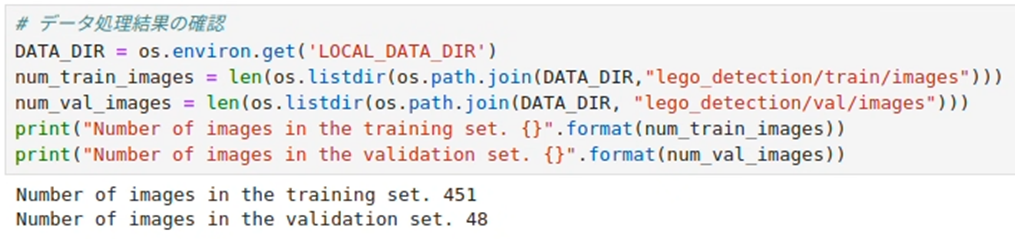
It is possible to perform learning in this state, but since the amount of data is somewhat small, we next perform a process called data augmentation.
Data Augmentation
Data augmentation is a technique for augmenting training data by changing the environmental conditions of the training data.
Data augmentation is an effective method when there is not enough training data available, and is also known as Data Augmentation.
This data augmentation is generally performed using Python libraries, etc., but the TAO Toolkit has a function for performing data augmentation, so data augmentation can be easily performed with a single command, just like training.
Data augmentation using the NVIDIA TAO Toolkit is performed based on the contents of the following spec file.
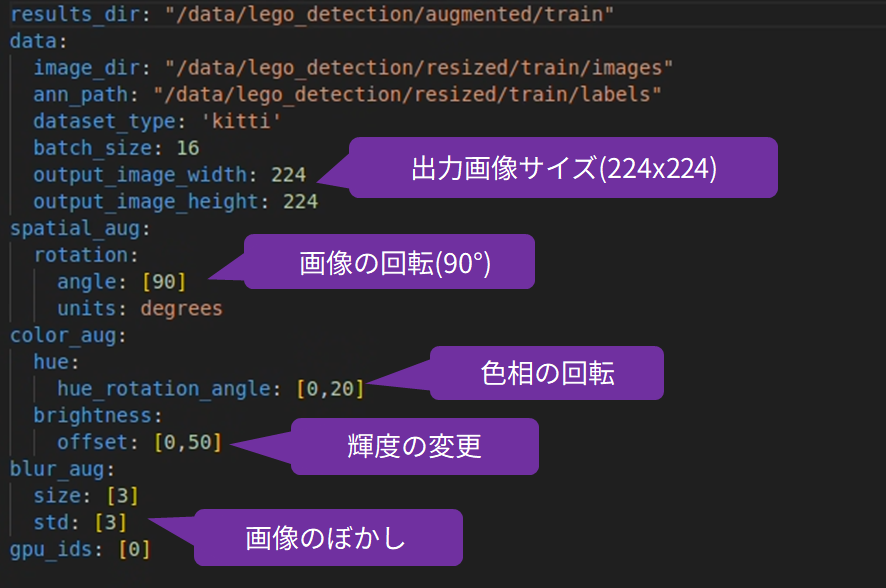
This will rotate the image 90 degrees, rotate the hue from 0 to 20 degrees, blur the image, and change the brightness.
The following command will perform data expansion:

Let's check the image and bounding box after data augmentation.
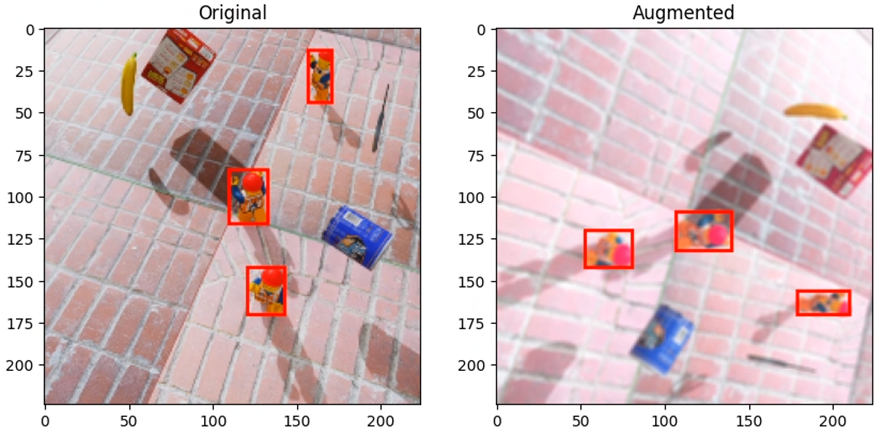
You can see that the resulting image is similar to the original, but different.
By performing data augmentation in this way, we can increase the amount of data used for training.
The dataset preparation is now complete.
Preparing a pre-trained model
Download a pre-trained model for transfer learning with the TAO Toolkit.
NVIDIA has released a large number of pre-trained models that can be used with the TAO Toolkit, and they can be easily downloaded with a single command.
In this example, we will use mobilenet_v2 as the pre-trained model with an emphasis on fast execution.
Run the following command to download the pre-trained model:

Transfer Learning with the TAO Toolkit
Executing transfer learning
We will perform transfer learning using the TAO Toolkit using the dataset and pre-trained model we have prepared so far.
Transfer learning is performed based on the contents of the following spec file. Learning-related settings such as the number of epochs and batch size can be changed by editing this spec file.
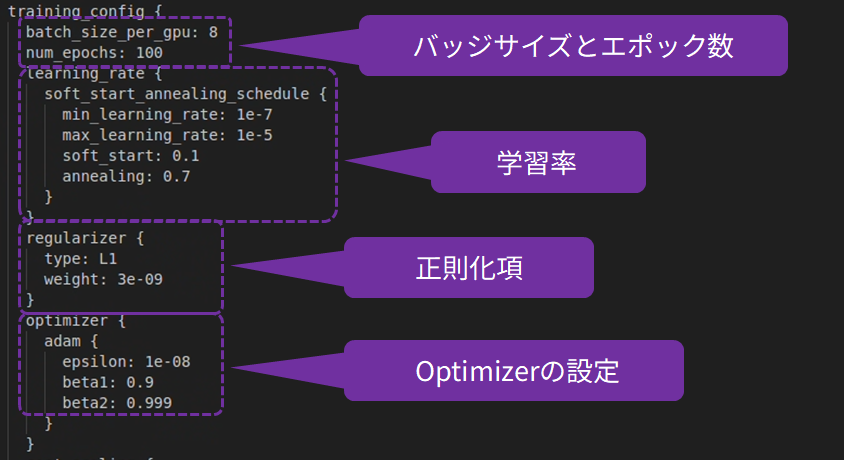
The following command will run transfer learning.

Once training is complete, the trained model is output.
Running inference
Once the training is complete, check the results.
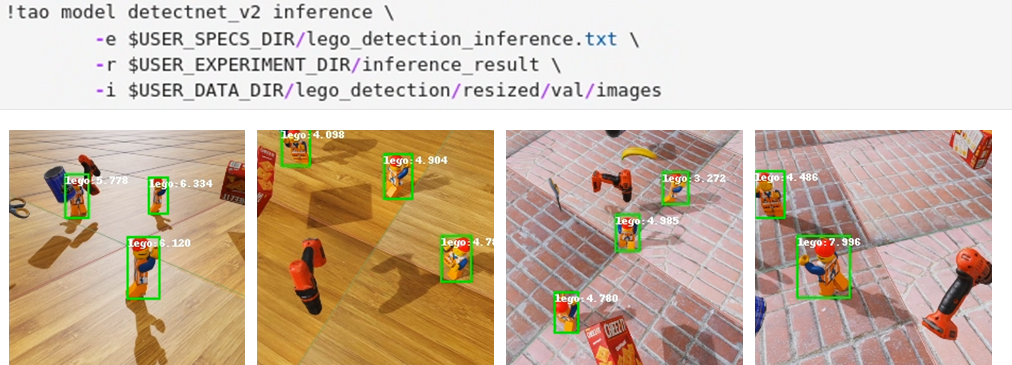
Since the AI model can detect the doll as expected, we will stop training.
Inference model output
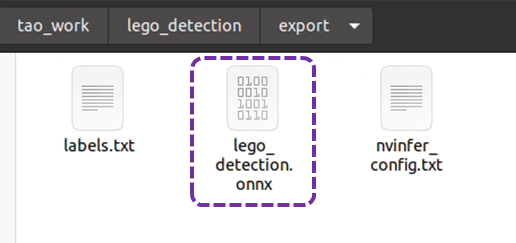
The AI model that has completed training is converted into an inference model and output in onnx format.

The AI model in onnx format is output to the specified location.
Episode 4 explains how to deploy an AI model to a device
In this third episode, we introduced the process of creating an AI model for detecting dolls using transfer learning with the NVIDIA TAO Toolk.
By outputting AI models in onnx format, it is possible to develop AI applications on a variety of edge devices.
In the next episode, Part 4, we will deploy the AI model created this time to NXP's i.MX 8M Plus EVK and create an application that performs real-time inference.
If you are considering Omniverse, TAO Toolkit, or Edge AI, please contact us.