- Semiconductor BusinessHOME
- Products and Services of Macnica,Inc.
-
technical information

-
Events and Seminars
- Handling Manufacturer
- Support
- Inquiry
- Click here to purchase products
- Semiconductor business e-mail magazine registration


 Narrow down by specifying conditions
現在2247件がヒットしています。check

Introduction
Hi everyone. I'm Nami, and my official assignment has finally been decided.
I was assigned to a team that handles the evaluation and support of tools and devices.
Last time, I wrote an article about Enpirion®, a power supply IC that provides power to FPGAs.
With this level of knowledge, I believe you should be able to develop using FPGAs.
For that purpose, Quartus®, the development tool for Altera® FPGAs, is essential!
So, this time, I'll introduce some of the useful features of Quartus Prime.
What is Quartus Prime?
What is Quartus Prime? Tools for designing Altera® FPGAs is.
If you have this
・Circuit design
Logic synthesis
・Placement and wiring
・ Timing verification
Programming the device
All the minimum necessary steps in development can be performed.
This tool is essential when using Altera® FPGAs.
By the way, "circuit design" is explained in a previous article. What is a FPGA? (Beginner's Guide) This refers to digital circuit design using hardware languages.
Pinout
The other day, Synchronous Kuramii wrote a two-part article on how to assign pins in Quartus.
Rescue the lost pin! FPGA Pinout Part 1
Rescue the lost pin! FPGA Pinout Part 2
So, this time, as a supplement, I learned about the convenient function of Quartus that can be used for pin assignment.
The method introduced by Kurami was to use the Pin Planner to do the pin placement with a GUI.
But I'm sure there are people out there who prefer text-based software over GUI...
Did you pick up on those thoughts? There was even a text-based way to place pins!
Text-based pin placement
The first thing you need is a file called the Quartus Settings File ( .qsf ).
A .qsf is a file that stores all settings and constraints for Quartus Prime except timing.
By editing this file, you can change settings and execute programs in command format.
Let's open this file now.
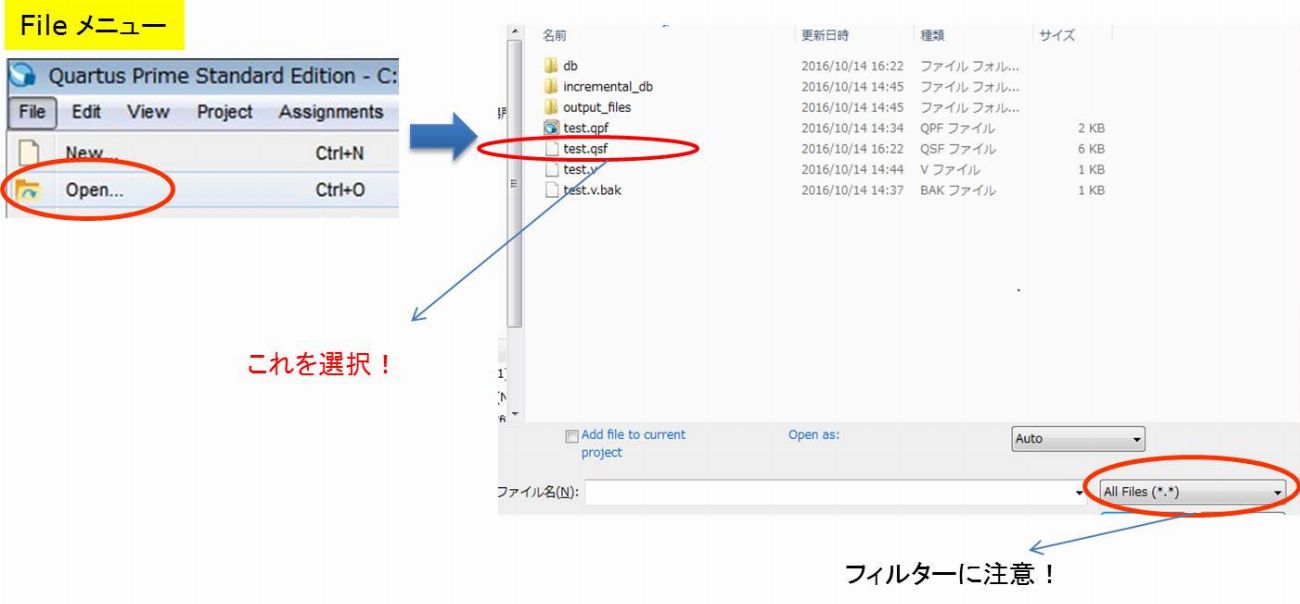
"File menu" on Quartus ⇒ "Open" ⇒ "Select .qsf file"
You can easily open it. However, please note that it may not be displayed due to filtering at first.
When I opened it... It's like this.
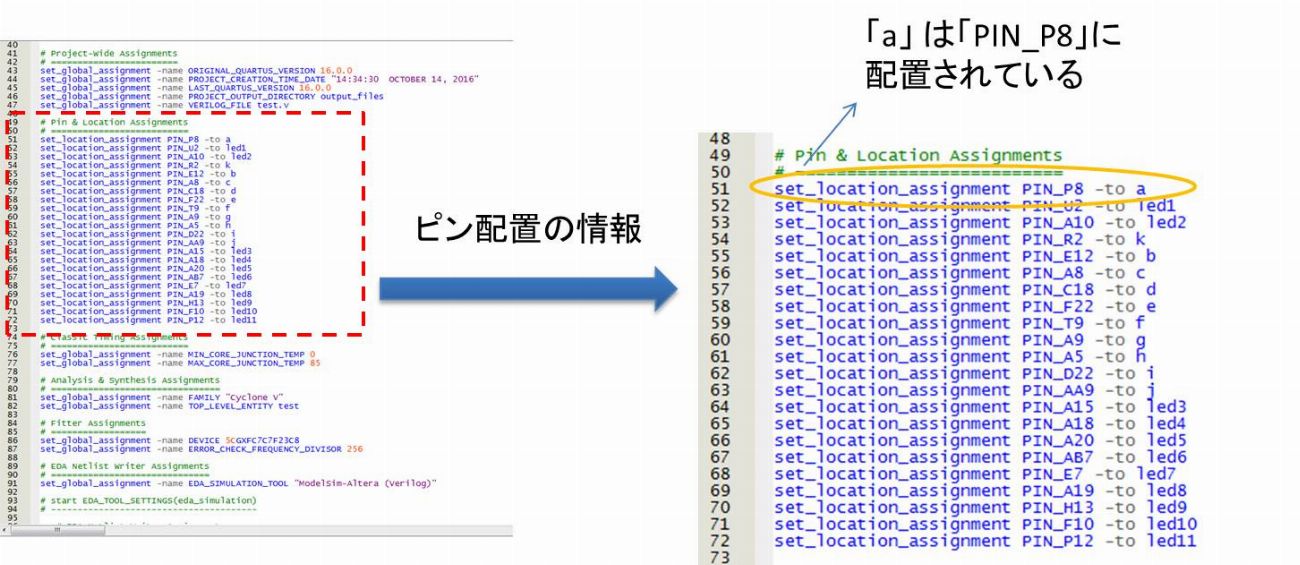
If you look at the pin information, it says "set_location_assignment PIN_~ -to ~".
This is the part of the .qsf file that sets the pinout.
Here you can see which pins are located where.
Let's edit this screen.
This time, let's change "PIN_P8-to a" to "PIN_A6-to a".
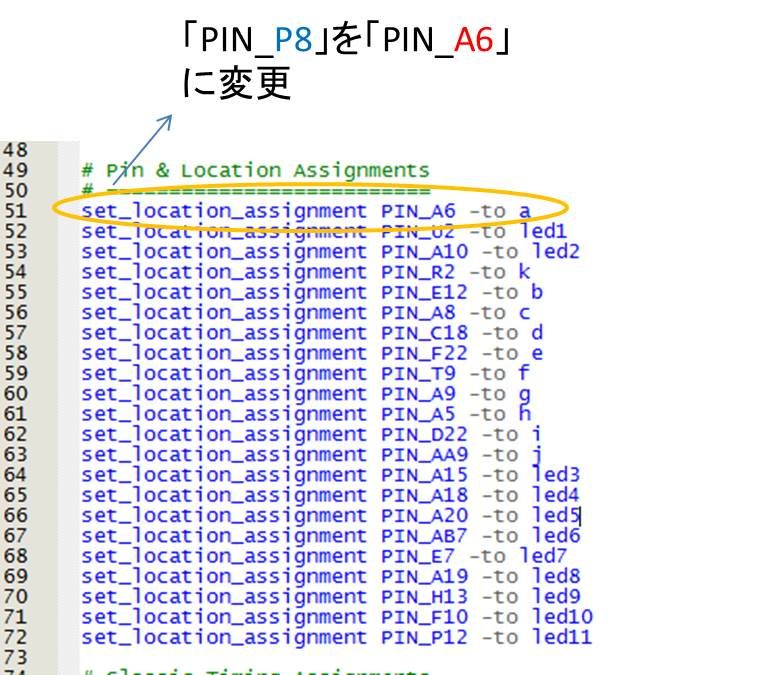
After saving, let's check if the changed settings are reflected in Pin Planner.
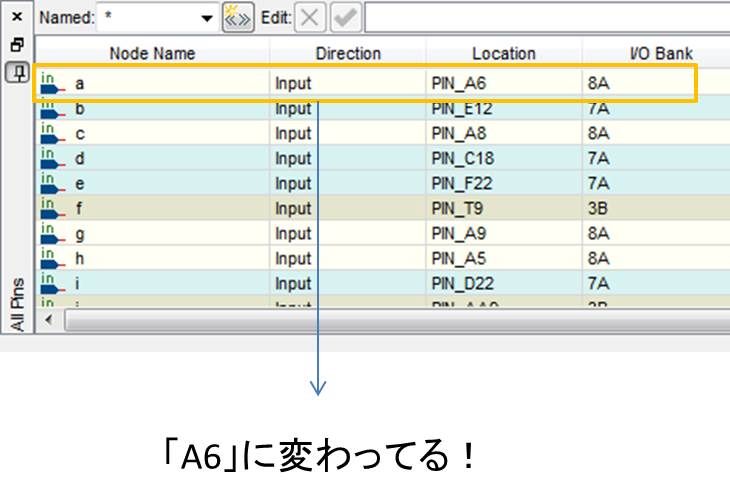
It's been changed. You can really change the text base!
But I don't know how to use this, so I asked for an example of how to use it.
Change pin assignment using comment out
For example, you have made a pin arrangement with Pin Planner, but the pin arrangement is not finalized yet and there is a possibility that it will be changed.
In such a case, don't you want to leave the history of the pin arrangement just in case?
that's right. Text-based pin placement is possible. the method is easy.
If you comment out (disable and leave a comment) the purpose pin arrangement information part of .psf, you can easily initialize and leave a history!
Since the history remains, when you want to restore the pin arrangement setting, just uncomment that part!
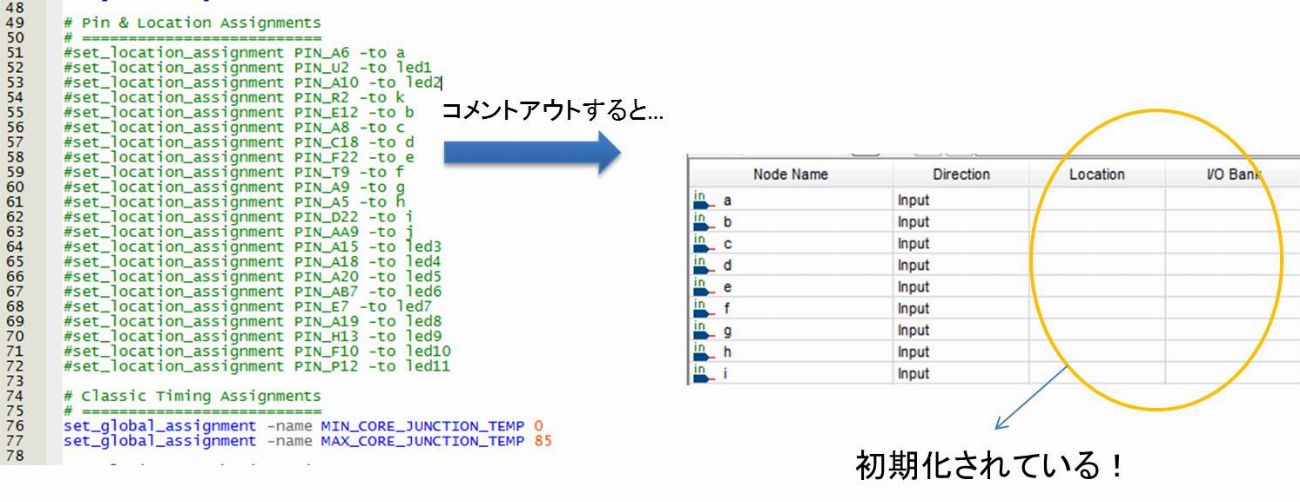
In addition, I will use this history to restore some of the pin layouts!
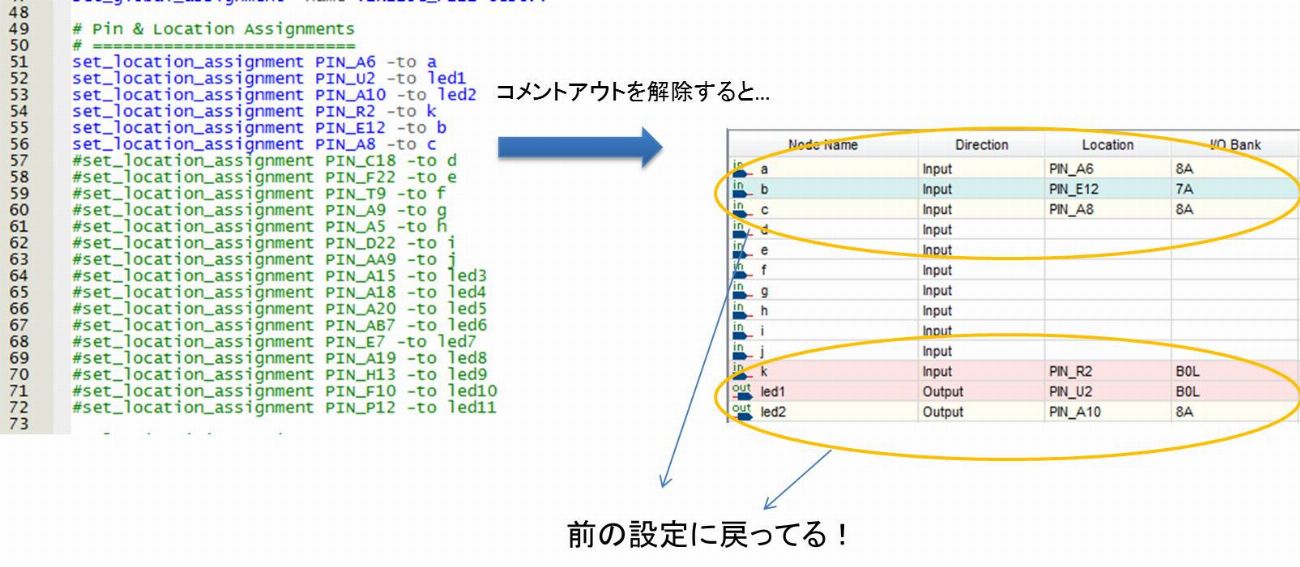
Summary
Quartus Prime is an essential tool for developing Altera® FPGAs and allows you to execute the entire FPGA design flow.
• Text-based pin assignment is easy!
1. Open the .qsf file.
2. Edit the pin assignment information in set_location_assignment.
Quartus Prime has a lot of convenient features, doesn't it?
Also, I'll write articles about any other useful features I learn, so please look forward to them!