- Semiconductor BusinessHOME
- Products and Services of Macnica,Inc.
-
technical information

-
Events and Seminars
- Handling Manufacturer
- Support
- Inquiry
- Click here to purchase products
- Semiconductor business e-mail magazine registration


 Narrow down by specifying conditions
現在2249件がヒットしています。check

Introduction
Hi! This is Kurami.
Starting in October, I've been assigned to a team that primarily supports Altera® SoC FPGAs and Nios® II.
During my practical training, I only used hardware languages (HDL), but now I'm studying software languages like C to learn them as well.
So, this time, I'd like to write an article about something that impressed me while I was learning the C language.
What is getchar()
The other day I learned about a function called "getchar()". This is a function that "returns one character input from the keyboard".
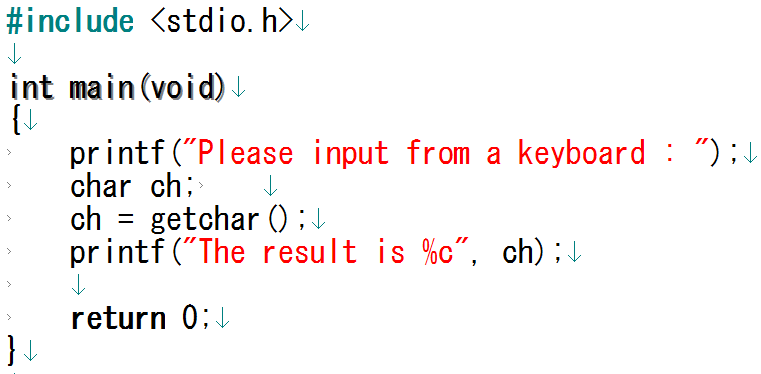
Figure 1 is a program that returns one character from the keyboard input, assigns it to the char type variable ch, and then prints the character stored in ch on the screen using printf().
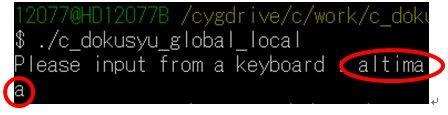
For example, if you enter " altima " as shown in Figure 2, the letter displayed on the screen will be " a ". (Fig.3)

Using a loop statement...
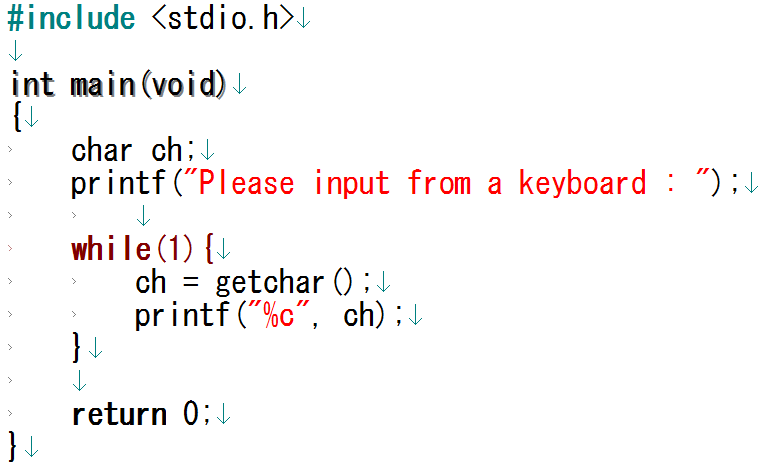
This time, I tried to use a loop statement to input characters many times, so I created the code shown in Figure 4.
Now that I have the code, I just typed in "altima" and it worked!
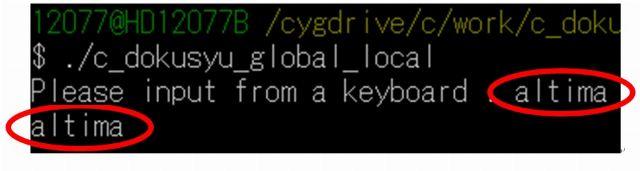
A string of characters is displayed on the screen, not just a single character! ! (Fig.5)
I expected that even if I typed "altima", it would only display "a" and wait for input from the keyboard (Fig. 6).
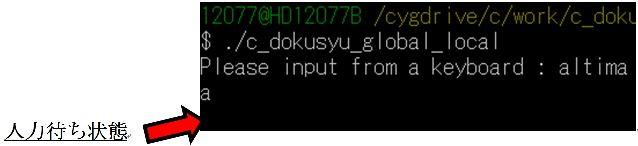
I couldn't understand at all why looping the code allowed multiple characters to be displayed. So I asked my senior colleague, Poki, on the same team, and it turned out that I was benefiting from something called a "line buffer."
I'd like to explain what a line buffer is, based on what I've learned.
Thanks to the line buffer...!
A line buffer is a memory area that temporarily stores data, such as data up to the point where a newline character is entered.
Using `getchar()`, the string entered from the keyboard until ENTER is pressed is temporarily stored in the line buffer. In this case, the string "altima" is stored in the line buffer. (Figure 7)
Then, when you try to display it on the screen using printf(), the first character you entered will be printed. Since you entered altima, "a" will be displayed on the screen.


By repeating this process, the line feed code " \n " entered last is output and waiting for input.
As a result, the code in Figure 4 will output something like Figure 5.
Summary
By looping through code that "uses getchar() to return a single character and then displays that character with printf()", I was able to make it appear as if the entire input string was being returned and then displayed with printf(). I'm so grateful for the benefits of line buffers. While I was basking in this feeling of accomplishment, Poki-senpai from the same team said something to me.
"Well, you can use the scanf() statement and select %s as the format specifier to return a string entered from the keyboard."
Furthermore, I learned that while getchar() can handle values between -128 and 127, scanf() can handle values between -32768 and 32767. scanf() has a wider range of values.
From now on, when I want to return a string, I'll use `scanf()`.
The C language is incredibly complex.
Please be sure to check out our next article!