- Semiconductor BusinessHOME
- Products and Services of Macnica,Inc.
-
technical information

-
Events and Seminars
- Handling Manufacturer
- Support
- Inquiry
- Click here to purchase products
- Semiconductor business e-mail magazine registration


 Narrow down by specifying conditions
現在2263件がヒットしています。check

This time, we will introduce how to calculate an appropriate capacity estimate using the PDN tool provided by Altera.
Altera's PDN tool (version 2.0 as of September 15, 2015) is a tool used to calculate the appropriate capacitance, number, and shape of decoupling capacitors in PCB design for boards with FPGAs.
PDN's software DL and manual are here ↓
By using the capacity calculated by the PDN tool as a guideline to optimize the power supply device, and potentially changing the capacity if necessary, you can easily calculate the appropriate capacity for both the FPGA and the power supply device, significantly improving the efficiency of PCB design work.
This time, we'll be using the Cyclone V SoC as our base for this introduction.
Now, let's take a look at how to use the PDN tools.
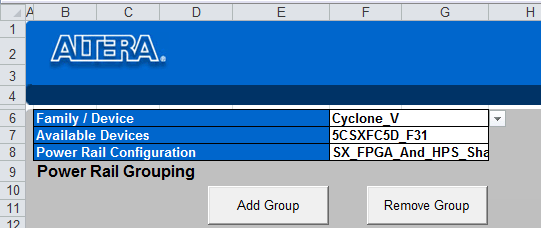
Step 1: Select an FPGA.
Select the family and model number and finalize the power supply configuration.
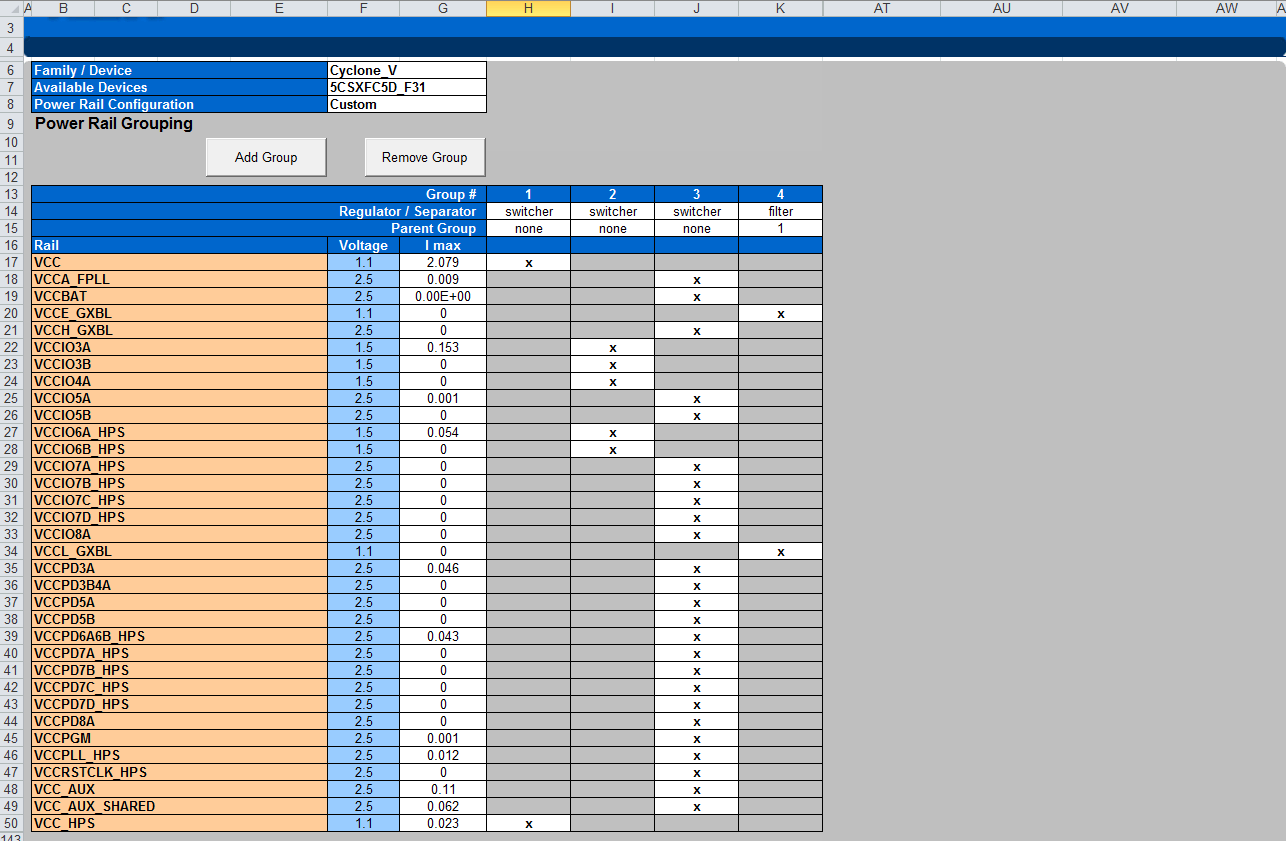
Step 2: Enter the power supply configuration and values calculated by Early Power Estimator (EPE)
Enter the value calculated by EPE, select power supply device or Filter, select X or X/related to create a power supply configuration
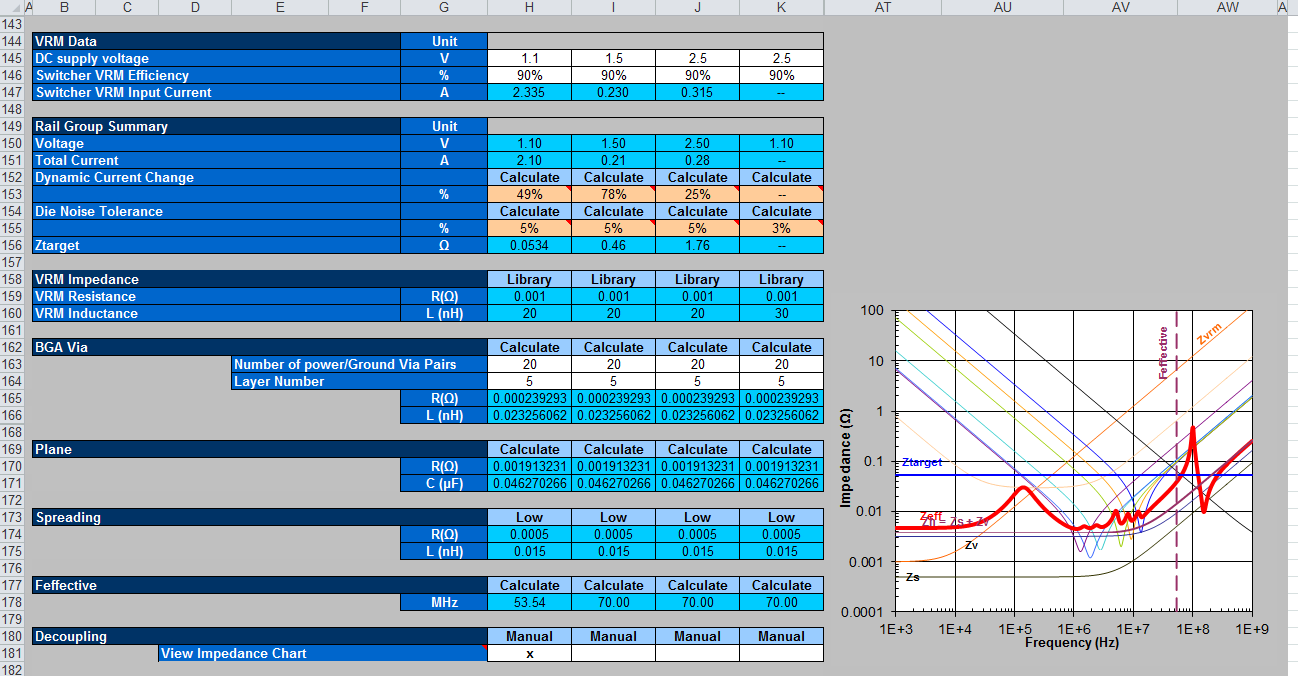
Step 3: Select the power supply device, regulator, number of vias, resistance values, number of board layers, etc.
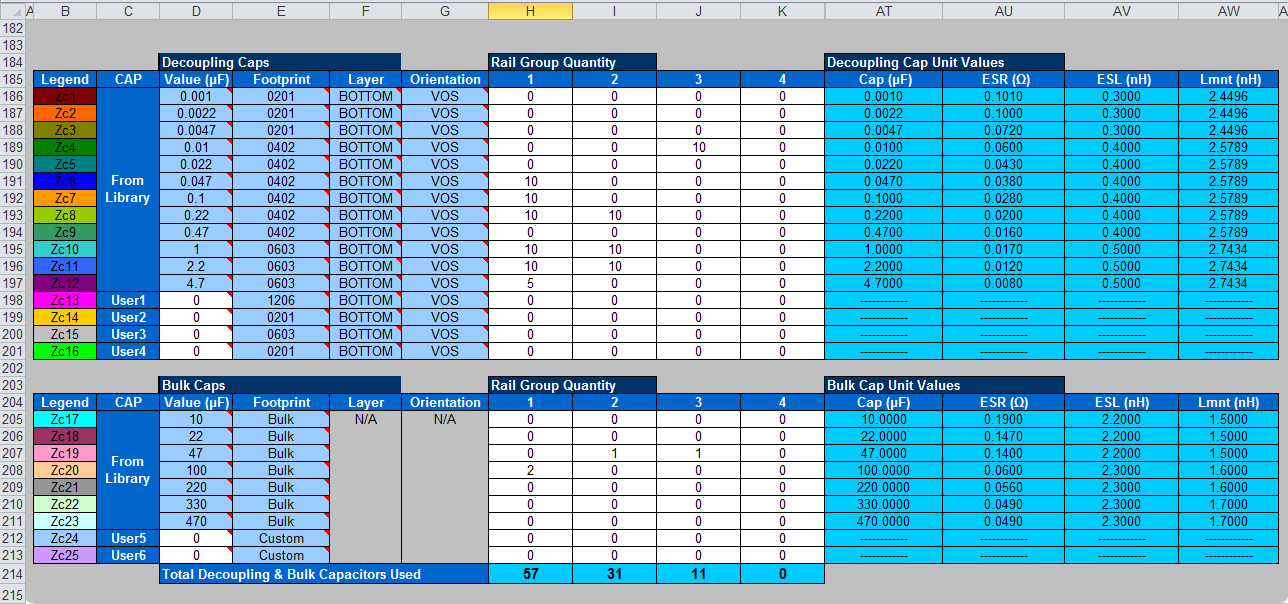
Step 4: Enter the number of capacitors
Step 5: Check the logarithmic graph on the PDN tool (vertical axis: impedance, horizontal axis: frequency) and adjust the number of capacitors so that the Zeff value meets the requirements.
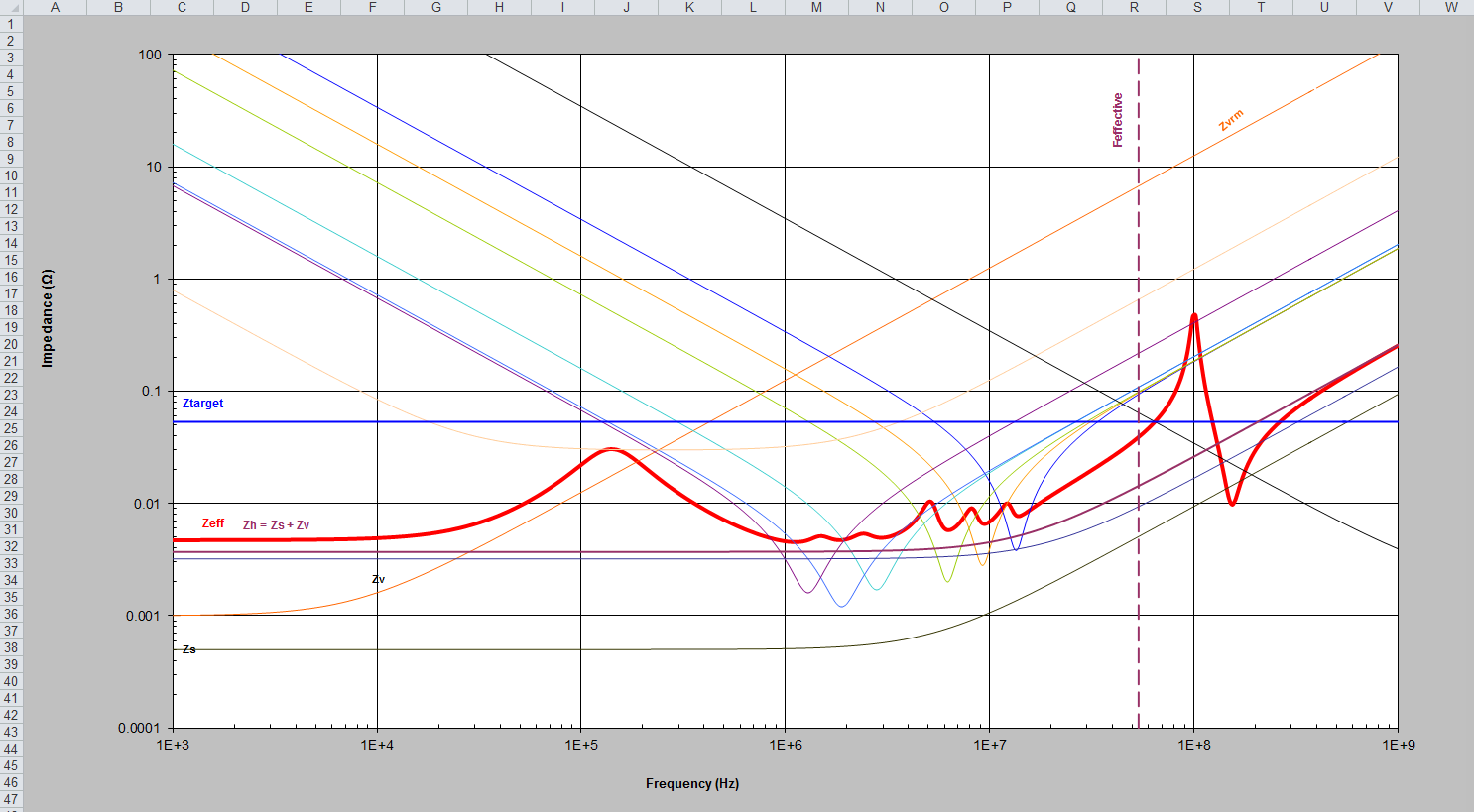
By using the PDN tool provided by Altera, you can easily calculate the approximate capacitance, number, and shape of decoupling capacitors, which can be used to further improve efficiency in the power supply circuit design of FPGA-based applications.